Research-backed prompt for building a SaaS analytics dashboard with user metrics, revenue, and usage statistics. Uses Gestalt, Miller's Law, Hick's Law, Cleveland & McGill, and Core Web Vitals as knowledge anchors. Generated by prompt-forge.
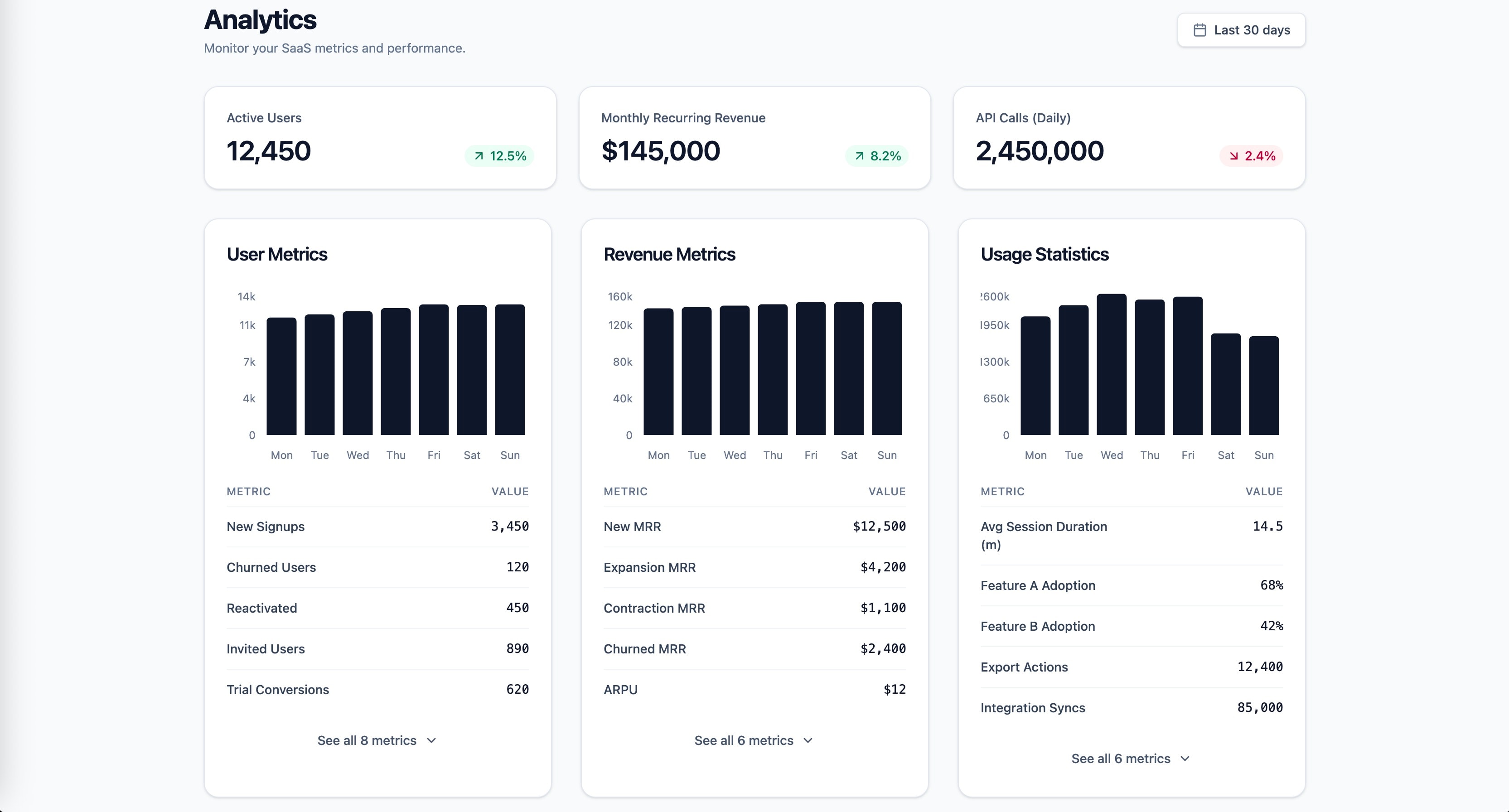
1role: >2 You are a senior frontend engineer specializing in SaaS dashboard design,3 data visualization, and information architecture. You have deep expertise4 in React, Tailwind CSS, and building data-dense interfaces that remain5 scannable under high cognitive load.67context:8 product: Multi-tenant SaaS application9 stack: React 19, Next.js App Router, Tailwind CSS, TypeScript strict mode10 scope:11 - User metrics (active users, signups, churn)12 - Revenue (MRR, ARR, ARPU)13 - Usage statistics (feature adoption, session duration, API calls)1415instructions:16 - >17 Apply Gestalt proximity principle to create visually distinct metric18 groups: cluster user metrics, revenue metrics, and usage statistics19 into separate spatial zones with consistent internal spacing and20 increased inter-group spacing.21 - >22 Follow Miller's Law: limit each metric group to 5-7 items maximum.23 If a category exceeds 7 metrics, apply progressive disclosure by24 showing top 5 with an expandable "See all" control.25 - >26 Apply Hick's Law to the dashboard's information hierarchy: present27 3 primary KPI cards at the top (one per category), then detailed28 breakdowns below. Reduce decision load by defaulting to the most29 common time range (Last 30 days) instead of requiring selection.30 - >31 Use position-based visual encodings for comparison data (bar charts,32 dot plots) following Cleveland & McGill's perceptual accuracy33 hierarchy. Reserve area charts for trend-over-time only.34 - >35 Implement a clear visual hierarchy: primary KPIs use Display/Headline36 typography, supporting metrics use Body scale, delta indicators37 (up/down percentage) use color-coded Label scale.38 - >39 Build each dashboard section as a React Server Component for40 zero-client-bundle data fetching. Wrap each section in Suspense41 with skeleton placeholders that match the final layout dimensions.4243constraints:44 must:45 - Meet WCAG 2.2 AA contrast (4.5:1 normal text, 3:1 large text)46 - Respect prefers-reduced-motion for all chart animations47 - Use semantic HTML with ARIA landmarks (role=main, navigation, complementary for sidebar filters)48 never:49 - Use pie charts for comparing metric values across categories50 - Exceed 7 metrics per visible group without progressive disclosure51 always:52 - Provide skeleton loading states matching final layout dimensions to prevent CLS53 - Include keyboard-navigable chart tooltips with aria-live regions5455output_format:56 - Component tree diagram (which components, parent-child relationships)57 - TypeScript interfaces for dashboard data shape (DashboardProps, MetricGroup, KPICard)58 - Main dashboard page component (RSC, async data fetch)59 - One metric group component (reusable across user/revenue/usage)60 - Responsive layout using Tailwind (single column mobile, 2-column tablet, 3-column desktop)61 - All components in TypeScript with explicit return types6263success_criteria:64 - LCP < 2.5s (Core Web Vitals good threshold)65 - CLS < 0.1 (no layout shift from lazy-loaded charts)66 - INP < 200ms (filter interactions respond instantly)67 - Lighthouse Accessibility >= 9068 - Dashboard scannable within 5 seconds (Krug's trunk test)69 - Each metric group independently loadable via Suspense boundaries7071knowledge_anchors:72 - Gestalt Principles (proximity, similarity, grouping)73 - "Miller's Law (7 plus/minus 2 chunks)"74 - "Hick's Law (decision time vs choice count)"75 - "Cleveland & McGill (perceptual accuracy hierarchy)"76 - Core Web Vitals (LCP, INP, CLS)
Structured security audit prompt for SaaS dashboard projects. Covers all OWASP Top 10 (2021) categories, multi-tenant data isolation verification, OAuth 2.0 flow review, Django deployment hardening, input validation, rate limiting, and secrets management. Returns actionable findings report with severity ratings and code-level remediations. Stack-agnostic via configurable variables.
Create a steel/industrial blueprint-style infographic designed for social media (“SosMed”). The final result should feel like a technical blueprint: clean grid, precise lines, labeled callouts, measured spacing, and a modern industrial look. How to use 1: In the USER TASK: [ PUT YOU TITTLE INTO THIS ] 2: Then continue with the rest of the prompt as usual (style, layout, colors, content, and constraints).
Act as an expert in AI and prompt engineering. This prompt provides detailed insights, explanations, and practical examples related to the responsibilities of a prompt engineer. It is structured to be actionable and relevant to real-world applications.
Hand-illustrated educational infographics.