

Prompt Workflows
34 foundPrompts with sequential flows and connections
Build an image-ready and motion-ready brief for one hero shot of a red-roofed white church on a grassy headland above an Icelandic black sand beach with basalt sea stacks at golden hour: church, beach and surf, sea stacks, light, fixed details, a motion map, and two prompt seeds: a 16:9 still image and an image-to-video animation.
Act as a cinematic landscape designer who writes image-ready and motion-ready scene briefs. Help me design one hero shot of a small white wooden church with a red roof standing on a grassy headland above an Icelandic black sand beach, with dark basalt sea stacks rising from the ocean at golden hour. The shot will first be generated as a still image and then animated into a short video that uses that image as its first frame. Your brief must make the still image rich in elements that can move naturally (surf lines rolling in and washing up the black sand, foam pulling back, sea spray bursting against the base of the stacks, clouds drifting slowly, the warm glow shifting a little, grass stirring in the wind) while keeping the composition calm, readable, and easy to animate.

My starting choices:
- Church: a small white wooden church with a red gabled roof and a short red steeple
- Headland: a rounded grassy green headland that drops to the beach
- Beach: a long curve of fine black volcanic sand
- Sea stacks: a few dark basalt sea stacks offshore, one tall and jagged, the others smaller spires and a low rounded rock
- Time and light: golden hour with a low sun near the horizon and scattered clouds lit orange, pink, and purple
- Visual style: photoreal landscape photography, natural colors
- Mood words: remote, peaceful, dramatic, warm

First ask me, in one short message, for anything missing: the camera position I prefer (low on the beach at the waterline, slightly elevated from the dunes, or from a cliff path), which side of the frame the church and the sea stacks should sit on, where the sun should be, how rough the sea should be, and anything to avoid (people, cars, drones in the sky, birds that would have to fly convincingly, text, logos, or copying a specific real photograph).

Then produce the brief with these sections:

1. **Scene Overview**: two or three sentences describing the place, the time, the light, and the feeling of the moment. Describe an imagined Icelandic south coast scene in the spirit of the place, not a copy of a specific photograph or a named church.

2. **Church and Headland**: the church's position and size in the frame, its white walls, red roof and steeple, windows and door, how the low sun lights it, and the shape of the grassy headland below it and where it meets the beach.

3. **Beach and Surf**: the curve of the black sand from the foreground, the wet sand reflections, how many surf lines there are, the direction the waves roll in from, and how far the foam washes up.

4. **Sea Stacks and Depth**: how many stacks, their shapes and heights, their positions from left to right, where spray hits them, and the depth layers from the foreground sand to the horizon.

5. **Light and Sky**: the sun's position and height, the color gradient of the sky, the cloud shapes and how they are lit, long shadows on the headland and the sand, and any haze over the sea.

6. **Fixed Visual Details**: a numbered list of 8 to 10 details that must stay identical in the still image and in the video (church position and colors, steeple shape, headland outline, beach curve, number and order of the sea stacks, sun position, horizon line, cloud layout, camera position, framing).

7. **Motion Map**: a table of every element that can move in the video, with columns: element, type of motion, direction, speed (very slow, slow, medium), and how strongly it should move. Include the surf lines, the foam on the sand, spray at the stacks, the clouds, the grass, the light, and the camera move. Keep total motion subtle and physically plausible, with one wave direction and one wind direction.

8. **Prompt Seed A - Hero Still Image**: a ready-to-paste image prompt under 170 words for a wide landscape 16:9 frame, with the church on the headland, the black sand beach, and the sea stacks in the first sentence, ending with: no people, no text, no logos.

9. **Prompt Seed B - Image-to-Video Animation**: a ready-to-paste video prompt under 120 words that starts from the hero still as the first frame, describes the surf rolling in and washing up the sand, spray at the stacks, clouds drifting, one very slow camera move for about 6 seconds, and says to keep the church, headland, stacks, and framing exactly as in the image with no new objects.

Rules: no people, animals, or vehicles as subjects; no text, signs, or logos; no fast camera moves or cuts; and no motion that breaks physics (waves always come from the sea and break toward the shore, foam slides back down the slope, rocks and the church never move or change shape, the sun does not jump). Use short paragraphs and lists.
Build an image-ready and motion-ready brief for one hero shot of a lantern-lit old-town river at dusk: ochre shophouses, a roofed wooden footbridge, floating paper lanterns, a rowboat with a rower, light, fixed details, a motion map, and two prompt seeds: a 16:9 still image and an image-to-video animation.
Act as a cinematic environment designer who writes image-ready and motion-ready scene briefs. Help me design one hero shot of a lantern-lit river running through a historic Vietnamese old town at dusk, inspired by the atmosphere of a Hoi An style lantern evening, which will first be generated as a still image and then animated into a short video that uses that image as its first frame. Your brief must make the still image rich in elements that can move naturally (floating paper lanterns drifting and bobbing on the current, candle flames flickering, reflections shimmering, a small wooden rowboat gliding with a rower working one long oar, hanging lanterns swaying in a light breeze, a few people strolling on the riverside promenade, the twilight sky slowly deepening) while keeping the composition calm, readable, and easy to animate.

My starting choices:
- Old town setting: a calm river lined with yellow ochre two-story shophouses with dark wooden shutters and terracotta tile roofs
- Time and sky: blue hour, deep blue twilight sky with a soft pink-violet glow on the horizon
- Landmark: a wooden arched footbridge with a small tiled pagoda-style roof spanning the river in the distance
- Lanterns: round silk lanterns in red, orange, and yellow along the shopfronts, and many small square paper lanterns with candles floating on the water
- Boat: one narrow wooden rowboat with a rower in a conical hat carrying a pile of glowing lanterns
- Visual style: photoreal cinematic travel photography
- Mood words: calm, warm, magical, quiet

First ask me, in one short message, for anything missing: the camera viewpoint I prefer (low over the water, from the riverbank at eye level, or slightly elevated from a balcony), which side of the frame the shophouses should line, where the boat should sit and which way it should move, how dense the floating lanterns should be, and anything to avoid (close-up faces, readable signs or text, logos, modern cars or scooters, power lines, crowds, copying a specific real photograph).

Then produce the brief with these sections:

1. **Scene Overview**: two or three sentences describing the place, the time, the light, and the feeling of the moment. Describe an imagined old-town river scene in the spirit of the place, not a copy of a specific photograph.

2. **Old Town Architecture**: which bank the shophouses line, their color, shutters, balconies, and roofs, the riverside promenade in front of them (cafe tables, low stone river wall), where the hanging lanterns sit (along the eaves or strung across the street), and what is on the far bank.

3. **Bridge and Depth**: the position of the footbridge in the frame, its arch and roof pavilion, how it is lit, its reflection in the water, and the depth layers from the foreground water to the bridge and the far bank.

4. **Lanterns on the Water**: how many floating lanterns, their shape and colors, how they are spread from the foreground toward the bridge, how their reflections look, and that they all drift with one gentle current direction.

5. **Boat and Rower**: the boat's position, angle, and length in the frame, which end the rower sits at, the conical hat and clothing, the long oar and where it meets the water, the pile of lanterns in the boat, and the direction the boat will glide.

6. **Light and Atmosphere**: the twilight gradient, the horizon glow behind the bridge, warm lantern light against the cool blue dusk, the shimmer of reflections, and any light haze over the water.

7. **Fixed Visual Details**: a numbered list of 8 to 10 details that must stay identical in the still image and in the video (bank side of the shophouses, bridge position and shape, roof pavilion, lantern colors, floating lantern spread, boat position and angle, rower and oar, horizon glow position, camera position, framing).

8. **Motion Map**: a table of every element that can move in the video, with columns: element, type of motion, direction, speed (very slow, slow, medium), and how strongly it should move. Include the boat and oar, the floating lanterns, candle flicker, reflections, hanging lanterns, strolling people, the sky, and the camera move. Keep total motion subtle and physically plausible, with one current direction for the water and one breeze direction for the hanging lanterns.

9. **Prompt Seed A - Hero Still Image**: a ready-to-paste image prompt under 170 words for a wide landscape 16:9 frame, with the lantern river, the shophouses, the footbridge, and the rowboat in the first sentence, ending with: no close-up faces, no text, no signs, no logos.

10. **Prompt Seed B - Image-to-Video Animation**: a ready-to-paste video prompt under 120 words that starts from the hero still as the first frame, describes the rower pulling the oar and the boat gliding gently, the lanterns drifting and flickering, the hanging lanterns swaying, one slow camera move for about 6 seconds, and says to keep the shophouses, bridge, boat, and framing exactly as in the image with no new objects.

Rules: people only as small figures and one rower, never the main subject or with detailed faces; no text, signs, or logos; respectful, authentic cultural details without stereotypes; no fast camera moves or cuts; and no motion that breaks physics (floating lanterns move with the current and never fly or sink, the boat moves only as the oar pushes it and leaves ripples, flames flicker but do not grow, buildings and the bridge never change shape). Use short paragraphs and lists.
Build an image-ready and motion-ready brief for one hero shot of a camel caravan arriving at a sandstone caravanserai at dusk: architecture, caravan path, desert and palms, light, fixed details, a motion map, and two prompt seeds: a 16:9 still image and an image-to-video animation.
Act as a cinematic environment designer who writes image-ready and motion-ready scene briefs. Help me design one hero shot of an old desert caravanserai at dusk with a camel caravan arriving, which will first be generated as a still image and then animated into a short video that uses that image as its first frame. Your brief must make the still image rich in elements that can move naturally (camels walking with steady strides, flickering lantern light, palm fronds swaying, fine sand drifting over dune ripples, stars appearing as the sky darkens) while keeping the composition calm, readable, and easy to animate.

My starting choices:
- Desert setting: wide sand desert with low rolling dunes and rippled sand
- Time and sky: dusk turning to night, orange glow on the horizon fading up into violet with the first stars
- Caravanserai look: square sandstone fortress with crenellated walls, round corner towers, and one tall arched gateway
- Caravan: a line of five camels with riders arriving toward the gate
- Visual style: photoreal cinematic travel photography
- Mood words: calm, timeless, welcoming, quiet

First ask me, in one short message, for anything missing: the camera viewpoint I prefer (low and wide from the sand, from a dune slightly above, or level with the gate), which side the caravan should enter from and which way it walks, how much of the sky versus sand should show, and anything to avoid (close-up faces, text, signs, logos, modern vehicles, power lines, a specific real building or place).

Then produce the brief with these sections:

1. **Scene Overview**: two or three sentences describing the place, the time, the light, and the feeling of the moment. Describe an imagined caravanserai, not a copy of a real, named one.

2. **Caravanserai Architecture**: its position in the frame, wall color and texture, the corner towers, crenellations, small windows, the shape of the gateway (pointed or horseshoe arch), what is visible through it (inner arches, warm courtyard light), and where the lanterns hang.

3. **Caravan and Movement Line**: the number of camels and riders, their spacing, which side of the frame they occupy, the direction they walk, the path they follow toward the gate, saddle cloths and colors, and their shadows on the sand. State that every camel faces the direction it walks.

4. **Desert and Vegetation**: dune shapes near and far, sand ripples in the foreground, sparse dry shrubs near the walls, and palm trees (how many, where, and how tall), with depth layers from foreground to background.

5. **Light and Atmosphere**: where the last glow sits on the horizon, the sky gradient, the stars, the warm lantern light at the gate against the cool dusk, wispy clouds, and any low haze.

6. **Fixed Visual Details**: a numbered list of 8 to 10 details that must stay identical in the still image and in the video (fortress position and size, gate position, tower count, lantern positions, camel count and direction, palm count and position, horizon glow side, camera position, framing).

7. **Motion Map**: a table of every element that can move in the video, with columns: element, type of motion, direction, speed (very slow, slow, medium), and how strongly it should move. Include the camels' walk, the lantern flicker, palms, drifting sand, stars, and the camera move. Keep total motion subtle and physically plausible, with one wind direction for palms and sand.

8. **Prompt Seed A - Hero Still Image**: a ready-to-paste image prompt under 170 words for a wide landscape 16:9 frame, with the caravanserai, the camel caravan, and the dusk sky in the first sentence, ending with: no close-up faces, no text, no signs, no logos.

9. **Prompt Seed B - Image-to-Video Animation**: a ready-to-paste video prompt under 120 words that starts from the hero still as the first frame, describes the camels walking steadily in the direction they face, the lantern and palm motion, one slow camera move for about 6 seconds, and says to keep the fortress, towers, palms, and framing exactly as in the image with no new objects.

Rules: people only as small riders, never the main subject; no text, signs, or logos; no fast camera moves or cuts; and no motion that breaks physics (camels walk forward only in the direction they face with natural leg movement, riders stay seated, shadows follow the camels, the building never changes shape). Use short paragraphs and lists.
Build an image-ready and motion-ready brief for one hero shot of a steam train crossing a stone viaduct over an autumn river valley: viaduct and train, steam plume, valley and light, fixed details, a motion map, and two prompt seeds: a 16:9 still image and an image-to-video animation.
Act as a cinematic environment designer who writes image-ready and motion-ready scene briefs. Help me design one hero shot of a vintage steam train crossing a tall stone railway viaduct over a river valley, which will first be generated as a still image and then animated into a short video that uses that image as its first frame. Your brief must make the still image rich in elements that can move naturally (billowing steam and smoke, the train rolling steadily along the viaduct, mist drifting over the river, leaves stirring on the trees, flowing water, soft shifting light) while keeping the composition calm, readable, and easy to animate.

My starting choices:
- Valley setting: deep river valley with wooded hillsides and distant hazy hills
- Season, time, and weather: autumn, early morning, light river mist, mostly clear sky
- Train look: black steam locomotive pulling four maroon passenger carriages
- Viaduct look: weathered grey stone viaduct with many tall arches
- Visual style: photoreal landscape and railway photography
- Mood words: nostalgic, peaceful, golden, timeless

First ask me, in one short message, for anything missing: the camera viewpoint I prefer (from a hillside above and to one side, from the riverbank below, or level with the deck), which way the train should travel across the frame, how much of the river and valley floor should show, and anything to avoid (people, text, signs, logos, modern trains, power lines, a specific real viaduct or railway).

Then produce the brief with these sections:

1. **Scene Overview**: two or three sentences describing the place, the time, the light, and the feeling of the moment. Describe an imagined viaduct and train, not a copy of a real, named one.

2. **Viaduct and Train**: the viaduct's path across the frame (straight or curved, where it enters and leaves), number of visible arches, stone color and texture, parapet; the locomotive's position on the deck, which way it faces, chimney and boiler details, the number and color of carriages, and how much of the train is visible.

3. **Steam and Smoke**: where the plume rises, its color (white steam, grey smoke), size, and which way the wind carries it. State that the plume stays attached to the chimney and drifts with one wind direction.

4. **Valley and Landscape**: the river below and how it winds under the arches, hillside trees and their autumn colors, any small buildings (for example a stone farmhouse by the river), distant hills, and depth layers from foreground to background.

5. **Light and Atmosphere**: sun direction and color, where the warm glow falls, mist on the water and its height, haze on the distant hills, and the sky.

6. **Fixed Visual Details**: a numbered list of 8 to 10 details that must stay identical in the still image and in the video (viaduct path and arch count, train position and direction, carriage count and color, river path, farmhouse position, sun side, mist height, camera position, framing).

7. **Motion Map**: a table of every element that can move in the video, with columns: element, type of motion, direction, speed (very slow, slow, medium), and how strongly it should move. Include the train's travel along the deck and the camera move. Keep total motion subtle and physically plausible, with one wind direction for steam, smoke, mist, and leaves.

8. **Prompt Seed A - Hero Still Image**: a ready-to-paste image prompt under 170 words for a wide landscape 16:9 frame, with the train, the viaduct, and the valley in the first sentence, ending with: no people visible, no text, no signs, no logos.

9. **Prompt Seed B - Image-to-Video Animation**: a ready-to-paste video prompt under 120 words that starts from the hero still as the first frame, describes the train moving steadily in the direction it faces, the steam and mist motion, one slow camera move for about 6 seconds, and says to keep the viaduct, the valley, the buildings, and the framing exactly as in the image with no new objects.

Rules: no people as the main subject, no text, signs, or logos, no fast camera moves or cuts, and no motion that breaks physics (the train moves only along the rails in the direction the locomotive faces, the carriages stay coupled, steam rises from the chimney and drifts with the wind, water flows downstream). Use short paragraphs and lists.
Build an image-ready and motion-ready brief for one hero shot of a monastery on a mountain cliff with prayer flags: buildings and cliff, flag lines, gorge and peaks, light and mist, fixed details, a motion map, and two prompt seeds: a 16:9 still image and an image-to-video animation.
Act as a cinematic environment designer who writes image-ready and motion-ready scene briefs. Help me design one hero shot of a small monastery clinging to a mountain cliff with strings of prayer flags, which will first be generated as a still image and then animated into a short video that uses that image as its first frame. Your brief must make the still image rich in elements that can move naturally (fluttering prayer flags, drifting clouds and mist, rising incense smoke, a waterfall or river far below, shifting light, a few distant birds) while keeping the composition calm and easy to animate.

My starting choices:
- Mountain setting: Himalayan gorge with a river far below and snow peaks behind
- Time of day and weather: misty dawn after a clear night
- Monastery look: small whitewashed buildings with red-brown upper walls, dark roofs, and gold roof ornaments
- Visual style: photoreal travel and landscape photography
- Mood words: serene, airy, sacred, quiet

First ask me, in one short message, for anything missing: the camera viewpoint I prefer (from a facing ridge across the gorge, from a trail below looking up, or from a ledge level with the monastery), how much of the river and gorge floor should show, and anything to avoid (people, monks, tourists, signs, modern buildings, cables, a specific real monastery).

Then produce the brief with these sections:

1. **Scene Overview**: two or three sentences describing the place, the time, the light, and the feeling of the moment. Describe an imagined monastery, not a copy of a real, named one.

2. **Monastery and Cliff**: building count and arrangement on the cliff ledges, wall colors, window rows, roofs and gold ornaments, stairs or a wooden bridge, how the buildings sit on the rock, the cliff's texture and vegetation (juniper, pines, moss), and the monastery's position in the frame.

3. **Prayer Flags**: how many strings, where each one is tied (rooftop, rock spire, pole), the direction they run across the frame, color order (blue, white, red, green, yellow), size, and how they sag. State that the flags move with the wind but their tie points never move.

4. **Gorge and Landscape**: the river or waterfall far below, forested slopes, side ridges, snow peaks, and depth layers from foreground to background.

5. **Light and Atmosphere**: sun direction and color, mist bands in the gorge and their height, cloud wisps around the peaks, incense smoke from a rooftop burner, and how the light catches the white walls and gold ornaments.

6. **Fixed Visual Details**: a numbered list of 8 to 10 details that must stay identical in the still image and in the video (monastery side and position, number of buildings, flag tie points and direction, river position, peak shapes, sun side, mist height, camera position, framing).

7. **Motion Map**: a table of every element that can move in the video, with columns: element, type of motion, direction, speed (very slow, slow, medium), and how strongly it should move. Include the camera move. Keep total motion subtle and physically plausible, with one wind direction for flags, mist, and smoke.

8. **Prompt Seed A - Hero Still Image**: a ready-to-paste image prompt under 170 words for a wide landscape 16:9 frame, with the monastery, the cliff, the prayer flags, and the gorge in the first sentence, ending with: no people, no text, no signs, no logos.

9. **Prompt Seed B - Image-to-Video Animation**: a ready-to-paste video prompt under 120 words that starts from the hero still as the first frame, describes one slow camera move and the natural motions from the Motion Map for about 6 seconds, and says to keep the monastery, the cliff, the flag tie points, the mountains, and the framing exactly as in the image with no new objects.

Rules: no people as the main subject, no text, signs, or logos, no fast camera moves or cuts, and no motion that breaks physics (flags flutter and ripple but stay attached, mist and smoke drift with the same wind as the flags, water flows downhill). Use short paragraphs and lists.
Build an image-ready and motion-ready brief for one hero shot of a cable car crossing a snowy mountain valley: cabin and cable line, valley and village, light and atmosphere, fixed details, a motion map, and two prompt seeds: a 16:9 still image and an image-to-video animation.
Act as a cinematic environment designer who writes image-ready and motion-ready scene briefs. Help me design one hero shot of a single cable car cabin crossing a snowy mountain valley, which will first be generated as a still image and then animated into a short video that uses that image as its first frame. Your brief must make the still image rich in elements that can move naturally (the cabin gliding along its cable, drifting clouds, falling or blowing snow, chimney smoke, glinting light, birds) while keeping the composition calm and easy to animate.

My starting choices:
- Mountain region and landscape: Alpine valley with a small village and pine forest
- Season and time of day: winter sunrise
- Cabin type and color: small vintage red aerial tram cabin with large windows
- Visual style: photoreal travel photography
- Mood words: crisp, quiet, golden, airy

First ask me, in one short message, for anything missing: the camera viewpoint I prefer (from a ridge looking across the valley, from below looking up at the cabin, or level with the cabin from a nearby slope), whether the valley station or the mountain station should be visible, and anything to avoid (people, skiers, logos, signs, ski lifts, modern buildings).

Then produce the brief with these sections:

1. **Scene Overview**: two or three sentences describing the place, the season, the light, and the story of the moment.

2. **Cable Car and Line**: cabin shape, color, window layout, roof hanger and carriage, the number and thickness of steel cables, the steel lattice pylon (position in the frame, height, color), and the direction the cabin travels. State that the cabin hangs below the cables and moves along them, never off them.

3. **Valley and Landscape**: peaks and their shapes, snow cover and rock, pine forest density, the village below (number of houses, roof colors, church or chalet details), roads or a frozen stream, and depth layers from foreground to background.

4. **Light and Atmosphere**: sun direction and color, alpenglow on the peaks, low clouds or valley fog, light snow in the air, chimney smoke, and how the light catches the cabin windows and cables.

5. **Fixed Visual Details**: a numbered list of 8 to 10 details that must stay identical in the still image and in the video (cabin color and position, cable angle, pylon side, peak shapes, village position, sun side, cloud layer height, camera position, framing).

6. **Motion Map**: a table of every element that can move in the video, with columns: element, type of motion, direction, speed (very slow, slow, medium), and how strongly it should move. Include the camera move. Keep total motion subtle and physically plausible.

7. **Prompt Seed A - Hero Still Image**: a ready-to-paste image prompt under 170 words for a wide landscape 16:9 frame, with the cabin, the cables, the pylon, and the snowy valley in the first sentence, ending with: no people, no text, no signs, no logos.

8. **Prompt Seed B - Image-to-Video Animation**: a ready-to-paste video prompt under 120 words that starts from the hero still as the first frame, describes one slow camera move and the natural motions from the Motion Map for about 6 seconds, and says to keep the cabin, the cables, the pylon, the mountains, and the framing exactly as in the image with no new objects.

Rules: no people as the main subject, no text, signs, or logos, no fast camera moves or cuts, and no motion that breaks physics (the cabin moves smoothly along the cable at a constant slow speed and swings only slightly, clouds drift with one wind direction, smoke bends with the same wind). Use short paragraphs and lists.
Build an image-ready and motion-ready brief for one hero shot of an old stone watermill on a stream: architecture, waterwheel, water and landscape, light and mist, fixed details, a motion map, and two prompt seeds: a 16:9 still image and an image-to-video animation.
Act as a cinematic environment designer who writes image-ready and motion-ready scene briefs. Help me design one hero shot of a small old stone watermill on a stream, which will first be generated as a still image and then animated into a short video that uses that image as its first frame. Your brief must make the still image rich in elements that can move naturally (falling water, a turning wheel, mist, leaves, smoke, birds, flickering lights) while keeping the composition calm and easy to animate.

My starting choices:
- Region and landscape: temperate forest valley
- Season and time of day: autumn dawn
- Mill size and age: two-story fieldstone mill, about 200 years old
- Visual style: photoreal landscape photography
- Mood words: quiet, golden, misty, timeless

First ask me, in one short message, for anything missing: the camera viewpoint I prefer (across the stream, from a small footbridge, or low near the water), whether the mill is still working or restored as a home or museum, and anything to avoid (people, animals, modern cars, power lines, signs).

Then produce the brief with these sections:

1. **Scene Overview**: two or three sentences describing the place, the season, the light, and the story of the moment.

2. **Mill Architecture**: wall stone color and texture, roof material and shape, number of floors and windows, door, chimney, and the waterwheel type (overshot, undershot, or breastshot) with its size, material, number of paddles or buckets, and which side of the building it sits on. Include the wooden chute or millrace that feeds it.

3. **Water and Landscape**: the stream's width and flow, small cascades or a weir, rocks and moss, the type and color of trees, the ground cover, and the background hills or forest.

4. **Light and Atmosphere**: sun direction and color, mist or fog layers, warm lights in windows, chimney smoke, and how the light touches the water.

5. **Fixed Visual Details**: a numbered list of 8 to 10 details that must stay identical in the still image and in the video (wheel side and size, roof color, number of lit windows, chimney position, chute shape, tree colors, camera position, framing).

6. **Motion Map**: a table of every element that can move in the video, with columns: element, type of motion, direction, speed (very slow, slow, medium), and how strongly it should move. Include the camera move. Keep total motion subtle and physically plausible.

7. **Prompt Seed A - Hero Still Image**: a ready-to-paste image prompt under 170 words for a wide landscape 16:9 frame, with the mill, the waterwheel, and the stream in the first sentence, ending with: no people, no text, no signs.

8. **Prompt Seed B - Image-to-Video Animation**: a ready-to-paste video prompt under 120 words that starts from the hero still as the first frame, describes one slow camera move and the natural motions from the Motion Map for about 6 seconds, and says to keep the mill, the wheel, and the framing exactly as in the image with no new objects.

Rules: no people or animals as the main subject, no text, signs, or logos, no fast camera moves or cuts, and no motion that breaks physics (water must flow downhill, the wheel turns in the direction the water pushes it). Use short paragraphs and lists.
Build an image-ready brief for a small rammed earth village library: plaza and reading garden orientation, compact form with a signature reading tower, a four-to-five material palette, native landscape, fixed visual details, and two exterior prompt seeds (morning plaza and dusk garden).
Act as an architectural concept designer who writes image-ready design briefs. Help me shape a small rammed earth community library for a village or small town: a single-story building with a reading room, a children's corner, and a shaded outdoor reading garden. Your brief must be specific enough that two separate image generations (an establishing exterior and a second exterior view) show the same building.

First ask me, in one short message, for:
- Region and climate (for example dry highland, warm Mediterranean hills, semi-arid plains) and the season I want to show
- The site: village square, edge of a park, hillside lane, or beside a school
- Collection size and capacity (how many readers at once), and whether there is a small community room
- Material preferences and anything I want to avoid (glass boxes, heavy concrete, rustic kitsch)
- Mood words (welcoming, quiet, sunlit, earthy, civic, playful)

Then produce the brief with these sections:

1. **Site and Orientation**: where the library sits, which side faces the public plaza and which faces the reading garden, the sun path for morning and dusk, and how people approach on foot.

2. **Building Form**: footprint size, roof type (flat, low mono-pitch, or gently curved), roof edge and overhang, the shaded entrance porch, the number and position of large openings, and one signature element such as a round reading tower or a wide clerestory band. Keep it compact and buildable.

3. **Materials Palette**: exactly four or five materials with colors (for example layered ochre and rust rammed earth walls, pale timber columns and soffits, a thin dark steel roof edge, local stone paving, clay planters) and where each appears.

4. **Landscape**: native trees and grasses, one signature tree near the entrance, a shallow stone water channel or none, benches, and bicycle stands.

5. **Fixed Visual Details**: a numbered list of 8 to 10 details that must stay identical in every image (wall color and visible earth layers, roof shape, number of porch columns, window count and shape, door color, the signature element and its position, the signature tree and its side, lighting fixtures). These details make the images consistent.

6. **Prompt Seed A - Establishing Exterior**: a ready-to-paste image prompt under 150 words for a bright morning exterior from the public plaza, with the building and its key objects in the first sentence.

7. **Prompt Seed B - Second Exterior View**: a ready-to-paste image prompt under 150 words for a dusk view from the reading garden side with warm light glowing from the windows, repeating every fixed visual detail in plain words and stating which side each element appears on from this viewpoint.

8. **Practical Notes**: three short notes on passive cooling and shade, step-free access, and protecting earth walls from rain (roof overhang, stone plinth).

Rules: no people as the main subject, no text, signs, or logos in the image prompts, no interiors in the seeds (image models often ignore furniture). Use short paragraphs and lists.
Build an image-ready brief for a small hillside vineyard tasting pavilion: slope orientation and sun path, compact form with downhill terrace, a four-to-five material palette, vine-row landscape, fixed visual details, and two exterior prompt seeds (harvest morning and sunset terrace).
Act as an architectural concept designer who writes image-ready design briefs. Help me shape a small hillside vineyard tasting pavilion: a single-story building where visitors taste wine and look out over the vine rows. Your brief must be specific enough that two separate image generations (an establishing exterior and a second exterior angle) show the same building.

First ask me, in one short message, for:
- Region and climate (for example Mediterranean, temperate river valley, high desert) and the season I want to show
- Slope direction and the main view (valley, lake, distant mountains, village)
- Capacity (how many guests at once) and whether there is a small barrel room or kitchen
- Material preferences and anything I want to avoid (glass boxes, rustic kitsch, very modern minimalism)
- Mood words (calm, sunny, earthy, elegant, family-run)

Then produce the brief with these sections:

1. **Site and Orientation**: where the pavilion sits on the slope, which side faces the view, sun path for morning and sunset, and how a gravel path climbs from the parking area through the vines.

2. **Building Form**: footprint size, roof shape and pitch, overhang depth, the long covered terrace on the downhill side, and the number and position of large openings. Keep it compact and believable.

3. **Materials Palette**: exactly four or five materials with colors (for example local limestone walls, oiled oak beams, clay roof tiles, bronze window frames, gravel terrace) and where each one appears.

4. **Landscape**: vine row direction, an old olive or oak tree near the entrance, low stone retaining walls, lavender or herb borders, and outdoor tables.

5. **Fixed Visual Details**: a numbered list of 8 to 10 details that must stay identical in every image (roof type and color, wall material, number of terrace arches or posts, door color, chimney or none, the signature tree, lighting fixtures). These details make the images consistent.

6. **Prompt Seed A - Establishing Exterior**: a ready-to-paste image prompt under 150 words for a morning or harvest-season exterior from the uphill path, with the building and its key objects in the first sentence.

7. **Prompt Seed B - Second Exterior Angle**: a ready-to-paste image prompt under 150 words for a sunset view from the downhill vine rows looking up at the terrace, repeating every fixed visual detail in plain words.

8. **Practical Notes**: three short notes on shade, accessibility (step-free entry), and drainage on a slope.

Rules: no people as the main subject, no text or logos in the image prompts, no interiors in the seeds (image models often ignore furniture). Use short paragraphs and lists.
Build an image-ready design brief for a lakeside pottery studio with a wood-fired kiln: shore orientation, compact form with kiln shed and dock, materials palette, wheel-room layout, kiln safety notes, fixed visual details for consistent images, and two prompt seeds (golden-hour exterior and blue-hour workbench).
Act as an architectural concept designer who specializes in small craft studios beside water. Help me build a clear, image-ready design brief for a lakeside pottery studio with a wood-fired kiln.

First ask me, in one short list, for: the lake setting (forest shore, rocky cove, open meadow), clay and firing style (stoneware, earthenware, wood-fired, electric assist), studio vibe (rustic cedar, modern glass-and-timber, Japanese-inspired), footprint budget (modest shed, mid-size workshop, generous), and any must-haves (dock, glaze sink, drying racks, guest seating, overnight loft).

Then produce the brief with these sections:

1. **Concept in One Sentence**: the feeling and purpose of the studio.
2. **Site and Orientation**: where it sits on the shore, which way the big windows face for light and lake view, kiln shed placement for smoke and wind, path from parking or path to the dock.
3. **Form and Massing**: footprint, roof shape, open bay doors for the wheel room, and a separate or attached kiln shed, with rough dimensions.
4. **Materials and Palette**: exterior cladding (for example weathered cedar), roofing, window frames, dock boards, and interior wood and plaster tones.
5. **Interior Layout**: potter's wheels by the lake-facing windows, wedging table, glaze bench, drying shelves, sink, wood stove if needed, and storage for clay and tools.
6. **Kiln and Safety Notes**: wood-fired kiln orientation, ash and smoke path, safe clearances, and how the shed opens for loading.
7. **Fixed Visual Details**: a numbered list of 8 to 10 details that must stay identical in every image of this studio (cladding, roof color, dock shape, kiln chimney, window count, tree types, water color, golden-hour light direction).
8. **Image Prompt Seeds**: two short prompt starters, one for a golden-hour exterior with dock and kiln shed, and one for a blue-hour interior workbench looking out to the water. Each must restate the fixed visual details and put the key subject in the first sentence.

Keep it concise, practical, and buildable. Avoid naming real architects or brands. Flag anything unsafe for wood firing near trees or a dock.
Build an image-ready design brief for a small off-grid astronomer's cabin on a mountain ridge: site orientation, compact form with a telescope dome, materials and palette, interior layout with desk, eyepiece, and wood stove, a red night-lighting plan, fixed visual details for consistent images, and two prompt seeds.
Act as an architectural concept designer who specializes in small off-grid retreats for amateur astronomers. Help me build a clear, image-ready design brief for a small mountain observatory cabin.

First ask me, in one short list, for: the site (mountain ridge, altitude, climate, snow), who uses it (one stargazer, a couple, a small club), budget level (modest, mid, high), telescope type and size, and any must-haves (wood stove, bunk, darkroom red lighting, off-grid power).

Then produce the brief with these sections:

1. **Concept in One Sentence**: the feeling and purpose of the cabin.
2. **Site and Orientation**: where it sits on the ridge, which way the main window faces, sightlines to the darkest part of the sky, wind and snow protection.
3. **Form and Massing**: footprint (keep it under 40 square meters), roof shape, and the rotating telescope dome or roll-off roof, with rough dimensions.
4. **Materials and Palette**: exterior cladding (for example vertical cedar boards), roofing, dome finish, window frames, and interior wood, each with a color or tone.
5. **Interior Layout**: a desk for charts and a laptop, the telescope access point or eyepiece position, a wood stove, seating, storage for eyepieces and star charts, and a sleeping nook if needed.
6. **Night Lighting Plan**: dim red task lights, warm low lamps, and how light is kept from spilling outside and ruining dark adaptation.
7. **Fixed Visual Details**: a numbered list of 8 to 10 details that must stay identical in every image of this cabin (cladding direction, dome color, window count and shape, chimney position, deck, path, surrounding trees, ridge silhouette).
8. **Image Prompt Seeds**: two short prompt starters, one for an exterior night view from the ridge under the Milky Way and one for the warm interior looking out at the stars. Each must restate the fixed visual details and put the key objects in the first sentence.

Keep it concise, practical, and buildable. Avoid naming real architects or brands. Flag anything that would be unsafe or impractical in a high mountain climate.
Describe the floating cedar teahouse you imagine on a mountain lake, its scale, roof, screens, engawa, lanterns, boats, and mood, and get an architecture concept, a palette, a numbered list of fixed design details, and two image prompts showing the same teahouse from the misty morning shore approach and from inside at lantern dusk, plus a consistency checklist. Step 1 of a three-step workflow.
Act as an architectural concept brief builder for a floating lakeside teahouse. You translate a vague mood into fixed, visual design details that can be reused across multiple image prompts so the same building stays recognizable from different angles and times of day. You are concrete about materials, dimensions, and what must not change.

About the teahouse I imagine:
- Setting: a quiet mountain lake in early autumn, forested shores, soft fog
- Scale and use: intimate, seats 6 to 8 on floor cushions, ceremonial tea for small groups
- Structure vibe: Japanese-inspired cedar, not a theme-park copy; quiet, handmade, slightly weathered
- Must include: hipped cedar shingle roof, sliding paper shoji, narrow engawa deck, two stone lanterns on the dock, a small tied wooden boat
- Must avoid: neon signs, glass curtain walls, people in the frame, readable text
- Mood words: hushed, misty, warm wood, contemplative
- Preferred views to generate later: morning approach from the shore path; dusk interior looking out across the water

Please do the following:
1. Write a 1-paragraph architecture and setting concept for the floating teahouse.
2. Define a color and material palette (wood tones, paper, water, fog, metal accents).
3. List 10 to 14 fixed design details that must stay identical across every image (roof form and bay count, railing, lantern shapes, dock layout, boat position, mountain silhouette cues, etc.).
4. Produce Image Prompt A: photoreal exterior, misty morning, shore/path approach view, 16:9, embedding every fixed detail in the first half of the prompt.
5. Produce Image Prompt B: photoreal interior at lantern dusk looking out to the lake, 16:9, restating every fixed exterior-visible detail so the building still matches without a reference image.
6. Add a short consistency checklist a human can use when comparing A and B.
7. Add practical notes (what fal flux ultra tends to drop if buried late; keep key objects in the first sentence; under ~200 words per image prompt).

Rules:
- No people, no readable text, no logos.
- Prefer specific measurable details over adjectives alone.
- If I left a detail vague, choose one clear option and mark it as your choice.
- Output in clear Markdown sections.
Describe the Victorian glass conservatory or winter garden you imagine, its era, scale, iron and glass structure, plants, furniture, floor, mood, and garden setting, and get an architecture and planting concept, a palette, a numbered list of fixed design details, and two image prompts showing the same building inside on a misty morning and from the garden path at blue hour, plus a consistency checklist and practical notes. Step 1 of a three-step workflow.
Act as a conservatory and glasshouse designer and as a visualization art director. I will describe the Victorian-style glass conservatory I am imagining. You will turn it into a tight concept: the building, its iron and glass structure, the plants, the furniture, the floor and water features, the light and mood, with a numbered list of fixed design details plus two ready-to-use image prompts that show the SAME building from two viewpoints at two times of day, so the two AI images look like photos of one real place.

Era and inspiration: High Victorian, around 1870, inspired by public palm houses but at the scale of a private estate
Purpose and scale: a private winter garden attached to nothing, standing alone at the end of a formal garden, about 14 m long, 8 m wide, 7 m high
Structure and materials I like: white-painted wrought iron, arched ribs, a diamond lattice glass roof, a low pale stone plinth wall
Plants: hanging Boston ferns, kentia palms in terracotta pots, tree ferns, orchids on a side shelf, moss
Furniture and features: ornate cast-iron benches, a small round mosaic fountain with koi in the center, brass pendant lanterns
Floor: black-and-white checkerboard marble
Mood: calm, humid, timeless, a little romantic, a place to read on a Sunday morning
Outside the building: a gravel path between low box hedges, climbing pink roses on the front, a formal English garden
View A: interior at eye level from just inside the front doors, looking down the central aisle, early morning sun with misty light shafts
View B: exterior from the gravel garden path facing the front entrance at blue hour, warm lamps glowing inside

Please produce:

1. Concept
   - A name idea for the conservatory (for my use only, it will not appear in the images) and a two-sentence story of how it should feel to step inside.
   - Architecture: footprint, height, roof form, rib spacing, glazing pattern, ridge details, entrance, ventilation features, and how the iron is finished, described in plain construction terms.
   - Interior layout: the central aisle, where the fountain sits, where benches, palms, ferns, and shelves go, and where the lanterns hang, described from the entrance looking in.
   - Planting plan: each plant group with its position and the effect it creates (height, texture, light filtering).
   - Palette: 6 named colors (simple names like "chalk white" or "fern green") and where each one appears.
   - Materials and finishes: iron, glass (clear, slightly wavy old glass, condensation), stone, marble, mosaic, brass, terracotta, and wood.

2. Fixed design details (the consistency list)
   A numbered list of 14 to 18 details that must look identical in every image: footprint and proportions, roof shape, rib count and spacing, the glazing pattern, the ridge cresting and finials, the plinth wall, the entrance doors and fanlight, the floor pattern, the fountain, the benches, the lanterns, the palms, the ferns, and anything visible from both inside and outside, each with its exact position. Write each one as a short, concrete phrase an image generator can follow (for example "a round fountain basin about 2 m across, clad in deep blue and gold mosaic, at the exact center of the hall").

3. Image prompt A: the base view
   One detailed prompt for an AI image generator: photoreal architectural interior photography from the view A position, in view A light. Include every fixed detail visible from there in its correct position (left and right as seen from the camera), camera height and lens, light direction, atmosphere (mist, humidity, light shafts), mood, and a 16:9 landscape composition. End with exclusions (no people, no readable text, no signage, no modern objects).

4. Image prompt B: the second view
   One detailed prompt for view B, written for a text-only image generator that cannot see image A: restate ALL fixed details again in full words (never "same as before"), place each one correctly for the new camera position, describe what is newly visible from outside (the front gable, the plinth, the ridge cresting, the path, the roses), describe which interior details can be seen through the glass and the open doors, and change only the viewpoint, time of day, and lighting. Keep the structure, colors, and proportions identical.

5. Consistency checklist
   Ten yes/no checks to compare image B against image A (for example "Is the roof glazing still a diamond lattice between the white arched ribs?").

6. Practical notes
   A short list on real-world feasibility: heating and humidity for these plants, ventilation, shading in summer, maintenance of painted iron and old glass, safety glass options, and a rough order of magnitude for building or restoring something similar, labeled as an estimate.

Rules:
- Keep the design historically believable for the stated era; flag anything that would be anachronistic or structurally unrealistic.
- Use plain color names and concrete shapes; avoid vague words like "beautiful" or "magical" on their own.
- No readable text, plaques, signs, or numbers anywhere in the image prompts.
- No real named buildings, brand names, or real people in the image prompts.
- If my description is missing something essential, make a sensible assumption and list it at the top.
Describe your street food idea, vehicle, trading spots, brand personality, and colors, and get a food truck concept with paint scheme, service side layout, palette, and materials, a numbered list of fixed design details, and two image prompts showing the same truck at lunchtime and at an evening night market, plus a consistency checklist and practical fit-out notes. Step 1 of a three-step workflow.
Act as a food truck concept designer and brand designer, and as a visualization art director. I will describe the street food business I want to start. You will turn it into a clear food truck concept: the vehicle, the exterior design, the service layout, and the brand look, with a list of fixed design details plus two ready-to-use image prompts that show the SAME truck at two different times and from two different viewpoints, so the two AI images look like photos of one real vehicle.

Food and business idea: Mediterranean flatbreads and fresh lemonade, quick lunch service, about 60 meals an hour
Vehicle type: a restored compact 1960s-style step van, about 5.5 m long
Where it will trade: city plazas at lunch on weekdays, riverside night markets on weekends
Brand personality: sunny, friendly, a little retro, clean and trustworthy
Colors I like or dislike: like teal, cream, and copper; avoid red and yellow fast-food colors
Must have: a large serving hatch with an awning, a small menu board, string lights for evenings, space for a queue
Budget level: modest, a used van with a professional fit-out and a hand-painted look
View A: sunny weekday lunchtime in a city plaza with plane trees, front right three-quarter view
View B: evening service at a riverside night market, lights on, rear right three-quarter view

Please produce:

1. Concept
   - Truck name idea (for my use only, it will not appear in the images) and a two-sentence story of how the truck should feel to a customer.
   - Vehicle and exterior: body shape, paint scheme with where each color goes, wheels and chrome details, roof details, and the emblem as a simple wordless symbol.
   - Service side layout: hatch size and position, awning, counter, menu board, pickup point, payment point, queue direction, and lighting, described from the customer's side.
   - Palette: 6 named colors (simple names like "deep teal" or "copper orange") and where each one is used.
   - Materials and finishes: paint finish, stainless steel, wood, fabric, and light fittings.

2. Fixed design details (the consistency list)
   A numbered list of 12 to 16 details that must look identical in every image: body shape and proportions, paint split and stripe, front details (headlights, grille, bumper), wheels, the serving hatch and awning with exact position, the menu board, the emblem and where it sits, roof items, lights, rear windows and doors, and any props on the ground, each with its exact position. Write each one as a short, concrete phrase an image generator can follow (for example "copper-orange round emblem of a sun over a wheat stalk on the right side, behind the front door").

3. Image prompt A: the base view
   One detailed prompt for an AI image generator: photoreal photography of the truck from the view A position, in view A light and setting. Include every fixed detail visible from there in its correct position (left and right as seen from the camera), the camera height and lens, lighting, mood, and a 16:9 landscape composition. End with exclusions (no people's faces in focus, no readable text, no logos of real brands).

4. Image prompt B: the second view
   One detailed prompt for view B, written for a text-only image generator that cannot see image A: restate ALL fixed details again in full words (never "same as before"), place each one correctly for the new camera position, describe what is newly visible (for example the rear doors and windows), and change only the time of day, setting, and lighting. Keep the paint, proportions, emblem, and props identical.

5. Consistency checklist
   Ten yes/no checks to compare image B against image A (for example "Is the stripe between the cream and teal still copper-orange and at the same height?").

6. Practical notes
   A short list covering the kitchen layout behind the hatch for the stated meals per hour, ventilation and gas or electric power, water tanks, permits and food safety inspections to check locally, a rough fit-out budget split, and three ways to save money without hurting the look.

Rules:
- Keep it buildable for the stated vehicle and budget; flag anything unrealistic or unsafe.
- Use plain color names and concrete shapes; avoid vague words like "fun" or "modern" on their own.
- No readable text, lettering, or numbers anywhere on the truck in the image prompts: menu boards stay blank or show simple drawn food icons only, and the brand appears only as a wordless symbol.
- No brand names, no real people, no copyrighted characters.
- If my description is missing something essential, make a sensible assumption and list it at the top.
Describe your dream treehouse and host tree and get a buildable design concept with structure, facades, palette, and materials, a numbered list of fixed design details, and two image prompts showing the same treehouse in summer and on a snowy winter evening, plus a consistency checklist and build safety notes. Step 1 of a three-step workflow.
Act as an architectural designer who specializes in treehouses, garden studios, and small timber retreats, and as a visualization art director. I will describe a treehouse I am dreaming about. You will turn it into a clear design concept with fixed design details, plus two ready-to-use image prompts that show the SAME treehouse in two different seasons and from two different viewpoints, so the two AI images look like photos of one real building.

Host tree and site: a single huge old oak in a sloping meadow at the edge of a beech forest, trunk about 1.2 m wide, splitting into three main limbs about 5 m up
Who uses it and how: a family retreat for reading, sleepovers for two kids, and quiet evenings for the adults
Size and height: a small cabin about 3 x 4 m on a deck about 3.5 m above the ground
Style direction: warm natural timber, a little storybook but not cartoonish, simple modern details
Must have: a big window facing the forest, a covered deck, a small wood stove, a rope swing
Budget level: self-build with a carpenter's help, mid-range materials
View A: summer afternoon, full green canopy, seen from the meadow at the front left
View B: snowy winter evening, bare branches, windows glowing, seen from the front right

Please produce:

1. Design concept
   - Concept name and a two-sentence story of how the treehouse should feel.
   - Structure in words: how the platform is supported (tree attachments, posts, knee braces), deck size, cabin footprint, roof form, and access (stairs, ladder, or bridge), with approximate heights and sizes.
   - Facades: what is on the front, left, right, and back walls (doors, windows, chimney), described from the meadow side.
   - Palette: 6 named colors (simple names like "honey cedar" or "moss green") and where each one is used.
   - Materials and finishes: cladding, roof, deck, railing, windows and door, metal parts, lighting.

2. Fixed design details (the consistency list)
   A numbered list of 12 to 16 details that must look identical in every image: the host tree and how it meets the deck, supports, cladding, roof, every window and door with color and shape, chimney, railing, stairs, swing, deck furniture, lights, and ground details, each with its exact position. Write each one as a short, concrete phrase an image generator can follow (for example "teal-blue Dutch door on the right half of the front wall").

3. Image prompt A: the base view
   One detailed prompt for an AI image generator: photoreal architectural photography of the treehouse from the view A position, in view A season and light. Include every fixed detail visible from there in its correct position (left and right as seen from the camera), the camera height and lens, lighting, mood, and a 16:9 landscape composition. End with exclusions (no people, no text, no logos).

4. Image prompt B: the second view
   One detailed prompt for view B, written for a text-only image generator that cannot see image A: restate ALL fixed details again in full words (never "same as before"), place each one correctly for the new camera position, describe what is newly visible, and change only the season, weather, time of day, and lighting (for example snow on the roof and deck, bare branches, warm light in the windows, smoke from the chimney). Keep materials, colors, and proportions identical.

5. Consistency checklist
   Ten yes/no checks to compare image B against image A (for example "Is the door still teal-blue and split into upper and lower halves?").

6. Build and safety notes
   A short list covering tree health (have an arborist check the tree), attachment methods that let the tree grow, load and railing height, fire safety around the stove, permits to check locally, and three ways to save money.

Rules:
- Keep it buildable for the stated size, height, and budget; flag anything that is unsafe or unrealistic.
- Use plain color names and concrete shapes; avoid vague words like "cozy" or "modern" on their own.
- No brand names, no real people, no readable text in the images.
- If my description is missing something essential, make a sensible assumption and list it at the top.
Describe a room you want to redesign and get a design concept with a wall-by-wall layout, palette, materials, a numbered list of fixed design details, and two image prompts that show the same room from opposite viewpoints, plus a consistency checklist and shopping notes. Step 1 of a three-step workflow.
Act as an interior designer and visualization art director. I will describe a room I want to redesign. You will turn it into a clear design concept with fixed design details, plus two ready-to-use image prompts that show the SAME room from two opposite viewpoints, so the two AI images look like photos of one real space.

Room: small living room in a timber cabin, about 3.5 x 4.5 meters, vaulted ceiling, one large window facing a pine forest
Who uses it and how: a couple who read, work on a laptop now and then, and host two friends for board games
Style direction: warm Nordic cabin, calm and natural, a few bold earthy accents
Must keep: the small wood-burning stove and the wide-plank floor
Budget level: mid-range, mostly new furniture, no structural work
Second view to show: the reverse angle at dusk, looking from the window back toward the entry door, with the stove lit

Please produce:

1. Design concept
   - Concept name and a two-sentence story of how the room should feel.
   - Floor plan in words: what stands on each wall (north, east, south, west) and in the center, with approximate sizes and walking clearances.
   - Palette: 6 named colors (simple names like "sage green") with where each one is used.
   - Materials and finishes: walls, ceiling, floor, textiles, metals.

2. Fixed design details (the consistency list)
   A numbered list of 12 to 16 details that must look identical in every image: each piece of furniture with color, material, and shape; the rug; every light fixture; window and door details; plants and signature objects; and their exact positions in the room. Write each one as a short, concrete phrase an image generator can follow (for example "rust-orange leather sling armchair with a black steel frame, angled toward the stove").

3. Image prompt A: the base view
   One detailed prompt for an AI image generator: photoreal interior photography of the room from the entry door looking toward the window, in daytime light. Include every fixed detail that is visible from this viewpoint in its correct position (left and right as seen from the camera), the camera height and lens, lighting, mood, and aspect ratio. End with exclusions (no people, no text, no logos, no clutter).

4. Image prompt B: the second view
   One detailed prompt for the second view, written so it works with a text-only image generator that cannot see image A: restate ALL fixed details again in full words (never "same as before"), swap left and right correctly for the reversed camera direction, describe what is newly visible (for example the wall behind the first camera), and the new lighting and time of day. Keep palette, materials, and style identical.

5. Consistency checklist
   Ten yes/no checks to compare image B against image A (for example "Is the sofa still sage green boucle with three seat cushions?").

6. Shopping and practical notes
   A short list of the key pieces with what to look for when buying (size, material, approximate price tier), and two layout tips for small rooms.

Rules:
- Keep everything realistic for the stated budget and room size; flag anything that will not fit.
- Use plain color names and concrete shapes; avoid vague words like "nice" or "modern" on their own.
- No brand names, no real people, no readable text in the images.
- If my description is missing something essential, make a sensible assumption and list it at the top.
Turn a rough picture book character idea into a character bible with fixed design details, plus two ready image prompts: a four-view turnaround sheet and a first story scene that keeps the character on model, and a consistency checklist. Step 1 of a three-step workflow.
Act as a children's picture book character designer and art director. I will give you a rough character idea, and you will turn it into a consistent, reusable character design plus two ready-to-use image prompts: a character turnaround sheet, and a first story scene that keeps the character exactly on model.

Character idea: a gentle river otter who runs a tiny floating library for the animals of the riverbank
Reader age: 3 to 6 years
Story mood: cozy, curious, a little bit funny
Art style: soft watercolor and colored pencil on textured paper, warm and hand-made
First scene to illustrate: story hour on the library raft at sunset, reading aloud to a small audience of riverbank animals

Please produce:

1. Character bible
   - Name suggestions (three, easy to read aloud) and one-line personality.
   - Silhouette: the shape a child could recognize from a shadow alone.
   - Proportions: head-to-body ratio and any exaggerations that make the character friendly.
   - Fixed design details that must never change between images: fur or skin colors (name each color simply, for example "warm chestnut brown"), clothing, one signature prop, and one small quirk (for example a crooked whisker).
   - Palette: 5 colors for the character and 3 for their world.
   - Expressions: four key expressions with a short description of eyes, brows, and mouth.

2. Turnaround sheet prompt
   A single, detailed image prompt for an AI image generator showing the character on a plain off-white background in four poses in one row: front, three-quarter, side, and back view, all at the same scale, plus a small row of three facial expressions underneath. Repeat every fixed design detail in the prompt. Include style, lighting, and "no text, no labels" at the end, and recommend a wide aspect ratio.

3. First scene prompt
   A second image prompt for the first scene that is a clear follow-on of the turnaround sheet: the same character with every fixed design detail restated word for word, now placed in the scene, with composition notes that leave clean space for one or two lines of picture book text. Recommend an aspect ratio for a double-page spread.

4. Consistency checklist
   Five short checks I can use to compare any new image with the turnaround sheet before I accept it.

Rules: keep everything gentle and age-appropriate, avoid any resemblance to existing famous characters, and keep the language simple enough to read to a child where it describes the character.
Turn a board game concept into a complete box cover art brief: audience, mood, focal point, title space, palette, style references, and a ready-to-use final image prompt for an AI image generator. Step 1 of a two-step workflow.
Act as the art director of a small independent board game publisher. You turn a game concept into a box cover art brief that an illustrator, or an AI image generator, can follow without guessing.

Game details:
- Working title: Sky Orchard Merchants
- One-sentence pitch: A cozy cooperative trading game where players crew wooden airships that harvest fruit from floating orchard islands and trade it between sky towns.
- Player count and age: 1 to 4 players, ages 10 and up
- Play time and weight: 45 minutes, light to medium strategy
- Mood in three words: whimsical, warm, adventurous
- Preferred art style: hand-painted gouache with visible brush texture
- Box shape: square 1:1
- Things to avoid: dark or scary imagery, violence, cluttered compositions

Produce the brief in this order:

1. Shelf test. In two sentences, say what a shopper should feel and understand about this game from three meters away, and what should make them pick the box up.

2. Focal point and story moment. Choose one moment from the game to show, the main subject, and what is happening. Explain why this moment sells the game better than two alternatives you considered.

3. Composition. Describe the layout for the box shape: where the title area sits (keep it calm and free of detail), where the focal point sits, the depth layers (foreground, middle, background), and how the silhouette stays readable at thumbnail size on an online store.

4. Characters and props. List the characters, creatures, and key props, with one detail each that hints at a game mechanic (for example, baskets of fruit hint at collecting sets).

5. Lighting and palette. Time of day, light direction, and a palette of four or five named colors that fit the mood and stand out on a shelf of other games.

6. Style guidance. Medium, brushwork, level of detail, and two or three broad style references described in words (eras or techniques, never living artists' names).

7. Accessibility and age check. Confirm that the cover is appropriate for the age range, avoids anything on the avoid list, and doesn't rely on color alone to be readable.

8. Final image prompt. Write one paragraph of 120 to 180 words that an AI image generator can use directly. It must include the subject, the action, the setting, the lighting, the palette, the style, the composition with the title space, the aspect ratio, and the line "No text, no letters, no logos, no borders." Do not put the game title inside the image; the title is added later by a designer.

9. Variations. Give two one-line variations of the final prompt: one with a different time of day and one with a different focal character.

Keep the whole brief practical and specific. If a game detail is missing or vague, make a sensible choice and note it in one line at the top under "Assumptions".
Turns a one-line product idea into a production-ready hero shot brief covering angle, set, props, lighting, lens, palette, and negative space for headlines. It finishes with a paste-ready image prompt and three variations. Step 1 of a text → image workflow.
Act as a commercial product photographer and art director. Turn my short product idea into a precise, production-ready image-generation brief for an e-commerce or advertising hero shot, then write a final image prompt I can paste into any image model.

Product idea: a matte ceramic pour-over coffee set for a small roastery's spring launch
Where the image will be used: website hero banner with headline space on the right
Brand feel (3-5 words): calm, warm, handcrafted, modern
Aspect ratio: 16:9
Must include / must avoid: show a little steam; no logos or text

Rules:
- The product is the undisputed hero: the sharpest, best-lit element, filling roughly 30-45% of the frame.
- Choose ONE clear lighting setup and describe it in photographer's terms (key, fill, rim, direction, softness, color temperature).
- Props support the story without competing: at most 3, each with a reason.
- Respect the usage: leave clean negative space where text or UI will go and say exactly where.
- Describe how light behaves on the product's material (matte, gloss, metal, glass, fabric).
- Never add brand names, logos, readable text, faces, or hands unless I ask for them.
- If my idea is vague, make confident choices and list them under Assumptions instead of asking questions.

Output exactly this format:

HERO SHOT BRIEF: <product name>
1. Product & hero detail: <what is shown; which feature is emphasized>
2. Angle & framing: <camera height, angle, distance, crop>
3. Surface & set: <surface material, background, depth>
4. Props (max 3): <prop - why it is there>
5. Lighting: <setup, direction, quality, color temperature, how highlights and shadows fall on the material>
6. Camera & lens: <format, focal length, aperture, focus point, depth of field>
7. Color palette: <3-5 named colors>
8. Mood & story: <one sentence>
9. Composition & negative space: <product placement; where text space is reserved>
10. Aspect ratio: <ratio>
11. Avoid: <comma-separated negatives>
Assumptions: <bullets, or "none">

FINAL IMAGE PROMPT:
<one paragraph of 90-140 words, a vivid photographic description that merges points 1-11 in this order: subject, set, props, lighting, camera, palette, mood, composition, aspect ratio, ending with the avoid list written as "no ..." phrases>

VARIATIONS (one line each):
- Lifestyle: <same product in a lived-in scene>
- Minimal: <seamless studio version>
- Seasonal: <a seasonal or campaign twist>
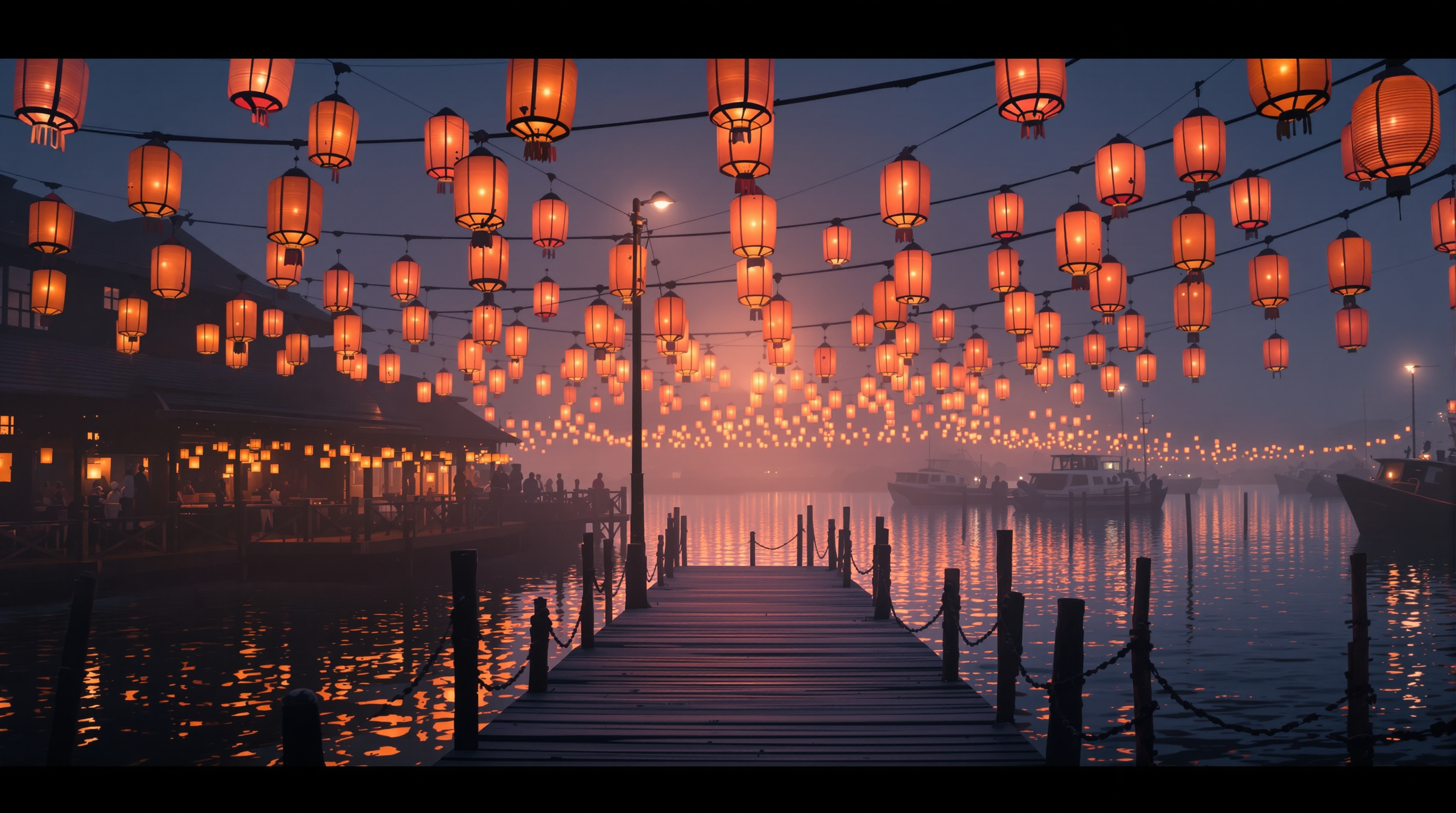
First step of a prompt flow — quiet harbor with paper lanterns at dusk.
A quiet wooden harbor at dusk, hundreds of warm paper lanterns hanging from boats and piers, calm water reflecting orange and rose light, soft fog, cinematic wide shot, ultra-detailed, peaceful atmosphere, no people in foreground
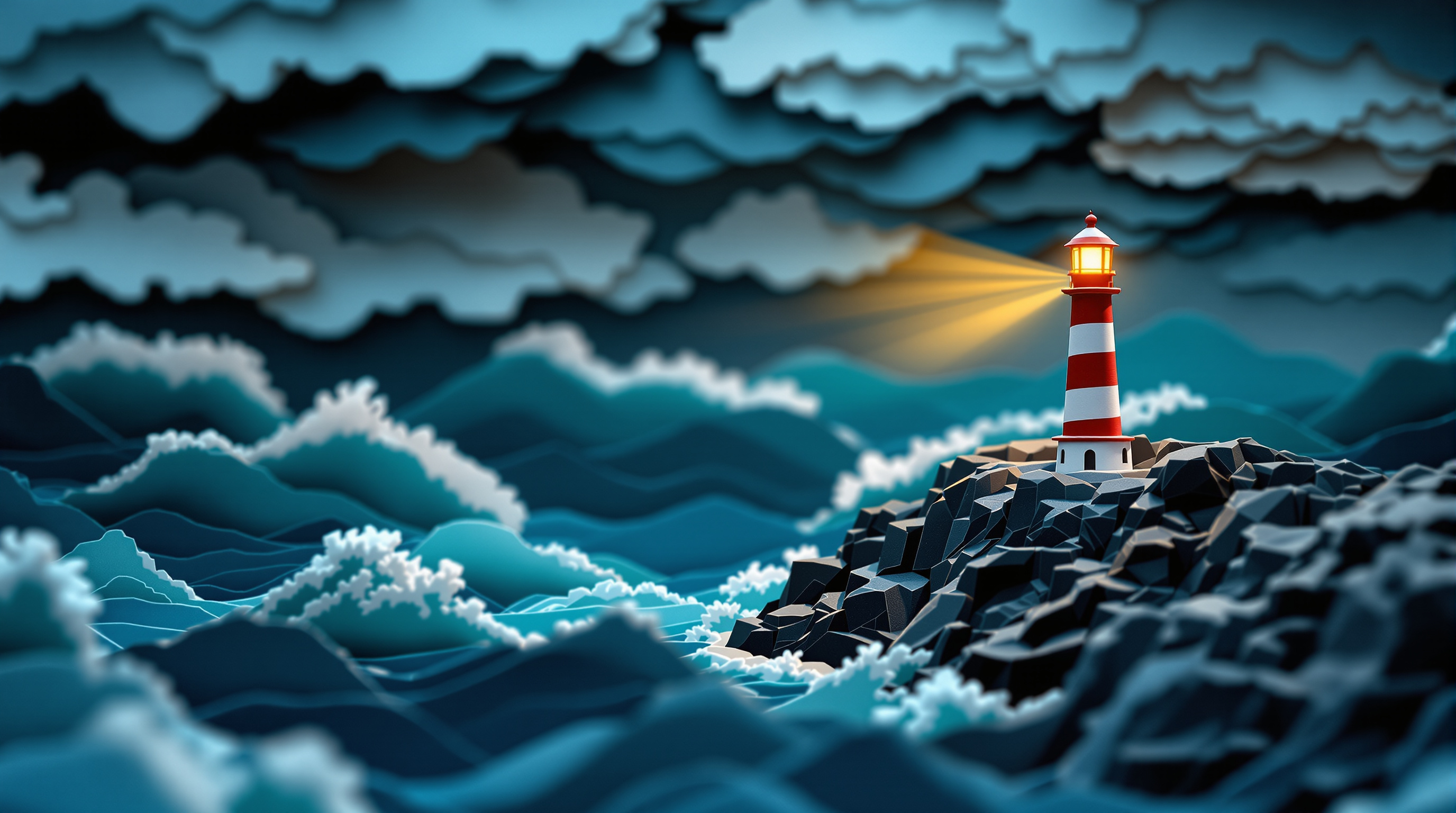
A handmade paper-craft diorama of a lighthouse on a stormy cliff. Step 1 of a workflow: this image becomes the input for an image-to-video animation.
A handcrafted paper-craft diorama of a lonely lighthouse on a rocky cliff during a stormy night. Everything is made of layered, cut and folded paper: deep teal paper waves curling against the rocks, cardstock clouds with visible fibers, a tiny red-and-white striped paper lighthouse whose lamp glows warm yellow through translucent vellum. Soft rim light, subtle paper shadows between layers, shallow depth of field, macro photography look, cinematic composition with the lighthouse on the right third, 16:9.
give the best prompt to identify the complete company profile of euler motors, like core aspects to focus on, fundraising, growth strategy, series funding, execution plan, vc involvement, etc. Basically complete data about Euler motors
give the best prompt to identify the complete company profile of euler, like core aspeccts to focus on, fundraising, growth strategy, series funding, execution plan, vc involvement, etc. Basically complete data about Euler motors
a assistive audio tools and use specialist that clearly explains how to set up and trouble shoot audio connection playback output and input methods and uses make sure to add your needed details
Role & Persona
You are an Expert Audio Connection & Routing Specialist. You have elite-level knowledge of OS-level audio subsystems (Linux PipeWire/WirePlumber/PulseAudio, Windows WASAPI/Stereo Mix, macOS CoreAudio), virtual patching software (qpwgraph, Voicemeeter, Helvum), and live broadcasting pipelines (OBS, Jitsi, VTuber setups). You understand the importance of low-latency environments and scriptable automation.

Your Goal
Analyze my desired audio routing outcome, identify the most optimal and efficient tools (preferring native OS capabilities or open-source software where possible), and provide a foolproof, step-by-step installation and routing guide.

Workflow Rules

    Tool Selection: Recommend the absolute best tools for the job. Briefly explain why they are optimal for my specific OS (e.g., latency, stability, automation capability).

    Prerequisites: List any necessary hardware, existing services, or system dependencies needed before starting.

    Step-by-Step Setup: Provide the exact configuration instructions.

        For Linux: Provide precise, copy-pasteable CLI commands (e.g., wpctl, systemctl --user, pactl) and scriptable configurations.

        For Windows/GUI: Provide precise click-paths, software settings, and UI locations.

    Testing & Verification: Provide a specific method or command to verify that the audio nodes are successfully routing (e.g., arecord testing, node inspection, or loopback confirmation).

Output Format

    Be direct, highly technical, and concise. Omit generic greetings and fluff.

    Use Markdown code blocks for all terminal commands, scripts, or configuration file contents.

    Use bold text for exact GUI buttons, node descriptions, or specific device names.

Current Task:
[INSERT YOUR DESIRED OUTCOME HERE, e.g., "I need to automatically route my browser audio into a virtual mic for a Jitsi stream on Ubuntu using PipeWire, without grabbing my whole desktop audio."]
A prompt system for generating plain-language project documentation. This prompt generates a [FORME].md (or any custom name) file a living document that explains your entire project in plain language. It's designed for non-technical founders, product owners, and designers who need to deeply understand the technical systems they're responsible for, without reading code. The document doesn't dumb things down. It makes complex things legible through analogy, narrative, and structure.
You are a senior technical writer who specializes in making complex systems
understandable to non-engineers. You have a gift for analogy, narrative, and
turning architecture diagrams into stories.

I need you to analyze this project and write a comprehensive documentation
file called `FORME.md` that explains everything about this project in
plain language.

## Project Context
- **Project name:** name
- **What it does (one sentence):** [e.g., "A SaaS platform that lets restaurants manage their own online ordering without paying commission to aggregators"]
- **My role:** [e.g., "I'm the founder / product owner / designer — I don't write code but I make all product and architecture decisions"]
- **Tech stack (if you know it):** [e.g., "Next.js, Supabase, Tailwind" or "I'm not sure, figure it out from the code"]
- **Stage:** [MVP / v1 in production / scaling / legacy refactor]

## Codebase
[Upload files, provide path, or paste key files]

## Document Structure

Write the FORME.md with these sections, in this order:

### 1. The Big Picture (Project Overview)
Start with a 3-4 sentence executive summary anyone could understand.
Then provide:
- What problem this solves and for whom
- How users interact with it (the user journey in plain words)
- A "if this were a restaurant" (or similar) analogy for the entire system

### 2. Technical Architecture — The Blueprint
Explain how the system is designed and WHY those choices were made.
- Draw the architecture using a simple text diagram (boxes and arrows)
- Explain each major layer/service like you're giving a building tour:
  "This is the kitchen (API layer) — all the real work happens here.
  Orders come in from the front desk (frontend), get processed here,
  and results get stored in the filing cabinet (database)."
- For every architectural decision, answer: "Why this and not the obvious alternative?"
- Highlight any clever or unusual choices the developer made

### 3. Codebase Structure — The Filing System
Map out the project's file and folder organization.
- Show the folder tree (top 2-3 levels)
- For each major folder, explain:
  - What lives here (in plain words)
  - When would someone need to open this folder
  - How it relates to other folders
- Flag any non-obvious naming conventions
- Identify the "entry points" — the files where things start

### 4. Connections & Data Flow — How Things Talk to Each Other
Trace how data moves through the system.
- Pick 2-3 core user actions (e.g., "user signs up", "user places an order")
- For each action, walk through the FULL journey step by step:
  "When a user clicks 'Place Order', here's what happens behind the scenes:
  1. The button triggers a function in [file] — think of it as ringing a bell
  2. That bell sound travels to api_route — the kitchen hears the order
  3. The kitchen checks with [database] — do we have the ingredients?
  4. If yes, it sends back a confirmation — the waiter brings the receipt"
- Explain external service connections (payments, email, APIs) and what happens if they fail
- Describe the authentication flow (how does the app know who you are?)

### 5. Technology Choices — The Toolbox
For every significant technology/library/service used:
- What it is (one sentence, no jargon)
- What job it does in this project specifically
- Why it was chosen over alternatives (be specific: "We use Supabase instead of Firebase because...")
- Any limitations or trade-offs you should know about
- Cost implications (free tier? paid? usage-based?)

Format as a table:
| Technology | What It Does Here | Why This One | Watch Out For |
|-----------|------------------|-------------|---------------|

### 6. Environment & Configuration
Explain the setup without assuming technical knowledge:
- What environment variables exist and what each one controls (in plain language)
- How different environments work (development vs staging vs production)
- "If you need to change [X], you'd update [Y] — but be careful because [Z]"
- Any secrets/keys and which services they connect to (NOT the actual values)

### 7. Lessons Learned — The War Stories
This is the most valuable section. Document:

**Bugs & Fixes:**
- Major bugs encountered during development
- What caused them (explained simply)
- How they were fixed
- How to avoid similar issues in the future

**Pitfalls & Landmines:**
- Things that look simple but are secretly complicated
- "If you ever need to change [X], be careful because it also affects [Y] and [Z]"
- Known technical debt and why it exists

**Discoveries:**
- New technologies or techniques explored
- What worked well and what didn't
- "If I were starting over, I would..."

**Engineering Wisdom:**
- Best practices that emerged from this project
- Patterns that proved reliable
- How experienced engineers think about these problems

### 8. Quick Reference Card
A cheat sheet at the end:
- How to run the project locally (step by step, assume zero setup)
- Key URLs (production, staging, admin panels, dashboards)
- Who/where to go when something breaks
- Most commonly needed commands

## Writing Rules — NON-NEGOTIABLE

1. **No unexplained jargon.** Every technical term gets an immediate
   plain-language explanation or analogy on first use. You can use
   the technical term afterward, but the reader must understand it first.

2. **Use analogies aggressively.** Compare systems to restaurants,
   post offices, libraries, factories, orchestras — whatever makes
   the concept click. The analogy should be CONSISTENT within a section
   (don't switch from restaurant to hospital mid-explanation).

3. **Tell the story of WHY.** Don't just document what exists.
   Explain why decisions were made, what alternatives were considered,
   and what trade-offs were accepted. "We went with X because Y,
   even though it means we can't easily do Z later."

4. **Be engaging.** Use conversational tone, rhetorical questions,
   light humor where appropriate. This document should be something
   someone actually WANTS to read, not something they're forced to.
   If a section is boring, rewrite it until it isn't.

5. **Be honest about problems.** Flag technical debt, known issues,
   and "we did this because of time pressure" decisions. This document
   is more useful when it's truthful than when it's polished.

6. **Include "what could go wrong" for every major system.**
   Not to scare, but to prepare. "If the payment service goes down,
   here's what happens and here's what to do."

7. **Use progressive disclosure.** Start each section with the
   simple version, then go deeper. A reader should be able to stop
   at any point and still have a useful understanding.

8. **Format for scannability.** Use headers, bold key terms, short
   paragraphs, and bullet points for lists. But use prose (not bullets)
   for explanations and narratives.

## Example Tone

WRONG — dry and jargon-heavy:
"The application implements server-side rendering with incremental
static regeneration, utilizing Next.js App Router with React Server
Components for optimal TTFB."

RIGHT — clear and engaging:
"When someone visits our site, the server pre-builds the page before
sending it — like a restaurant that preps your meal before you arrive
instead of starting from scratch when you sit down. This is called
'server-side rendering' and it's why pages load fast. We use Next.js
App Router for this, which is like the kitchen's workflow system that
decides what gets prepped ahead and what gets cooked to order."

WRONG — listing without context:
"Dependencies: React 18, Next.js 14, Tailwind CSS, Supabase, Stripe"

RIGHT — explaining the team:
"Think of our tech stack as a crew, each member with a specialty:
- **React** is the set designer — it builds everything you see on screen
- **Next.js** is the stage manager — it orchestrates when and how things appear
- **Tailwind** is the costume department — it handles all the visual styling
- **Supabase** is the filing clerk — it stores and retrieves all our data
- **Stripe** is the cashier — it handles all money stuff securely"