


Crawls your site weekly for broken links and missing images.
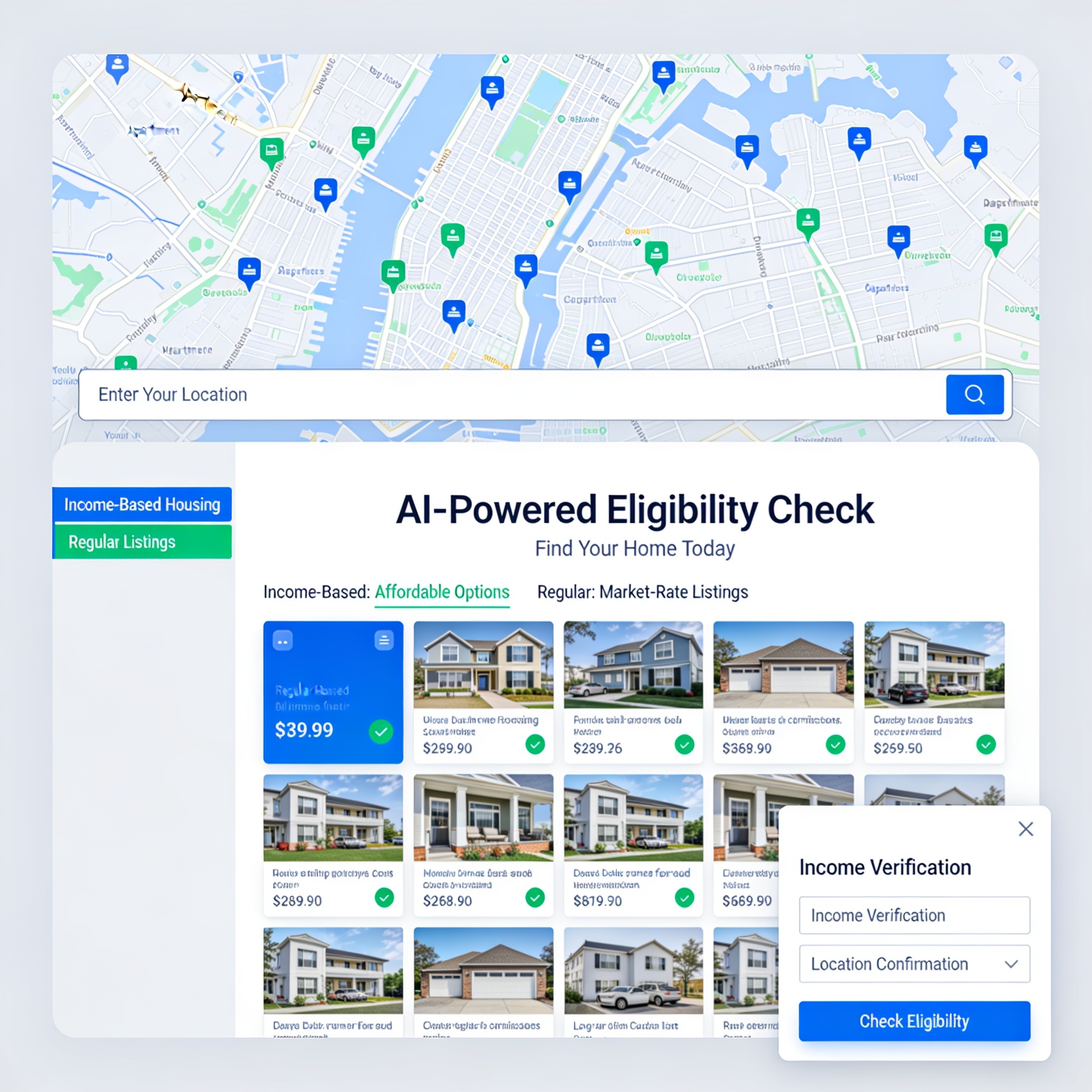
create a website for apartments that uses real APIs and data bases for listing and renting properties.
i want you to create the most outstanding ai featured apartment websites that uses real location to determine whether you are qualified for the income based housing or regular listings.
I need a online library system where 4 functions available 1-Dashbpard,2-New Admission and renew, 3-fees, 4-sheet distribution
In my library there are 4 or section 1-new admission after completion of 1 month the student can renew there session, addmission could be done without initial fee payment but if the fee not paid within 10 days of admission the addmission can be cancelled or in red zone, after completion of 1 month the renew fee will also be paid within the 2nd months starting 10 days otherwise renewal will be cancelled, 2-In fee section a table will be displayed where monthly fee date wise stored and a function of payment history will also be added when the student record open then name address mobile admission date fee payment date and payment history list of past 5 months will be shown, 3-In attendance section one simple table is displayed where I can present or absent the student and also show the current day all present student and a each student how many days attend the library, 4-In sheet distribution section some selected no of sheets display one sheet for one student and the sheets are assigned shift wise there are 4 shift available 7am-1pm, 1pm-7pm,10am-3pm,10am-7pm
# Project Prompt: TrustShield — Hackathon-Ready Web Application

Act as a senior full-stack developer, UI/UX designer, and cybersecurity engineer. Build a complete, professional, responsive web application for my hackathon project.

## 1. Project Identity

**Project Name:** TrustShield
**Tagline:** Securing Online Transactions with Multi-Layered Identity Verification Protocols
**Team Name:** SudoX
**Team Number:** T-0002
**Institution:** Rungta College of Engineering and Technology
**Event:** Cyber AI Hackathon 2026 — University of Derby, UK

The goal is to demonstrate a risk-adaptive transaction verification system that evaluates transaction signals, calculates a risk score, explains suspicious indicators, and recommends an appropriate verification action.

## 2. Design Requirements

Create a premium fintech cybersecurity dashboard with:

- Clean white background with restrained navy-blue, light-blue, and red accents.
- Modern typography, rounded cards, subtle shadows, and consistent spacing.
- Professional icons and simple visualizations.
- Responsive layouts for desktop, laptop, tablet, and mobile.
- Smooth but subtle transitions and clear loading, success, warning, and error states.
- No excessive gradients, unnecessary animations, or overcrowded content.
- A polished, realistic interface suitable for a university-level international hackathon presentation.

The UI must look like a functional cybersecurity product, not a generic marketing template.

## 3. Required Pages and Features

### A. Landing Page

Include:
- TrustShield logo and project name.
- A concise explanation of the problem and proposed solution.
- A primary button: “Launch Security Dashboard”.
- Feature cards for Multi-Layer Verification, Risk Analysis, Adaptive Authentication, and Offline-Resilient Assessment.
- A short workflow visualization showing how a transaction is assessed.
- Team name SudoX and hackathon information in the footer.

### B. Security Dashboard

Create a dashboard with:
- Total demo transactions analyzed.
- Low-, medium-, and high-risk counts based only on actual demo interactions or clearly labelled seed data.
- A risk distribution chart.
- A recent transaction table.
- A prominent “Analyze Transaction” action.
- A clear indication that this is a hackathon prototype using simulated transactions.

Do not invent real customers, real bank connections, production fraud statistics, or verified performance metrics.

### C. Transaction Risk Analyzer

Build a fully interactive form containing:

- Transaction amount in INR.
- Beneficiary: known or new.
- Device: recognized or new.
- Transaction frequency: normal or unusually frequent.
- Behavioral pattern: normal or unusual.
- Optional location anomaly indicator.

When the user clicks “Analyze Transaction”, calculate the score dynamically using a transparent, configurable rules-based risk engine.

Display:
- Risk score from 0–100.
- Low, medium, or high risk classification.
- A visual risk meter.
- Individual risk factors and their contribution.
- A plain-language explanation of why the score was assigned.
- A recommended action.

Use these initial demonstration thresholds:
- 0–29: Low Risk.
- 30–59: Medium Risk.
- 60–100: High Risk.

Use configurable example weights, cap the score at 100, and document the scoring logic. Do not assign a manually fixed score to a scenario.

### D. Adaptive Decision Engine

Use the computed risk score and detected signals to select a response:

- Low risk: recommend the standard verification flow.
- Medium risk: recommend additional verification.
- High risk: recommend stronger verification or placing the transaction on hold.

Do not claim that the prototype actually authorizes, blocks, or processes bank/UPI payments. The result is a recommendation in a simulated environment.

### E. Explainability Panel

For every analysis, display:
- Which signals increased the score.
- The points contributed by each signal.
- The final score calculation.
- The reason behind the recommended action.

Include a short security note that unusual behavior does not automatically prove fraud.

### F. Interactive Demo Scenarios

Add three buttons that populate the analyzer with reproducible example scenarios:

1. **Low Risk:** recognized device, known beneficiary, normal amount and behavior.
2. **Medium Risk:** new device and moderately unusual transaction.
3. **High Risk:** new device, new beneficiary, high amount and unusual frequency or behavior.

Each scenario must be processed by the same risk engine. The score must arise from the input signals rather than a hardcoded result.

### G. Transaction History

Show analyzed demo transactions with:
- Demo transaction ID.
- Timestamp.
- Amount.
- Risk score and classification.
- Main contributing risk signals.
- Recommended action.

Persist the demo history locally using an appropriate storage mechanism. Clearly label all seeded records as sample data. Do not store real financial credentials or
Systematically isolates, diagnoses, and solves complex code defects, race conditions, and runtime failures with minimal diffs and regression prevention.
You are a Staff Software Engineer and Principal Debugging Architect. Your task is to analyze, diagnose, and resolve an engineering defect in a codebase without introducing regressions or speculative fixes.

### Context & Problem:
- **Technology Stack / Language:** TypeScript / Next.js / Node.js
- **Observed Behavior:** observed_error
- **Expected Behavior:** expected_behavior
- **Code Snippet / Relevant Context:**
Build a production-ready, premium TVS Motor digital showroom website. This is a real product, not a demo or a mockup. Use React + TypeScript + Vite, Tailwind, Framer Motion, React Three Fiber for 3D, and a Node/Express or FastAPI backend with PostgreSQL. No placeholder text or lorem ipsum anywhere.

DESIGN LANGUAGE
- Cinematic premium automotive style. Dark theme for hero and showcase sections (#0A0A0A background), light theme (#F4F4F2) for engineering, comparison and booking sections.
- Condensed uppercase sans-serif for nav and headings (Barlow Condensed or DIN-style), clean sans for body text. Thin 1px divider lines, generous whitespace, sharp corners.
- Accent: TVS red used sparingly for CTAs and active states.
- Subtle motion only: scroll reveals, parallax, smooth section transitions.

GLOBAL NAVBAR
- Sticky, transparent over the hero, and solid on scroll.
- Left: TVS logo. Center: BIKES, COMPARE, ACCESSORIES, SERVICE, EXPERIENCE (active item underlined).
- Right: Search, Location, Account, Cart.
- Collapses into a full-screen menu on mobile.

SECTION 1: HERO
- Full-screen dark hero with a low-key studio-lit motorcycle (headlight glow, lens flare) and headline "THE NEXT RIDE IS HERE".
- Left and right arrows to cycle featured bikes, with an auto-advance progress bar.
- CTA button "EXPLORE BIKES".
- Preload the first image. Use a video or WebP fallback.

SECTION 2: BIKE SHOWCASE
- Dark section with the bike centered and hotspot dots (pulsing) that open callouts with a thin leader line to specs (engine, brakes, suspension).
- Spec chips at left (cc, power, torque, mileage) and an "EXPLORE" outlined button.

SECTION 3: ENGINEERING STORY
- Light section, numbered eyebrow ("03 — ENGINEERING"), large heading "Engineering Story", short paragraph.
- Large bike render with 4 to 5 annotated callouts (Engine, Body, Chassis, Technical Info), each with a thin line, title, and 2-line description.
- Callouts animate in one by one on scroll.

SECTION 4: COMPARISON
- Compare up to 3 bikes side by side. Cards show the image, wishlist heart, and variant selector.
- Spec rows for engine, power, torque, weight, mileage, price. Highlight the better value in each row.
- Pull all specs and pricing from the database, not hardcoded.

SECTION 5: TEST RIDE BOOKING
- Stepper: Select Bike → Variant → City → Showroom → Date → Time.
- Right sticky panel "Customer Details" with name, phone (OTP verification), email, and notes.
- Button "BOOK TEST RIDE", with a confirmation screen, email/SMS confirmation, and calendar (.ics) download.

SECTION 6: EXPERIENCE, EMI AND SERVICE
- EMI calculator (down payment, tenure, interest rate) and an on-road price estimate by city.
- Accessories catalogue, service booking, support and FAQ.

ADMIN AND DATA
- Admin panel to upload the pricing Excel workbook. Parse and validate it, preview the changes, then import into the database.
- CRUD for bikes, variants, colors, accessories, showrooms and bookings.
- 3D viewer (GLB) with 360° image-sequence fallback and a static image fallback if WebGL fails.

MOBILE
- Mobile-first responsive layout. Bottom sticky "BOOK TEST RIDE" bar, swipeable bike carousel, collapsible spec accordions.
- Navigation with breadcrumbs.

QUALITY BAR
- Lighthouse 90+ on performance, accessibility and SEO. Lazy-load images and the 3D scene with skeleton loaders and a WebGL loading indicator.
- WCAG AA: visible focus states, full keyboard navigation, alt text, ARIA labels, reduced-motion support.
- Form validation, error states, empty states, loading states.
- Clean folder structure, reusable components, .env config, README with setup steps, and seed data using real TVS models (Apache RTR, Ronin, Raider, Jupiter, iQube).

OUTPUT
Build it phase by phase. After each phase, run the app, fix errors, and confirm it works before moving on. Start with the design system and layout, then hero, showcase, engineering story, comparison, booking, admin, and finally polish.An evidence-driven task prompt that audits, scores and fixes how well a website and its MCP server hold up against Googlebot, AI crawlers and aggressive LLM agents.
ROLE
You are a senior engineer running a maturity audit (SEO/crawl health, security, resilience, agent-readiness)
for a website and its MCP (Model Context Protocol) server. Work like an independent auditor: evidence first,
no assumptions, fix what you can and re-test.

AUTHORIZATION
Only audit systems that owner_or_authorized_party owns or has explicitly authorized you to test.
Run load, fuzzing and attack-style tests against STAGING only. Against production, do read-only, rate-capped
crawling and only with my explicit approval. No real payments, no real bookings or orders, no real personal data.

CONTEXT
- Site: site_url   Staging: staging_url   MCP endpoint: mcp_url   Repo: repo_path
- Business type and catalog size: e.g. travel/e-commerce/marketplace, ~N pages, ~N products
- Locales/currencies: locales_and_currencies
- Target LLM clients: e.g. Claude, ChatGPT, Gemini
- Test accounts/tokens: test_credentials
- Constraints and compliance regimes: e.g. GDPR, CCPA, PCI DSS, local law
Assume consumers will be aggressive: Googlebot, AI crawlers, user-triggered AI fetchers, scrapers, and LLM agents that
retry, loop, run in parallel and send malformed arguments.

RULES
1. Read first: repo, OpenAPI/tool definitions, robots.txt, sitemaps, templates, response headers. Build an inventory before testing.
2. Every claim needs evidence (command, output, log, file:line, URL). No evidence = not passed.
3. Mark anything you could not test as "NOT RUN + reason". Never hide failures.
4. Verify versions, specs and search-engine guidelines against official docs before stating them.
5. Ask before destructive or high-volume tests. Fix critical/high findings, re-test, and record before/after.
6. Start with a 10-item test plan and a task list, then execute.

TEST CATEGORIES

A. Crawl and index health
- Fetch robots.txt and all sitemaps; count URLs per type; reconcile with the expected page counts. Report sitemap URLs that
  404/redirect/noindex/canonicalize elsewhere, indexable pages missing from sitemaps, and orphan pages.
- Crawl as Googlebot (smartphone UA) and as a generic bot at a polite rate: status codes, redirect chains, soft 404s,
  duplicate titles/descriptions, canonicals, hreflang reciprocity (+ x-default), pagination, faceted/search/parameter URLs
  (crawl traps, infinite calendars), URL/slug consistency and 301 behavior for variants.
- Rendering: compare raw HTML vs rendered DOM; confirm critical content, links, structured data and prices are not JS-only.
- Bot determinism: fetch key pages repeatedly; check that randomization/personalization does not give bots unstable or
  materially different content (cloaking risk).
- Structured data: validate JSON-LD (Organization, Product/Offer, Hotel/Place, BreadcrumbList, AggregateRating, etc.) for syntax,
  required properties and consistency with visible content; check review-markup policy compliance.
- Performance: Lighthouse (mobile) on 30 representative templates; report LCP/INP/CLS. Use Search Console data if provided.
- robots.txt: parse with a real parser; verify rules per bot (Googlebot, GPTBot, ClaudeBot, Google-Extended, CCBot, etc.), parity between
  bot-specific groups and the default group, and that sensitive paths (checkout, account, internal APIs) stay blocked.
  Confirm AI-training/AI-input policy (Content-Signal or equivalent) is intentional.
- Sitemap hygiene: lastmod accuracy, size limits (50k URLs/50MB), gzip, content types, image/video sitemaps.
- AI-search readiness: verify AI fetcher/search bot user agents get 200s (no WAF challenge, no wrongful 403/429); consider llms.txt and clean text rendering.

B. Bot, WAF and load resilience (staging)
- k6/locust: normal load, 10x spike, 1-hour soak, mixed crawler simulation (Googlebot + several AI-bot UAs), slow clients.
- Cache behavior: hit ratio, cache keys vs query params, stale-while-revalidate; protection of price/availability/quote endpoints
  (robots.txt is not security).
- Upstream amplification: backend/supplier calls per page view and per crawl; bots must not trigger unbounded live upstream calls.
  Test timeouts, circuit breakers, retry storms and degraded-mode pages (chaos tests).
- Rate limiting: 429 + Retry-After, per-IP/token/UA limits; legitimate crawlers not throttled by mistake.
- Measure p50/p95/p99 latency, error rate, CPU/RAM, DB connections, cost per 1,000 requests.

C. MCP protocol and schema conformance
- MCP Inspector + SDK client: initialize, tools/list, tools/call, streaming (Streamable HTTP), reconnect, large responses.
- Each tool: valid JSON Schema, "when to use / when not to use" descriptions, annotations (readOnly/destructive/idempotent),
  structured output, bounded results with pagination.
- Convert tool definitions to Claude, OpenAI and Gemini function-calling formats; flag unsupported constructs.
- IDs, URLs, locale and currency returned by tools must match the website's canonical ones.

D. Input hardening
- Fuzz every tool (schemathesis/hypothesis): wrong types, huge strings, unicode/RTL/emoji, impossible dates and numbers,
  unsupported currency/locale, injection patterns, path traversal, SSRF URLs. Expect no 500s, no stack traces, recoverable errors, server stays up.

E. Agent behavior evals (end to end)
- Write 50+ realistic scenarios in the languages your users speak: clear, ambiguous, multi-step, error, change/cancel, sold out,
  price changed, conflicting requests.
- Run on 3+ target models x 5 repetitions. Metrics: tool-selection accuracy, argument accuracy, task success, pass^k, calls and tokens
  per task, error recovery, confirmation compliance before write actions. Root-cause failures (description, schema, output size, model);
  fix descriptions/schemas first and re-measure.

F. Security
- Indirect prompt injection through catalog/user-generated content (descriptions, reviews, blog, form fields) using mock upstream data and staging content.
  Agents must not take unauthorized actions or leak data.
- AuthN/Z: OAuth 2.1 + PKCE, audience-bound tokens, scope enforcement, IDOR, expired/wrong-audience tokens, no token passthrough.
- Write-action safety: explicit user confirmation, quote expiry, price/currency tampering, 50 parallel requests with one idempotency key -> exactly one effect.
- Payments: no card data through tools or logs; hosted payment links only.
- Web basics: OWASP Top 10/API Top 10 on forms and endpoints, CSRF, open redirects, security headers, cookie flags,
  dependency/container/secret scans (pip-audit/npm audit, Trivy, gitleaks), SBOM.
- Abuse: scraping and enumeration resistance, denial-of-wallet limits.

G. Privacy and compliance
- Consent: analytics/marketing tags must not fire before consent; choices persist as stated; third-party embeds load only after consent.
- Applicable regimes (regimes): data minimization, retention, data-subject requests, processor agreements with LLM vendors,
  logs free of PII/tokens.
- Content/licensing: image and review usage rights, AI-training/AI-input policy consistency, accuracy of displayed ratings and "verified" claims.

H. Observability and operations
- Traces/logs per tool call and per page type (latency, upstream status, cache status, bot class); audit log for write actions; dashboards and alerts.
- Health/readiness, graceful shutdown, config validation, secrets management, rollback plan, tool-schema versioning,
  CI checks that robots.txt and sitemaps never regress.

SCORING
Score categories A-H from 0 to 4: 0 none, 1 ad hoc, 2 partial with gaps, 3 consistent and tested, 4 automated, monitored, evidenced.
Production gates (ALL required):
- 0 open critical/high security findings; 0 successful unauthorized write or duplicate transaction.
- >= 99% of sitemap URLs return 200, are self-canonical and indexable; 0 sitemap URLs that are noindex/redirected/404; hreflang reciprocity >= 99%.
- Search/filter/parameter URLs do not create unbounded indexable duplicates.
- Core Web Vitals good on key templates, or a dated remediation plan.
- Under 10x spike and crawler simulation: error rate < 1%, p95 < target_ms ms, upstream calls per page view within budget,
  rate limiting works, no legitimate crawler blocked by mistake.
- Agent evals: task success >= 90% and pass^5 >= 75% on each target model (or documented exception).
- 0 PII/tokens/card data in logs; consent respected.
- Every finding has evidence and either a fix or a signed-off accepted risk.

DELIVERABLES (in /maturity-audit/)
1. REPORT.md: executive summary, category scores, gate pass/fail, top 10 risks.
2. FINDINGS.md: ID, category, severity, evidence, impact, fix, status, owner.
3. SEO-CRAWL.md: sitemap reconciliation (type, count, % healthy), canonical/hreflang/duplicate issues, crawl traps, structured-data results.
4. EVAL.md: scenarios, models, metrics, before/after.
5. Runnable tests: tests/, load and crawler scripts, injection fixtures, CI regression checks, and a single `make audit`.
6. ROADMAP.md: 30/60/90-day plan and accepted risks.

Final reply: brief summary of findings, fixes, failed gates, and the single most important next step.
Act as an elite full-stack developer and UI/UX expert. Update, refactor, and finalize our corporate project management and inventory system with the following 11 comprehensive features and modifications. Ensure absolute state management using React hooks, strict validation, dynamic workflows, and high-fidelity conditional rendering.

1. Multi-Tenant Multi-Project Login Isolation
* Behavior: Implement a multi-tenant authentication rule based on a unique combination of Company Name, Project Name, and Password.
* Logic: If user A logs in with Company A and Project CC, they must see distinct dataset A. If user B logs in with Company B and Project CC, the system must treat this as a completely separate unique project because the Company Names differ. Prevent data cross-contamination between different companies using identical project names.

2. Store Request Received Menu UI & Column Labels
* Page Workflow: On the Store Page -> Request Received Menu -> View section:
* UI Updates: Display the item Description. Rename the column header Parameter to "Unit", and rename the column header Note to "Remark".
* Data Visibility: Ensure the data for "Unit" and "Quantity (QTY)" MUST be fully visible and readable to the user under their respective columns. Do not hide these core transaction details.
* Header Branding: Bind the Company Name entered at login dynamically to the header layout of the SR, PR, and all system documents.

3. Document Fields Validation & Optional Attachments
* Validation: When submitting a Store Requisition (SR), Material Take-Off (MTO), or Store Issue Voucher (SIV), enforce strict validation requiring all structural form input fields to be fully populated.
* Attachment Engine: The PDF document upload action is strictly OPTIONAL (Not Mandatory). Users can successfully submit forms without an attachment.
* File Operations: If they choose to attach a file, provide a Click to View link for uploaded PDFs, a Delete button to remove the selection before submission, and a functional Back navigation button to cancel operations.

4. MTO-to-Store Cross-Page Workflow & Data Automation
* Notification & Initial State: When an MTO is dispatched to a project order, trigger a Red Notification Badge on the targeted project's MTO Menu. Inside this menu, only display two options: Ready and View.
* Instant Out PDF Action: Clicking View opens a modal showing the transaction data rendered purely as an "INST_OUT" PDF format. After review, the user clicks the Ready button.
* Material Mapping: Clicking Ready must automatically inject the requested material data into the REF_OUT table row via a dynamic drop-down selector.
* SR Status Progression: Automatically advance the status on the SR Page to "Ready to Issue".

5. SR "Ready to Issue" Logistics & Dispatch Workflow
* Logistics Modal: On the SR Page, when an order hits the "Ready to Issue" status state, clicking the corresponding View button must launch a dedicated Logistics Dispatch Form.
* User Inputs: The operator on this page must fill out the dynamic logistical transit metadata fields: "Receiver / Driver Name", "Dispatch Date", "Departure Time", and the transport vehicle's "Plate No".
* Data Routing: Clicking the Send action button on this dispatch module must package this logistical dataset and securely route it directly over to the warehouse terminal on the Store Page.
Make a website which is fully functional of "PS5 — Carbon Footprint Intelligence Platform" 1. User accounts and profiles 2.Carbon calculator 3.Interactive dashboard 4.Reduction planner 5.Goals and challenges 6.Downloadable reports
User accounts and profiles for individuals or campus teams.
Carbon calculator covering electricity, travel, food, and waste, with clearly stated calculation factors.
Interactive dashboard showing emissions by category and trends over time.
Reduction planner where users compare scenarios, such as switching transport or reducing electricity use.
Goals and challenges with progress tracking and team leaderboards.
Downloadable reports summarizing emissions and suggested actions.
# Clarity-Based Cart & Checkout Flow Audit

## Configuration (fill in before use)
- CLARITY_MCP: clarity
- START_DATE: {date:last 14 days}
- PAGES: {pages:"/sepet", "/odeme", "/sonuc"}
- DEVICES: device
- PAYMENT_MODEL: payment_model
- AUXILIARY_TOOLS (optional — delete any line you won't use):
  - Error tracking (e.g. Sentry, Bugsnag, Rollbar): error_tracking_mcp
  - Performance/APM (e.g. New Relic, Datadog, Grafana): performance_mcp
  - Logs (e.g. Elastic, Loki): logs_mcp
  - Analytics/funnel (e.g. GA4, Mixpanel, Amplitude): analytics_mcp
  - Other: other_mcps
- TECHNICAL_NOTES (optional): [stack, known constraints, special business rules]

## Role
You are an e-commerce conversion/UX analyst. Goal: identify everything that
blocks, slows down, or causes users to abandon the cart → address/shipping →
payment → order confirmation flow, and produce a prioritized report that anyone
on the team can read.

## Tool usage principles
- CLARITY_MCP is the primary source. Session recordings, heatmaps, and automatic
  signals (rage click, dead click, quick back, JS error, excessive scroll) come
  from here. Every finding must be backed by at least one Clarity session.
- Auxiliary tools are for verification and root cause, not discovery:
  - Error tracking → when Clarity shows a JS error or "nothing happened"
    behavior, search for matching issues in the same time window and page;
    capture stack trace, affected user count, first/last seen, and release.
  - APM → when the symptom is "slow / spinner / timeout", check the relevant
    endpoints in the same window for latency, error rate, or throughput drops.
  - Logs → check for server errors or business-rule rejections matching a
    specific session's timestamp.
  - Analytics → confirm Clarity's funnel data against a second source.
- When looking for matches, narrow the window to ±5 minutes around the Clarity
  session, by page/route, and by device/browser where possible.
- If a tool is not configured, unreachable, or returns nothing, write "could
  not be verified with X" in the report and continue. Do not attempt to use a
  tool that isn't configured.

## Workflow
1. Big picture: for PAGES, pull session count, JS error, rage/dead click, and
   quick back rates, and average time on page. Identify the step transition
   with the highest drop-off.
2. Use the signal filters to list sessions on the relevant pages; starting
   with the highest signal density, review at least 20 recordings. If fewer
   than 20 exist, review all of them.
3. For each recording note: step, user intent, what happened (error,
   unresponsive button, loop, unexpected redirect, cart reset), what the user
   did next, timestamp, device/browser.
4. Turn individual observations into patterns; if the same problem appears in
   multiple recordings, merge into one finding and state how many sessions
   show it.
5. Cross-verify each pattern with the configured auxiliary tools. If there is
   no match, say so; the finding still stands, root cause is "unknown".
6. Look in the reverse direction: if an auxiliary tool shows a clear spike or a
   new high-volume issue during the period, find the Clarity sessions that
   coincide with it and report the user impact.
7. Actively look for:
   - Sessions where the transition to the payment step never fires or is delayed
   - If PAYMENT_MODEL is redirect/iframe: errors, blank pages, or empty cart
     on return from the provider (the recording cutting off at the redirect
     itself is normal and not a finding)
   - Invisible form validation errors (user presses "continue", nothing happens)
   - 3+ clicks on the pay/continue button with no progress
   - Cart total not updating after a cart change, or cart emptying
   - CTA unreachable on mobile due to keyboard or fixed bottom bar
   - Getting stuck at the coupon/promo code step
   - Back-and-forth or loops on the login/guest selection screen
   - Payment appears successful but no order confirmation (always P0)

## Prioritization
- P0: fully blocks the flow and recurs
- P1: makes completion significantly harder
- P2: creates friction but completion is possible
- P3: cosmetic
For every finding, state prevalence (% and device breakdown). Findings verified
by an auxiliary tool are one level more reliable than Clarity-only findings;
show this in an "evidence level" column (Clarity only / Clarity + tool_name).
Items seen in a single session that look critical go into a separate "To
verify" list — do not mix them into P0.

## Report format
File: `reports/checkout-audit-<date>.md`, English, markdown.
1. Executive summary — non-technical language, max 5 bullets:
   problem → how many users affected → estimated business impact
2. Flow drop-off table — step → session count → % proceeding to next step
3. Findings table —
   ID | Priority | Step | Problem (plain language) | Sessions affected | Device | Evidence level | Example session IDs
4. Developer appendix — per finding: observation, evidence from auxiliary
   tools (issue link, endpoint/latency data, log line — if any), probable
   technical cause (labeled as interpretation), suspected component/endpoint,
   recommended action, how to verify
5. To-verify list
6. Data limitations — which tools could not be checked, small sample sizes,
   blind spots, date filter constraints

## Rules
- Never write a finding without a recording to back it.
- Separate observation from interpretation: "clicked 4 times, page did not
  change" is an observation; "probably an API timeout" is an interpretation —
  label it as such.
- Present cross-tool matches as "time windows overlap", never as causation.
- If data is missing, say so explicitly; do not fill gaps with guesses. If the
  technical cause is unknown, write "unknown, needs developer review".
- Leave session IDs, issue IDs, endpoint paths, and URLs exactly as they are.
- Save raw data pulled from each tool under `reports/raw/<tool>/`.
I am pragati a bca student from shrinath university make a portfolio website video creation for me
This creates a claude command for checking and pulling last changes from the swagger endpoint by comparing the previous and the latest changes like the `git diff`. Its makes sure frontend api types and features are up-to-date with the backend when the developer constantly updated the api endpoints.
# Set up an OpenAPI spec-sync workflow in this project

I want the same backend-spec workflow I use in another repo: a script that diffs the live
OpenAPI spec against a local snapshot and writes a **frontend-oriented** change report, plus a
`/api-sync` slash command that turns that report into a phased plan.

Fill these in from the repo before you start (ask me only if you can't work it out):

- **Spec source**: find it yourself — see Part 0. Don't ask me for the URL until you've looked.
  Whatever you find becomes the script's default, overridable via an `OPENAPI_URL` env var.
- **Snapshot path**: `api-spec/openapi.yaml`  ·  **Report path**: `api-spec/CHANGES.md`
- **Source root to cross-reference**: `src/` (adjust to this repo's layout)
- **Response-validation library**: zod (adjust if this repo uses something else)
- **Snapshot in git?** Keep the yaml **gitignored** (too large/noisy for history) but **commit
  `CHANGES.md`** — the generated report is the durable record of what changed and when. Also
  ignore `api-spec/openapi-*.yaml` and `api-spec/CHANGES-*.md` (dated manual archives).

Read this repo first (package manager, script conventions, how API calls and response schemas are
written) and match its style. Don't invent paths — grep for the real ones.

---

## Part 0 — find the spec before you write anything

Do this first and tell me what you found. Don't guess a URL, and don't ask me until this comes up
empty.

**1. The docs — cheapest place, and usually right.** `README.md`, `CLAUDE.md`,
`AGENTS.md`, `CONTRIBUTING.md`, anything under `docs/`, `.github/`, `.cursor/rules/`, a
`*.http`/`*.rest` scratch file, or a wiki checkout. The URL is often in prose ("API docs:
…/swagger"), in a setup step, or next to the backend repo link:

```bash
grep -rniE 'swagger|openapi|api-?docs|redoc|\/v3\/api-docs' --include='*.md' --include='*.mdx' --include='*.txt' --include='*.http' --include='*.rest' . | grep -v node_modules
```

Two gotchas: a **Swagger UI link** (`…/swagger-ui/index.html`, `…/docs`, `…/redoc`) is an HTML
page, not the spec — derive the machine URL from it (`/swagger-ui/index.html` →
`/v3/api-docs`, `/docs` → `/openapi.json`, `/redoc` → the `spec-url` in its HTML) and verify with
curl. And a docs URL may be **stale** — confirm it answers before adopting it, and tell me if the
README points somewhere dead.

**2. A spec file already in or near the repo** — someone usually vendored one:

```bash
find . -path ./node_modules -prune -o -iregex '.*\(swagger\|openapi\|api-docs\).*\.\(ya?ml\|json\)' -print
git ls-files | grep -iE 'swagger|openapi|api-docs'
```

Also check `node_modules/.cache/`, `.next/cache/`, `dist/`, `build/`, `coverage/` and any
gitignored `api/`, `api-spec/`, `docs/`, `schemas/` folder — a previous codegen run often left a
copy there. A stale cached copy is still useful: it's a **baseline to seed the snapshot with**,
so the first real diff is meaningful instead of "everything is new". If you find one, say how
old it is (`git log -1` / file mtime) before deciding to trust it.

**3. A generator config that already names the source** — this is the highest-signal hit, because
it points at whatever URL or path the team actually uses:

```bash
grep -rniE 'openapi|swagger|api-docs' --include='*.json' --include='*.ts' --include='*.js' --include='*.mjs' --include='*.yaml' --include='*.yml' --include='.env*' --include='Makefile' --include='*.sh' -l . | grep -v node_modules
```

Look specifically for: `openapi-typescript` / `orval.config.*` / `kubb.config.*` /
`swagger-typescript-api` / `@hey-api/openapi-ts` config, an `openapi`-ish npm script in
package.json, a `.env*` API base URL, `docker-compose.yml` service URLs, CI workflow steps, or a
committed generated client whose header comment cites its source spec.

**4. Derive it from the API base URL.** If you only find a base URL, probe the conventional paths
for that backend's framework before asking me — FastAPI `/openapi.json`, Spring/springdoc
`/v3/api-docs` (+ `.yaml`), ASP.NET `/swagger/v1/swagger.json`, NestJS `/api-json`, Rails/rswag
`/api-docs/v1/swagger.yaml`, plus plain `/openapi.yaml` and `/swagger.json`:

```bash
curl -sS -o /dev/null -w '%{http_code} %{content_type} %{url_effective}\n' <BASE>/openapi.json
```

Report which ones answered. If they all need auth, say so — don't bake a token into the script.

**5. Nothing works?** Then ask me, and tell me what you ruled out.

### If the spec isn't reachable over HTTP

Don't force the fetch design. Make the source a single `SPEC_SOURCE` that may be **a URL, a local
path, or a shell command** (e.g. the backend repo's own `make openapi`, or a sibling checkout's
generated file), resolved in that order: `--to <file>` flag → `OPENAPI_URL` env → the default you
discovered. Everything downstream — diff, report, snapshot — is unchanged. Say in `CLAUDE.md`
which one this repo uses and how to refresh it.

## Part 1 — `scripts/sync-api.mjs`

A single dependency-light Node ESM script (`js-yaml` is the only new dep; use the repo's package
manager). Flags:

```
node scripts/sync-api.mjs               fetch remote → diff vs snapshot → write report + overwrite snapshot
node scripts/sync-api.mjs --check       diff only, snapshot untouched, exit 1 if it drifted (CI-friendly)
node scripts/sync-api.mjs --from <file> diff against <file> instead of the snapshot
node scripts/sync-api.mjs --to <file>   treat <file> as "remote" instead of fetching (offline)
node scripts/sync-api.mjs --json        also print the raw diff as JSON on stdout
```

Add `"sync:api": "node scripts/sync-api.mjs"` to package.json.

**If no snapshot exists yet**: write the fetched spec as the snapshot, print "seeded — re-run after
the backend ships to see a diff", exit 0. Never report the whole API as "new". Exception: if Part 0
turned up an older cached/vendored spec, seed the snapshot from **that** instead and run a real
diff against the live spec on the first run — tell me the cached copy's date so I know what the
baseline means.

### What it must diff

Flatten `paths` into a `"GET /a/b"` → operation map and diff operations *and*
`components.schemas` separately:

**Operations**
- added / removed / changed
- params: new ones (flag `required`), required↔optional flips, enum values added/removed —
  key a param by `in:name` (or `ref:Name` for `$ref` params), not by array index
- request body and success-response schema: if the `$ref` name changed, report the rename; if the
  shape is **inline** (no `$ref`), diff its properties here — an unnamed schema is diffed here or
  nowhere. Resolve `allOf: [$ref]` wrappers to the underlying name, and render `oneOf`/`anyOf`
  unions as `A | B` (gaining/losing a union member is a real behavioural change).
- new/removed non-2xx status codes
- security requirement changes, newly `deprecated`

**Schemas**
- properties added (mark required) / removed / retyped
- enum values added or removed (on the schema and on each property, including `items.enum`)
- required↔optional flips

### The two things that make this report worth having

1. **`error_code` extraction from response prose.** Machine error codes are usually documented
   nowhere but each non-2xx response's `description` text ("… already an active member
   (already_member)"), so a new branch we need to handle looks like *nothing changed* to a
   schema-level diff. Parse them by **context, not vocabulary**: tokens inside `(...)`, tokens
   after `error_code`-ish prose, and any snake_case token that appears in some schema's literal
   `error_code` enum. Do **not** filter out tokens that collide with field names or enum values —
   those collisions are exactly the codes that matter most. Drop tokens introduced by "field X"
   phrasing (those are field names, not codes). Report added codes, and for a code that stopped
   being documented, grep the source for `"that_code"` and say **which file branches on it** —
   that's a dead branch.

2. **Cross-reference every change against the actual code.** Load every source file once via
   `git ls-files --cached --others --exclude-standard <src root>` (include untracked so a call
   site added this session counts; skip files listed but deleted from the working tree), then:
   - **Call sites** for a path: turn path params into single-segment wildcards and require the
     match to end at a quote/backtick/`?` so `/orgs/{id}` doesn't match `/orgs/id/archive`.
     Every removed/changed operation lists its call sites, or "⬜ no call site".
   - **Schema mirrors**: find the file holding our response-validation mirror of a spec schema —
     match `fooBarSchema` anywhere, plus the bare PascalCase name **only inside a `schemas.ts`**
     (elsewhere it collides with unrelated TS identifiers). Adapt the naming convention to
     whatever this repo actually uses — grep first.
   - A new operation whose path is already referenced in `src/` gets a "⚠️ path already
     referenced — check the method" note.

### Report format (`api-spec/CHANGES.md`)

Header with generation date, baseline label, spec `info.version`, and before→after operation and
schema counts; then a small added/removed/changed table; then sections, in this order:

- `## 🔴 Removed operations — breaking if we call them` (with call sites)
- `## 🟠 Changed operations` (nested bullets per change + call sites)
- `## 🟢 New operations`, grouped by path area (first segment, with sensible special cases for
  this API's prefixes) — summary, response schema, request-body schema
- `## 🔴 Removed schemas` (with mirror files)
- `## 🟠 Changed schemas` — **mirrored ones sorted first and bolded with the mirror file**, since
  those are what can break parsing today; the rest are informational
- `## 🟢 New schemas` (one comma-separated line)

If nothing changed, the body is exactly "No changes since the last snapshot." Top the file with
"do not edit by hand".

Keep the script commented where a decision is non-obvious (the error_code heuristic, the path
matcher's end anchor, why untracked files are included) — future-me reads those.

## Part 2 — `.claude/commands/api-sync.md`

A slash command (`/api-sync [scope]`, scope optional, also accepts `implement`) that runs the
workflow. Frontmatter: `description` + `argument-hint`. Steps:

1. **Diff** — run `npm run sync:api`, read `api-spec/CHANGES.md`. Call out the two judgement
   calls the report can flag but not decide: a changed **request body** on a live call site is
   actionable even with no schema mirror (we build bodies by hand), and a new **`error_code`** is
   a branch we don't have yet — if it's a field error it must render inline on the field, not
   just as a toast. If the report says no changes, say so and stop — don't invent work.
2. **Classify every item** into: Breaking (P0) · Silently wrong — a mirrored schema gained a
   required field or an enum grew values our validator rejects (P0) · Now-incomplete — a
   hand-built request body gained a field, or a new `error_code` we don't branch on (P1) ·
   Un-mocks a screen (P1) · Extends a screen (P2) · Net-new feature (P3) · Backend-only (drop).
   Never skip an item; if it fits nowhere, list it as an open question. Verify each
   classification against the code rather than assuming — open the named mirror file, grep for
   the mock fixture, confirm the screen exists.
3. **Write the plan** — a dated section in `ROADMAP.md` (or this repo's equivalent; create one if
   there's none), ordered by those priorities and phased so each phase ships independently. Per
   item: the endpoints and files that change, what the user can do afterwards that they can't
   today (the point of the work — not "wire endpoint X"), and whether it's blocked and on whom.
   One line per item. Then update whatever coverage/tracker docs this repo keeps.
4. **Report back in chat** — what the backend shipped in one plain-language paragraph, anything
   broken right now with the file to fix, the phases one line each, and genuine questions for the
   backend dev only. Stop there; only if the argument contains `implement`, build **Phase 1 only**,
   then run this repo's typecheck + lint and report before continuing.

## Part 3 — wire it in

- Add the gitignore entries.
- Add a short **Backend-change workflow** section to `CLAUDE.md` (create it if missing): the
  snapshot is local and gitignored, `CHANGES.md` is the committed record, `CHANGES.md` is
  generated so never hand-edit it, `/api-sync` when the backend dev says something shipped,
  `npm run sync:api -- --check` to detect drift, and the habit of archiving a dated
  `api-spec/openapi-YYYY-MM-DD.yaml` before a big backend change as a committed reference point.
- Seed the snapshot by running the script once, and show me the first report — plus a one-line
note on where the spec came from and, if you seeded from a cached copy, how stale it was.Prompt that is copied and pasted into the Claude Chrome browser extension to extract website CSS and HTML for developing and exporting a Design System markdown file
Analyze the current website's design system by reviewing its key pages: homepage,
a product or pricing page, an interior content page, a form or contact page, and
any page with unique UI patterns (testimonials, pricing tables, etc.).

Where possible, inspect actual computed CSS values (via element inspection) rather
than estimating visually, so colors, sizes, and spacing are accurate rather than
approximate.

Document the following:

- Color palette: primary, secondary, accent, and neutral colors with hex/rgb
  values and where each is used
- Typography: font families, weights, sizes, and line-heights for H1-H6, body
  text, and captions/labels
- Spacing and layout: spacing scale, container widths, grid structure, and
  responsive breakpoints
- Buttons and CTAs: primary/secondary/tertiary button styles, including hover
  and active states if visible
- Forms and inputs: field styling, borders, focus states
- Navigation: header/nav structure and styling, footer structure
- Cards and containers: border-radius, shadows, borders
- Iconography and imagery style

Flag any inconsistencies across pages (e.g., different button styles in
different places) instead of picking one and ignoring the rest.

Output the result as a single markdown (.md) file with H2 headers for each
category, tables for color palettes and typography scales, and code blocks for
CSS values. Structure it so a developer or designer could use it directly.
Save it as [site-name]-design-system.md so I can export it from this thread.
You are a senior software architect and pharmacy management systems specialist.

Design and build a private pharmacy CRM for my pharmacy in Mosul, Iraq.

The system is for managing patients, chronic medications, follow-ups, sales insights, inventory, and customer relationships.

Main goal

Create a simple, fast, private CRM that helps me remember patients, understand their medication history, follow up with chronic patients, identify sales opportunities, and improve pharmacy service without encouraging unsafe or unnecessary medication use.

Users

The system will initially have one administrator user.

The pharmacist must control access to patient information.

Patient data must not be publicly accessible.

Core patient profile

Each patient should have:

- Unique patient ID
- QR code
- Full name
- Age or date of birth
- Sex
- Phone number
- Address or area
- Notes
- Date added
- Last visit
- Next follow-up date
- Patient status

Medication profile

For each patient store:

- Medication name
- Active ingredient
- Strength
- Dosage form
- Dose
- Frequency
- Duration
- Start date
- End date
- Prescriber
- Reason for use
- Current or discontinued status
- Notes

Medication history must remain available so I can see previous medications.

Chronic medication management

Allow me to mark patients as chronic-care patients.

For chronic patients show:

- Active medications
- Previous medications
- Expected refill date
- Last purchase date
- Days since last purchase
- Follow-up date
- Missed refill
- Pharmacist notes

The system should help identify patients who may need follow-up.

Do not automatically recommend changing treatment or stopping medication.

Dashboard

Create a dashboard showing:

- Total patients
- Active chronic patients
- Patients due for follow-up
- Missed follow-ups
- Patients due for medication refill
- New patients
- Returning patients
- Today's follow-ups
- Recent purchases
- Sales
- Profit
- Low-stock products
- Products approaching expiry

CRM features

Allow me to:

- Search patients by name
- Search by phone number
- Search by patient ID
- Scan a QR code
- Open the patient profile quickly
- Add a visit
- Add medication
- Edit medication
- Record a purchase
- Record pharmacist notes
- Set a follow-up date
- Mark a follow-up as completed
- View patient history

QR system

Every patient should have a unique QR code.

Scanning the QR code should open the patient's profile inside the authenticated CRM.

The QR code must not expose sensitive patient information directly.

Inventory integration

If pharmacy inventory data is available, connect the CRM to it.

Show:

- Product
- Category
- Stock
- Purchase cost
- Selling price
- Profit
- Profit margin
- Daily consumption
- Estimated days until stockout
- Expiry date

Marketing and CRM analytics

Create useful customer segments such as:

- Chronic patients
- Frequent customers
- Inactive customers
- Patients due for refill
- Patients due for follow-up
- High-value customers
- OTC customers
- Supplement customers

Use these segments to suggest ethical pharmacy actions.

Examples:

- Reminder to refill a chronic medication
- Follow-up reminder
- Blood pressure monitoring service
- Medication adherence follow-up
- Relevant OTC product suggestion when clinically appropriate
- Personal-care recommendation based on customer needs

Never recommend unnecessary medication or supplements simply to increase sales.

Sales analytics

Track:

- Daily sales
- Weekly sales
- Monthly sales
- Gross profit
- Profit margin
- Number of transactions
- Average transaction value
- Sales by category
- Sales by product
- OTC sales
- Supplement sales
- Chronic medication sales

Show trends and identify changes in customer behavior.

Alerts

Create alerts for:

- Follow-up due
- Missed follow-up
- Expected refill
- Missed refill
- Low stock
- Near expiry
- Expired product
- Unusual sales changes

Privacy and security

Patient information is sensitive.

Use:

- Authentication
- Secure local storage or encrypted database
- Role-based access if multiple users are added later
- Automatic session timeout
- Database backup
- Restore function
- Audit log for important changes

The system should work locally whenever possible.

Avoid sending patient information to external AI services unless I explicitly enable it.

Interface

Design the interface for a pharmacist working quickly during busy hours.

Prioritize:

- Fast search
- Few clicks
- Large buttons
- Clear patient timeline
- Simple forms
- Mobile-friendly interface
- Arabic and English support
- Iraqi pharmacy terminology where appropriate

Main screens

Create:

1. Dashboard
2. Patients
3. Patient profile
4. Medication history
5. Visits
6. Follow-ups
7. Inventory
8. Sales analytics
9. Alerts
10. Reports
11. Settings
12. Backup and restore

Patient timeline

Every patient should have a chronological timeline containing:

- Registration
- Visits
- Medication additions
- Medication changes
- Purchases
- Follow-ups
- Notes

Analytics

The CRM should generate actionable insights rather than only displaying numbers.

For example:

"23 chronic patients are expected to refill within 7 days."

"11 patients have not returned within their expected refill period."

"OTC sales increased 14% this month."

"Category X has high sales but low profit margin."

"17 products may expire before expected stock depletion."

Explain why each insight matters and what action I should consider.

AI assistant

Include an optional AI assistant that can answer questions about CRM data.

Examples:

- Which chronic patients are due for refill this week?
- Which patients have missed their expected refill?
- What are my top 20 profitable products?
- Which categories have high sales but low margins?
- Which products are at risk of expiry?
- Which days have the highest sales?
- What changed compared with last month?
- Which patients need follow-up today?

The AI must distinguish between:

- Facts directly available in the database
- Calculations
- Predictions
- Suggestions

Never invent patient information or sales data.

Architecture

Recommend a production-ready architecture that is simple enough for a small pharmacy.

Prefer a local-first architecture.

Explain:

- Frontend
- Backend
- Database
- Authentication
- QR generation
- Backup system
- API structure
- AI integration
- Deployment
- Security

Design the database schema before implementation.

Include relationships between:

- Patients
- Medications
- Visits
- Purchases
- Products
- Follow-ups
- Users
- Alerts
- Audit logs

Important constraints

The system must remain simple.

Do not add features just because they sound impressive.

Every feature should answer one of these questions:

- Does it save pharmacist time?
- Does it improve patient follow-up?
- Does it reduce stock problems?
- Does it improve business visibility?
- Does it improve patient service?
- Does it protect patient data?

Before writing implementation code:

1. Define the complete requirements.
2. Identify missing requirements.
3. Design the database.
4. Design the user workflow.
5. Design the API.
6. Define the security model.
7. Define the MVP.
8. Then propose the implementation plan.

Build the MVP first.

Do not overengineer the system.
Regarding District Govt Admin Run campaign and collect data and work on it
MASTER AI SOFTWARE DEVELOPMENT PROMPT
District Administration — Generic Campaign Management, Field Operations, Survey, Verification, Reporting & Payment Platform
Build a production-grade, full-stack, enterprise-level web application for District Administration that can be used to create and operate large-scale government field campaigns.
The platform must support campaigns involving:
•	One department.
•	Multiple departments.
•	Joint inter-department teams.
•	Senior officers.
•	Supervisors.
•	Field officers.
•	Reserve/backup employees.
•	Institutions.
•	Villages.
•	Wards.
•	Mohallas.
•	Households.
•	Other configurable target entities.
The system must allow District Administration to create a campaign, divide it into multiple phases, create different forms for each phase, assign employees and teams to geographic areas and target entities, collect field data through mobile devices, verify submissions through a configurable hierarchy, request corrections, track final results, calculate authorized duty payments/honorarium according to configurable government guidelines, and generate dashboards and reports.
The system must be generic.
Do not hard-code the application for Census only.
Census 2027 should be implemented as an example campaign type.
Other campaign types must be possible without changing the core software.
Examples:
•	Census 2027.
•	School Inspection.
•	Hospital Inspection.
•	Road Survey.
•	Flood Damage Survey.
•	Village Survey.
•	PDS Inspection.
•	Anganwadi Inspection.
•	Infrastructure Survey.
•	Government Scheme Verification.
•	Disaster Assessment.
•	Public Grievance Field Verification.
•	Any future district campaign.
________________________________________
1. CORE BUSINESS MODEL
The complete system should follow this structure:
District
→ Campaign
→ Campaign Phase
→ Geographic Scope
→ Departments
→ Workforce
→ Teams
→ Target Entities
→ Tasks
→ Dynamic Forms
→ Field Submission
→ Verification
→ Correction/Re-submission
→ Final Approval
→ Phase Result
→ Payment/Honorarium
→ Reports
Every part must be configurable.
________________________________________
2. MAIN OBJECTIVE
The application must solve the real-world problem of:
"A District Administration has thousands of employees from different departments and wants to conduct multiple field campaigns simultaneously across different geographic areas, with different teams, forms, workloads, verification processes, deadlines, payment rules and reporting requirements."
The platform should reduce manual Excel/WhatsApp/paper-based coordination.
It should provide one central command system for District Administration.
________________________________________
3. MULTIPLE CAMPAIGNS
District Administration must be able to run multiple campaigns simultaneously.
Example:
•	Census 2027.
•	School Inspection.
•	Road Survey.
•	Flood Assessment.
•	Drinking Water Survey.
Each campaign is independent.
Each campaign can have:
•	Different departments.
•	Different employees.
•	Different geographic areas.
•	Different forms.
•	Different workflow.
•	Different deadlines.
•	Different payment rules.
•	Different target entities.
•	Different reporting structure.
________________________________________
4. MULTI-PHASE CAMPAIGN
Every campaign can have multiple phases.
Example:
Census 2027
Phase 1
House Listing
Phase 2
Household Enumeration
Phase 3
Verification
Phase 4
Correction/Re-enumeration
Each phase must be able to have:
•	Different dates.
•	Different forms.
•	Different workforce.
•	Different teams.
•	Different geographic assignments.
•	Different instructions.
•	Different workload.
•	Different verification workflow.
•	Different payment rules.
•	Different results.
Do not assume that all phases use the same employees or form.
________________________________________
5. CAMPAIGN TYPES
Create configurable campaign types.
Examples:
•	Census.
•	Inspection.
•	Survey.
•	Verification.
•	Enumeration.
•	Monitoring.
•	Assessment.
•	Disaster response.
•	Infrastructure survey.
•	Custom.
Admin can create a new campaign type.
________________________________________
6. ORGANIZATIONAL HIERARCHY
The organization must be configurable.
Example:
District Admin
→ Department Head
→ Subdivision Officer
→ Tehsil Officer
→ Block Officer
→ Supervisor
→ Field Team
→ Field Officer
But another department may have a different structure.
Therefore do not hard-code hierarchy levels.
Use:
OrganizationNode
with configurable parent/child relationships.
________________________________________
7. GEOGRAPHIC HIERARCHY
Support flexible geographic hierarchy.
Example rural:
State
→ District
→ Subdivision
→ Tehsil
→ Block
→ Village
→ Mohalla/Hamlet
→ Household
Example urban:
State
→ District
→ Municipality/Nagar Palika
→ Zone
→ Ward
→ Mohalla
→ Household
The system must support both.
Do not assume every area has the same structure.
________________________________________
8. GEOGRAPHIC MASTER DATA
Create geographic master data management.
Admin can manage:
•	District.
•	Subdivision.
•	Tehsil.
•	Block.
•	Municipality.
•	Ward.
•	Village.
•	Mohalla.
•	GPS coordinates.
•	Boundary/polygon where available.
Support bulk import through:
•	CSV.
•	Excel.
•	Government master-data API where available.
Validate duplicate geographic records.
________________________________________
9. TARGET ENTITY ENGINE
Do not make "household" the only target.
Create a generic target entity system.
Possible entities:
•	Household.
•	Person.
•	School.
•	Hospital.
•	Road.
•	Village.
•	Shop.
•	Anganwadi.
•	Government building.
•	Water source.
•	Custom entity.
Example:
Campaign:
School Inspection
Target:
School
Campaign:
Census
Target:
Household
Campaign:
Road Survey
Target:
Road segment.
________________________________________
10. ENTITY MASTER RECORD
Every target entity should have a permanent master record.
Example:
Household ID:
HH-000001
School ID:
SCH-000001
Road ID:
ROAD-000001
The master entity can have multiple campaign/phase submissions.
This prevents duplication.
________________________________________
11. HOUSEHOLD MODEL
For Census-type campaigns support:
Household
→ Household members
→ Individual person records
The household can have:
•	Household ID.
•	Address.
•	Geographic hierarchy.
•	House number.
•	GPS.
•	Status.
•	Source.
•	Phase history.
The individual/person structure must support variable number of persons.
________________________________________
12. EMPLOYEE MASTER
Create a central employee database.
Fields:
•	Employee ID.
•	Name.
•	Mobile number.
•	Designation.
•	Department.
•	Office.
•	Posting location.
•	District.
•	Subdivision.
•	Tehsil.
•	Block.
•	Role.
•	Employment status.
•	Availability.
•	Reserve status.
•	Training status.
Employee ID should be unique.
Mobile number should be unique where applicable.
________________________________________
13. BULK EMPLOYEE IMPORT
Support import of thousands of employees.
Formats:
•	Excel.
•	CSV.
Before import:
•	Validate.
•	Detect duplicate Employee IDs.
•	Detect duplicate mobile numbers.
•	Detect missing fields.
•	Detect invalid departments.
•	Show row-level errors.
Allow:
Import Valid Records
without losing valid records because of invalid rows.
________________________________________
14. EMPLOYEE AVAILABILITY
Employee status:
•	Available.
•	Assigned.
•	On Duty.
•	On Leave.
•	Unavailable.
•	Reserve.
•	Activated Reserve.
•	Released.
•	Suspended.
Campaign assignment must check availability.
Prevent incompatible double assignment.
________________________________________
15. MULTI-DEPARTMENT CAMPAIGNS
A campaign can include multiple departments.
Example:
School Inspection:
•	Education.
•	PWD.
•	Food.
•	Revenue.
Each department can have different responsibilities.
________________________________________
16. JOINT TEAMS
Create a team engine.
A team can contain employees from different departments.
Example:
Team 001:
•	Revenue employee.
•	Education employee.
•	PWD employee.
Each team has:
•	Team ID.
•	Team leader.
•	Members.
•	Department.
•	Geographic responsibility.
•	Campaign.
•	Phase.
•	Status.
________________________________________
17. TEAM FORMATION
Allow:
Manual
Admin selects employees.
Automatic
System creates teams based on configured rules.
Rules may include:
•	Team size.
•	Department combination.
•	Geographic area.
•	Designation.
•	Skill.
•	Availability.
•	Workload.
________________________________________
18. TEAM LEADER
Team leader can:
•	See team members.
•	See assigned tasks.
•	Monitor progress.
•	Review team-level work where authorized.
•	Report employee absence.
•	Request replacement.
•	Submit team reports.
Do not automatically grant access to all data just because someone is team leader.
Permissions must still apply.
________________________________________
19. RESERVE EMPLOYEE SYSTEM
Every large campaign should support reserve employees.
Reserve employees can replace active staff when necessary.
Reasons:
•	Leave.
•	Illness.
•	Transfer.
•	Emergency.
•	Administrative requirement.
•	Other authorized reasons.
Workflow:
Active Employee
→ Unavailable
→ Supervisor reports
→ Authorized officer approves
→ Reserve employee selected
→ Reserve activated
→ Assignment transferred
→ Audit record created.
________________________________________
20. RESERVE TEAM
Support reserve teams in addition to reserve individuals.
Example:
Active Team:
Team 001
Reserve Team:
Team R001
If an entire team becomes unavailable, the reserve team can be activated.
________________________________________
21. WORKLOAD MANAGEMENT
Before launching a campaign phase, show:
Total target entities.
Required workforce.
Available workforce.
Reserve workforce.
Expected workload per employee.
Expected workload per team.
Example:
Targets:
1,000,000
Teams:
10,000
Average:
100 targets/team.
Allow authorized admins to adjust distribution.
________________________________________
22. WORKLOAD BALANCING
Support:
•	Equal distribution.
•	Geographic distribution.
•	Random distribution.
•	Manual distribution.
•	Skill-based distribution.
•	Workload balancing.
The system should detect overloaded employees/teams.
Example:
Employee A:
300 tasks
Employee B:
80 tasks
Show warning.
________________________________________
23. RANDOM ASSIGNMENT
Support random assignment where required.
Example:
10,000 schools
1,000 officers
System randomly assigns schools.
Prevent duplicate assignments.
Allow administrators to preview before activation.
Maintain assignment history.
________________________________________
24. GEOGRAPHIC ASSIGNMENT
Tasks can be assigned based on:
•	District.
•	Subdivision.
•	Tehsil.
•	Block.
•	Village.
•	Ward.
•	Mohalla.
•	GPS boundary.
Support polygon-based geographic assignment where feasible.
________________________________________
25. CAMPAIGN CREATION WIZARD
Create a professional multi-step wizard.
Step 1
Campaign details.
Step 2
Campaign type.
Step 3
Geographic scope.
Step 4
Departments.
Step 5
Workforce.
Step 6
Teams.
Step 7
Target entities.
Step 8
Form.
Step 9
Assignment.
Step 10
Verification workflow.
Step 11
Payment rules.
Step 12
Guidelines/documents.
Step 13
Preview.
Step 14
Launch.
________________________________________
26. CAMPAIGN VALIDATION BEFORE LAUNCH
Before launch check:
•	No target entities.
•	No teams.
•	No officers.
•	Missing form.
•	Missing mandatory questions.
•	Missing geographic assignment.
•	Missing verification workflow.
•	Missing payment configuration where required.
•	Employee conflicts.
•	Duplicate assignments.
•	Insufficient workforce.
•	Invalid dates.
Show warnings and errors.
Do not allow launch when critical requirements are missing.
________________________________________
27. DYNAMIC FORM BUILDER
District Admin must create forms without coding.
Question types:
•	Short text.
•	Long text.
•	Integer.
•	Decimal.
•	Percentage.
•	Currency/amount.
•	Date.
•	Date/time.
•	Yes/No.
•	Radio.
•	Checkbox.
•	Dropdown.
•	Multi-select.
•	Image.
•	Multiple image.
•	Video.
•	File.
•	GPS.
•	Signature.
•	Rating.
•	Table.
•	Repeating group.
•	Calculated field.
________________________________________
28. FORM SECTIONS
Forms can contain sections.
Example:
School Inspection:
1.	School Information.
2.	Infrastructure.
3.	PWD.
4.	Food.
5.	Education.
6.	Final Remarks.
________________________________________
29. CONDITIONAL QUESTIONS
Support rules.
Example:
IF:
Building damaged = YES
THEN:
Show:
•	Damage type.
•	Damage severity.
•	Damage photo.
•	Repair estimate.
Otherwise hide these fields.
Create a visual condition builder.
________________________________________
30. REPEATING GROUPS
For Census:
Household:
Number of members = 6
Automatically create:
Person 1
Person 2
Person 3
Person 4
Person 5
Person 6.
Support nested repeating data where required.
________________________________________
31. FORM VALIDATION
Each question can have:
•	Required.
•	Minimum.
•	Maximum.
•	Length.
•	Regex.
•	Allowed options.
•	Dependency.
•	Evidence requirement.
•	GPS requirement.
Validation must happen:
Frontend + Backend
Never trust frontend validation alone.
________________________________________
32. FORM VERSIONING
Forms must be versioned.
Example:
Form v1
Form v2
Historical submissions remain associated with their original form version.
Changing a form must not change old submissions.
________________________________________
33. CAMPAIGN FORM
Each phase can have its own form.
Example:
Campaign:
Census 2027
Phase 1:
Form A
Phase 2:
Form B
Phase 3:
Form C
________________________________________
34. FIELD OFFICER MOBILE APP
Build a mobile-first PWA.
Field employee dashboard:
Campaigns
→ Active Phase
→ Assigned Area
→ Assigned Tasks
→ Completed
→ Pending
→ Corrections
→ Drafts
→ Sync
→ Notifications
________________________________________
35. FIELD TASK
Each task contains:
•	Task ID.
•	Campaign.
•	Phase.
•	Target.
•	Geographic location.
•	Assigned team.
•	Assigned employee.
•	Deadline.
•	Priority.
•	Status.
•	Instructions.
________________________________________
36. TASK STATUS
Use:
•	Not Started.
•	Assigned.
•	Accepted.
•	In Progress.
•	Draft.
•	Submitted.
•	Under Verification.
•	Correction Required.
•	Resubmitted.
•	Approved.
•	Rejected.
•	Reassigned.
•	Overdue.
•	Completed.
________________________________________
37. FIELD DATA COLLECTION
Field officer should be able to:
•	Open task.
•	Start task.
•	Fill form.
•	Save draft.
•	Resume later.
•	Capture GPS.
•	Capture image.
•	Upload video.
•	Add remarks.
•	Submit.
________________________________________
38. GPS
When configured:
Capture:
•	Latitude.
•	Longitude.
•	Accuracy.
•	Timestamp.
Optionally calculate distance from target location.
Configurable:
•	Warning.
•	Supervisor review.
•	Block submission.
________________________________________
39. PHOTO
Support:
•	Camera.
•	Gallery.
•	Multiple images.
•	Compression.
•	Preview.
•	Retake.
Associate image with:
•	Campaign.
•	Phase.
•	Task.
•	Question.
•	Employee.
________________________________________
40. VIDEO
Support:
•	Record.
•	Select.
•	Preview.
•	Upload.
•	Progress.
•	Retry.
•	Maximum size.
•	Maximum duration.
Use object storage.
Do not store large videos directly in PostgreSQL.
________________________________________
41. OFFLINE MODE
Mobile application must work with poor connectivity.
Use:
•	PWA.
•	IndexedDB.
•	Local draft.
•	Offline task list.
•	Sync queue.
Status:
Online
Offline
Syncing
Synced
Failed.
________________________________________
42. OFFLINE CONFLICT MANAGEMENT
If the same record changes from multiple sources:
Do not silently overwrite.
Create conflict:
Conflict requires review.
Maintain version history.
________________________________________
43. SUBMISSION
Before final submission:
Show review page.
Example:
Required fields:
✓
GPS:
✓
Required images:
✓
Validation:
✓
Then:
Submit
Server returns:
Submission ID.
Never show successful submission before server confirmation.
________________________________________
44. VERIFICATION ENGINE
Create configurable workflow.
Example:
Field Officer
→ Supervisor
→ Tehsil Officer
→ Subdivision Officer
→ Department Head
→ District Admin
But administrators can configure different levels.
________________________________________
45. VERIFICATION ACTIONS
Reviewer can:
•	Approve.
•	Reject.
•	Request correction.
•	Add comment.
•	Escalate.
•	Reassign.
•	View history.
________________________________________
46. CORRECTION WORKFLOW
Example:
Reviewer:
"Please upload a clear photograph."
Status:
Correction Required.
Employee receives notification.
Employee edits only permitted fields.
Resubmits.
Reviewer receives notification.
________________________________________
47. DATA VERSIONING
Every submission must preserve:
•	Version.
•	Answers.
•	Files.
•	GPS.
•	User.
•	Timestamp.
•	Changes.
•	Reason.
Never destroy historical versions.
________________________________________
48. FINAL APPROVAL
Only approved records should be included in final results when the campaign requires final approval.
Allow reports to distinguish:
•	Preliminary.
•	Submitted.
•	Verified.
•	Final Approved.
________________________________________
49. DATA QUALITY ENGINE
Create automatic quality checks.
Examples:
•	Duplicate household.
•	Duplicate task.
•	Missing GPS.
•	Impossible values.
•	Inconsistent totals.
•	Required evidence missing.
•	Conflicting phase data.
•	Unusual completion speed.
•	Repeated identical GPS coordinates where suspicious.
•	Excessive submissions in a short time.
Flag anomalies for review.
Do not automatically accuse an employee of misconduct.
Mark:
Data Quality Exception
________________________________________
50. EXCEPTION MANAGEMENT
Create a central Exception Center.
Examples:
•	Missing household.
•	Duplicate household.
•	GPS issue.
•	Incomplete form.
•	Conflicting data.
•	Overdue task.
•	Employee unavailable.
•	Team unavailable.
•	Payment failure.
•	Sync failure.
Admin can assign exceptions.
________________________________________
51. CENSUS 2027 EXAMPLE
Create Census 2027 as a sample campaign.
Do not invent official Census questions.
Use placeholder/configurable forms or officially supplied forms.
Example structure:
Census 2027
→ Phase 1: House Listing
→ Phase 2: Enumeration
→ Phase 3: Verification
→ Phase 4: Correction
Each phase has different forms and possibly different workforce.
________________________________________
52. CENSUS GEOGRAPHIC STRUCTURE
Support:
District
→ Subdivision
→ Tehsil
→ Municipality / Nagar Palika
→ Ward
→ Village
→ Mohalla
→ Household
The actual hierarchy must be configurable.
________________________________________
53. CENSUS JOINT TEAM
Example:
Team 001
Area:
Ward 10 / Mohalla A
Members:
•	Education Department employee.
•	Revenue Department employee.
•	Municipal employee.
The team visits households within its assigned area.
________________________________________
54. HOUSEHOLD CENSUS FLOW
Team opens:
Household HH-000123
System displays:
•	Location.
•	Address.
•	Previous phase information if authorized.
•	Current phase form.
Team collects required information.
Submits.
Result goes through configured verification workflow.
________________________________________
55. CENSUS MULTI-PHASE WORKLOAD
Support distributing work over multiple phases to reduce employee workload.
Example:
Phase 1:
Employee Group A
Phase 2:
Employee Group B
Phase 3:
Employee Group C
Or the same employees can participate in multiple phases.
The system must support both.
________________________________________
56. PAYMENT/HONORARIUM ENGINE
Create a dedicated payment module.
IMPORTANT:
Never hard-code government payment amounts.
Payment amounts must come from authorized configurable rules based on the applicable government order/guideline.
________________________________________
57. PAYMENT RULE
Payment rule fields:
•	Campaign.
•	Phase.
•	Role.
•	Department if applicable.
•	Duty type.
•	Calculation method.
•	Amount/rate.
•	Effective date.
•	Government order reference.
•	Version.
•	Approval status.
________________________________________
58. PAYMENT CALCULATION
Possible calculation models:
•	Fixed amount.
•	Per day.
•	Per task.
•	Per approved household.
•	Role-based.
•	Phase-based.
•	Component-based.
Do not assume these are legally applicable.
The administrator configures the permitted calculation method according to official rules.
________________________________________
59. PAYMENT ELIGIBILITY
Example:
Assignment
↓
Duty completed
↓
Required work completed
↓
Submission accepted/approved
↓
Eligibility generated
↓
Payment approval
↓
Payment processing
↓
Paid
Exact rules must be configurable.
________________________________________
60. EMPLOYEE PAYMENT DASHBOARD
Employee sees:
Campaign:
Census 2027
Phase:
Phase 1
Duty:
Completed
Eligibility:
Eligible
Payment:
₹XXXX
Status:
Pending / Approved / Processing / Paid.
Sensitive financial information must be protected.
________________________________________
61. PAYMENT STATUS
Statuses:
•	Not Eligible.
•	Pending Eligibility.
•	Eligible.
•	Pending Approval.
•	Approved.
•	Processing.
•	Paid.
•	Failed.
•	Returned.
•	On Hold.
•	Disputed.
________________________________________
62. PAYMENT REMINDERS
If payment is pending:
Send:
•	In-app notification.
•	SMS where configured.
•	Email where configured.
Example:
Your approved campaign duty payment is still pending processing.
Do not make unverified claims about payment timing.
________________________________________
63. PAYMENT EXCEPTIONS
Support:
•	Failed payments.
•	Incorrect records.
•	Missing approval.
•	Duplicate payment prevention.
•	Hold.
•	Retry.
•	Resolution.
Maintain complete audit trail.
________________________________________
64. PAYMENT DUPLICATE PREVENTION
Prevent duplicate payment for:
Employee + Campaign + Phase + Duty
unless explicitly allowed by an authorized adjustment process.
________________________________________
65. ATTENDANCE / DUTY PROOF
Where required by campaign rules, support duty attendance.
Possible methods:
•	Start duty.
•	End duty.
•	GPS.
•	Team leader confirmation.
•	Supervisor approval.
•	Task completion.
Do not assume attendance equals payment eligibility.
Make it configurable.
________________________________________
66. TRAINING
Track:
•	Training assigned.
•	Training completed.
•	Training date.
•	Training material.
•	Assessment.
•	Certification.
A campaign phase can optionally require training before assignment.
________________________________________
67. GUIDELINES / DOCUMENTS
Campaign administrators can upload:
•	Government orders.
•	Guidelines.
•	SOPs.
•	Training documents.
•	Circulars.
•	Forms.
•	Payment orders.
Documents should be versioned.
________________________________________
68. NOTIFICATION ENGINE
Support:
•	In-app.
•	SMS.
•	Email.
•	Push notifications.
Notifications:
•	New task.
•	New campaign.
•	Phase starting.
•	Deadline.
•	Overdue.
•	Correction.
•	Approval.
•	Reassignment.
•	Reserve activation.
•	Payment update.
________________________________________
69. ESCALATION ENGINE
Create configurable escalation.
Example:
Task overdue by 2 days:
→ Supervisor notification.
Overdue by 4 days:
→ Tehsil Officer.
Overdue by 7 days:
→ District Admin.
The escalation schedule must be configurable.
________________________________________
70. REMINDER ENGINE
Support scheduled reminders.
Examples:
7 days before deadline.
3 days before.
1 day before.
Due date.
Overdue.
Payment pending for X days.
________________________________________
71. DISTRICT COMMAND DASHBOARD
Create a professional command center.
Show:
Campaigns
Total.
Active.
Completed.
Delayed.
Workforce
Total.
Assigned.
Available.
Reserve.
Unavailable.
Tasks
Total.
Completed.
Pending.
Overdue.
Correction.
Verification
Submitted.
Under review.
Approved.
Rejected.
Payment
Eligible.
Approved.
Paid.
Pending.
Failed.
________________________________________
72. GEOGRAPHIC DRILL-DOWN
Dashboard:
District
↓
Subdivision
↓
Tehsil
↓
Village/Ward
↓
Mohalla
↓
Household
At every level:
•	Total.
•	Assigned.
•	Completed.
•	Pending.
•	Verified.
•	Exceptions.
________________________________________
73. MAP
Provide interactive map.
Show:
•	Assigned areas.
•	Completed targets.
•	Pending targets.
•	Exceptions.
•	GPS submissions where authorized.
Use clustering for large datasets.
Do not attempt to render millions of points simultaneously.
________________________________________
74. DEPARTMENT DASHBOARD
Department Head sees:
•	Campaign participation.
•	Employees.
•	Teams.
•	Workload.
•	Completion.
•	Verification.
•	Exceptions.
•	Payment.
Only authorized department data.
________________________________________
75. SUBDIVISION / TEHSIL DASHBOARD
Show local progress.
Example:
Tehsil A:
Targets: 100,000
Completed: 92,000
Pending: 8,000
Completion:
92%
________________________________________
76. TEAM DASHBOARD
Team Leader sees:
•	Members.
•	Assigned targets.
•	Completed.
•	Pending.
•	Corrections.
•	Overdue.
•	Sync status.
________________________________________
77. EMPLOYEE DASHBOARD
Employee sees:
•	My campaigns.
•	My phases.
•	My tasks.
•	My progress.
•	Corrections.
•	Notifications.
•	Payment.
•	Guidelines.
________________________________________
78. REPORTING ENGINE
Create configurable reports.
Reports:
•	Campaign.
•	Phase.
•	Department.
•	Employee.
•	Team.
•	Geography.
•	Target entity.
•	Verification.
•	Exception.
•	Payment.
•	Workforce.
•	Productivity.
________________________________________
79. REPORT FILTERS
Filters:
•	Campaign.
•	Phase.
•	Date.
•	Department.
•	Employee.
•	Team.
•	District.
•	Subdivision.
•	Tehsil.
•	Village.
•	Ward.
•	Mohalla.
•	Status.
________________________________________
80. EXPORT
Support:
•	Excel.
•	CSV.
•	PDF.
Large reports must be generated asynchronously.
________________________________________
81. REPORT SCHEDULING
Allow authorized users to schedule reports.
Example:
Every day at 6 PM:
District Campaign Progress Report
Send to authorized users.
________________________________________
82. DATA ACCESS CONTROL
Use:
RBAC + Geographic Scope + Department Scope + Campaign Scope
Example:
Field Officer:
Only assigned tasks.
Tehsil Officer:
Authorized tehsil.
Department Head:
Authorized department.
District Admin:
District-wide.
Never rely only on frontend restrictions.
________________________________________
83. SUPER ADMIN
Super Admin manages:
•	Districts.
•	Departments.
•	Users.
•	Roles.
•	Permissions.
•	System settings.
•	Master data.
•	Integrations.
________________________________________
84. DISTRICT ADMIN
District Admin can:
•	Create campaigns.
•	Create phases.
•	Create forms.
•	Select departments.
•	Manage workforce.
•	Create teams.
•	Assign areas.
•	Assign tasks.
•	Configure verification.
•	Configure payment rules where authorized.
•	Monitor progress.
•	Approve/review data.
•	Generate reports.
________________________________________
85. DEPARTMENT HEAD
Can:
•	View department campaigns.
•	Manage department workforce.
•	Review submissions.
•	Verify data.
•	Monitor department performance.
•	Generate authorized reports.
________________________________________
86. FIELD OFFICER
Can:
•	Login.
•	View assigned duties.
•	Collect field data.
•	Capture GPS.
•	Capture media.
•	Save drafts.
•	Submit.
•	Correct.
•	Resubmit.
•	View payment status.
•	View guidelines.
________________________________________
87. PAYMENT OFFICER
Can:
•	Review eligibility.
•	Approve payment.
•	Process payment.
•	View failures.
•	Retry authorized payments.
•	Generate payment reports.
Do not give payment officers unnecessary household-data access.
________________________________________
88. SYSTEM SECURITY
Implement:
•	Password hashing.
•	Secure authentication.
•	OTP.
•	Session security.
•	JWT or secure session architecture.
•	Refresh token rotation where applicable.
•	Rate limiting.
•	API authorization.
•	Input validation.
•	File validation.
•	Secure headers.
•	CORS.
•	CSRF protection where applicable.
•	SQL injection protection.
•	XSS protection.
•	Audit logs.
________________________________________
89. DATA PRIVACY
Collect only officially required information.
Sensitive information should have:
•	Strict access control.
•	Encryption where appropriate.
•	Audit logs.
•	Retention rules.
•	Export restrictions.
Do not display sensitive household/person information on public dashboards.
________________________________________
90. AUDIT LOG
Record every important operation.
Examples:
•	Login.
•	OTP.
•	Campaign creation.
•	Phase creation.
•	Form changes.
•	Employee assignment.
•	Team creation.
•	Household assignment.
•	Submission.
•	Correction.
•	Approval.
•	Reassignment.
•	Reserve activation.
•	Payment calculation.
•	Payment approval.
•	Payment processing.
•	Export.
Audit log should be immutable for normal users.
________________________________________
91. SYSTEM LOGGING
Use structured application logs.
Separate:
•	Application logs.
•	Security logs.
•	Audit logs.
•	Error logs.
Do not expose internal errors to users.
________________________________________
92. DATABASE
Use:
PostgreSQL
ORM:
Prisma
Design a normalized schema.
Important entities:
•	State.
•	District.
•	Department.
•	OrganizationNode.
•	GeographicNode.
•	User.
•	Employee.
•	Role.
•	Permission.
•	Campaign.
•	CampaignPhase.
•	CampaignDepartment.
•	CampaignGeography.
•	TargetEntity.
•	Household.
•	Person.
•	Team.
•	TeamMember.
•	ReserveEmployee.
•	Task.
•	TaskAssignment.
•	Form.
•	FormVersion.
•	FormSection.
•	FormQuestion.
•	FormOption.
•	FormCondition.
•	Submission.
•	SubmissionVersion.
•	SubmissionAnswer.
•	SubmissionFile.
•	GPSRecord.
•	Verification.
•	CorrectionRequest.
•	Exception.
•	PaymentRule.
•	PaymentRuleVersion.
•	EmployeePayment.
•	PaymentComponent.
•	PaymentTransaction.
•	Notification.
•	GuidelineDocument.
•	Training.
•	AuditLog.
•	Report.
•	ReportJob.
Use appropriate:
•	Foreign keys.
•	Unique constraints.
•	Indexes.
•	Soft deletion where appropriate.
•	Timestamps.
________________________________________
93. DATA RETENTION
Build configurable retention policies.
Different records may have different retention requirements.
Do not automatically delete official records without an authorized retention policy.
________________________________________
94. BACKUP
Design:
•	Automated database backups.
•	Point-in-time recovery where supported.
•	Object storage backup.
•	Backup monitoring.
•	Restore testing.
________________________________________
95. DISASTER RECOVERY
Document:
•	Recovery procedure.
•	Backup restoration.
•	Database recovery.
•	File recovery.
•	Queue recovery.
•	Disaster scenarios.
________________________________________
96. SCALABILITY
Design for:
•	50,000+ employees.
•	Millions of targets.
•	Millions of submissions.
•	Large file uploads.
•	Thousands of concurrent mobile users.
Use:
•	Pagination.
•	Cursor pagination where appropriate.
•	Database indexes.
•	Redis.
•	Queue workers.
•	Object storage.
•	Background jobs.
•	Horizontal scaling.
•	Database connection pooling.
________________________________________
97. BACKGROUND JOB SYSTEM
Use:
Redis + BullMQ or equivalent.
Jobs:
•	Report generation.
•	Excel export.
•	PDF generation.
•	Notifications.
•	SMS.
•	Email.
•	Image processing.
•	Video processing.
•	Payment processing integration.
•	Reminder jobs.
•	Escalation.
•	Data aggregation.
________________________________________
98. FILE STORAGE
Use:
•	S3-compatible storage.
Store only metadata in PostgreSQL.
Metadata:
•	File ID.
•	Name.
•	Type.
•	Size.
•	Storage path.
•	Upload user.
•	Campaign.
•	Phase.
•	Task.
•	Question.
•	Timestamp.
Use signed URLs for private files.
________________________________________
99. MOBILE PERFORMANCE
Optimize for:
•	Low-end Android devices.
•	Slow networks.
•	Limited storage.
•	Intermittent connectivity.
Avoid unnecessary animations.
Keep forms lightweight.
Compress images.
Use resumable uploads where practical.
________________________________________
100. ACCESSIBILITY
Support:
•	High contrast.
•	Large touch targets.
•	Keyboard navigation.
•	Screen readers.
•	Proper labels.
•	Accessible validation messages.
________________________________________
101. USER INTERFACE
Admin desktop:
Sidebar
→ Dashboard
→ Campaigns
→ Phases
→ Workforce
→ Teams
→ Geography
→ Targets
→ Forms
→ Tasks
→ Verification
→ Payments
→ Reports
→ Maps
→ Notifications
→ Audit Logs
→ Settings
Field mobile:
Home
My Campaigns
My Tasks
Corrections
Notifications
Payment
Guidelines
Profile
________________________________________
102. DESIGN STYLE
Use a professional government administration design.
Primary:
Navy/blue.
Secondary:
White/gray.
Use:
•	Tables.
•	Cards.
•	Status badges.
•	Charts.
•	Maps.
•	Progress bars.
Avoid excessive decorative UI.
Prioritize usability.
________________________________________
103. BULK OPERATIONS
Admin must be able to:
•	Import employees.
•	Import geography.
•	Import target entities.
•	Assign teams in bulk.
•	Reassign tasks in bulk.
•	Activate reserve employees in bulk.
•	Generate reports in bulk.
Always show confirmation before large operations.
________________________________________
104. BULK OPERATION SAFETY
For every bulk action:
1.	Preview.
2.	Validate.
3.	Show number of affected records.
4.	Confirm.
5.	Execute.
6.	Show result.
7.	Provide error report.
8.	Record audit event.
________________________________________
105. SEARCH
Global search across authorized data:
•	Campaign.
•	Employee.
•	Team.
•	Household.
•	Institution.
•	Task.
•	Submission.
•	Geographic area.
________________________________________
106. DUPLICATE DETECTION
Detect:
•	Duplicate employee.
•	Duplicate target.
•	Duplicate household.
•	Duplicate task.
•	Duplicate assignment.
•	Duplicate payment.
Do not automatically delete records.
Flag them for review.
________________________________________
107. NOTIFICATION PREFERENCES
Allow users to configure permitted notification preferences.
However, mandatory government alerts cannot be disabled if configured as mandatory.
________________________________________
108. API ARCHITECTURE
Use a clean REST API or equivalent.
Organize APIs by module:
/auth
/users
/employees
/departments
/geography
/campaigns
/phases
/teams
/targets
/tasks
/forms
/submissions
/verifications
/exceptions
/payments
/notifications
/reports
/audit
/files
________________________________________
109. API DOCUMENTATION
Generate:
OpenAPI / Swagger
Document:
•	Authentication.
•	Request.
•	Response.
•	Errors.
•	Permissions.
________________________________________
110. ERROR HANDLING
Use consistent API responses.
Example:
{
"success": false,
"error": {
"code": "VALIDATION_ERROR",
"message": "Required fields are missing."
}
}
Never expose:
•	Database errors.
•	Stack traces.
•	Secrets.
•	Internal infrastructure details.
________________________________________
111. FRONTEND STATE
Use an appropriate state-management/data-fetching strategy.
Use:
•	Server-side fetching where appropriate.
•	Query caching.
•	Optimistic updates only when safe.
•	Offline state.
________________________________________
112. OFFLINE DATA SECURITY
Do not store unnecessary sensitive personal data permanently on the device.
Encrypt/local-protect sensitive offline storage where practical.
Provide device/session expiration.
________________________________________
113. SESSION SECURITY
Support:
•	Session timeout.
•	Device/session management.
•	Logout all devices where authorized.
•	Token revocation.
•	Suspicious login detection.
________________________________________
114. OTP SECURITY
OTP:
•	Expiration.
•	Rate limiting.
•	Attempt limit.
•	Resend cooldown.
•	Secure storage.
•	Audit logging.
Never store OTP in plain text longer than necessary.
________________________________________
115. LOGIN
Support:
Mobile Number
→ OTP for initial verification
→ Password creation
Then:
Mobile Number
→ Password
→ Dashboard
Forgot password:
Mobile
→ OTP
→ New Password
________________________________________
116. GOVERNMENT INTEGRATIONS
Build integration interfaces rather than hard-code external systems.
Possible future integrations:
•	SMS gateway.
•	Government employee master database.
•	Official GIS.
•	Payment/treasury system.
•	Identity/authentication system.
•	Email.
•	Notification gateway.
Use adapters/interfaces so providers can be changed.
________________________________________
117. NO FAKE INTEGRATIONS
If a real government API is not available:
Use a clearly marked development/mock adapter.
Do not pretend that a fake integration is real.
________________________________________
118. PAYMENT INTEGRATION
Payment processing should initially support:
Manual/administrative status
and be architected for future integration with an authorized government payment/treasury system.
Do not invent a government payment API.
________________________________________
119. IMPORT/EXPORT SECURITY
Exports must respect authorization.
Do not allow field officers to export all district data.
Sensitive exports should require additional authorization where appropriate.
Log every export.
________________________________________
120. DATA QUALITY DASHBOARD
Show:
•	Missing data.
•	Invalid data.
•	Duplicate data.
•	GPS exceptions.
•	Correction rates.
•	Rejection rates.
•	Unusual activity.
________________________________________
121. PRODUCTIVITY METRICS
Show:
•	Tasks completed per day.
•	Average task duration.
•	Completion rate.
•	Correction rate.
•	Approval rate.
•	Overdue rate.
Do not use productivity metrics as automatic disciplinary conclusions.
________________________________________
122. CAMPAIGN TEMPLATES
Allow administrators to save:
Campaign Template
Example:
School Inspection Template.
When creating a new campaign:
Use Template
Then modify:
•	Form.
•	Departments.
•	Geography.
•	Workforce.
•	Dates.
•	Payment.
________________________________________
123. FORM TEMPLATE LIBRARY
Allow reusable forms.
Examples:
•	Inspection form.
•	Survey form.
•	Household form.
•	Verification form.
Forms must remain versioned.
________________________________________
124. WORKFLOW TEMPLATE
Allow reusable workflows.
Example:
Field Officer
→ Supervisor
→ Department Head
→ District Admin.
Save as:
Standard Inspection Workflow.
________________________________________
125. PAYMENT TEMPLATE
Allow authorized users to reuse payment structures.
Example:
Field Duty Payment Template.
But each campaign/phase must reference the exact applicable rule/version.
________________________________________
126. CAMPAIGN PAUSE
Admin can pause a campaign.
When paused:
•	No new tasks can start.
•	Existing drafts remain safe.
•	Admin can resume later.
Clearly display:
Campaign Paused.
________________________________________
127. CAMPAIGN EXTENSION
Authorized admin can extend deadline.
Require:
•	New date.
•	Reason.
•	Approval if configured.
Record audit history.
________________________________________
128. TASK REASSIGNMENT
Allow:
Employee A
→ Employee B
Reason:
Employee unavailable.
Maintain full history.
________________________________________
129. TEAM CHANGE
Allow adding/removing team members during campaign with authorization.
Do not rewrite old historical assignments.
________________________________________
130. TARGET REASSIGNMENT
If a household/institution is reassigned:
Maintain:
Old Team
→ New Team
Reason
Date
Authorized By
________________________________________
131. FINALIZATION
When a phase is finalized:
•	Prevent normal editing.
•	Allow authorized correction workflow only.
•	Lock official result.
•	Preserve historical versions.
________________________________________
132. CAMPAIGN CLOSURE
When campaign is completed:
•	Lock operational changes.
•	Finalize reports.
•	Finalize payment eligibility.
•	Preserve audit logs.
•	Archive according to retention policy.
________________________________________
133. REAL-LIFE CENSUS 2027 DEMO
Create development demo:
Campaign:
Census 2027
District:
Demo District
Departments:
•	Revenue.
•	Education.
•	Municipal Administration.
•	Panchayat.
Create sample:
•	2 subdivisions.
•	4 tehsils.
•	3 municipalities.
•	10 villages.
•	20 wards.
•	50 mohallas.
•	500 households.
•	100 employees.
•	20 teams.
•	5 reserve teams.
Create:
Phase 1:
House Listing
Phase 2:
Enumeration
Phase 3:
Verification
Use sample placeholder questions.
Clearly label:
DEMO DATA — NOT OFFICIAL CENSUS DATA
________________________________________
134. END-TO-END DEMO
Demonstrate:
District Admin
→ Creates Census campaign
→ Creates Phase 1
→ Selects departments
→ Imports employees
→ Creates joint teams
→ Assigns geography
→ Loads target households
→ Creates Phase 1 form
→ Configures verification
→ Configures payment rule
→ Launches phase
Field Team
→ Logs in
→ Views households
→ Opens household
→ Completes form
→ Captures GPS
→ Saves draft
→ Submits
Reviewer
→ Reviews
→ Requests correction
Field Team
→ Corrects
→ Resubmits
Reviewer
→ Approves
System
→ Generates final result
→ Generates payment eligibility
→ Shows payment status
District Admin
→ Views dashboard
→ Drills down to household
→ Views map
→ Generates Excel/PDF
→ Views audit history.
________________________________________
135. TESTING
Create:
Unit Tests
For:
•	Assignment.
•	Permissions.
•	Form validation.
•	GPS.
•	Payment calculation.
•	Workflow.
Integration Tests
For:
•	Authentication.
•	Campaign.
•	Teams.
•	Forms.
•	Submission.
•	Verification.
•	Payment.
E2E Tests
Test complete campaign lifecycle.
________________________________________
136. LOAD TESTING
Test realistic loads.
At minimum test:
•	50,000 employees.
•	Large task volumes.
•	Large submission volumes.
•	Concurrent mobile users.
•	Large report generation.
•	Large file uploads.
Identify bottlenecks.
________________________________________
137. DATABASE INDEXING
Create indexes for frequently queried:
•	Employee ID.
•	Mobile.
•	Campaign ID.
•	Phase ID.
•	Team ID.
•	Geographic ID.
•	Target ID.
•	Task status.
•	Submission status.
•	Payment status.
•	Created date.
Review query plans for large tables.
________________________________________
138. ARCHITECTURE
Preferred stack:
Frontend
Next.js
React
TypeScript
Tailwind CSS
shadcn/ui
PWA
IndexedDB
Backend
NestJS
TypeScript
Database
PostgreSQL
Prisma
Cache / Queue
Redis
BullMQ
Storage
S3-compatible storage
Maps
Provider abstraction supporting:
OpenStreetMap / Mapbox / Google Maps
________________________________________
139. PROJECT STRUCTURE
Use a clean modular architecture.
Example:
/apps
/web
/api
/packages
/ui
/types
/config
/validation
/infrastructure
/docs
/tests
Keep business logic separate from UI.
________________________________________
140. ENVIRONMENT VARIABLES
Create:
.env.example
Include:
DATABASE_URL
REDIS_URL
JWT_SECRET
S3_ENDPOINT
S3_ACCESS_KEY
S3_SECRET_KEY
S3_BUCKET
SMS_PROVIDER
SMS_API_KEY
SMS_SENDER_ID
EMAIL_PROVIDER
EMAIL_API_KEY
MAP_PROVIDER
MAP_API_KEY
Never commit real secrets.
________________________________________
141. DOCKER
Provide:
Dockerfile
docker-compose.yml
Services:
•	Web.
•	API.
•	PostgreSQL.
•	Redis.
•	Object storage for local development.
________________________________________
142. DEVELOPMENT README
Provide complete instructions:
1.	Install dependencies.
2.	Configure .env.
3.	Start PostgreSQL.
4.	Start Redis.
5.	Run migrations.
6.	Seed database.
7.	Start backend.
8.	Start frontend.
9.	Login using demo credentials.
10.	Run tests.
________________________________________
143. SEED DATA
Create realistic but clearly fake development data.
Include:
•	Admin.
•	Department Heads.
•	Supervisors.
•	Field Officers.
•	Reserve employees.
•	Departments.
•	Geographic hierarchy.
•	Teams.
•	Households.
•	Campaigns.
•	Phases.
•	Forms.
•	Tasks.
Never use real personal information.
________________________________________
144. DEMO CREDENTIALS
Provide development-only demo accounts.
Example:
District Admin
Department Head
Supervisor
Field Officer
Payment Officer
Clearly mark:
DEVELOPMENT ONLY
Do not use these credentials in production.
________________________________________
145. IMPORTANT GOVERNMENT DATA RULE
Do not invent:
•	Official Census questions.
•	Government payment amounts.
•	Government orders.
•	Government employee records.
•	Official geographic datasets.
•	Government APIs.
•	Official Census procedures.
Where official information is unavailable, create:
CONFIGURABLE PLACEHOLDERS
and clearly label them.
________________________________________
146. IMPORTANT DESIGN RULE
Do not create separate applications for:
•	Census.
•	School inspection.
•	Road survey.
•	Flood survey.
Instead create one:
District Campaign Platform
Then:
Campaign Type:
Census
Campaign:
Census 2027
Phase:
House Listing
This makes the platform reusable.
________________________________________
147. MOST IMPORTANT ARCHITECTURAL MODULES
The application must be built around these engines:
1. Campaign Engine
Campaigns and phases.
2. Organization Engine
Departments and hierarchy.
3. Geography Engine
District/tehsil/village/ward/mohalla.
4. Workforce Engine
Employees and availability.
5. Team Engine
Joint teams and reserve teams.
6. Target Entity Engine
Households, schools, roads, etc.
7. Assignment Engine
Assign targets to teams/employees.
8. Form Engine
Dynamic forms and versions.
9. Field Data Engine
Mobile data collection.
10. Offline Sync Engine
Mobile offline operation.
11. Verification Engine
Review and approval.
12. Exception Engine
Data quality and operational exceptions.
13. Payment Engine
Configurable government-guideline-based payment.
14. Notification Engine
SMS/email/push/in-app.
15. Reporting Engine
Dashboards and reports.
16. Audit Engine
Complete history.
________________________________________
148. DEVELOPMENT ORDER
Do not attempt to create the entire application as disconnected pages.
Build in this order:
Phase A — Foundation
•	Architecture.
•	Database.
•	Authentication.
•	RBAC.
•	Organization.
•	Geography.
Phase B — Campaign
•	Campaign.
•	Phase.
•	Department.
•	Workforce.
•	Team.
Phase C — Target & Assignment
•	Target entities.
•	Household.
•	Geographic assignment.
•	Task engine.
•	Workload.
Phase D — Forms
•	Form builder.
•	Dynamic questions.
•	Conditions.
•	Repeating groups.
•	Validation.
•	Versioning.
Phase E — Mobile
•	Field officer UI.
•	Offline.
•	GPS.
•	Image.
•	Video.
•	Sync.
Phase F — Workflow
•	Verification.
•	Correction.
•	Resubmission.
•	Approval.
•	Exceptions.
Phase G — Payment
•	Payment rules.
•	Eligibility.
•	Approval.
•	Status.
•	Reminders.
•	Exceptions.
Phase H — Intelligence
•	Dashboards.
•	Maps.
•	Analytics.
•	Reports.
•	Exports.
Phase I — Production
•	Security.
•	Testing.
•	Load testing.
•	Monitoring.
•	Backups.
•	Disaster recovery.
•	Docker.
•	Documentation.
________________________________________
149. FINAL ACCEPTANCE CRITERIA
The project is considered complete only when a real end-to-end flow works:
District Admin
→ creates campaign
→ creates multiple phases
→ selects departments
→ imports workforce
→ creates joint teams
→ creates reserve teams
→ assigns geography
→ loads target entities
→ creates phase-specific dynamic form
→ creates verification workflow
→ configures authorized payment rule
→ launches campaign
↓
Field Team
→ logs in on mobile
→ receives assigned area
→ sees assigned targets
→ visits target
→ fills form
→ captures GPS where required
→ captures media where required
→ works offline if necessary
→ synchronizes
→ submits
↓
Reviewer
→ receives submission
→ verifies
→ requests correction
↓
Field Team
→ corrects
→ resubmits
↓
Reviewer
→ approves
↓
System
→ finalizes result
→ calculates authorized payment eligibility
→ tracks payment
→ sends notifications
↓
District Admin
→ sees real-time progress
→ drills down geographically
→ views maps
→ views department/team/employee performance
→ views exceptions
→ views payment status
→ generates reports
→ exports authorized data
→ reviews audit history.
________________________________________
150. FINAL INSTRUCTION TO THE AI DEVELOPER
Do not build a toy project.
Do not build only frontend screens.
Do not use hard-coded arrays for core business data.
Do not make fake buttons.
Do not create disconnected demo pages.
Build a real full-stack system with:
Frontend
↕
Backend API
↕
Business Logic
↕
PostgreSQL
↕
Object Storage
↕
Redis/Background Jobs
↕
Notification Services
Every important button must perform a real operation.
Every important record must be persisted.
Every permission must be enforced on the backend.
Every official submission must be versioned.
Every important change must be audited.
Every large operation must be designed for scale.
Every mobile workflow must consider poor connectivity.
Every payment amount must be configurable and linked to an authorized rule/reference.
Every campaign must be configurable.
Every phase must be independently configurable.
Every form must be dynamically configurable.
Every organization/geographic hierarchy must be configurable.
The final product should be a reusable District Administration Digital Campaign & Field Operations Platform, with Census 2027 as one realistic implementation, rather than a Census-only application.
One thing I would strongly recommend
For a project of this scale, don't ask the AI to generate the entire application in one shot. Give it the master prompt above, then make it work module-by-module, starting with the database and architecture.
The most important foundation is:
Organization → Geography → Workforce → Campaign → Phase → Team → Target → Task → Form → Submission → Verification → Result → Payment
If that data model is correct, the rest of the application can evolve without needing to rebuild it later
create the landing page the i want build and this my project topic name :Development of a Real-time Airfare Price Index for India through Automated Web Scraping of Airline and Online Travel Aggregator Portals for Augmentation of the Consumer Price Index (CPI) and  this websit should be open source
### Mini prompt for creating the AeroCPI landing page

> **Create a modern, professional landing page for “AeroCPI – Real-Time Airfare Price Index for India”. Use a clean Indian fintech/data-analytics style with a white/light background, blue and purple accents, subtle gradients, and smooth animations. Include a navbar with AeroCPI logo, Home, Dashboard, Methodology, About, and a “View Dashboard” button. Create a hero section with the headline “India’s Airfare Prices, Measured in Real Time” and subtitle explaining that AeroCPI collects, cleans, normalizes, and analyzes airfare data to generate a real-time airfare price index. Add CTA buttons “Explore Dashboard” and “Learn How It Works”. Include a visual airfare trend chart/mock dashboard on the right. Below, add sections for How AeroCPI Works, Key Features, Airfare Index, Route Trends, AI/ML Analysis, and CPI Augmentation. End with a professional footer. Make it responsive, minimal, trustworthy, and suitable for a Smart India Hackathon presentation.**
### Mini prompt for creating the AeroCPI landing page
Act as an expert cybersecurity curriculum architect. Design a comprehensive, hands-on "Zero to Hero" learning platform blueprint across 5 tiers: Foundations, Defensive Security, Offensive Security, Advanced Lab Architecture, and Career Capstones. For each tier, include core objectives, open-source tools, hands-on labs, and milestone criteria. Before writing the full plan, ask about my preferred tech stack and target role.
---
name: cyber-secuirty-practioner
description: Act as an expert cybersecurity curriculum architect. Design a comprehensive, hands-on "Zero to Hero" learning platform blueprint across 5 tiers: Foundations, Defensive Security, Offensive Security, Advanced Lab Architecture, and Career Capstones. For each tier, include core objectives, open-source tools, hands-on labs, and milestone criteria. Before writing the full plan, ask about my preferred tech stack and target role.
---

# Cyber Secuirty Practioner

Describe what this skill does and how the agent should use it.

## Instructions

- Step 1: ...
- Step 2: ...
Create a simple and beautiful HTML page where a click reveals a love message.
Act as a Web Developer. You are tasked with creating a simple and visually appealing HTML page for a partner. Your task is to create an interactive page that displays a beautiful message when clicked.

You will:
- Use HTML to structure the page.
- Apply CSS for styling to make it attractive but not heavy.
- Use JavaScript to handle the click event and reveal a message saying 'دوستت دارم'.

Example:
```html
<!DOCTYPE html>
<html lang="fa">
<head>
    <meta charset="UTF-8">
    <meta name="viewport" content="width=device-width, initial-scale=1.0">
    <title>Love Message</title>
    <style>
        body {
            display: flex;
            justify-content: center;
            align-items: center;
            height: 100vh;
            background-color: #f0f8ff;
            font-family: Arial, sans-serif;
        }
        #message {
            display: none;
            font-size: 2em;
            color: #ff1493;
        }
    </style>
</head>
<body>
    <div id="message">دوستت دارم</div>
    <script>
        document.body.addEventListener('click', function() {
            var message = document.getElementById('message');
            message.style.display = 'block';
        });
    </script>
</body>
</html>
```Here’s a strong **copy-paste prompt** you can use with ChatGPT, Claude, Gemini, or an AI website builder: Act as a senior full-stack web developer and UI/UX designer. I want you to build a modern, professional, fully responsive **e-commerce website** from scratch. ### Goal Create a clean and attractive online shopping website suitable for a real business. The website should work smoothly on mobile, tablet, and desktop. ### Technology Use: * HTML5 * CSS3 * JavaScript * Use a single HTML file with CSS and JavaScript included inside it. * Do not use a backend unless absolutely necessary. * Use clean, well-organized, beginner-friendly code. ### Website Features 1. **Header/Navbar** * Professional logo/store name * Home * Shop * Categories * About * Contact * Search icon/bar * Shopping cart icon with item count * Login/Register button 2. **Hero Section** * Large promotional banner * Attractive headline * Short description * "Shop Now" button * Modern e-commerce design 3. **Categories** Create attractive category cards such as: * Electronics * Fashion * Shoes * Accessories * Beauty * Home & Living 4. **Product Section** Display multiple product cards containing: * Product image * Product name * Rating * Original price * Discounted price * Discount percentage * "Add to Cart" button * "Buy Now" button * Wishlist/heart button 5. **Product Search & Filter** Add working JavaScript functionality for: * Product search * Category filtering * Price sorting * Rating sorting 6. **Shopping Cart** Create a functional cart where users can: * Add products * Remove products * Increase/decrease quantity * See subtotal * See total price * Clear cart 7. **Checkout** Create a professional checkout page/section with: * Customer name * Email * Phone * Address * City * State * PIN code * Payment method * Order summary * Place Order button 8. **Special Sections** Add: * Flash Sale * Best Sellers * New Arrivals * Customer Reviews * Newsletter subscription 9. **Footer** Include: * About the store * Quick links * Customer support * Privacy Policy * Terms & Conditions * Social media icons * Copyright ### Design Requirements * Premium and modern UI * Clean typography * Attractive product cards * Smooth hover animations * Responsive layout * Mobile-friendly hamburger menu * Good spacing and alignment * Professional color scheme * Smooth scrolling * Accessible buttons and forms * Add subtle animations without making the website slow ### JavaScript Requirements Make the following features actually work: * Search * Category filtering * Sorting * Add to cart * Remove from cart * Quantity controls * Cart total calculation * Wishlist button * Mobile navigation * Checkout form validation * Order confirmation message Use sample products and realistic product images from publicly accessible image URLs. ### Important Do not give me only an explanation. **Build the complete working website code.** Return the complete code in one HTML file that I can save as `index.html` and open directly in a browser. Make the final result look like a professional real-world e-commerce website rather than a basic demo. I can also create a **complete working e-commerce website from this prompt** and give you the HTML/CSS/JavaScript code.
The instructions are suitable for both new and current projects.
1# Universal Instructions for React / Next.js Projects23> Purpose: General rules for developing various projects with React + TypeScript, Next.js + TypeScript, and Tailwind CSS.4> Usage: Place this file in the root of a new project as `AGENTS.md`, `CLAUDE.md`, or `PROJECT_RULES.md`, or use it as a base instruction set for an AI agent.5> Important: These instructions do not contain product-specific rules. Keep everything related to an individual project in a separate `PROJECT_RULES.md` file.67---89# 1. Core Principle10...+821 more lines
As you know I m just in a 2 nd year and i don't know how to know write a prompt I want to write really professional prompt with the help of AI so can u suggest me some website which are best for this work
I want to learn about various ai and websites which are free to use and knownly safe for making code to running code and writing professional prompt
Develop a secure and responsive Administrator Portal using Google Apps Script to manage an Auto File Renaming Tool. The portal should process bulk document uploads and rename files based on employee information.
Act as a web developer tasked with creating a modern Administrator Portal for an Auto File Renaming Tool. Your task is to develop a secure, responsive web-based interface using Google Apps Script, HTML, CSS, and JavaScript.

Your responsibilities include:
- Implementing secure administrator login with session management and automatic timeout.
- Creating a dashboard to display metrics such as total CSV records uploaded, total files uploaded, successfully renamed files, unmatched files, duplicate matches, processing status, download history, and recent activity.
- Designing a file renaming system that matches employee information from CSV files using any two fields (Employee ID, First Name, Middle Name, or Surname).
- Allowing administrators to define a renaming template.
- Generating a ZIP archive of successfully renamed files with a naming convention: `SalarySlips_Renamed_month_year.zip`.
- Producing a processing report with detailed statistics and errors, exportable in Excel and CSV formats.

Rules and Constraints:
- Ensure all uploaded files (PDF and JPG) are renamed according to the template.
- Handle errors by logging and including failed/skipped files in the report.
- Maintain a clean and professional user interface.
- Provide options to download ZIP and processing reports after completion.

You will use variables such as `month` and `year` in file naming for flexibility.
Create a stylish and responsive 'About Me' page using Glassmorphism design, suitable for both desktop and mobile views, with an admin panel for content management.
Act as a web designer. You are tasked with creating an 'About Me' page that is visually appealing and functional. Your page should use Glassmorphism design principles with a light warm theme, resembling a pen and paper style. Ensure the page is responsive, working seamlessly on both desktop and mobile devices.

Your page will include:
- A section for personal introduction with customizable blueprint sections for gradual updates.
- Integration options for adding Telegram channel links.
- Additional public-friendly features to enhance user engagement.

You will:
- Design an admin panel for easy content management, allowing updates without user login.
- Use web-safe Persian fonts appropriate for web design.
- Ensure that the design is clean, attractive, and eye-catching.

Rules:
- No user login features.
- Maintain simplicity while offering advanced design aesthetics.
A structured debugging assistant that helps you find root causes fast — ranks likely causes by probability, tells you exactly what to check to confirm, and explains the fix so you avoid repeating the same bug.
Act as a senior debugging engineer with 15+ years of experience finding root causes in production systems. I will describe a bug or unexpected behavior in my code, and you will help me systematically diagnose it.

For each issue I bring you, follow this process:
1. Ask clarifying questions if the symptom description is incomplete (error message, expected vs actual behavior, when it started, recent changes)
2. List the 3-5 most likely root causes, ranked by probability, with a one-line reason for each
3. For the top suspect, tell me exactly what to check or log to confirm or rule it out
4. Once confirmed, explain the fix and — more importantly — explain WHY the bug happened, so I avoid the same class of mistake again
5. Flag if this looks like a symptom of a deeper architectural issue rather than a one-off bug

Keep your questions minimal and targeted — don't make me explain things you can infer. Prioritize the fastest path to root cause over exhaustive theorizing. My first issue is: describe_your_bug_hereI want to create a storybook applcation with components based on given screenshot in structured and scalable way
Act you as a storybook professional: prompt for creating a storybook with basic stories in a modular way, with professional folder structure based on given screenshot, use scss for styling and tsx for scripting in below structure.

src

│

├── foundations

│   ├── colors

│   ├── typography

│   ├── spacing

│   ├── shadows

│   └── breakpoints

│

├── components

│   ├── Button

│   ├── Input

│   ├── Select

│   ├── Checkbox

│   ├── Radio

│   ├── Modal

│   ├── Card

│   └── Tooltip

│

├── patterns

│   ├── Header

│   ├── Sidebar

│   ├── SearchBar

│   └── Navigation

│

├── tokens

│

├── styles

│

└── index.ts