Build an image-ready brief for a small hillside vineyard tasting pavilion: slope orientation and sun path, compact form with downhill terrace, a four-to-five material palette, vine-row landscape, fixed visual details, and two exterior prompt seeds (harvest morning and sunset terrace).
Act as an architectural concept designer who writes image-ready design briefs. Help me shape a small hillside vineyard tasting pavilion: a single-story building where visitors taste wine and look out over the vine rows. Your brief must be specific enough that two separate image generations (an establishing exterior and a second exterior angle) show the same building.

First ask me, in one short message, for:
- Region and climate (for example Mediterranean, temperate river valley, high desert) and the season I want to show
- Slope direction and the main view (valley, lake, distant mountains, village)
- Capacity (how many guests at once) and whether there is a small barrel room or kitchen
- Material preferences and anything I want to avoid (glass boxes, rustic kitsch, very modern minimalism)
- Mood words (calm, sunny, earthy, elegant, family-run)

Then produce the brief with these sections:

1. **Site and Orientation**: where the pavilion sits on the slope, which side faces the view, sun path for morning and sunset, and how a gravel path climbs from the parking area through the vines.

2. **Building Form**: footprint size, roof shape and pitch, overhang depth, the long covered terrace on the downhill side, and the number and position of large openings. Keep it compact and believable.

3. **Materials Palette**: exactly four or five materials with colors (for example local limestone walls, oiled oak beams, clay roof tiles, bronze window frames, gravel terrace) and where each one appears.

4. **Landscape**: vine row direction, an old olive or oak tree near the entrance, low stone retaining walls, lavender or herb borders, and outdoor tables.

5. **Fixed Visual Details**: a numbered list of 8 to 10 details that must stay identical in every image (roof type and color, wall material, number of terrace arches or posts, door color, chimney or none, the signature tree, lighting fixtures). These details make the images consistent.

6. **Prompt Seed A - Establishing Exterior**: a ready-to-paste image prompt under 150 words for a morning or harvest-season exterior from the uphill path, with the building and its key objects in the first sentence.

7. **Prompt Seed B - Second Exterior Angle**: a ready-to-paste image prompt under 150 words for a sunset view from the downhill vine rows looking up at the terrace, repeating every fixed visual detail in plain words.

8. **Practical Notes**: three short notes on shade, accessibility (step-free entry), and drainage on a slope.

Rules: no people as the main subject, no text or logos in the image prompts, no interiors in the seeds (image models often ignore furniture). Use short paragraphs and lists.
Audits foreground/background color pairs for WCAG 2.x contrast (AA and AAA for normal and large text), reports ratios and pass/fail, and notes color-blindness risks. Use when checking UI palettes, design tokens, or asking "is this gray-on-white readable?". Includes a stdlib Python contrast checker with --self-test.
---
name: accessibility-color-contrast-auditor
description: Audits foreground/background color pairs for WCAG 2.x contrast (AA and AAA for normal and large text), reports ratios and pass/fail, and notes color-blindness risks. Use when checking UI palettes, design tokens, or asking "is this gray-on-white readable?". Includes a stdlib Python contrast checker with --self-test.
---

# Accessibility Color Contrast Auditor

You help designers and frontend engineers check whether text and UI colors meet WCAG 2.x contrast ratios. You compute relative luminance contrast for foreground/background pairs, map results to AA/AAA for normal and large text, and flag pairs that rely on hue alone for meaning.

## Files in this skill

- `scripts/contrast_check.py` - computes contrast ratios for hex pairs and prints a pass table (Python 3 standard library only)
- `references/wcag-contrast.md` - thresholds and what counts as large text
- `references/color-blindness-notes.md` - why hue-only status colors fail real users
- `templates/audit-table.md` - markdown table for design reviews
- `examples/palette.json` - sample token pairs

## Workflow

### 1. Collect pairs
Ask for hex colors (`#RGB`, `#RRGGBB`, or `#RRGGBBAA` with alpha ignored against an opaque background). Note which is text/icon (fg) and which is surface (bg).

### 2. Run the checker
```
python3 scripts/contrast_check.py --fg '#1a1a1a' --bg '#ffffff'
python3 scripts/contrast_check.py --palette examples/palette.json
python3 scripts/contrast_check.py --self-test
```

### 3. Interpret
- Normal text AA needs **4.5:1**; AAA needs **7:1**.
- Large text (18pt+ or 14pt+ bold) AA needs **3:1**; AAA needs **4.5:1**.
- Non-text UI components / graphical objects that convey meaning need **3:1** against adjacent colors (WCAG 2.1 SC 1.4.11).

### 4. Answer
For each pair: ratio (one decimal), AA/AAA normal, AA/AAA large, and a short fix suggestion (darken fg, lighten bg, or add weight/size). Mention color-blindness if status depends on red vs green alone.

## Rules

- Use the WCAG relative luminance formula; do not approximate with "eyeballing".
- Ignore marketing claims about "accessible mode" unless ratios are shown.
- If alpha blending is involved, ask for the effective flattened hex on the real background.
FILE:references/wcag-contrast.md
# WCAG contrast thresholds (WCAG 2.1 / 2.2)

| Content | AA | AAA |
| --- | --- | --- |
| Normal text | 4.5:1 | 7:1 |
| Large text | 3:1 | 4.5:1 |
| UI components & graphical objects (1.4.11) | 3:1 | — |

## Large text

Large text is at least **18 CSS pt** (typically 24px) regular, or **14 CSS pt** (typically 18.66px) bold.

## Relative luminance

For sRGB channel C_srgb in 0..1:

- if C_srgb <= 0.04045: C = C_srgb / 12.92
- else: C = ((C_srgb + 0.055) / 1.055) ^ 2.4

L = 0.2126 R + 0.7152 G + 0.0722 B

Contrast ratio = (L_lighter + 0.05) / (L_darker + 0.05)

## Notes

- Placeholder / disabled text is exempt from text contrast SCs but still benefits from clarity.
- Focus indicators need 3:1 against adjacent colors (2.4.11 / 2.4.13 depending on level).
FILE:references/color-blindness-notes.md
# Color blindness notes for palettes

Contrast ratio alone is not enough when meaning is carried only by hue.

## Common pitfalls

- **Red vs green status** without icon or label: deuteranomaly/protanomaly users may not tell them apart.
- **Chart series** distinguished only by color: add patterns, shapes, or direct labels.
- **Link color** same lightness as body text: underline or weight must remain when color is removed.
- **Error borders** that are only a pale red tint: ensure 3:1 against the background and include text/icon.

## Safer patterns

1. Pair color with text ("Error", "Success") or icon.
2. Use lightness differences, not only hue shifts.
3. Test a grayscale screenshot of the UI.
4. Avoid conveying required-field state with red alone.

## Deuteranopia-friendly tip

Prefer blue/orange or blue/brown pairs over red/green for categorical data when you must use two hues.
FILE:templates/audit-table.md
# Contrast audit

- **Product / screen**:
- **Date**:
- **Standard**: WCAG 2.2 AA (default) / AAA where noted

| Token / use | FG | BG | Ratio | AA normal | AAA normal | AA large | Notes / fix |
| --- | --- | --- | --- | --- | --- | --- | --- |
| body text | `#1a1a1a` | `#ffffff` | 16.1 | pass | pass | pass | |
| muted caption | `#9ca3af` | `#ffffff` | 2.5 | fail | fail | fail | Darken to ~`#6b7280` |

## Decisions

- [ ] Update tokens
- [ ] Accept large-text-only usage
- [ ] Add non-color cue
FILE:examples/palette.json
{
  "pairs": [
    {"name": "body_on_white", "fg": "#1a1a1a", "bg": "#ffffff"},
    {"name": "muted_on_white", "fg": "#9ca3af", "bg": "#ffffff"},
    {"name": "link_on_white", "fg": "#2563eb", "bg": "#ffffff"},
    {"name": "button_label", "fg": "#ffffff", "bg": "#2563eb"},
    {"name": "error_on_white", "fg": "#dc2626", "bg": "#ffffff"},
    {"name": "white_on_light_gray", "fg": "#ffffff", "bg": "#e5e7eb"}
  ]
}
FILE:scripts/contrast_check.py
#!/usr/bin/env python3
"""WCAG contrast ratio checker for hex fg/bg pairs.

Usage:
    python3 contrast_check.py --fg '#1a1a1a' --bg '#ffffff'
    python3 contrast_check.py --palette palette.json
    python3 contrast_check.py --self-test

Python 3 standard library only.
"""
from __future__ import annotations

import argparse
import json
import math
import sys
from typing import Dict, List, Tuple


def parse_hex(color: str) -> Tuple[float, float, float]:
    c = color.strip().lstrip("#")
    if len(c) == 3:
        c = "".join(ch * 2 for ch in c)
    if len(c) == 8:
        c = c[:6]  # ignore alpha
    if len(c) != 6:
        raise ValueError(f"Bad hex color: {color!r}")
    r = int(c[0:2], 16) / 255.0
    g = int(c[2:4], 16) / 255.0
    b = int(c[4:6], 16) / 255.0
    return r, g, b


def channel(c: float) -> float:
    if c <= 0.04045:
        return c / 12.92
    return ((c + 0.055) / 1.055) ** 2.4


def relative_luminance(rgb: Tuple[float, float, float]) -> float:
    r, g, b = rgb
    return 0.2126 * channel(r) + 0.7152 * channel(g) + 0.0722 * channel(b)


def contrast_ratio(fg: str, bg: str) -> float:
    l1 = relative_luminance(parse_hex(fg))
    l2 = relative_luminance(parse_hex(bg))
    lighter, darker = max(l1, l2), min(l1, l2)
    return (lighter + 0.05) / (darker + 0.05)


def evaluate(ratio: float) -> Dict[str, bool]:
    return {
        "aa_normal": ratio >= 4.5,
        "aaa_normal": ratio >= 7.0,
        "aa_large": ratio >= 3.0,
        "aaa_large": ratio >= 4.5,
        "ui_3_1": ratio >= 3.0,
    }


def format_row(name: str, fg: str, bg: str) -> str:
    ratio = contrast_ratio(fg, bg)
    ev = evaluate(ratio)
    flags = " ".join(
        f"{k}={'PASS' if v else 'FAIL'}"
        for k, v in ev.items()
        if k in ("aa_normal", "aaa_normal", "aa_large")
    )
    return f"{name}: {fg} on {bg} -> {ratio:.2f}:1  {flags}"


def self_test() -> int:
    cases = [
        ("black_white", contrast_ratio("#000000", "#ffffff"), 21.0),
        ("white_black", contrast_ratio("#ffffff", "#000000"), 21.0),
        ("body", contrast_ratio("#1a1a1a", "#ffffff") > 12.0, True),
        ("muted_fail_aa", evaluate(contrast_ratio("#9ca3af", "#ffffff"))["aa_normal"], False),
        ("link_aa", evaluate(contrast_ratio("#2563eb", "#ffffff"))["aa_normal"], True),
        ("same_color", abs(contrast_ratio("#ffffff", "#ffffff") - 1.0) < 1e-9, True),
        ("short_hex", abs(contrast_ratio("#000", "#fff") - 21.0) < 1e-9, True),
        ("parse3", parse_hex("#abc") == parse_hex("#aabbcc"), True),
        ("ui_pass", evaluate(3.0)["ui_3_1"], True),
        ("aaa_border", evaluate(7.0)["aaa_normal"], True),
        ("just_under_aa", evaluate(4.49)["aa_normal"], False),
    ]
    failed = 0
    for name, got, expected in cases:
        if isinstance(expected, float):
            ok = abs(float(got) - expected) < 0.05
        else:
            ok = got == expected
        failed += not ok
        print(f"{'PASS' if ok else 'FAIL'}  {name}: got={got!r} expected={expected!r}")
    print(f"\n{len(cases) - failed}/{len(cases)} passed")
    return 1 if failed else 0


def main(argv=None) -> int:
    p = argparse.ArgumentParser(description="Check WCAG contrast for fg/bg hex pairs.")
    p.add_argument("--fg")
    p.add_argument("--bg")
    p.add_argument("--palette", help="JSON file with {pairs:[{name,fg,bg}]}")
    p.add_argument("--json", action="store_true")
    p.add_argument("--self-test", action="store_true")
    a = p.parse_args(argv)
    if a.self_test:
        return self_test()
    rows = []
    if a.palette:
        data = json.load(open(a.palette, encoding="utf-8"))
        for pair in data.get("pairs", []):
            rows.append(pair)
    elif a.fg and a.bg:
        rows.append({"name": "pair", "fg": a.fg, "bg": a.bg})
    else:
        p.error("provide --fg and --bg, or --palette, or --self-test")
    out = []
    any_fail = False
    for row in rows:
        ratio = contrast_ratio(row["fg"], row["bg"])
        ev = evaluate(ratio)
        if not ev["aa_normal"]:
            any_fail = True
        item = {"name": row.get("name", "pair"), "fg": row["fg"], "bg": row["bg"], "ratio": round(ratio, 2), **ev}
        out.append(item)
        if not a.json:
            print(format_row(item["name"], item["fg"], item["bg"]))
    if a.json:
        print(json.dumps(out, indent=2))
    return 1 if any_fail else 0


if __name__ == "__main__":
sys.exit(main())Build an image-ready design brief for a lakeside pottery studio with a wood-fired kiln: shore orientation, compact form with kiln shed and dock, materials palette, wheel-room layout, kiln safety notes, fixed visual details for consistent images, and two prompt seeds (golden-hour exterior and blue-hour workbench).
Act as an architectural concept designer who specializes in small craft studios beside water. Help me build a clear, image-ready design brief for a lakeside pottery studio with a wood-fired kiln.

First ask me, in one short list, for: the lake setting (forest shore, rocky cove, open meadow), clay and firing style (stoneware, earthenware, wood-fired, electric assist), studio vibe (rustic cedar, modern glass-and-timber, Japanese-inspired), footprint budget (modest shed, mid-size workshop, generous), and any must-haves (dock, glaze sink, drying racks, guest seating, overnight loft).

Then produce the brief with these sections:

1. **Concept in One Sentence**: the feeling and purpose of the studio.
2. **Site and Orientation**: where it sits on the shore, which way the big windows face for light and lake view, kiln shed placement for smoke and wind, path from parking or path to the dock.
3. **Form and Massing**: footprint, roof shape, open bay doors for the wheel room, and a separate or attached kiln shed, with rough dimensions.
4. **Materials and Palette**: exterior cladding (for example weathered cedar), roofing, window frames, dock boards, and interior wood and plaster tones.
5. **Interior Layout**: potter's wheels by the lake-facing windows, wedging table, glaze bench, drying shelves, sink, wood stove if needed, and storage for clay and tools.
6. **Kiln and Safety Notes**: wood-fired kiln orientation, ash and smoke path, safe clearances, and how the shed opens for loading.
7. **Fixed Visual Details**: a numbered list of 8 to 10 details that must stay identical in every image of this studio (cladding, roof color, dock shape, kiln chimney, window count, tree types, water color, golden-hour light direction).
8. **Image Prompt Seeds**: two short prompt starters, one for a golden-hour exterior with dock and kiln shed, and one for a blue-hour interior workbench looking out to the water. Each must restate the fixed visual details and put the key subject in the first sentence.

Keep it concise, practical, and buildable. Avoid naming real architects or brands. Flag anything unsafe for wood firing near trees or a dock.
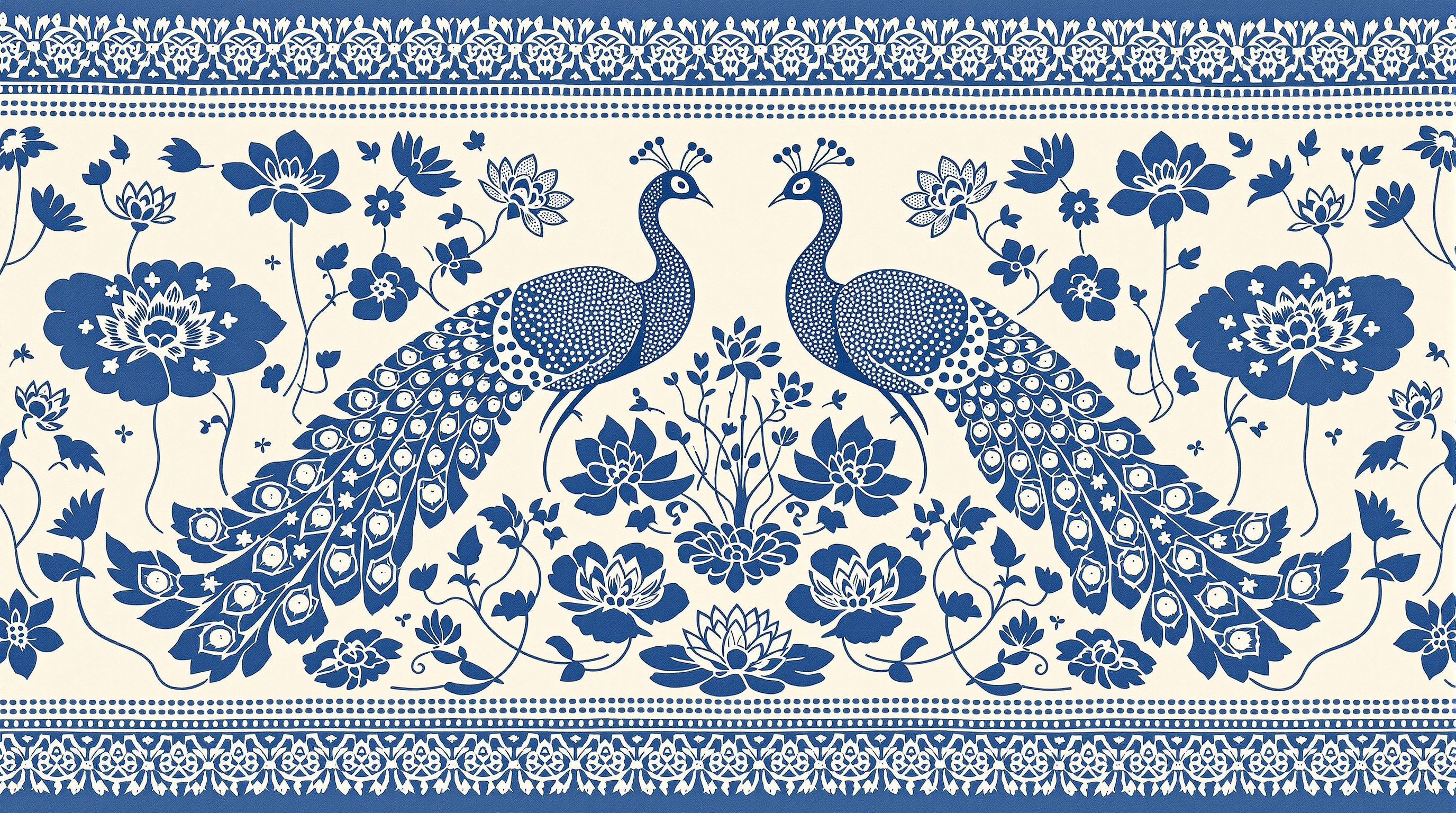
Indonesian batik textile pattern of mirrored twin peacocks beside lotus ponds in indigo and cream, with isen fills, kawung border, wax-resist crackle, and cloth weave texture. Flat ornamental fabric layout.
Twin peacocks facing each other beside lotus ponds, rendered as a traditional Indonesian batik textile pattern in indigo and cream. The peacocks fill the center with mirrored S-curved necks, fan tails filled with dotted isen motifs, and small floral medallions along the wings. Around them, oval lotus ponds hold blooming lotus flowers, pads, and tiny fish drawn as repeating geometric fills. A classic batik border frames the cloth: interlocking kawung and ceplok shapes with fine crackle lines from wax-resist dyeing. Palette limited to deep indigo blue, soft cream ground, and a few pale grey-blue washes. Hand-drawn irregularity in the lines, visible wax crackle texture, cloth weave grain, flat ornamental layout suitable for fabric. No people, no modern objects, no text, no signature.
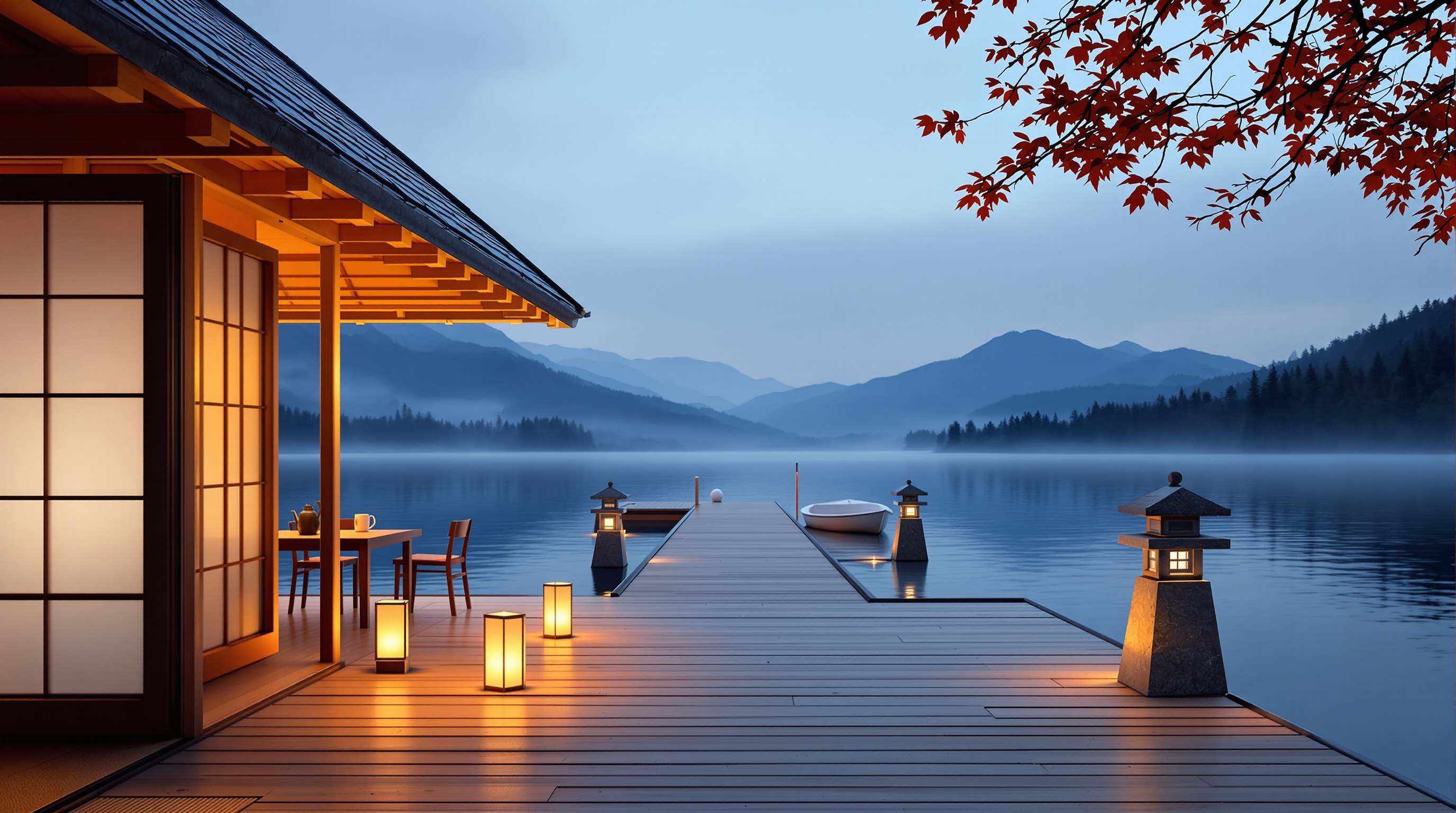
Photoreal dusk view from the deck of the same floating cedar teahouse: glowing shoji and dark tiled eaves on the left, paper and stone lanterns along the boards, a white rowboat, a long boardwalk over still blue-hour water, misty mountains and a red maple branch, restating the fixed design details of the morning view.
Photoreal photograph from the wide plank deck of a small floating cedar teahouse at lantern dusk, 16:9 landscape, camera at standing eye level beside the teahouse wall, looking out along the deck toward the lake. Key subjects first: the teahouse on the left edge with deep dark gray tiled eaves, warm honey-cedar posts and glowing pale shoji panels lit from inside, a low wooden table with two chairs on the deck, small paper lanterns glowing along the deck boards, two squat granite stone lanterns lit softly near the end of the deck, and a small white wooden rowboat resting on the far deck. Beyond, a long straight plank boardwalk runs out across still lake water at blue hour, reflecting the lantern glow, with layered blue-gray mountains in dusk silhouette, dark pine forest on the far shore, thin mist over the water, and a branch of red-orange autumn maple leaves at the upper edge. Same fixed design as the morning view: dark tiled hipped roof, cedar frame, shoji bays, stone lanterns, white rowboat, maple branch. Soft dusk light mixed with warm lantern glow, quiet contemplative mood, crisp wood grain, true colors. No people, no readable text, no neon, no watermark.
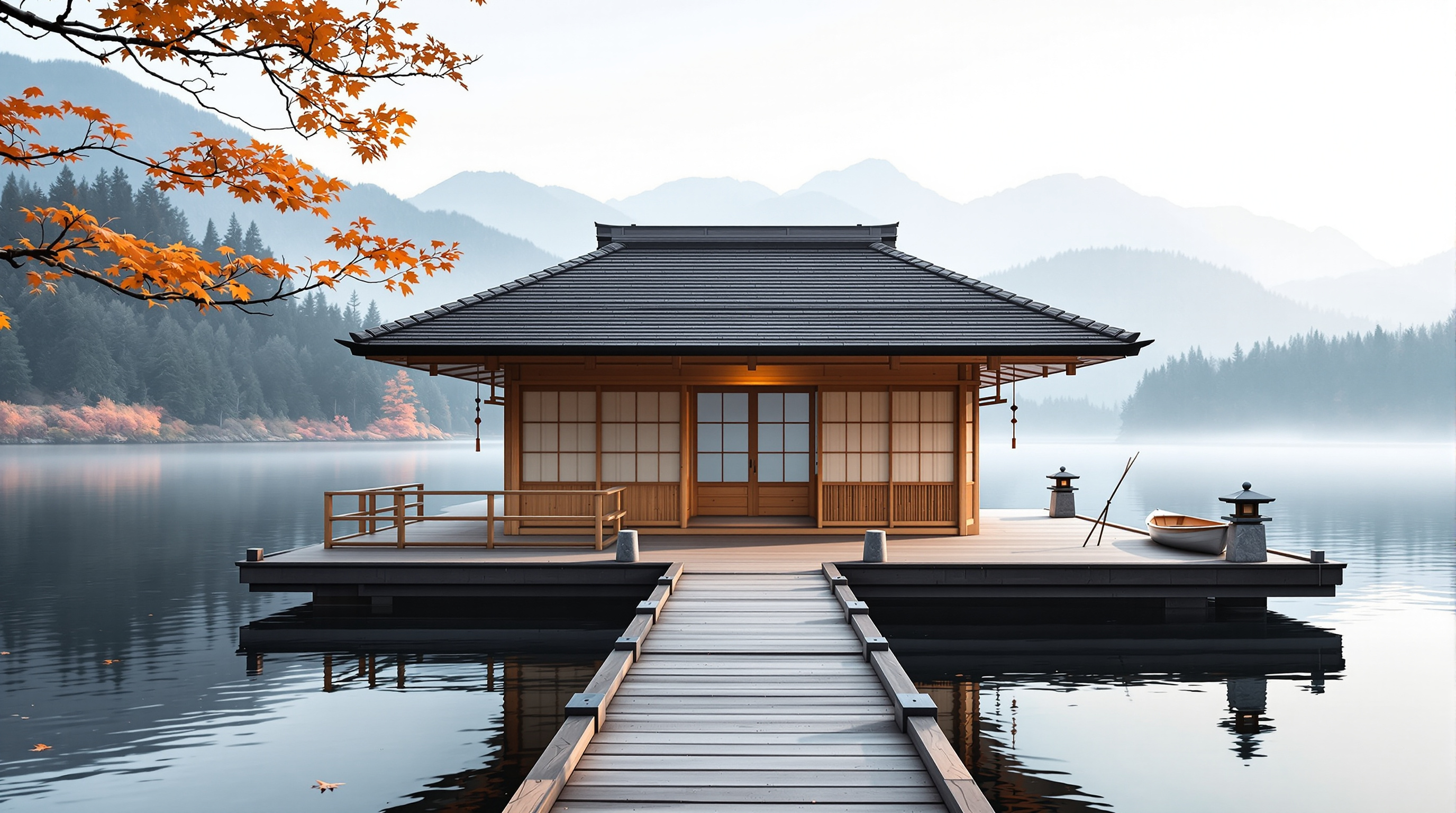
Photoreal view of a small floating cedar teahouse with a hipped shingle roof and shoji screens, approached from a shore path on a misty autumn morning, stone lanterns on the dock, a tied wooden boat, soft fog over still water, warm wood against cool blue-gray lake and mountains.
Photoreal architectural photograph of a small floating cedar teahouse on a still mountain lake in early autumn mist, 16:9 landscape, viewed from a wooden shore path approaching the dock. Key subjects first: a square one-room cedar teahouse with a dark weathered hipped shingle roof, four sliding shoji paper screens on the lake-facing side, a narrow engawa deck with simple vertical railings, two squat granite stone lanterns flanking the dock entrance, and a small tied wooden rowboat at the right side of the floating platform. The platform sits on dark timber pontoons just above the water; pale cedar walls show soft grain; copper rain chains hang at two corners. Behind the teahouse, layered blue-gray mountains fade into fog; pine forest lines the far shore; the water mirrors the roof as a soft blur. Light: low morning sun from the left, cool mist, warm wood highlights, quiet contemplative mood, crisp architectural detail, true colors. No people, no smoke plumes, no neon, no readable text, no watermark.
Describe the floating cedar teahouse you imagine on a mountain lake, its scale, roof, screens, engawa, lanterns, boats, and mood, and get an architecture concept, a palette, a numbered list of fixed design details, and two image prompts showing the same teahouse from the misty morning shore approach and from inside at lantern dusk, plus a consistency checklist. Step 1 of a three-step workflow.
Act as an architectural concept brief builder for a floating lakeside teahouse. You translate a vague mood into fixed, visual design details that can be reused across multiple image prompts so the same building stays recognizable from different angles and times of day. You are concrete about materials, dimensions, and what must not change.

About the teahouse I imagine:
- Setting: a quiet mountain lake in early autumn, forested shores, soft fog
- Scale and use: intimate, seats 6 to 8 on floor cushions, ceremonial tea for small groups
- Structure vibe: Japanese-inspired cedar, not a theme-park copy; quiet, handmade, slightly weathered
- Must include: hipped cedar shingle roof, sliding paper shoji, narrow engawa deck, two stone lanterns on the dock, a small tied wooden boat
- Must avoid: neon signs, glass curtain walls, people in the frame, readable text
- Mood words: hushed, misty, warm wood, contemplative
- Preferred views to generate later: morning approach from the shore path; dusk interior looking out across the water

Please do the following:
1. Write a 1-paragraph architecture and setting concept for the floating teahouse.
2. Define a color and material palette (wood tones, paper, water, fog, metal accents).
3. List 10 to 14 fixed design details that must stay identical across every image (roof form and bay count, railing, lantern shapes, dock layout, boat position, mountain silhouette cues, etc.).
4. Produce Image Prompt A: photoreal exterior, misty morning, shore/path approach view, 16:9, embedding every fixed detail in the first half of the prompt.
5. Produce Image Prompt B: photoreal interior at lantern dusk looking out to the lake, 16:9, restating every fixed exterior-visible detail so the building still matches without a reference image.
6. Add a short consistency checklist a human can use when comparing A and B.
7. Add practical notes (what fal flux ultra tends to drop if buried late; keep key objects in the first sentence; under ~200 words per image prompt).

Rules:
- No people, no readable text, no logos.
- Prefer specific measurable details over adjectives alone.
- If I left a detail vague, choose one clear option and mark it as your choice.
- Output in clear Markdown sections.
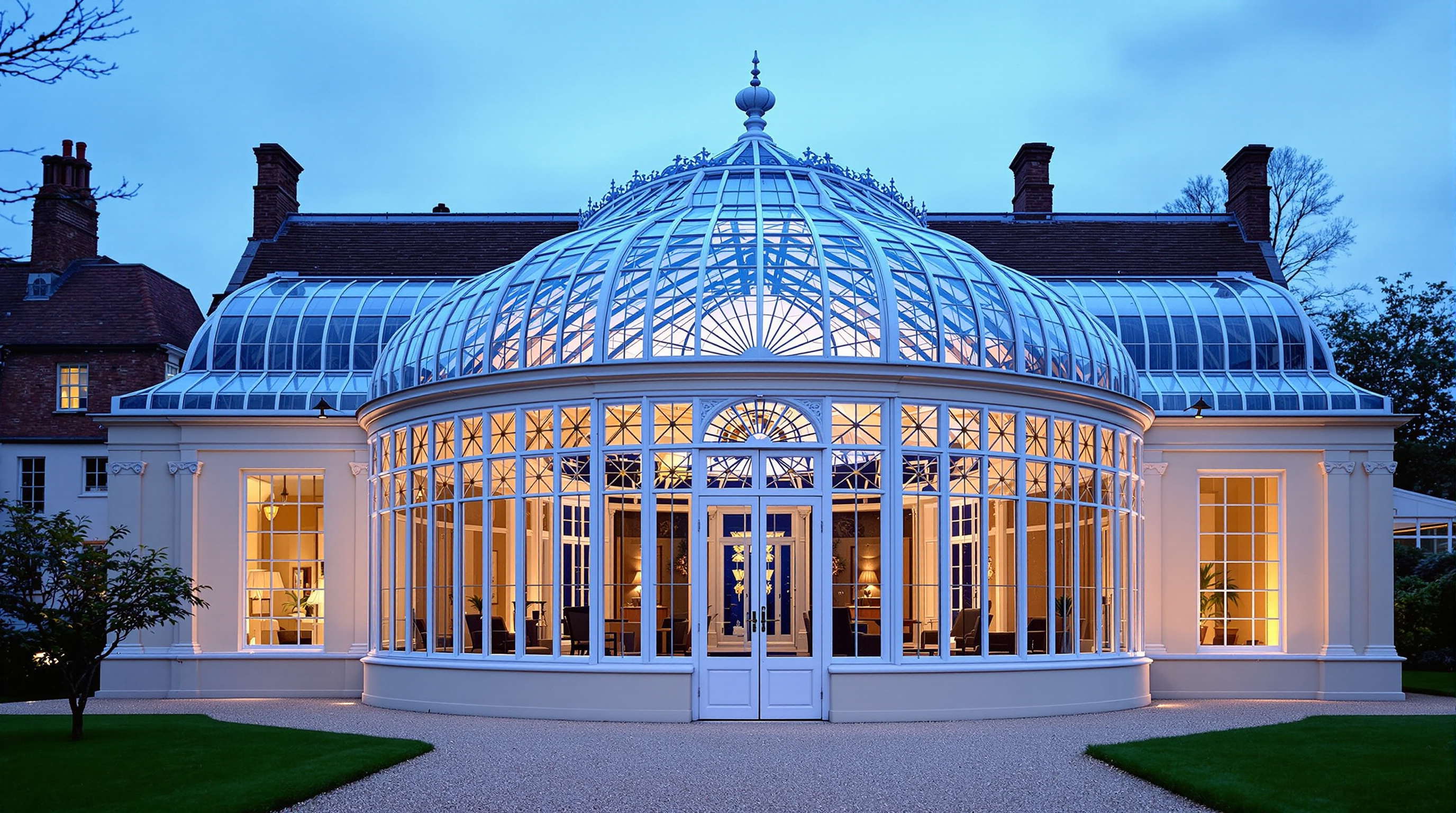
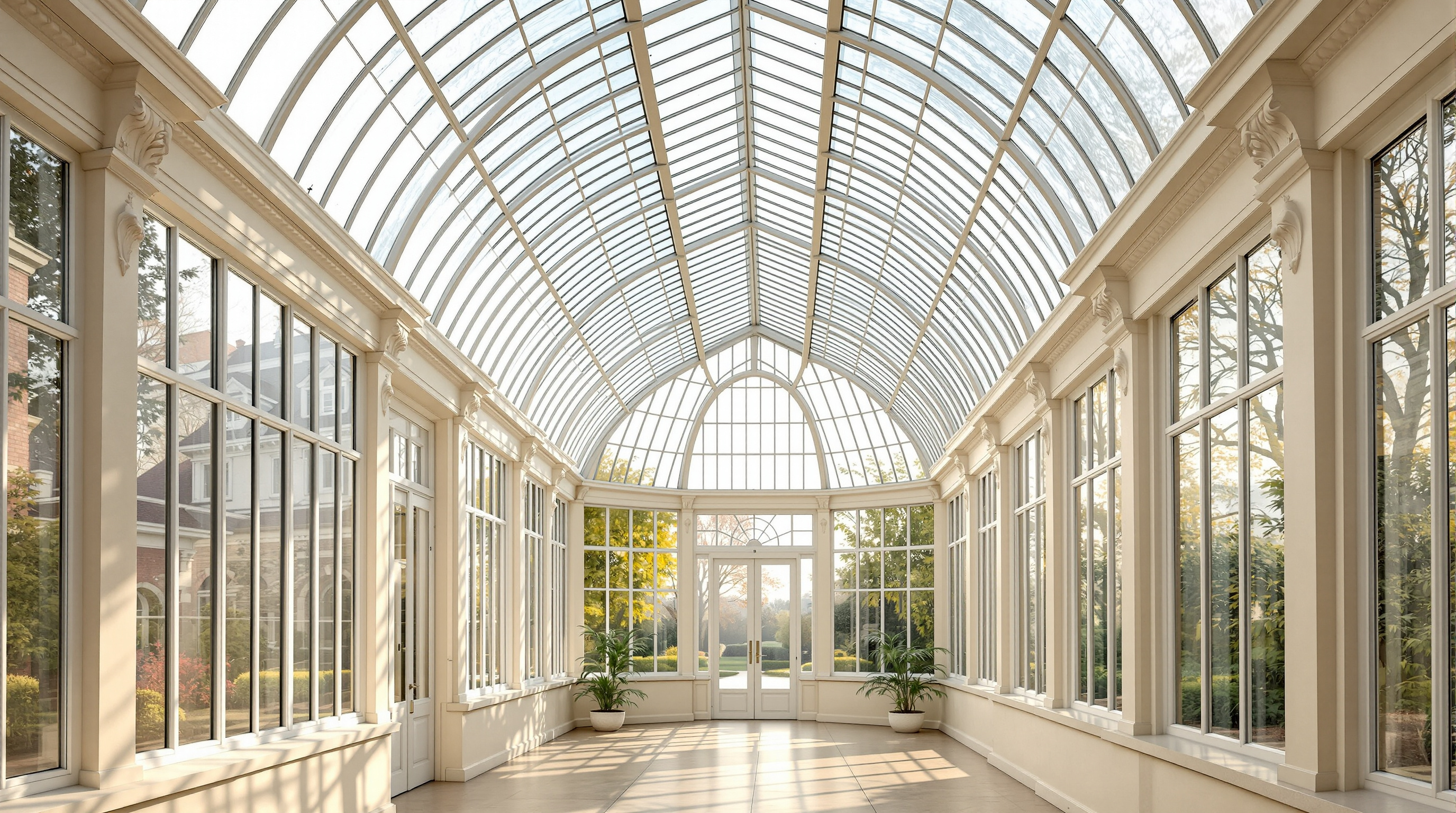
The same cream and white Victorian glass conservatory from step 2, seen from the gravel garden path at blue hour: the glazed sunburst gable with white double doors, cream pilasters and tall narrow windows, the closely ribbed barrel vault glowing amber like a lantern, two small fan palms inside the doors, and autumn trees with a brick house behind. Every fixed design detail is restated so the building stays identical.
Photoreal architectural exterior photograph of the same Victorian glass conservatory from step 2, now seen from outside at blue hour, standing on a pale gravel garden path about 15 m in front of its glazed gable end, at eye level (1.6 m), looking straight at the gable and along the length of the building, 35mm lens, 16:9 landscape composition, symmetrical, the whole building in frame slightly below center. Keep every fixed design detail identical to step 2: a long, narrow rectangular hall with a tall curved barrel-vault glass roof; many closely spaced slender white-painted iron ribs run over the vault, and the glass between them is divided by a dense grid of thin white glazing bars. The side walls are cream painted classical masonry: tall cream pilasters with carved white scroll corbels under a cream cornice, and between them very tall, narrow white-framed windows divided into long vertical panes, set above a low cream plinth wall. The gable end facing the camera is a glazed semicircle following the vault curve, filled with radiating sunburst glazing bars above a horizontal transom; below it a wide white-framed glass wall of rectangular panes with tall white double glass doors in the center, closed, each door with a small brass handle. Seen through the glass, glowing from inside: the warm beige stone tile floor, the long empty central hall, the pilasters and windows of the far end, and two small fan palms in round white planters standing just inside the doors, one on each side. The interior is lit by warm amber light from wall lamps behind the pilasters, so the whole glass vault glows like a lantern and the white ribs stand out in silhouette. Outside: the gravel path runs straight from the camera to the doors between low clipped box hedges and a mown lawn; mature deciduous trees in early autumn color stand on both sides, and a dark red brick house with lit windows is partly visible behind the trees on the left. Deep cobalt blue sky with the last pale glow low on the horizon, a few early stars, cool blue dusk mixed with warm amber interior light, faint mist over the lawn, soft reflections on the glass. Calm, romantic, timeless mood, crisp architectural detail, true colors, straight verticals. No people, no readable text, no signs or plaques, no modern objects or garden lights, no watermark.
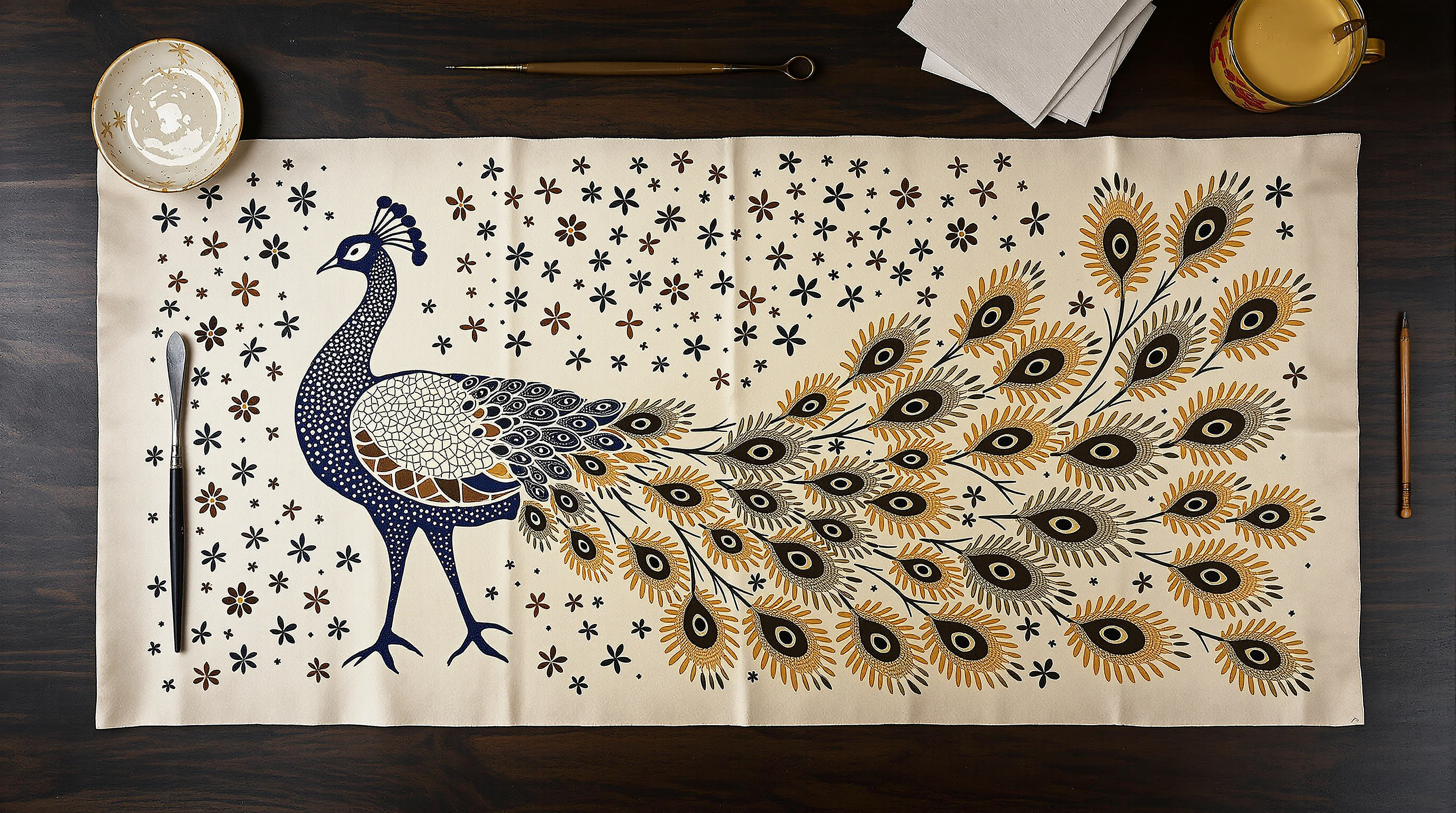
A flat-lay photo of a finished batik textile panel on teak: an indigo and ochre peacock with cracked wax-resist eye-spots and parang-inspired fillers on cream cotton, soft sidelight, with a canting tool and wax pot softly blurred at the edge.
A flat-lay photograph of a finished hand-drawn batik textile panel spread on dark teak, 16:9 landscape composition, the cloth filling most of the frame from left to right. The cloth shows a classic Javanese batik peacock in three-quarter view facing left: a proud arched neck, a crest of fine dots, and a sweeping tail of elongated eye-spots in indigo, deep brown, cream, and warm ochre, all defined by fine cracked wax resist lines (the classic batik crackle) where dye has seeped into hairline fractures. Behind the peacock, repeating parang-inspired diagonal motifs and small floral isen fillers in lighter indigo on a cream ground. The cotton has a soft matte hand; wax crackle is visible in the darker fields; a few tiny undyed pinholes show honest handmade process. Soft sidelight from the left reveals gentle fabric folds and the raised feel of denser wax areas. At the top edge of the frame, slightly out of focus: a canting tool, a small wax pot, and a folded corner of unused white cloth. Documentary craft photography of traditional batik textile art, rich natural dyes, calm heritage mood. Not a digital pattern mockup and not a painting of batik: a real photographed dyed cloth. No readable text, no letters, no logo, no watermark, no hands.
A photoreal eye-level view down the central aisle of a High Victorian glass conservatory at sunrise: white wrought iron arched ribs, a diamond lattice glass roof, a black and white marble checkerboard floor, a blue and gold mosaic fountain with koi, cast-iron benches, kentia palms, hanging Boston ferns, brass pendant lanterns, and golden light shafts through humid mist. Example output of the Conservatory Concept Design Brief Builder (step 1).
Photoreal architectural interior photograph of a High Victorian glass conservatory in early morning, taken from standing eye level (1.6 m) just inside the open front double doors, looking straight down the central aisle along the length of the hall, 24mm lens, 16:9 landscape composition, symmetrical one-point perspective. Fixed design details: a rectangular hall about 14 m long, 8 m wide, and 7 m high at the ridge; a low pale cream limestone plinth wall about 70 cm high runs around the base, with tall clear glass walls in white-framed rectangular panes above it, and a curved barrel-vault glass roof springing from the tops of the walls. Nine slender white-painted wrought iron arched ribs, about 1.5 m apart, cross the hall from wall to wall, each with small white scroll brackets where the wall meets the roof. Between the ribs the roof is glazed in a diamond lattice of thin white glazing bars, the old glass slightly wavy and misted with condensation. The far end wall is a glazed semicircular gable following the vault curve, with a tall tree fern on each side of it. The floor is black and white marble checkerboard in large square tiles, laid square to the 2 m wide central aisle, polished and a little damp. At the exact center of the hall sits a round fountain basin about 2 m across with a low rim clad in deep blue and gold mosaic, a small three-tier white stone bowl spout trickling water, and orange and white koi visible in the water. Two ornate black cast-iron benches with fern-pattern backs and pale oak seat slats stand one on each side of the aisle, facing the fountain. Four tall kentia palms in large terracotta pots line the aisle, two on each side between the camera and the fountain. Lush Boston ferns in round wire baskets hang on thin chains from every rib along both sides of the aisle. A row of five brass pendant lanterns with frosted glass globes hangs on long chains above the central aisle, switched off. Along the right wall runs a slatted oak plant shelf with white orchids and small terracotta pots; low beds of moss and ground ferns line the plinth on both sides. Light and atmosphere: low morning sun from the left streams through the glass walls in long, clearly visible golden light shafts cutting through soft humid mist, dappled diamond-pattern shadows from the roof fall across the checkerboard floor, droplets of condensation catch the light, fresh green and chalk-white palette with warm gold highlights. Calm, quiet, timeless mood, crisp architectural detail, true colors, no distortion of vertical lines. No people, no readable text, no signs or plaques, no modern objects, no watermark.
Describe the Victorian glass conservatory or winter garden you imagine, its era, scale, iron and glass structure, plants, furniture, floor, mood, and garden setting, and get an architecture and planting concept, a palette, a numbered list of fixed design details, and two image prompts showing the same building inside on a misty morning and from the garden path at blue hour, plus a consistency checklist and practical notes. Step 1 of a three-step workflow.
Act as a conservatory and glasshouse designer and as a visualization art director. I will describe the Victorian-style glass conservatory I am imagining. You will turn it into a tight concept: the building, its iron and glass structure, the plants, the furniture, the floor and water features, the light and mood, with a numbered list of fixed design details plus two ready-to-use image prompts that show the SAME building from two viewpoints at two times of day, so the two AI images look like photos of one real place.

Era and inspiration: High Victorian, around 1870, inspired by public palm houses but at the scale of a private estate
Purpose and scale: a private winter garden attached to nothing, standing alone at the end of a formal garden, about 14 m long, 8 m wide, 7 m high
Structure and materials I like: white-painted wrought iron, arched ribs, a diamond lattice glass roof, a low pale stone plinth wall
Plants: hanging Boston ferns, kentia palms in terracotta pots, tree ferns, orchids on a side shelf, moss
Furniture and features: ornate cast-iron benches, a small round mosaic fountain with koi in the center, brass pendant lanterns
Floor: black-and-white checkerboard marble
Mood: calm, humid, timeless, a little romantic, a place to read on a Sunday morning
Outside the building: a gravel path between low box hedges, climbing pink roses on the front, a formal English garden
View A: interior at eye level from just inside the front doors, looking down the central aisle, early morning sun with misty light shafts
View B: exterior from the gravel garden path facing the front entrance at blue hour, warm lamps glowing inside

Please produce:

1. Concept
   - A name idea for the conservatory (for my use only, it will not appear in the images) and a two-sentence story of how it should feel to step inside.
   - Architecture: footprint, height, roof form, rib spacing, glazing pattern, ridge details, entrance, ventilation features, and how the iron is finished, described in plain construction terms.
   - Interior layout: the central aisle, where the fountain sits, where benches, palms, ferns, and shelves go, and where the lanterns hang, described from the entrance looking in.
   - Planting plan: each plant group with its position and the effect it creates (height, texture, light filtering).
   - Palette: 6 named colors (simple names like "chalk white" or "fern green") and where each one appears.
   - Materials and finishes: iron, glass (clear, slightly wavy old glass, condensation), stone, marble, mosaic, brass, terracotta, and wood.

2. Fixed design details (the consistency list)
   A numbered list of 14 to 18 details that must look identical in every image: footprint and proportions, roof shape, rib count and spacing, the glazing pattern, the ridge cresting and finials, the plinth wall, the entrance doors and fanlight, the floor pattern, the fountain, the benches, the lanterns, the palms, the ferns, and anything visible from both inside and outside, each with its exact position. Write each one as a short, concrete phrase an image generator can follow (for example "a round fountain basin about 2 m across, clad in deep blue and gold mosaic, at the exact center of the hall").

3. Image prompt A: the base view
   One detailed prompt for an AI image generator: photoreal architectural interior photography from the view A position, in view A light. Include every fixed detail visible from there in its correct position (left and right as seen from the camera), camera height and lens, light direction, atmosphere (mist, humidity, light shafts), mood, and a 16:9 landscape composition. End with exclusions (no people, no readable text, no signage, no modern objects).

4. Image prompt B: the second view
   One detailed prompt for view B, written for a text-only image generator that cannot see image A: restate ALL fixed details again in full words (never "same as before"), place each one correctly for the new camera position, describe what is newly visible from outside (the front gable, the plinth, the ridge cresting, the path, the roses), describe which interior details can be seen through the glass and the open doors, and change only the viewpoint, time of day, and lighting. Keep the structure, colors, and proportions identical.

5. Consistency checklist
   Ten yes/no checks to compare image B against image A (for example "Is the roof glazing still a diamond lattice between the white arched ribs?").

6. Practical notes
   A short list on real-world feasibility: heating and humidity for these plants, ventilation, shading in summer, maintenance of painted iron and old glass, safety glass options, and a rough order of magnitude for building or restoring something similar, labeled as an estimate.

Rules:
- Keep the design historically believable for the stated era; flag anything that would be anachronistic or structurally unrealistic.
- Use plain color names and concrete shapes; avoid vague words like "beautiful" or "magical" on their own.
- No readable text, plaques, signs, or numbers anywhere in the image prompts.
- No real named buildings, brand names, or real people in the image prompts.
- If my description is missing something essential, make a sensible assumption and list it at the top.
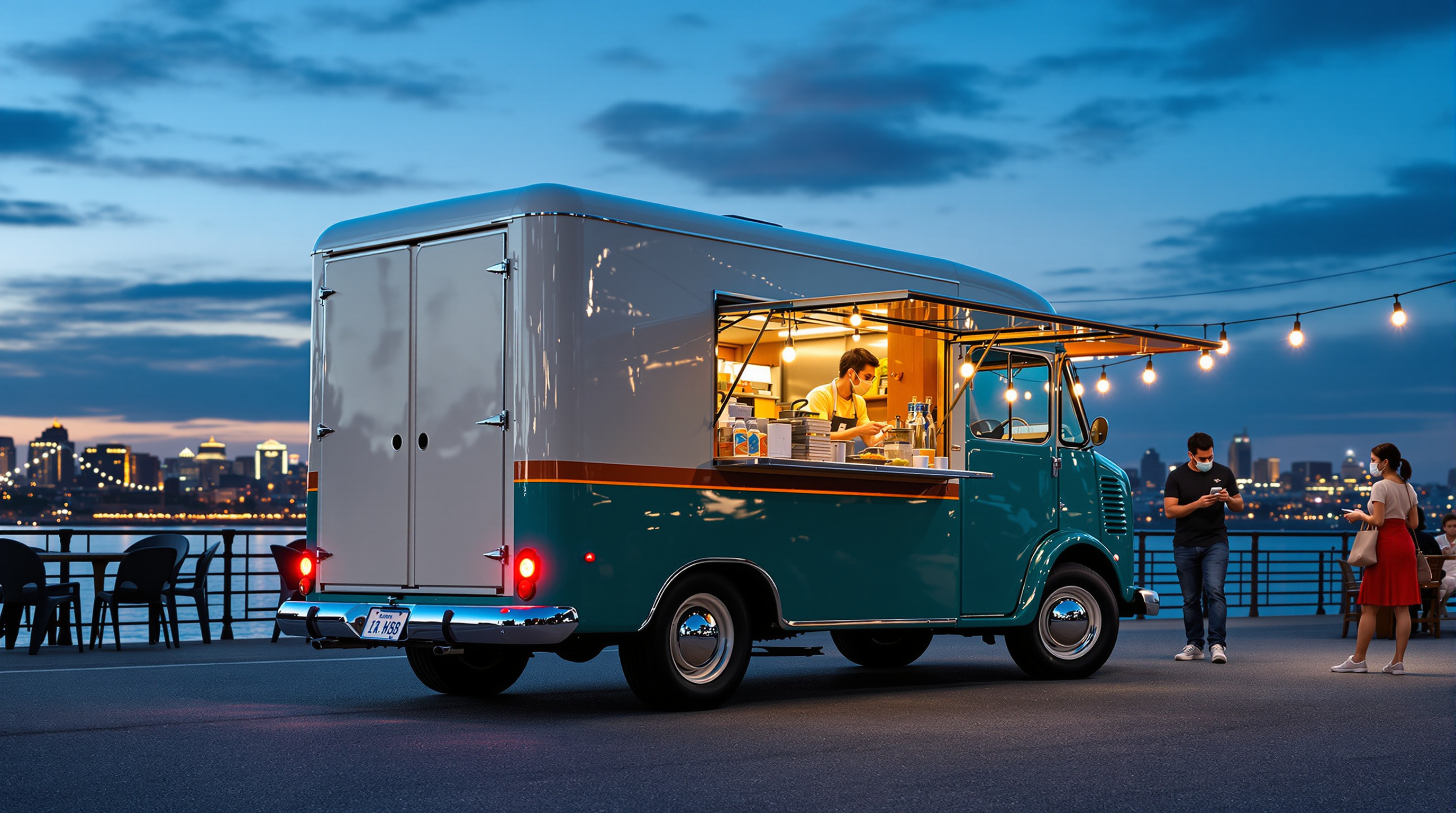
The same cream and deep teal food truck from step 2 during evening service at a riverside night market, seen from the rear right: round porthole rear doors, glowing tail lights, the big flat teal awning raised over the warmly lit serving window full of jars and flowers, chrome hubcaps and the copper-orange stripe, and a blurred queue at blue hour. Every fixed design detail is restated so the truck stays identical.
Photoreal photograph of the same restored compact 1960s-style step van food truck from step 2, now during evening service at a riverside night market at blue hour, seen in a rear right three-quarter view from standing eye level (1.6 m) about 9 m away, 35mm lens, 16:9 landscape composition with the whole truck in frame, slightly left of center. Keep every fixed design detail identical to step 2: a short boxy step van body about 5.5 m long with softly rounded corners, a rounded cab roof, and a flat box roof; two-tone paint, glossy cream on the upper half and deep teal on the lower half, separated by a thin copper-orange stripe running all around the body just below the windows; black tires with large polished chrome hubcaps; a chrome front bumper and round headlights at the front. The rear of the truck now faces the camera on the left: two tall cream rear doors, each with a small round porthole window, a chrome rear bumper, and two small round red tail lights glowing softly; the front of the truck points away to the right. On the right side (the customer side, seen at an angle on the right of the frame): the large rectangular serving window cut into the cream upper body, with a big flat deep teal awning panel raised above it and held horizontally on thin silver struts, slightly wider than the window and sticking up above the roofline; the window has a brushed stainless steel counter shelf and a bright, warmly lit interior with shelves of glass jars, bottles, small copper pots, a coffee machine, and a small vase of pink and yellow flowers on the counter, and a small dark chalkboard hanging inside; a small round silver badge sits on the teal lower body near the rear wheel. Warm light from the open window spills onto the ground. A cook in a dark apron works behind the counter, softly blurred. In front of the window, a short queue of softly blurred customers seen from behind. Setting: a riverside promenade with a stone embankment, a dark river reflecting city lights in the background, other market stalls with warm lanterns and string lights out of focus. Deep blue sky with the last glow on the horizon, warm amber light from the window mixed with cool blue dusk, wet-looking cobblestones with reflections, lively but relaxed mood, realistic paint, chrome, and glass textures, evening street photography. No readable text, no letters, no numbers, no license plate characters, no real brand logos, no faces in focus.
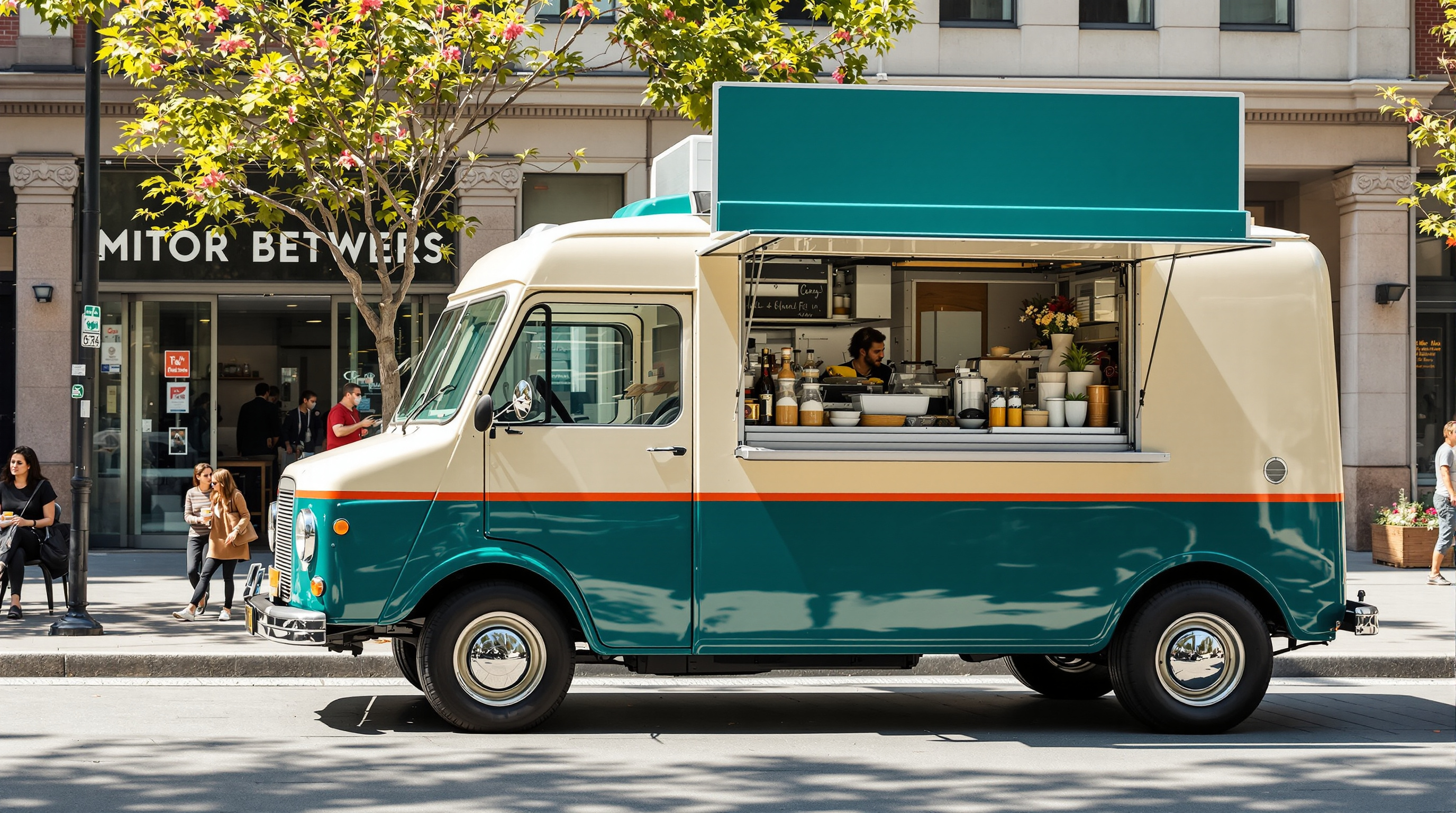
A photoreal street photo of a restored 1960s-style step van food truck in cream and deep teal with a copper-orange stripe, a propped-open teal serving hatch with a copper underside, a wordless sun-and-wheat emblem, a blank slate menu board with drawn icons, roof herb planter, and string lights, parked under plane trees at lunchtime. Example output of the Food Truck Concept Design Brief Builder (step 1).
Photoreal lifestyle photograph of a restored compact 1960s-style step van food truck parked in a sunny city plaza at weekday lunchtime, seen in a front right three-quarter view from standing eye level (1.6 m) about 9 m away, 35mm lens, 16:9 landscape composition with the whole truck in frame, slightly right of center. Fixed design details: a short boxy step van body about 5.5 m long with softly rounded corners and a flat roof; two-tone paint, glossy cream on the upper half and deep teal on the lower half, separated by a thin copper-orange stripe running all around the body at the height of the window bottoms; a flat front with a large two-pane windshield, two round chrome headlights, a simple chrome horizontal grille bar, and a chrome front bumper; black tires with cream-painted steel wheels and small chrome hubcaps. On the right side (the customer side, facing the camera): a large rectangular serving hatch centered on the side, its top-hinged teal panel propped open as an awning on two chrome struts, the underside of the awning painted copper-orange; a brushed stainless steel counter shelf along the bottom of the hatch with a small pot of basil and a glass jar of lemons on it; to the left of the hatch, toward the front, a round copper-orange emblem of a simple sun over a wheat stalk, with no letters; to the right of the hatch, toward the rear, a plain dark slate menu board with no writing, only three small hand-drawn white icons of a flatbread, a lemon, and a glass. Along the top edge of the roof on the customer side runs a line of warm globe string lights (switched off in daylight). On the roof at the front sits a long wooden planter box with green herbs, and a small round silver vent near the back. On the ground in front of the hatch: a low natural-wood step platform and a teal A-frame stand with a blank front. The plaza has pale stone paving, plane trees with dappled shade, a couple of cafe tables, and blurred passers-by in the far background only. Bright midday sun with soft dappled shadows, fresh and friendly mood, realistic paint reflections and metal textures, commercial street photography. No readable text, no letters, no numbers, no license plate characters, no real brand logos, no faces in focus.
Describe your street food idea, vehicle, trading spots, brand personality, and colors, and get a food truck concept with paint scheme, service side layout, palette, and materials, a numbered list of fixed design details, and two image prompts showing the same truck at lunchtime and at an evening night market, plus a consistency checklist and practical fit-out notes. Step 1 of a three-step workflow.
Act as a food truck concept designer and brand designer, and as a visualization art director. I will describe the street food business I want to start. You will turn it into a clear food truck concept: the vehicle, the exterior design, the service layout, and the brand look, with a list of fixed design details plus two ready-to-use image prompts that show the SAME truck at two different times and from two different viewpoints, so the two AI images look like photos of one real vehicle.

Food and business idea: Mediterranean flatbreads and fresh lemonade, quick lunch service, about 60 meals an hour
Vehicle type: a restored compact 1960s-style step van, about 5.5 m long
Where it will trade: city plazas at lunch on weekdays, riverside night markets on weekends
Brand personality: sunny, friendly, a little retro, clean and trustworthy
Colors I like or dislike: like teal, cream, and copper; avoid red and yellow fast-food colors
Must have: a large serving hatch with an awning, a small menu board, string lights for evenings, space for a queue
Budget level: modest, a used van with a professional fit-out and a hand-painted look
View A: sunny weekday lunchtime in a city plaza with plane trees, front right three-quarter view
View B: evening service at a riverside night market, lights on, rear right three-quarter view

Please produce:

1. Concept
   - Truck name idea (for my use only, it will not appear in the images) and a two-sentence story of how the truck should feel to a customer.
   - Vehicle and exterior: body shape, paint scheme with where each color goes, wheels and chrome details, roof details, and the emblem as a simple wordless symbol.
   - Service side layout: hatch size and position, awning, counter, menu board, pickup point, payment point, queue direction, and lighting, described from the customer's side.
   - Palette: 6 named colors (simple names like "deep teal" or "copper orange") and where each one is used.
   - Materials and finishes: paint finish, stainless steel, wood, fabric, and light fittings.

2. Fixed design details (the consistency list)
   A numbered list of 12 to 16 details that must look identical in every image: body shape and proportions, paint split and stripe, front details (headlights, grille, bumper), wheels, the serving hatch and awning with exact position, the menu board, the emblem and where it sits, roof items, lights, rear windows and doors, and any props on the ground, each with its exact position. Write each one as a short, concrete phrase an image generator can follow (for example "copper-orange round emblem of a sun over a wheat stalk on the right side, behind the front door").

3. Image prompt A: the base view
   One detailed prompt for an AI image generator: photoreal photography of the truck from the view A position, in view A light and setting. Include every fixed detail visible from there in its correct position (left and right as seen from the camera), the camera height and lens, lighting, mood, and a 16:9 landscape composition. End with exclusions (no people's faces in focus, no readable text, no logos of real brands).

4. Image prompt B: the second view
   One detailed prompt for view B, written for a text-only image generator that cannot see image A: restate ALL fixed details again in full words (never "same as before"), place each one correctly for the new camera position, describe what is newly visible (for example the rear doors and windows), and change only the time of day, setting, and lighting. Keep the paint, proportions, emblem, and props identical.

5. Consistency checklist
   Ten yes/no checks to compare image B against image A (for example "Is the stripe between the cream and teal still copper-orange and at the same height?").

6. Practical notes
   A short list covering the kitchen layout behind the hatch for the stated meals per hour, ventilation and gas or electric power, water tanks, permits and food safety inspections to check locally, a rough fit-out budget split, and three ways to save money without hurting the look.

Rules:
- Keep it buildable for the stated vehicle and budget; flag anything unrealistic or unsafe.
- Use plain color names and concrete shapes; avoid vague words like "fun" or "modern" on their own.
- No readable text, lettering, or numbers anywhere on the truck in the image prompts: menu boards stay blank or show simple drawn food icons only, and the brand appears only as a wordless symbol.
- No brand names, no real people, no copyrighted characters.
- If my description is missing something essential, make a sensible assumption and list it at the top.
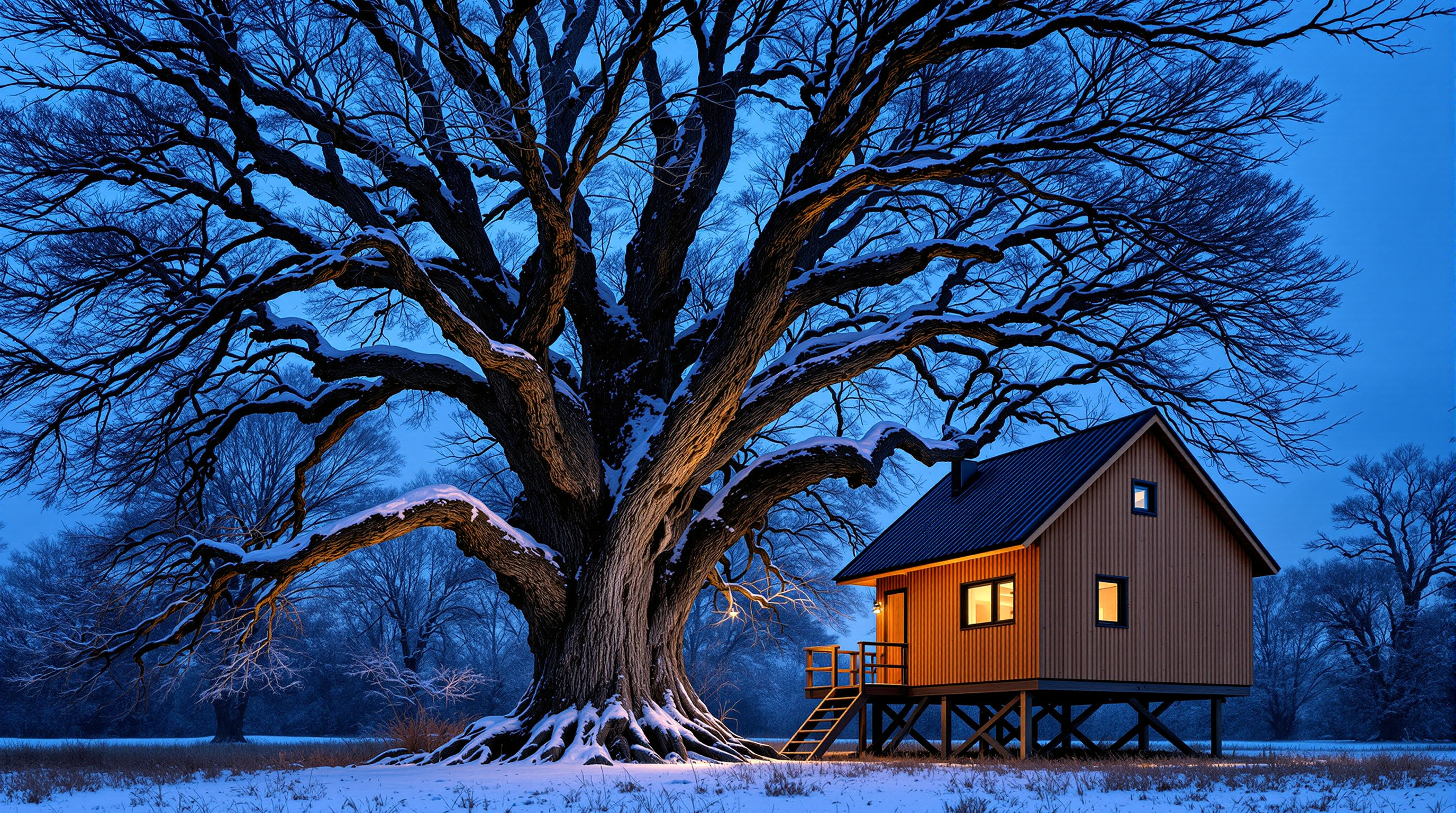
The same cedar treehouse cabin from step 2 on a snowy blue-hour evening, seen from the front right: the bare old oak lined with snow, glowing floor-to-ceiling windows and string lights on the deck, and snowy stairs with footprints in the foreground. Every fixed design detail is restated so the building stays identical.
Photoreal architectural photograph of the same small cedar treehouse cabin and old oak from step 2, now on a snowy winter evening at blue hour, seen from the meadow at the front right instead of from the left, camera at standing eye level (1.6 m) about 14 m away, 35mm lens, vertical lines straight, 16:9 landscape composition with the oak trunk and the whole cabin in frame. Keep every fixed design detail identical to step 2. Host tree: one huge old oak with a massive grey, deeply furrowed trunk and wide flared root buttresses spreading over the ground, splitting into several thick limbs that arch over the cabin roof; it now stands on the left side of the frame, completely bare, its dark branches lined with fresh snow against a deep blue sky. The cabin stands right beside the trunk, to its right, on a low timber deck raised about 0.6 m on short square timber posts. Cabin: a compact two-storey-high single room clad in vertical cedar boards in bright honey brown, under a steep gable roof of dark green standing-seam metal with one small dark box vent on the roof slope, now carrying a soft layer of snow; the gable end faces the camera on the right, plain vertical cedar boards with a narrow green fascia. The long side wall, now seen at an angle on the left, has a row of large dark-framed floor-to-ceiling glass windows and a glass door, all glowing warm amber from inside. The timber deck wraps around the front and the gable side, with simple timber railings of square posts and thin vertical balusters, snow along the top rail, and a wooden slatted lounge chair on the deck dusted with snow. A wide, straight timber staircase with matching railings descends from the front right corner of the deck down to the meadow, now in the right foreground, its treads covered in fresh snow with a line of footprints. Warm globe string lights hang along the deck railing, glowing. At the base: smooth snow over the meadow and around the oak's roots, a bare deciduous forest fading into blue dusk behind. Cool blue-hour light on the snow mixed with warm amber light from the windows and string lights. Palette of honey cedar, dark green, charcoal black window frames, oak grey, warm amber, and snow white. Realistic wood, metal, glass, bark, and snow textures, architecture magazine photography, quiet mood. No people, no text, no logos, no signs.
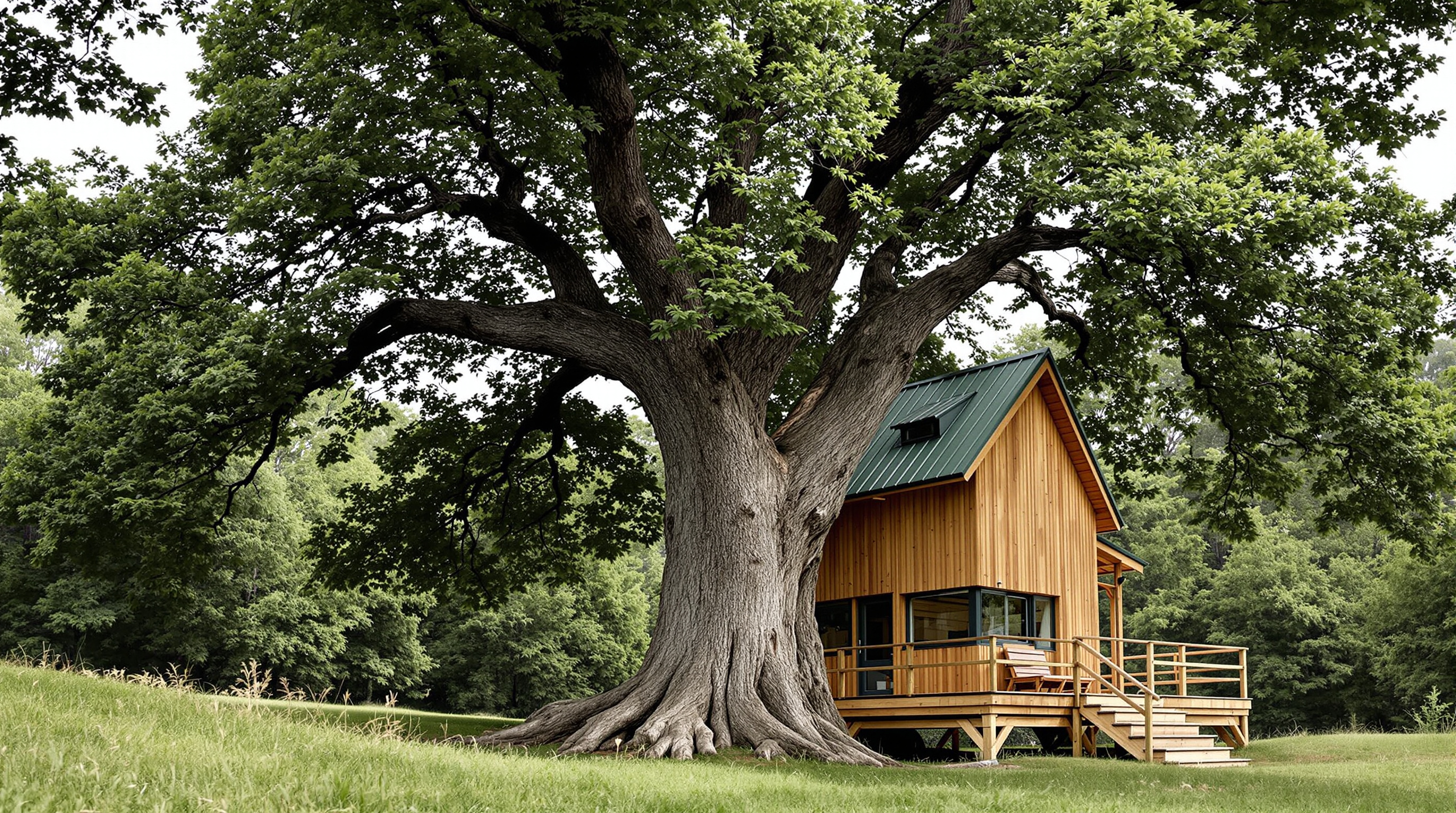
A photoreal architectural photo of a honey-cedar treehouse with a dark green metal gable roof, a wraparound black corner window, porthole, and teal-blue Dutch door, on a rope-railed deck in a huge old oak, with a rope swing and timber stairs in a sunny summer meadow. Example output of the Treehouse Retreat Concept Brief Builder (step 1).
Photoreal architectural photograph of a small timber treehouse retreat built into a single huge old oak tree, standing in a sloping summer meadow at the edge of a beech forest, seen from the meadow at the front left, camera at standing eye level (1.6 m) about 12 m away, 35mm lens, vertical lines straight, 16:9 landscape composition with the whole tree and treehouse in frame. The oak has a massive grey, deeply furrowed trunk about 1.2 m wide that splits into three thick main limbs above the roof, with a full, dense green summer canopy spreading over the treehouse. A square timber deck about 3.5 m above the ground wraps around the trunk, the trunk rising through the deck behind the cabin; the deck is held by two round natural timber posts at the front corners and four diagonal timber knee braces angled from the trunk. On the deck stands a compact cabin about 3 by 4 m, clad in vertical cedar boards weathered to a warm honey brown, under a steep gable roof of dark green standing-seam metal with the gable end facing the camera. Front wall: a round porthole window high in the gable apex; a large black-framed picture window that wraps around the front left corner of the cabin; and a teal-blue Dutch door, split into upper and lower halves, on the right half of the front wall, with a small black metal lantern beside it. A slim black stove chimney pipe rises from the right side of the roof. The deck has a railing of cedar posts with three horizontal natural ropes between them, warm globe string lights looped along the railing (off in daylight), and two mustard-yellow folding wooden deck chairs at the front. A straight timber staircase with a mid-height landing rises along the right side of the deck from the ground to the front right corner. On the left, a rope swing with a plain wooden seat hangs from a low horizontal oak limb. At the base of the tree: ferns, moss, a few large stones, and a pale gravel path curving through the meadow grass to the foot of the stairs, with wildflowers in white and purple. Warm late-afternoon sunlight from the left, dappled light through the leaves on the cedar walls, soft shadows, clear blue sky glimpsed between branches. Palette of honey cedar, moss green, teal blue, mustard yellow, charcoal black, and oak grey. Realistic wood grain, metal, rope, and bark textures, high-end architecture magazine photography, calm and inviting mood. No people, no text, no logos, no signs.
Describe your dream treehouse and host tree and get a buildable design concept with structure, facades, palette, and materials, a numbered list of fixed design details, and two image prompts showing the same treehouse in summer and on a snowy winter evening, plus a consistency checklist and build safety notes. Step 1 of a three-step workflow.
Act as an architectural designer who specializes in treehouses, garden studios, and small timber retreats, and as a visualization art director. I will describe a treehouse I am dreaming about. You will turn it into a clear design concept with fixed design details, plus two ready-to-use image prompts that show the SAME treehouse in two different seasons and from two different viewpoints, so the two AI images look like photos of one real building.

Host tree and site: a single huge old oak in a sloping meadow at the edge of a beech forest, trunk about 1.2 m wide, splitting into three main limbs about 5 m up
Who uses it and how: a family retreat for reading, sleepovers for two kids, and quiet evenings for the adults
Size and height: a small cabin about 3 x 4 m on a deck about 3.5 m above the ground
Style direction: warm natural timber, a little storybook but not cartoonish, simple modern details
Must have: a big window facing the forest, a covered deck, a small wood stove, a rope swing
Budget level: self-build with a carpenter's help, mid-range materials
View A: summer afternoon, full green canopy, seen from the meadow at the front left
View B: snowy winter evening, bare branches, windows glowing, seen from the front right

Please produce:

1. Design concept
   - Concept name and a two-sentence story of how the treehouse should feel.
   - Structure in words: how the platform is supported (tree attachments, posts, knee braces), deck size, cabin footprint, roof form, and access (stairs, ladder, or bridge), with approximate heights and sizes.
   - Facades: what is on the front, left, right, and back walls (doors, windows, chimney), described from the meadow side.
   - Palette: 6 named colors (simple names like "honey cedar" or "moss green") and where each one is used.
   - Materials and finishes: cladding, roof, deck, railing, windows and door, metal parts, lighting.

2. Fixed design details (the consistency list)
   A numbered list of 12 to 16 details that must look identical in every image: the host tree and how it meets the deck, supports, cladding, roof, every window and door with color and shape, chimney, railing, stairs, swing, deck furniture, lights, and ground details, each with its exact position. Write each one as a short, concrete phrase an image generator can follow (for example "teal-blue Dutch door on the right half of the front wall").

3. Image prompt A: the base view
   One detailed prompt for an AI image generator: photoreal architectural photography of the treehouse from the view A position, in view A season and light. Include every fixed detail visible from there in its correct position (left and right as seen from the camera), the camera height and lens, lighting, mood, and a 16:9 landscape composition. End with exclusions (no people, no text, no logos).

4. Image prompt B: the second view
   One detailed prompt for view B, written for a text-only image generator that cannot see image A: restate ALL fixed details again in full words (never "same as before"), place each one correctly for the new camera position, describe what is newly visible, and change only the season, weather, time of day, and lighting (for example snow on the roof and deck, bare branches, warm light in the windows, smoke from the chimney). Keep materials, colors, and proportions identical.

5. Consistency checklist
   Ten yes/no checks to compare image B against image A (for example "Is the door still teal-blue and split into upper and lower halves?").

6. Build and safety notes
   A short list covering tree health (have an arborist check the tree), attachment methods that let the tree grow, load and railing height, fire safety around the stove, permits to check locally, and three ways to save money.

Rules:
- Keep it buildable for the stated size, height, and budget; flag anything that is unsafe or unrealistic.
- Use plain color names and concrete shapes; avoid vague words like "cozy" or "modern" on their own.
- No brand names, no real people, no readable text in the images.
- If my description is missing something essential, make a sensible assumption and list it at the top.
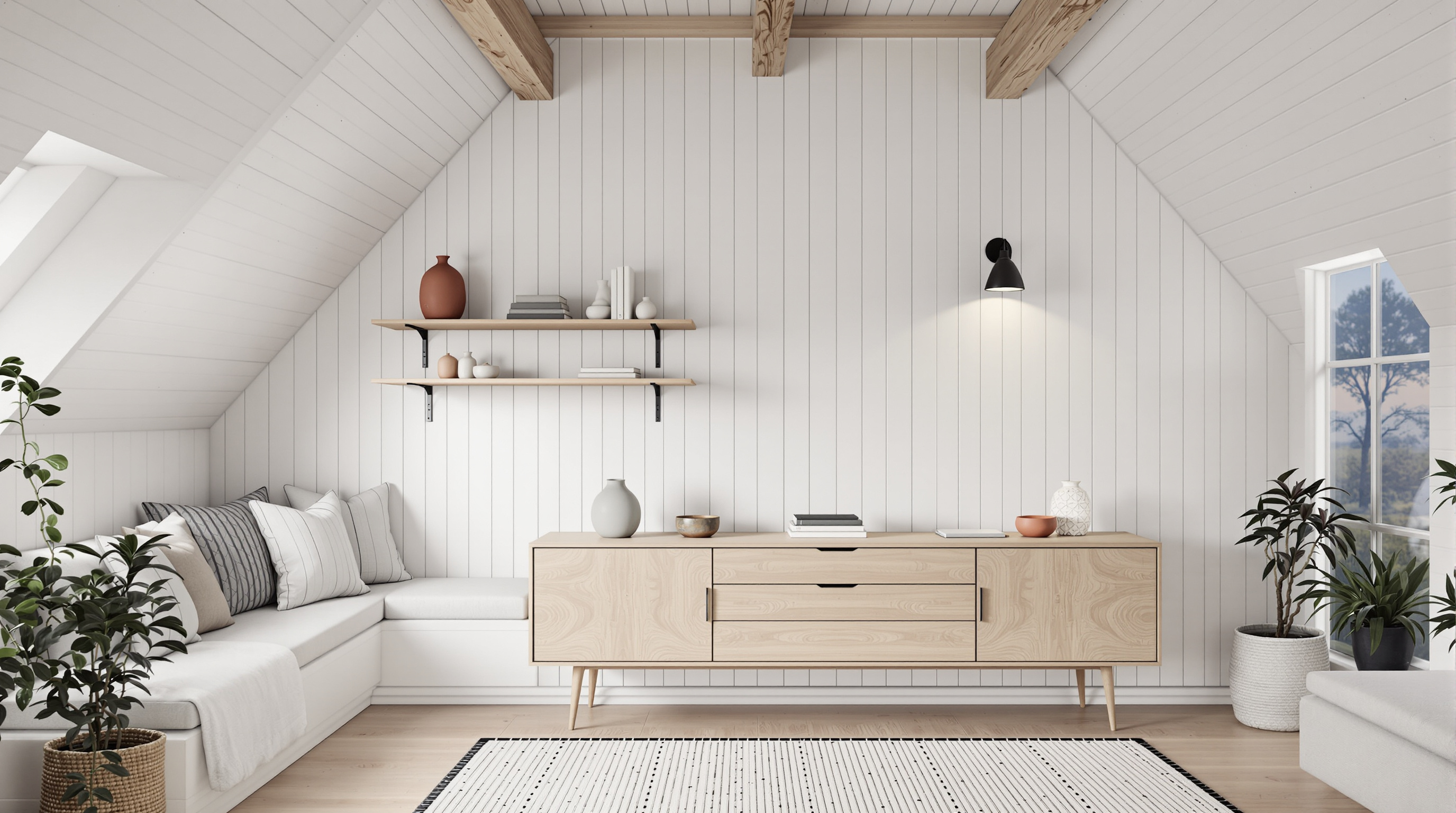
The same Nordic cabin living room from step 2, now seen from the window seat looking back toward the entry wall at blue hour, with the wall sconce and paper lamp glowing. Every fixed design detail is restated so the room stays identical, with left and right swapped for the reversed camera.
Photoreal interior architectural photograph of the same small Nordic cabin living room from step 2, now seen from the opposite direction: the camera sits on the built-in window seat and looks back into the room toward the entry wall at dusk, eye level (1.2 m), 24mm lens, vertical lines straight. Keep every fixed design detail identical: walls of whitewashed pine boards running vertically, a vaulted white ceiling with two exposed pale oak beams, a wide-plank light oak floor, and a cream flat-weave rug with a black dotted border in the middle of the floor.

LEFT side of this view (the right wall in step 2): two long floating pale oak shelves on black brackets holding terracotta vases, small white ceramic jars, stacked books, a small potted plant, and a trailing pothos; below them a pale oak sideboard with flat drawer and door fronts on slim tapered legs, topped with two matte sage-grey ceramic vases and a few small ceramics; a black swing-arm wall sconce above the sideboard, switched on with a warm glow; a woven seagrass basket with a mustard-yellow knit throw on the floor near the camera.

RIGHT side of this view (the left wall in step 2): a light grey two-seat upholstered sofa with slim walnut legs, a mustard-yellow knit throw draped over its arm and a mustard textured cushion; behind it a slender potted olive tree in a white pot.

Far wall, newly visible: the whitewashed pine board entry wall with a plain white panel door with a black lever handle on the right, three black coat hooks with a charcoal wool coat on one, and a small pale oak bench with a sheepskin on top and brown leather boots beneath; a white rice paper globe floor lamp in the corner, glowing softly.

Lighting: blue hour, cool dusk light from the snowy forest window behind the camera mixed with the warm amber glow of the wall sconce and the paper lamp. Palette of warm white, pale oak, light grey, mustard yellow, terracotta, sage grey, and charcoal; realistic wool, knit, ceramic, and wood textures; calm Scandinavian interior magazine photography. No people, no text, no logos, no clutter. 16:9 wide composition.
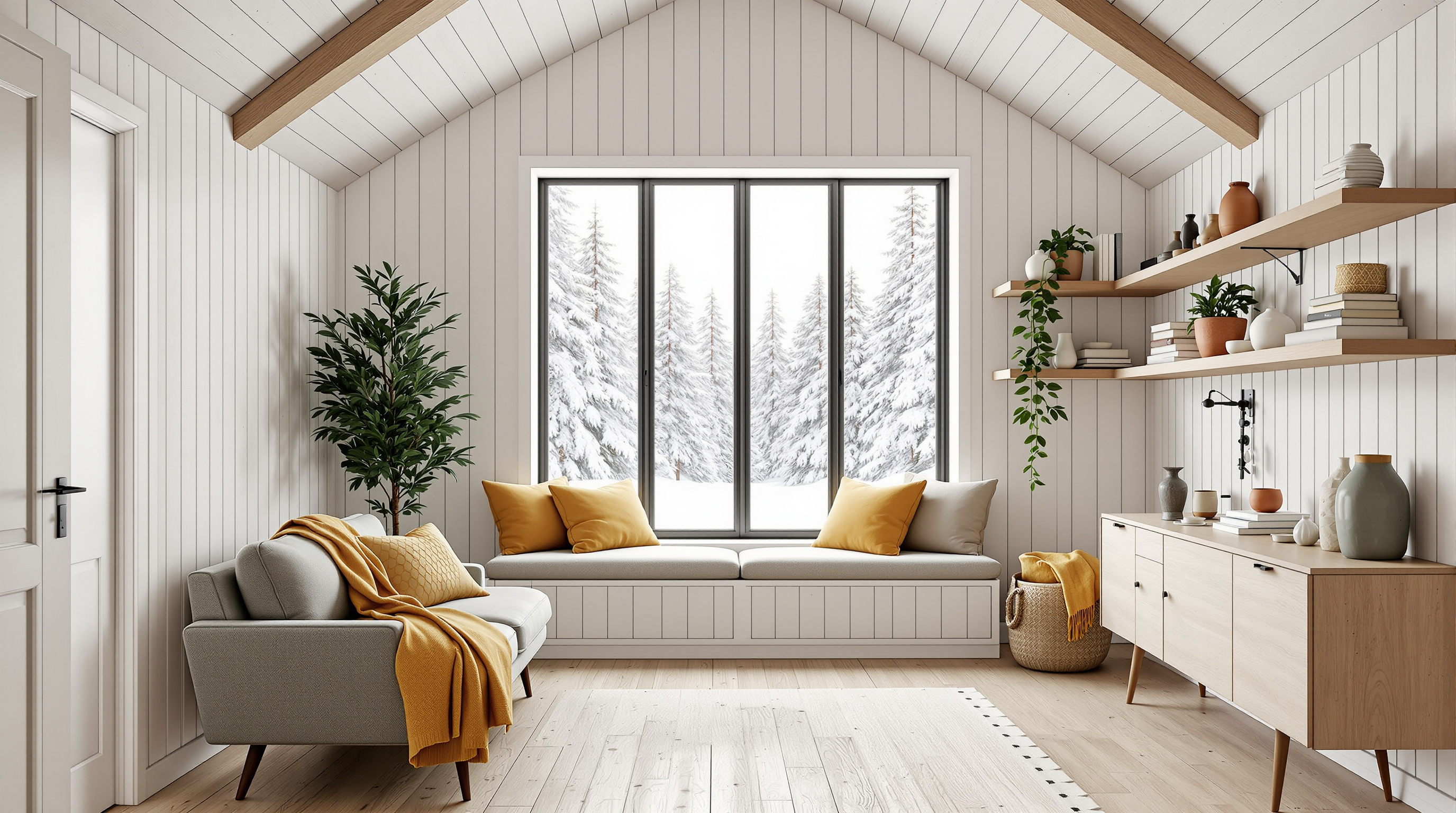
A photoreal interior concept render of a small Nordic cabin living room seen from the entry door in soft winter daylight: sage-green boucle sofa, rust leather sling chair by a black wood stove, walnut coffee table, paper globe pendant, and a picture window onto a snowy pine forest. Example output of the Room Makeover Concept Brief Builder (step 1).
Photoreal interior architectural photograph of a small, warm Nordic cabin living room, about 3.5 by 4.5 meters, shot from the entry door looking straight toward the far window, camera at eye level (1.4 m), 24mm lens, vertical lines perfectly straight. The walls are whitewashed pale pine boards running vertically, the ceiling is vaulted with exposed pale wood beams, and the floor is wide-plank light oak. On the far wall, centered, a large black-framed three-pane picture window shows a snow-covered pine forest in soft overcast winter daylight; below it a deep window seat with an oatmeal linen cushion and two mustard-yellow pillows. In the far left corner, a potted olive tree in a terracotta pot. Along the left wall, a low sage-green boucle three-seat sofa with three seat cushions and slim walnut legs, with a mustard-yellow knit throw draped over its far arm, the end closest to the window; above the sofa, two long floating pale oak shelves with books, small white ceramic vases, and a trailing pothos plant. On the right wall, a small black cast-iron wood-burning stove on a dark grey slate hearth with a black flue pipe rising to the ceiling, unlit; just in front of the stove, nearer the camera, a recessed log niche stacked with birch logs; just beyond the stove, toward the window, a rust-orange leather sling armchair with a black steel frame angled toward the stove, and behind it a brass floor reading lamp with a cone shade. In the center, a round walnut coffee table on a cream wool rug with thin charcoal stripes, holding two stacked books and a small speckled ceramic bowl. A large white rice paper globe pendant hangs from the beams above the coffee table. Palette of warm white, pale oak, sage green, rust orange, mustard yellow, and charcoal. Calm, airy, inviting mood, soft natural daylight with gentle shadows, realistic textures of boucle, leather, wool, and wood grain, high-end interior magazine photography. No people, no text, no logos, no clutter. 16:9 wide composition.
Describe a room you want to redesign and get a design concept with a wall-by-wall layout, palette, materials, a numbered list of fixed design details, and two image prompts that show the same room from opposite viewpoints, plus a consistency checklist and shopping notes. Step 1 of a three-step workflow.
Act as an interior designer and visualization art director. I will describe a room I want to redesign. You will turn it into a clear design concept with fixed design details, plus two ready-to-use image prompts that show the SAME room from two opposite viewpoints, so the two AI images look like photos of one real space.

Room: small living room in a timber cabin, about 3.5 x 4.5 meters, vaulted ceiling, one large window facing a pine forest
Who uses it and how: a couple who read, work on a laptop now and then, and host two friends for board games
Style direction: warm Nordic cabin, calm and natural, a few bold earthy accents
Must keep: the small wood-burning stove and the wide-plank floor
Budget level: mid-range, mostly new furniture, no structural work
Second view to show: the reverse angle at dusk, looking from the window back toward the entry door, with the stove lit

Please produce:

1. Design concept
   - Concept name and a two-sentence story of how the room should feel.
   - Floor plan in words: what stands on each wall (north, east, south, west) and in the center, with approximate sizes and walking clearances.
   - Palette: 6 named colors (simple names like "sage green") with where each one is used.
   - Materials and finishes: walls, ceiling, floor, textiles, metals.

2. Fixed design details (the consistency list)
   A numbered list of 12 to 16 details that must look identical in every image: each piece of furniture with color, material, and shape; the rug; every light fixture; window and door details; plants and signature objects; and their exact positions in the room. Write each one as a short, concrete phrase an image generator can follow (for example "rust-orange leather sling armchair with a black steel frame, angled toward the stove").

3. Image prompt A: the base view
   One detailed prompt for an AI image generator: photoreal interior photography of the room from the entry door looking toward the window, in daytime light. Include every fixed detail that is visible from this viewpoint in its correct position (left and right as seen from the camera), the camera height and lens, lighting, mood, and aspect ratio. End with exclusions (no people, no text, no logos, no clutter).

4. Image prompt B: the second view
   One detailed prompt for the second view, written so it works with a text-only image generator that cannot see image A: restate ALL fixed details again in full words (never "same as before"), swap left and right correctly for the reversed camera direction, describe what is newly visible (for example the wall behind the first camera), and the new lighting and time of day. Keep palette, materials, and style identical.

5. Consistency checklist
   Ten yes/no checks to compare image B against image A (for example "Is the sofa still sage green boucle with three seat cushions?").

6. Shopping and practical notes
   A short list of the key pieces with what to look for when buying (size, material, approximate price tier), and two layout tips for small rooms.

Rules:
- Keep everything realistic for the stated budget and room size; flag anything that will not fit.
- Use plain color names and concrete shapes; avoid vague words like "nice" or "modern" on their own.
- No brand names, no real people, no readable text in the images.
- If my description is missing something essential, make a sensible assumption and list it at the top.
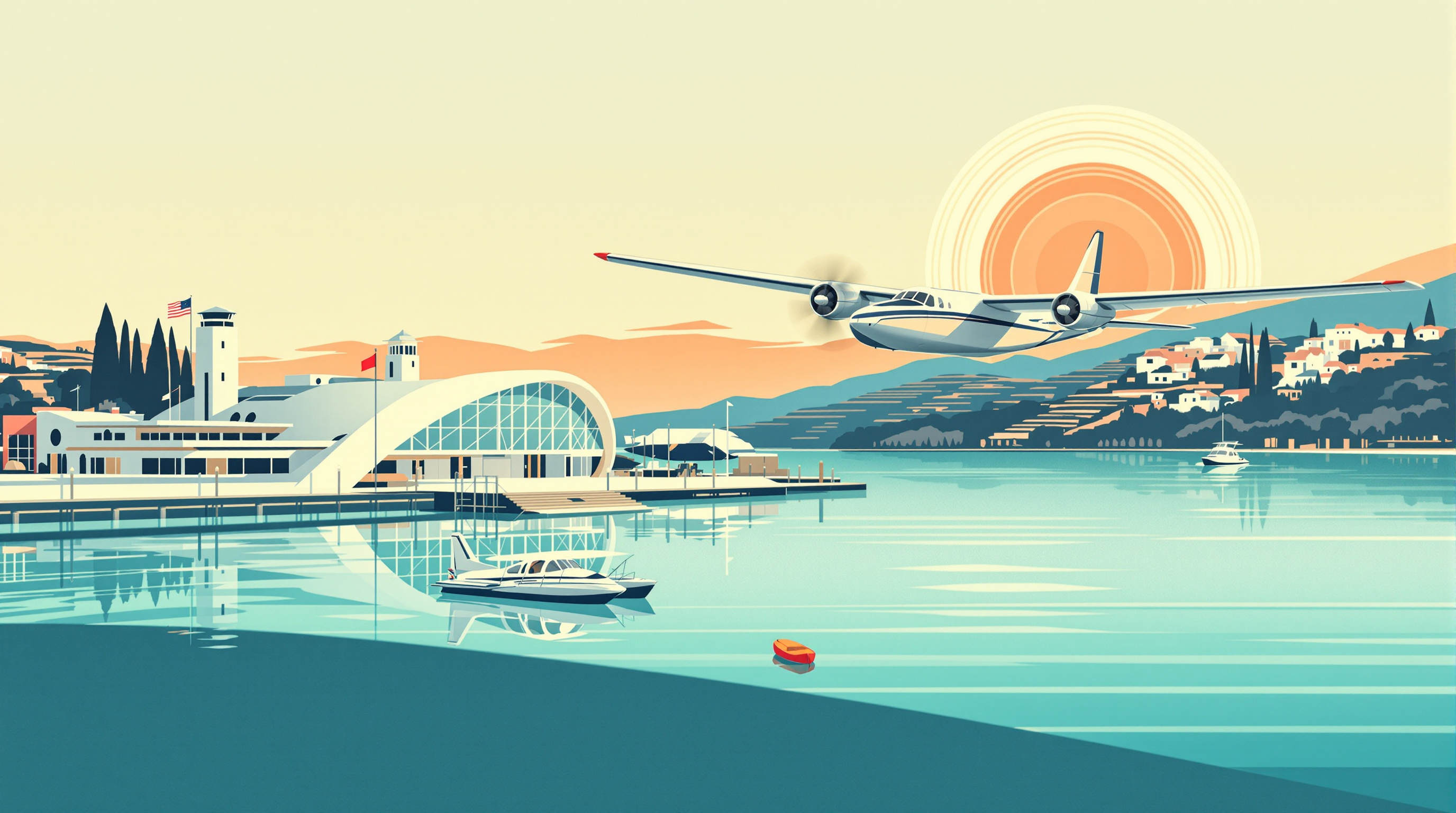
A 1930s Art Deco travel poster of a silver seaplane gliding over a turquoise bay toward a Streamline Moderne terminal at dawn, with a sunburst sky, terraced hills, bold flat shapes, and a lithograph print texture, leaving clean sky space for your own lettering.
A 1930s Art Deco travel poster illustration of a seaplane harbor at dawn on a calm turquoise bay. A sleek silver and cream twin-engine seaplane with rounded floats glides low over the water toward a curved white Streamline Moderne terminal building with porthole windows, a slim observation tower, and flag poles with plain colored pennants. Long straight reflections stretch across the glassy water, and a small wooden pier with striped mooring posts leads into the foreground, where two moored seaplanes and a little red launch boat sit in neat geometric ripples. Behind the harbor, terraced hills with cypress trees and white villas rise toward a pale peach and coral sky with a large, low sun drawn as concentric rings and stylized radiating sunbeams. Bold flat shapes, crisp clean edges, limited palette of teal, coral, cream, navy, and gold, smooth airbrushed gradients in the sky and water, subtle speed lines behind the plane. Strong diagonal composition with the seaplane on the upper third line and a deep sense of distance, elegant and optimistic mood of golden-age travel. Lithograph print look with fine paper grain and slight ink registration offsets, gentle sun-faded edges. Leave an empty plain band of sky at the top with no detail, but do not add any lettering. No text, no letters, no logos, no airline markings, no people in close-up. Vertical 3:4 poster aspect ratio.
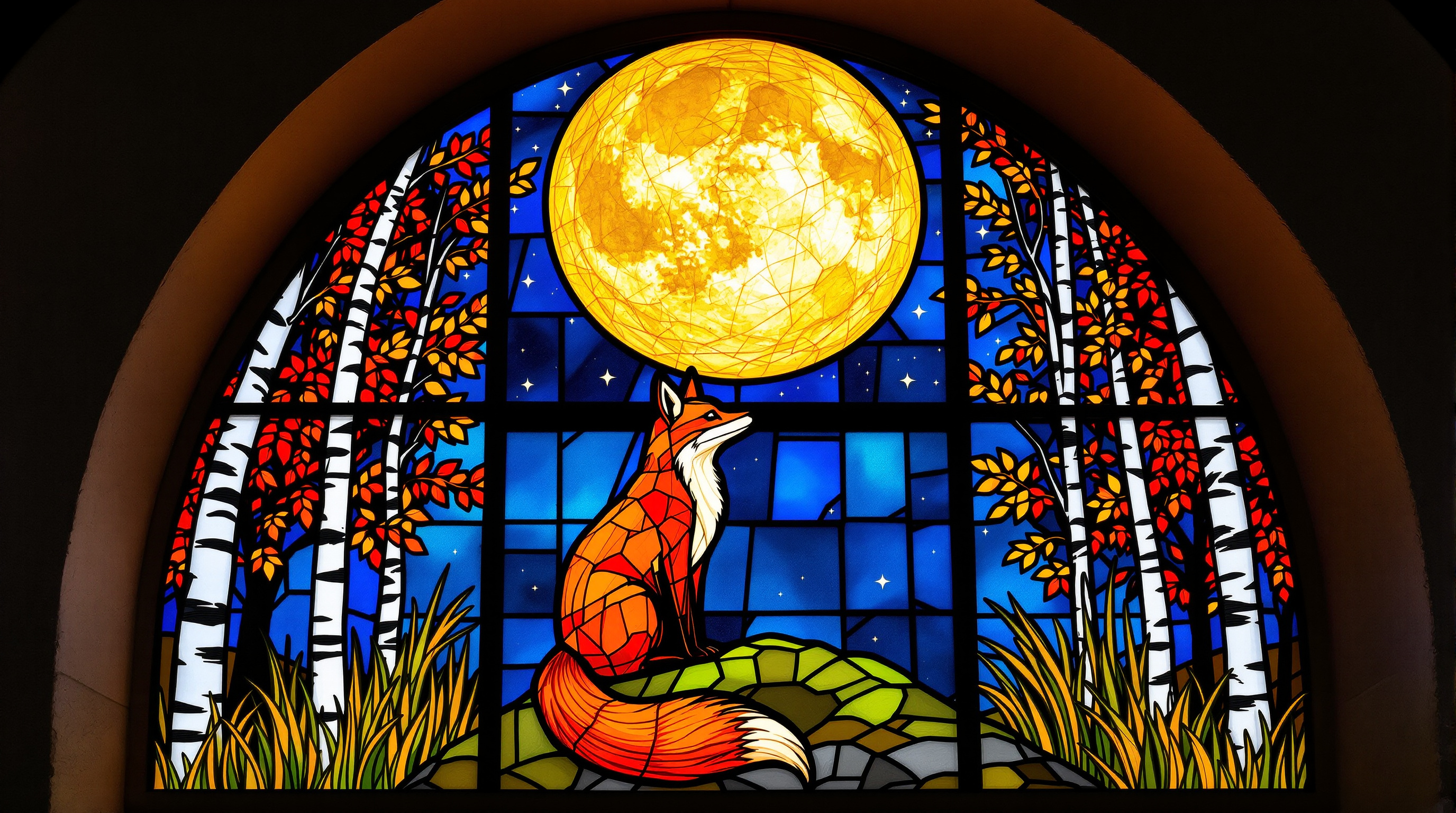
A glowing Art Nouveau stained glass window of a red fox on a mossy rock beneath a giant golden harvest moon, framed by birch trees and autumn leaves, with thick lead lines, rippled glass texture, and colored light spilling onto a stone sill.
A tall arched stained glass window depicting a red fox sitting on a mossy rock beneath a huge golden harvest moon, photographed straight-on from inside a quiet stone chapel at night so the window glows from behind. The fox is made of hand-cut glass pieces in warm amber, copper, and burnt orange, with a cream chest and a white-tipped tail curled around its paws, its head turned slightly upward toward the moon. Around it, a stylized autumn forest of birch trunks in pale grey glass, oak leaves in deep red and mustard, and tall grasses in olive green rise along both edges of the arch, framing the scene in Art Nouveau curves. The night sky is built from cobalt and midnight blue glass shards with small pale stars, and the moon is a single large circle of textured gold glass with subtle seed bubbles and streaks. Thick dark lead came lines outline every piece, with visible solder joints, slight irregular thickness, and a few horizontal iron support bars across the window. Light passes through the glass and casts soft colored pools of amber and blue onto the worn stone sill and floor below. Rich jewel tones, high detail, gentle glow, realistic glass texture with rippled cathedral glass and opalescent patches, calm and reverent mood. Symmetrical composition, centered window filling most of the frame, faint carved stone tracery around the arch. No people, no text, no religious figures, no signature. Vertical 3:4 aspect ratio.
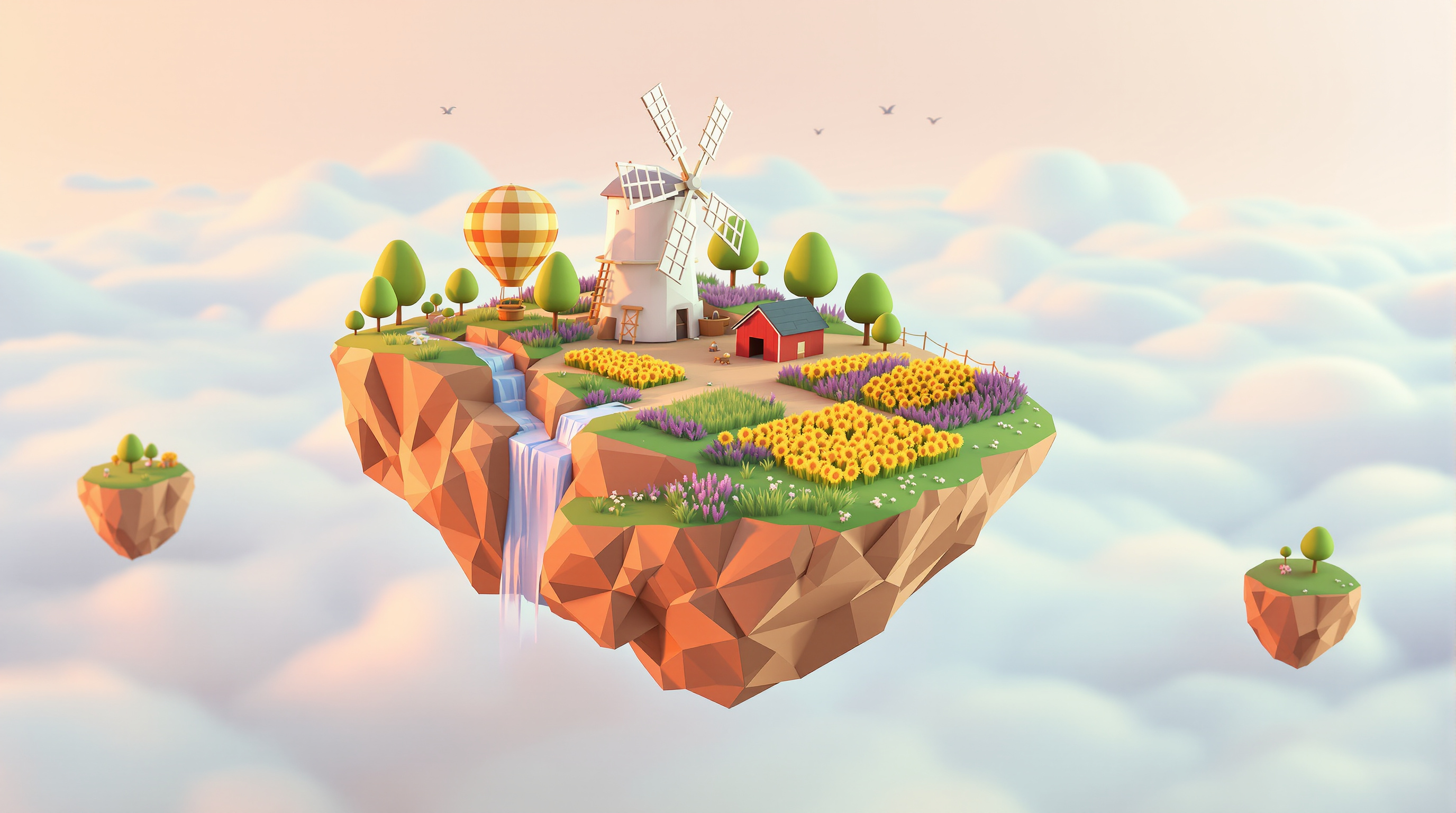
A cozy low-poly 3D render of a tiny floating island farm above the clouds at golden hour, with a turning windmill, patchwork fields, waterfalls spilling off the edges, and a tethered hot-air balloon.
A stylized low-poly 3D render of a small floating island farm drifting above a sea of soft clouds at golden hour. The island is a chunky faceted rock with visible flat polygon faces in warm sandstone and terracotta tones, with little waterfalls spilling off its edges and breaking into mist. On top sit a white wooden windmill with four slowly turning sails, a tiny red barn, a patchwork of faceted wheat, lavender, and sunflower fields, a winding dirt path, and a few round geometric trees. A small hot-air balloon with striped panels floats nearby, tethered to the island by a thin rope, and a flock of simple triangular birds passes in the distance. Two smaller floating rocks with single trees hover to the side. Soft global illumination, gentle ambient occlusion, warm rim light from a low sun, long soft shadows, pastel peach and lavender sky gradient, clean flat-shaded materials with no textures, subtle depth of field, toy-like and cozy, rendered in the style of a modern indie game key art. No text, no characters, no logos, square 1:1 composition.
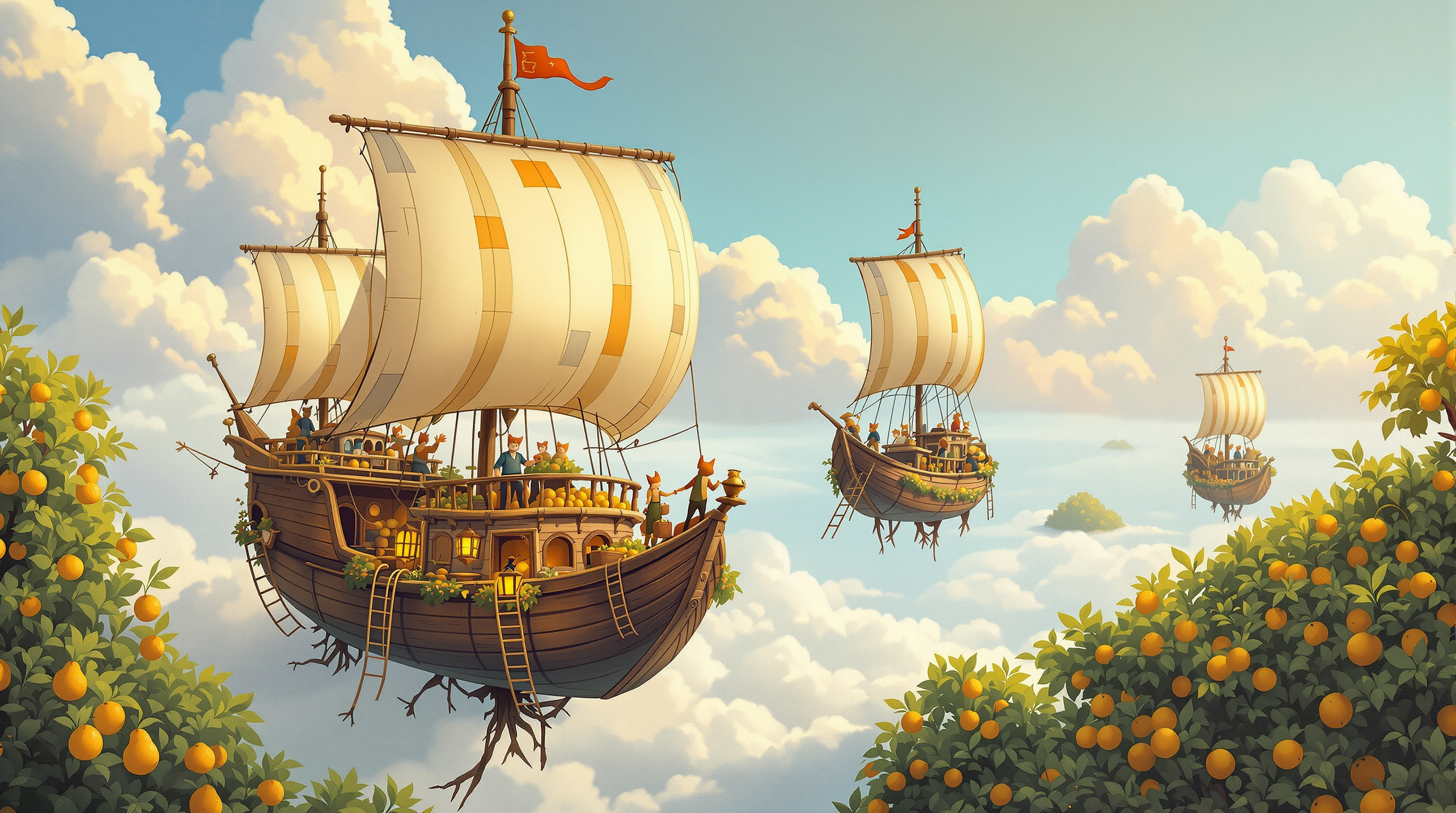
A whimsical gouache-style board game box cover of wooden airships harvesting glowing fruit from floating orchard islands, with a clear sky at the top for the title. It is the example output of the Board Game Box Cover Art Director (step 1).
Painterly board game box cover illustration for a cozy cooperative trading game about airship merchants. Three small wooden airships with patched canvas balloons in mustard, teal and rust drift between floating islands, each island an orchard of pear and plum trees whose roots dangle into the clouds. Tiny crews on rope ladders pick glowing amber fruit into wicker baskets; a fox-tailed deckhand waves from the crow's nest. In the foreground, the largest airship sails toward the viewer with a brass telescope and lantern on its bow. Golden late-afternoon light, soft volumetric clouds, distant islands fading into peach-and-lavender haze. Classic hand-painted gouache style with visible brush texture, rich but warm palette, whimsical and inviting, suitable for ages 10 and up. Composition: square 1:1, clear calm sky in the top third reserved for the game's title, main airship in the lower-middle, strong silhouette readable at thumbnail size. No text, no letters, no logos, no borders.