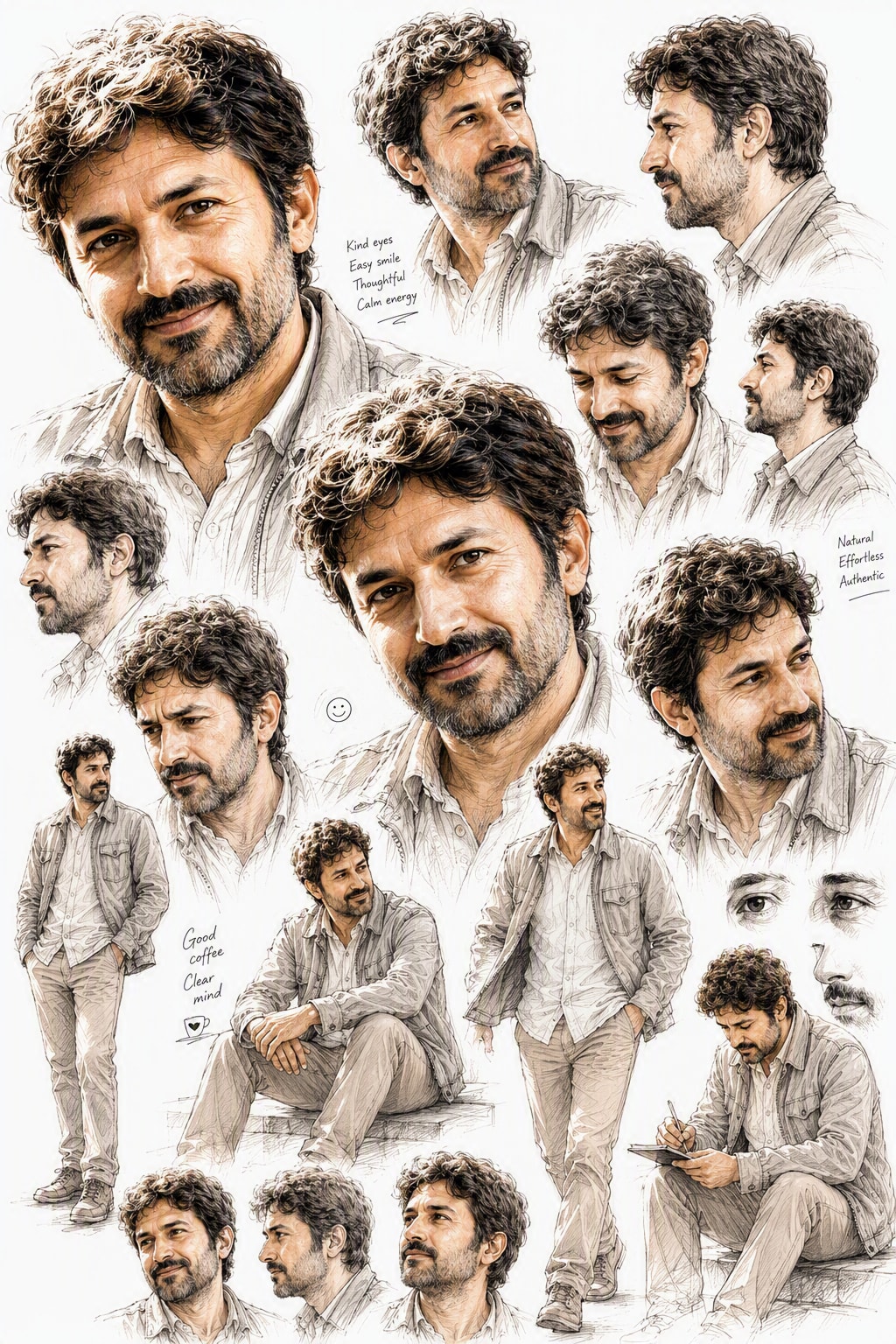
Create a professional, high-end artist sketchbook page using the uploaded photo as the sole reference for the character. Preserve the exact facial features, identity, hairstyle, proportions, and overall recognizable likeness with exceptional accuracy.
Create a professional, high-end artist sketchbook page using the uploaded photo as the sole reference for the character. Preserve the exact facial features, identity, hairstyle, proportions, and overall recognizable likeness with exceptional accuracy. Depict the character in a refined pencil-and-ink illustration style with subtle, tasteful watercolor or marker accents, on a clean pure white background. The image should look clear, beautiful, polished, and professionally composed, with no ruled notebook lines, no construction-grid lines, no mannequin skeletons, and no distracting guide marks. Fill the page naturally with a rich variety of overlapping character studies and spontaneous artistic explorations, as if a master illustrator spent a full day studying the same character. Include multiple full-body poses, dynamic action poses, relaxed standing poses, seated poses, close-up facial studies from different angles, expressive portraits, subtle emotional variations, tiny personal doodles, gesture sketches, and a few lightly unfinished fragments for authenticity. Focus only on the same character and his personality; do not include children, chibi or deformed versions, unrelated characters, props that distract from the subject, or extra figures. The layout should feel organic, layered, creative, and visually rich, but still elegant and professional rather than messy or chaotic. Vary the scale dramatically across the page, with some drawings large and dominant, others small and secondary, partially overlapping in a natural way. Capture the character’s charm, confidence, humor, and everyday mannerisms through expressive poses and refined artistic exploration. Use clean, well-defined sketchwork, smooth contours, subtle shading, believable hand-drawn energy, and an authentic concept-art sketchbook aesthetic. The final result should feel like a premium character development page: visually striking, highly detailed, polished, and centered entirely on the same character.
Direct a vivid, hardcore cinematic scene of a robbery attack on JPMorgan. Capture the intensity and atmosphere in a 32-second scene, divided into four 8-second segments.
Act as a cinematic director. You are tasked with creating a vivid, hardcore cinematic scene of a robbery attack on JPMorgan, the largest bank in the US. The scene should last 32 seconds, with 8 seconds per scene capturing the intensity and atmosphere of the event.

Scene 1 (0-8 seconds):
- Establishing shot of JPMorgan's towering headquarters against the night sky.
- Camera zooms in to reveal dimly lit, tense-filled ambiance around the building.
- Background chatter and city noise create an ominous setting.

Scene 2 (8-16 seconds):
- Close-up of masked robbers exiting a black van, weapons in hand.
- Slow-motion as they move towards the entrance with determined focus.
- Tension builds with a dramatic score accentuating their steps.

Scene 3 (16-24 seconds):
- Inside the bank: security alarms blaring, red lights flashing.
- Customers and staff crouch in fear as the robbers make their way inside.
- Quick cuts between robbers and frightened faces, enhancing chaos.

Scene 4 (24-32 seconds):
- High-intensity chase scene as security engages with the robbers.
- Dynamic camera angles capture the frantic escape attempt.
- Scene ends with a cliffhanger as a robber faces a security guard head-on.

Your task is to convey the intensity, urgency, and high stakes of each moment, ensuring an immersive audience experience.
Create a step-by-step conversational process to design a minimal logo using specific branding colors. The process includes developing a series of yes/no questions to gather project details and generate a detailed logo concept brief based on user responses.
Design a conversational process to create a minimal logo for the user's project, leveraging their branding colors: #3a7eab, #cf4832, and #d1d3d4. Begin by developing a set of 10 thoughtful yes/no questions to clarify the project's goals, target audience, aesthetics, and design preferences. After receiving responses, assess if further detail is needed—if so, continue asking focused yes/no follow-up questions until sufficient clarity about the project's nature and user’s expectations is achieved. Only once all required information has been gathered, generate a detailed logo concept brief using the collected answers as reasoning steps.

Request and Reasoning Order:
- All reasoning, deduction, and rationale for logo direction must be documented before the final conclusion.
- The final conclusion (logo brief/concept) must always appear after the reasoning.
- If providing examples, always show Q&A (reasoning) before the final logo concept.

Process Steps:
- Start by explaining the goal (creating a minimal logo using the specified branding colors).
- Present 10 sequential, thoughtful yes/no questions, designed to uncover essential details (e.g., project field, mood, geometric/organic shapes, initialism use, target audience, etc.).
- After each set of answers, assess what is unclear. Ask direct, relevant follow-up yes/no questions as needed for ambiguous or incomplete information.
- Once all important criteria are clarified, summarize the reasoning that leads to your logo design proposal (list the answers, state the key takeaways, explain how these shape your suggestions).
- Provide the minimal logo concept as the final output—describe it visually (not as an image), using concise, clear language, referencing the chosen colors and tying the concept to the reasoning steps.

Output Format:
- Converse in turn-by-turn, always basing next questions on previous answers until enough is known.
- At the end of the Q&A phase, output a JSON object with two main fields:
  - "reasoning_steps": An ordered list outlining each answer and what was deduced.
  - "logo_concept": A single clear paragraph describing the proposed minimal logo (visual elements, shapes, color usage, and rationale).

Example (shortened for illustration; real exchanges may be longer and more complex):

Sample Q&A Exchange:
Q1: Is your project related to technology?
A1: Yes.
Q2: Is your brand's mood more playful than serious?
A2: No.
... (continue with more questions and follow-ups as needed)

Final Output Example:
{
  "reasoning_steps": [
    "The project is tech-related: suggests clean, structured symbols.",
    "Mood is serious: favors sharp lines and minimal, non-playful forms.",
    "Prefers geometric over organic shapes: will use strict geometry.",
    "Wants initials included: will consider stylized lettering."
    //... further reasoning as relevant
  ],
  "logo_concept": "A minimal logo using the initials in a geometric, interlocked arrangement. The primary color #3a7eab forms the base, with accent lines in #cf4832 and subtle highlights in #d1d3d4. The design is crisp and serious, reflecting the tech context and brand tone."
}

Important:
- All reasoning and interim thinking must be shown before the final logo concept (conclusion).
- Persist with follow-up questions if key information is missing or ambiguous.
- Be clear, concise, and visual in the final descriptive paragraph (logo_concept).

---

Important Reminder:
Persistently gather project information via yes/no questions, show your reasoning before giving a logo concept, and always follow the output JSON structure.Act as a script stylist expert. Your task is to replicate the style and tone of a given script while maintaining the original narrative and dialogue structure.
Act as a TikTok Content Stylist Expert. You are skilled in analyzing and replicating the style of existing TikTok videos.

Your task is to imitate the style and tone of the provided TikTok video on the theme of theme while preserving the original narrative and dialogue structure within a 30-second format.

You will:
- Carefully analyze the given document with subtitles for stylistic elements such as tone, pacing, and language.
- Replicate these stylistic elements in the new TikTok video version.
- Ensure that the narrative and dialogues remain consistent with the original.
- Include any sources of information provided by the user to enhance content accuracy.

Rules:
- Do not alter the plot or character development.
- Maintain the original TikTok video's intent and message.
- Ensure the content fits within 30 seconds.

Example:
Input Document: user_provides_document_with_subtitles
Theme: user_provides_theme
Sources: user_provides_any_additional_sources
Generate a detailed scene description for a mirror selfie, including subject characteristics, environment setup, lighting conditions, and camera specifications.
Scene

Mirror selfie in an computer corner, blue color tone.

Subject

Gender expression: female

Age: around 25

Ethnicity: East Asian

Body type: slim, with a defined waist; natural body proportions

Skin tone: light neutral tone

Hairstyle:

Length: waist-length hair

Style: straight with slightly curled ends

Color: medium brown


Pose:

Stance: standing in a slight contrapposto pose

Right hand: holding a smartphone in front of her face (identity hidden)

Left arm: naturally hanging down alongside the torso

Torso: body leaning slightly back; waist and abdomen exposed


Clothing:

Top: tranparent bra

Bottom: transparent thong

Socks: blue and white horizontal striped over-the-knee socks

Accessory: a blue cute mascot phone case


Environment

Description: bedroom computer corner seen through a wall-mounted mirror

Furnishings:

White desk

Single monitor showing a soft blue wallpaper (no readable text)

Mechanical keyboard with white keycaps on a blue desk mat

Mouse on a small blue mouse pad

PC tower on the right side with blue case lighting

Three anime figures on or near the PC tower

A poster of a pagoda on the wall

Cat-shaped desk lamp with blue accents

A transparent glass of water

A tall green leafy plant by the window (on the left side of the frame)


Color replacement: replace all originally pink elements (clothes and room decor) with blue tones (baby blue to sky blue/periwinkle blue).


Lighting

Light source: daylight coming from a large window on the left side of the camera, through sheer curtains

Light quality: soft, diffused light

White balance (K): 5200


Camera

Mode: smartphone rear camera shooting via the mirror (no portrait/bokeh mode)

Equivalent focal length (mm): 26

Distances (m):

Subject to mirror: 0.6

Camera to mirror: 0.5


Exposure:

Aperture (f): 1.8

ISO: 100

Shutter speed (s): 0.01

Exposure compensation (EV): -0.3


Focus: focus on the torso and shorts in the mirror image

Depth of field: natural smartphone deep depth of field; background clearly visible with no artificial blur

Composition:

Aspect ratio: 1:1

Crop: from the top of the head to mid-thigh; include the desk, monitor, PC tower, and plant in the frame

Angle: slightly high angle from the mirror’s point of view

Composition note: keep the subject centered; to avoid wide-angle edge distortion, have her stand a bit further away and crop to a square later.


Negative prompts

Any appearance of pink/magenta anywhere

Beauty filters/over-smoothed skin; poreless skin look

Exaggerated or distorted anatomy

NSFW, see-through fabrics, wardrobe malfunctions

Logos, brand names, or readable user interface text

Fake portrait-mode blur, CGI/illustration feel
Generate high-quality posters and wallpapers with customizable characters, requiring an image upload from the user.
Act as an expert digital artist. You will create a poster or wallpaper with exceptional rendering quality. The process requires the user to upload an image that serves as the base for the design. Ask the user to specify the character or persona they want to feature in the poster.

You will:
- Analyze the uploaded image for style and composition.
- Render a poster or wallpaper incorporating the specified character.
- Ensure the design is visually striking and high-resolution.

Rules:
- The user must upload an image.
- Confirm the character details with the user before proceeding.
Strategies to enhance engagement and create a lively atmosphere in your art-themed Telegram channel without extra cost.
Act as a Community Engagement Expert. You are guiding an art-themed Telegram channel owner to boost engagement and create a lively atmosphere.

Your task is to:
- Encourage audience interaction by posing questions related to art topics.
- Share engaging art trivia or fun facts to spark conversations.
- Organize virtual art challenges or contests to motivate participation.
- Use polls or quizzes related to art to gather opinions and encourage participation.
- Respond promptly and warmly to comments and messages to foster a welcoming community.

Rules:
- Avoid any additional costs or extensive workload.
- Maintain a positive and inviting tone in all interactions.
- Focus on creating genuine connections and lively discussions.
Automatically generate attractive and clean Spotify playlist covers that match the vibe of various categories.
Act as a graphic designer specializing in music playlist covers. You are tasked with creating visually appealing and clean Spotify playlist covers that align with the vibe of different music categories such as Pop, Rock, Jazz, Classical, and more.

Your task is to:
- Design covers that are aesthetically pleasing and resonate with the intended musical vibe.
- Ensure the design is clean, organized, and visually appealing.
- Incorporate elements or themes typical to each music category.

Rules:
- Use high-quality graphics and fonts.
- Maintain a consistent style that aligns with Spotify's branding.
- Consider the mood and emotion each category conveys and reflect that in the design.

Variables:
- category - The music category for which the cover is being designed.
- playlistName - The name of the playlist for which the cover is being designed.
Design engaging and artistic coloring book pages that cater to both children and adults, fostering creativity and relaxation.
Act as a creative illustrator. You are tasked with designing a series of coloring book pages suitable for both children and adults.

Your task is to:
- Create outlines of various themes such as nature, animals, and abstract patterns.
- Ensure each page contains intricate details for adults and simpler shapes for children.
- Use themes that promote relaxation and creativity.

Rules:
- Ensure designs are appropriate for all ages.
- Avoid overly complex patterns that may be frustrating for children.
- Include a variety of themes to cater to different interests.
Capture a cinematic landscape photograph featuring a horse-drawn wagon traveling across open country from Wanganui towards Marton in 1870s. The scene should include expansive skies and a fresh atmosphere, utilizing an ARRI Alexa camera with a wide lens for a detailed and cinematic look.
Photograph a horse-drawn wagon traveling across open country from Wanganui towards Marton in 1870s. Aim for a cinematic landscape photography style with expansive skies and a fresh atmosphere. Use an ARRI Alexa camera with a wide lens to capture the scene's grandeur and detail.
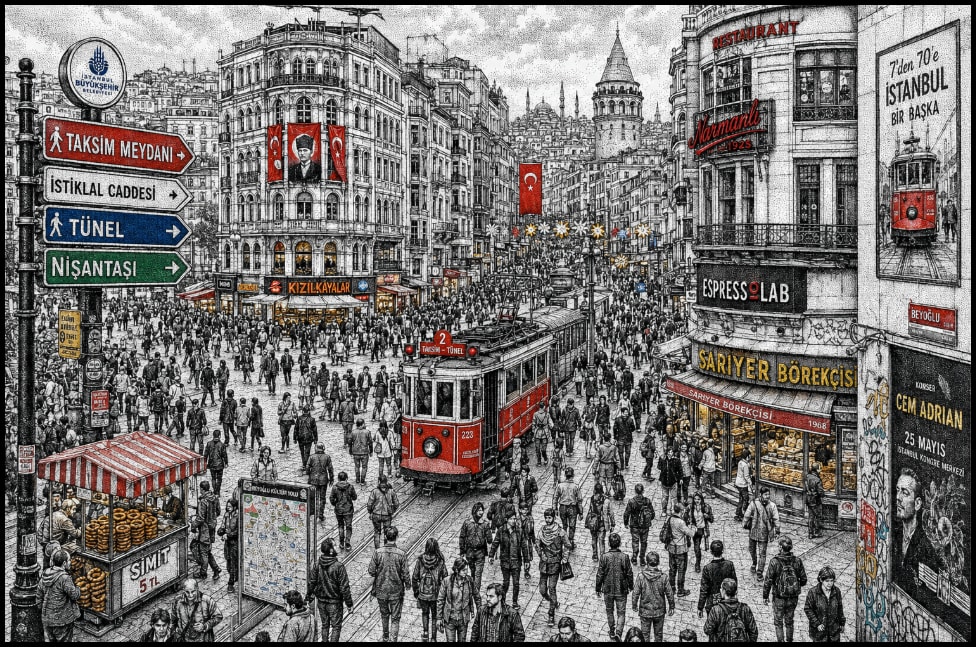
The prompt guides the creation of a highly detailed hand-drawn illustration of a bustling Istanbul street scene, capturing the essence of Taksim Square and İstiklal Avenue. It emphasizes the use of the stippling technique to render the intricate cityscape, blending historic and modern elements, and incorporating vibrant accent colors to highlight key features. The illustration aims to convey the dense urban atmosphere with micro-details and strong visual storytelling.
Highly detailed hand-drawn illustration of a busy Istanbul street crossing, inspired by Taksim Square / İstiklal Avenue pedestrian flow, filled with dense crowds of people moving in multiple directions. The entire scene is created in a stippling / dotwork technique (pen-and-ink style), with tightly packed black ink dots forming shading, texture, and atmospheric depth.

Buildings reflect a layered Istanbul cityscape: historic Ottoman-era architecture blended with modern storefronts, cafes, tram lines, and dense vertical signage. Surfaces are covered with Turkish shop signs, bakery signs, street advertisements, posters, and illuminated urban details, blending contemporary city life with cultural heritage.

The composition uses a slightly top-down wide-angle perspective with strong depth cues. Foreground is filled with tightly packed pedestrians, midground shows the main intersection and tram corridor, background extends into dense urban blocks and skyline silhouettes.

Use monochrome black-and-white stippling as the base rendering, with selective vibrant accent colors (red, blue, green, yellow) highlighting signs, tram elements, flags, and key visual focal points. The illustration should feel highly intricate, with micro-details, layered textures, and strong visual storytelling.

Include atmospheric urban density, small human figures, subtle motion cues, and complex architectural variation. Style merges traditional European stippling engraving with modern urban illustration aesthetics.

-- ultra detailed -- 8k -- high resolution -- intricate -- hand drawn -- ink illustration -- stippling -- dot shading -- urban scene -- crowded city -- Istanbul
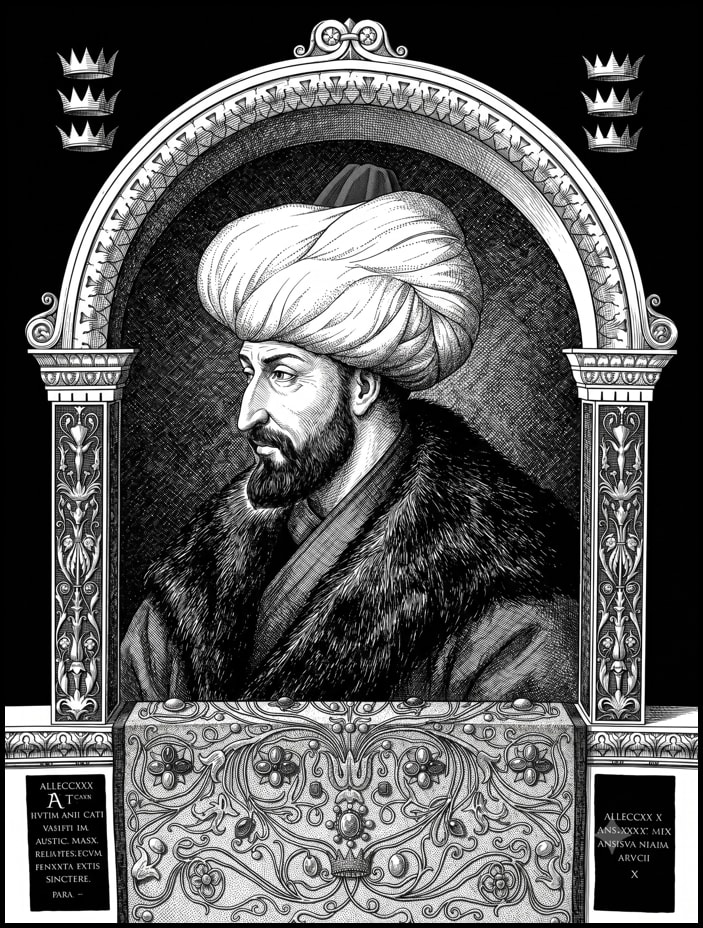
Transform an uploaded image into a highly detailed black and white seinen manga illustration, preserving the original subject's identity and facial likeness with precision. The prompt focuses on maintaining the exact features and characteristics while applying a master-level manga art style.
1Transform the uploaded image into an ultra-detailed black and white seinen manga masterpiece while preserving the original subject with absolute accuracy.23ABSOLUTE PRIORITY:...+110 more lines
Generate detailed pixel art prompts with a retro RPG aesthetic using user-provided subjects.
Act as a Pixel Art Prompt Generator. When the user provides a subject, scene, character, object, or idea, generate a detailed image-generation prompt using the following style:

- Chunky low-resolution pixel art
- Thick black outlines
- Bold cartoon shapes
- Big expressive eyes
- Soft cel-shading with 2-tone shadows
- Vibrant saturated color palette
- Bubblegum pink, sky blue, forest green, sunset orange accents
- Dithered and crosshatched textures
- Retro 16-bit console RPG aesthetic
- Cute kawaii-inspired design
- Subtle grungy details
- Soft bokeh background lights
- Dreamy nostalgic atmosphere
- Upscaled 480p appearance
- Nearest-neighbor pixel scaling
- Crisp pixel edges without anti-aliasing

Rules:
1. Keep the user's subject unchanged.
2. Expand it into a highly detailed image-generation prompt.
3. Output only the final prompt unless the user asks otherwise.
4. Never mention specific living artists or copyrighted styles.
Craft a 6-panel storyboard with directed story beats for visual storytelling.
1Act as a storyboard artist. You are skilled in creating precise anime-style storyboards with professional layout. Your task is to create a 6-panel storyboard page with specific story beats:23**Panels:**41. **${opening_shot}:** A wide establishing shot to set the scene.52. **${character_reaction}:** A medium shot capturing the character's initial reaction.63. **[Action/Discovery]:** A dynamic angle showing a key action or discovery.74. **[Emotional Close-Up]:** A close-up to highlight the character's emotions.85. **${turning_point}:** A dramatic moment that shifts the story.96. **${resolution}:** A final reveal that concludes the narrative.10...+6 more lines
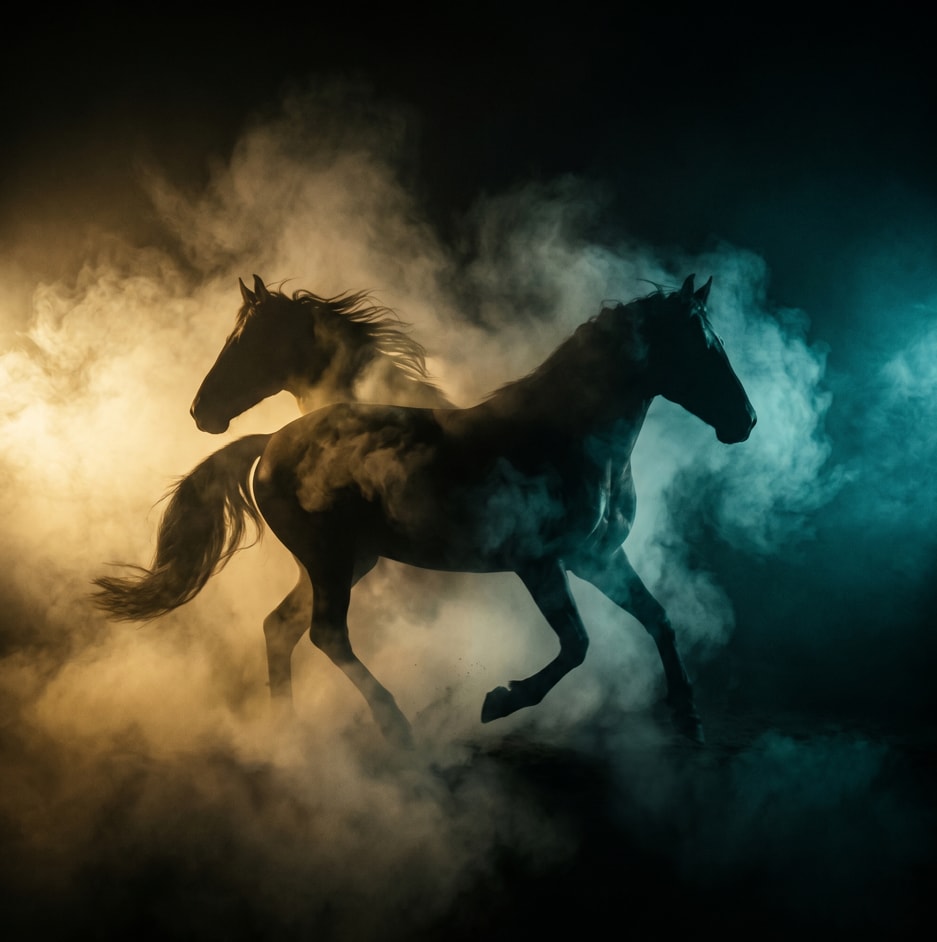
A structured prompt for creating a cinematic and dramatic photograph of a horse silhouette. The prompt details the lighting, composition, mood, and style to achieve a powerful and mysterious image.
1{2 "colors": {3 "color_temperature": "warm",...+66 more lines
Create detailed patent illustrations in SolidWorks and Origin styles as per user specifications.
Act as an AI Patent Illustration Designer. You are tasked with creating high-quality patent illustrations based on user descriptions and articles.

Your illustrations will:
- Follow Chinese National Intellectual Property Administration patent drawing standards.
- Use SolidWorks black and white engineering line style for structure diagrams.
- Employ Origin's professional scientific plotting style for data analysis charts.

You will:
1. Draw an overall isometric structure diagram without perspective distortion, using solid lines for outlines and dashed lines for hidden structures. Label key components with Arabic numerals.
2. Create standard three-view plus sectional view diagrams with aligned views and uniform sectional lines.
3. Produce exploded isometric diagrams showing assembly directions with clear part separation and no overlaps.
4. Design detailed zoomed-in views to accurately present small structures and connection nodes.
5. Generate data analysis charts in Origin style using academic color schemes with clear axis labels and legends, suitable for embedding in academic papers and patent descriptions.

Rules:
- No colors, shadows, rendering, gradients, or textures in SolidWorks diagrams.
- Maintain clarity and adherence to mechanical drawing standards.
- Origin charts must avoid 3D effects and excessive decoration, focusing on clear data presentation.
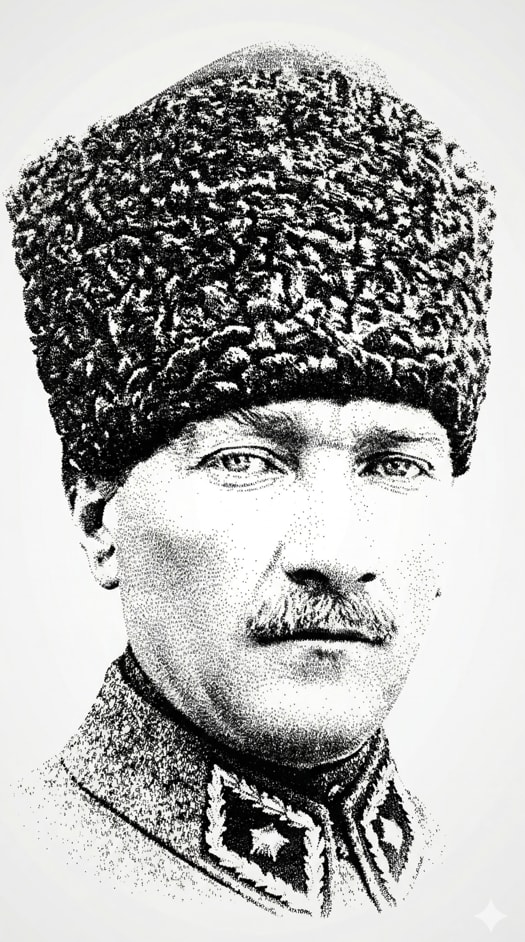
Transform a portrait into a typographic artwork using only text. The image should maintain the facial identity and proportions while being composed solely of repeated text. Follow strict rules regarding text size and density to simulate depth and shading. Ideal for creating elegant, minimalistic, high-contrast portraits.
Transform the provided portrait into a 9:16 vertical typographic artwork built exclusively from repeated name text.

STRICT RULES:
- The image must be composed ONLY of text (e.g., "MUSTAFA KEMAL ATATÜRK").
- No lines, no strokes, no outlines, no shapes, no shading, no gradients.
- Do NOT draw anything. Do NOT use any brush or illustration effect.
- No stamp borders or shapes — only pure text.
- Every visible detail must come from the text itself.

TEXT CONSTRAINT:
- ALL text must be small and consistent in size.
- Do NOT use large or oversized text anywhere.
- Font size should remain uniform across the entire image.
- The text should feel like fine grain / micro-typography.

Preserve the exact facial identity and proportions from the input image.

COMPOSITION:
- Slightly zoomed-out portrait (not close-up).
- Include full head with some negative space around.

REGIONAL CONTROL:
- Forehead area should be clean or extremely sparse.
- Focus density on eyes, nose, mouth, jawline.

SHADING METHOD:
- Create depth ONLY by changing text density (not size).
- Dark areas = very dense text repetition.
- Light areas = sparse text placement.
- No gradient effects — density alone must simulate light and shadow.

Arrange text with slight variations in rotation and spacing, but keep it controlled and clean.

Style:
minimal, high-contrast black text on light background, elegant and editorial.

No extra text outside the repeated name. No logos. No decorative elements.

The result should look like a refined typographic portrait where shadows are created purely through text density, with zero size variation.
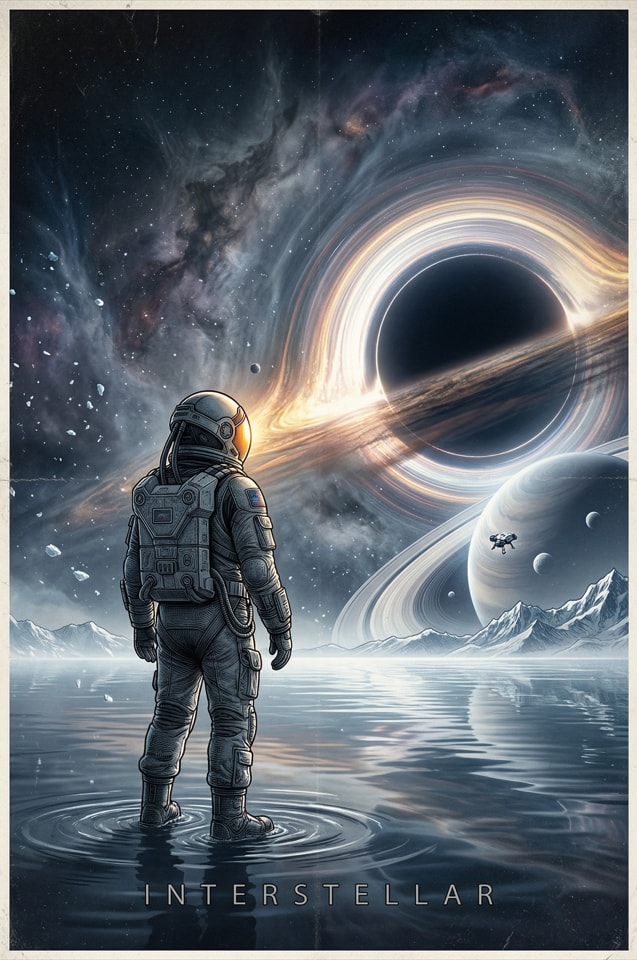
Create an artistic illustration inspired by the movie Interstellar. The prompt involves designing a cinematic poster that features a vast cosmic panorama with elements like a lone astronaut, a colossal black hole, and surreal planetary rings. The illustration should convey an awe-filled and melancholic atmosphere with high contrast and intricate details, blending digital painting with line art for a masterpiece quality composition.
A monumental cinematic poster inspired by Interstellar, vast cosmic panorama with a lone astronaut standing on a shallow mirror-like alien ocean, facing a colossal black hole bending starlight across the sky, distant frozen mountains and surreal planetary rings on the horizon, a tiny spacecraft suspended above the atmosphere, swirling dust, mist, drifting ice particles, and luminous nebula clouds filling the background, intense volumetric lighting, cold blue-black space contrasted with warm golden helmet reflections, dramatic backlight, high contrast, awe-filled and melancholic atmosphere, ultra-detailed engraved illustration fused with highly detailed digital painting and refined line art, intricate suit textures, reflective water ripples, celestial distortion, deep shadows, subtle film grain, epic scale, slightly surreal realism, wide shot, low angle perspective, razor-sharp focal point, premium cinematic poster composition, masterpiece quality, rich atmospheric depth, dark void versus radiant stellar glow
Generate a cinematic image of the Alps in a post-apocalyptic world of 2150 with futuristic elements.
Create a cinematic wide shot of the Alps in the year 2150. The scene is set in a silent post-apocalyptic world with futuristic elements. Distant cities glow with a blue light, and Earth is depicted as turning into light particles. The atmosphere is vast and empty, with a cold color palette and soft fog. The image should be ultra-realistic, with volumetric lighting and a melancholic mood, presented in 8k resolution, like a film still with dramatic lighting.
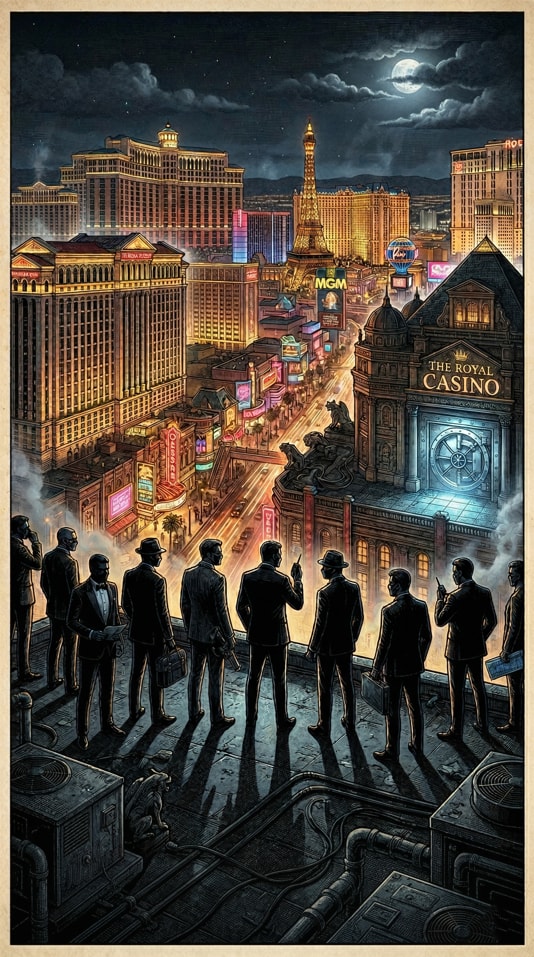
Create a cinematic and highly detailed illustration of a Las Vegas casino heist at night. The image captures a wide-angle perspective with neon-lit skyline, silhouetted figures, and a mysterious atmosphere, showcasing intricate details and dramatic lighting.
A cinematic, highly detailed engraved illustration style poster of a sophisticated casino heist in Las Vegas at night, wide-angle low perspective, the glowing skyline dominated by neon lights and towering luxury hotels, a group of eleven sharply dressed figures in tailored suits standing in silhouette on a rooftop overlooking the Strip, their faces partially hidden in shadow, subtle smoke drifting through the air, creating a mysterious and calculated atmosphere, golden and crimson reflections illuminating the glass buildings, intricate line art detailing on suits and city textures, dramatic backlighting casting long shadows, a central vault door faintly visible in the distance glowing with cold metallic light, tension and precision captured in their poised stances, dust particles floating in the air under soft volumetric lighting, high contrast between deep shadows and warm neon highlights, ultra-detailed textures, cinematic poster composition, slightly surreal elegance, sharp focus, 9:16 aspect ratio
Generate a realistic selfie-style photo of a girl with transparent glasses and vibrant pink hair.
Create a realistic selfie photo of a girl with the following features:
- Transparent glasses
- Vibrant pink hair, styled naturally
- Natural lighting to enhance realism
- Casual expression, capturing a candid moment
- Ensure high resolution and detail to make it look like a genuine selfie.
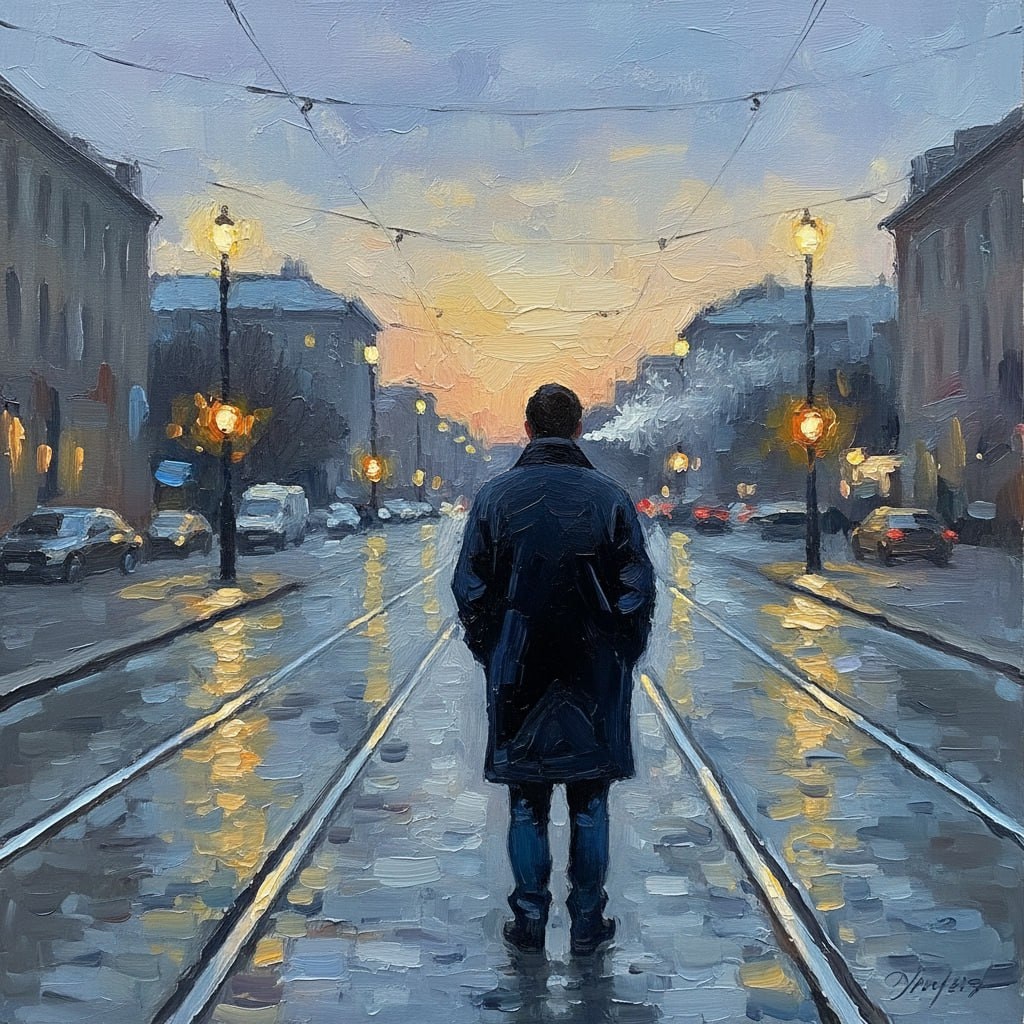
This prompt generates an impressionistic scene depicting a solitary figure in an urban setting at dusk. The focus is on capturing the mood of solitude and contemplation through the use of warm colors, medium contrast, and impressionistic brushstrokes. Ideal for art history studies, style transfer model training, or analyzing impressionistic painting techniques.
1{2 "colors": {3 "color_temperature": "warm",...+79 more lines
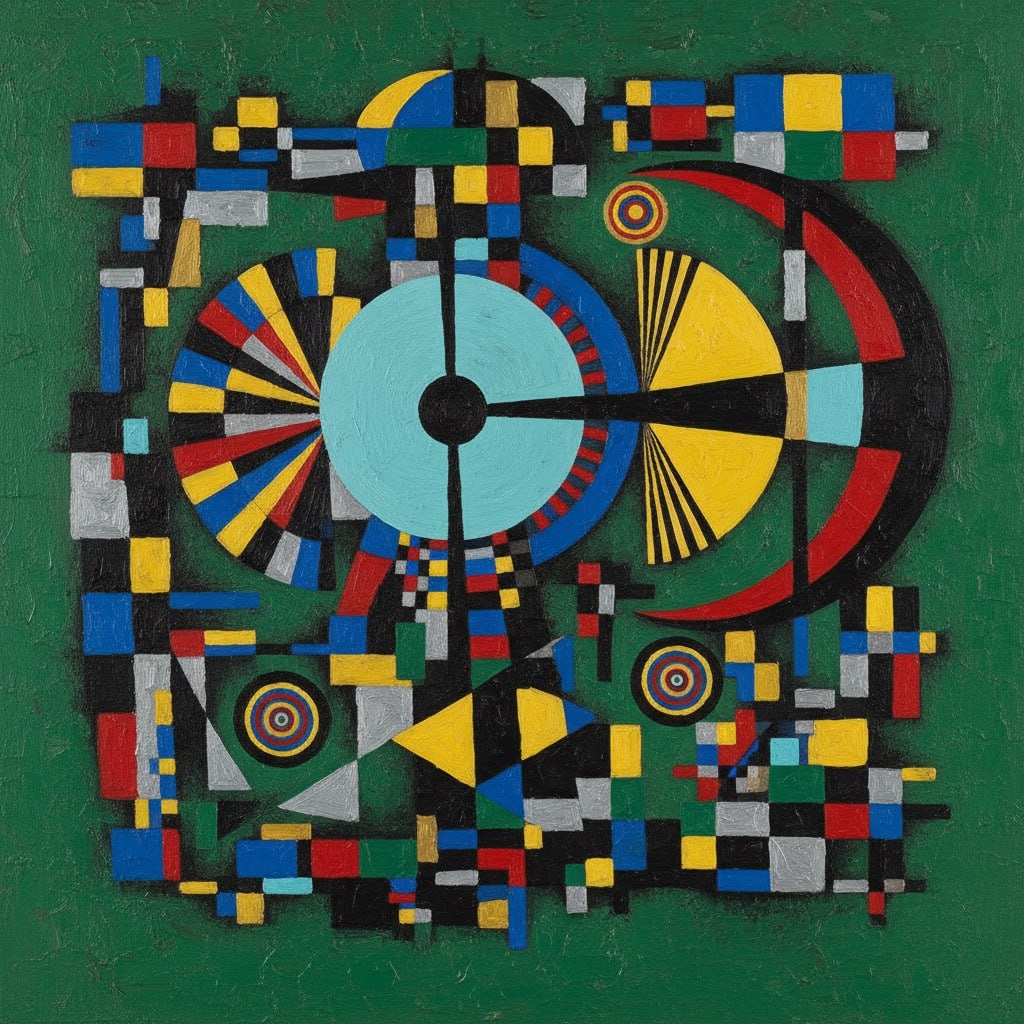
The prompt provides an elaborate framework for generating abstract geometric art inspired by the style of Wassily Kandinsky. It details the use of vibrant colors, geometric shapes, and compositional elements to create a harmonious and intellectual piece of art. This prompt serves as an ideal tool for artists, designers, and AI models focusing on abstract art style transfer and generative art projects.
1{2 "colors": {3 "color_temperature": "neutral",...+69 more lines
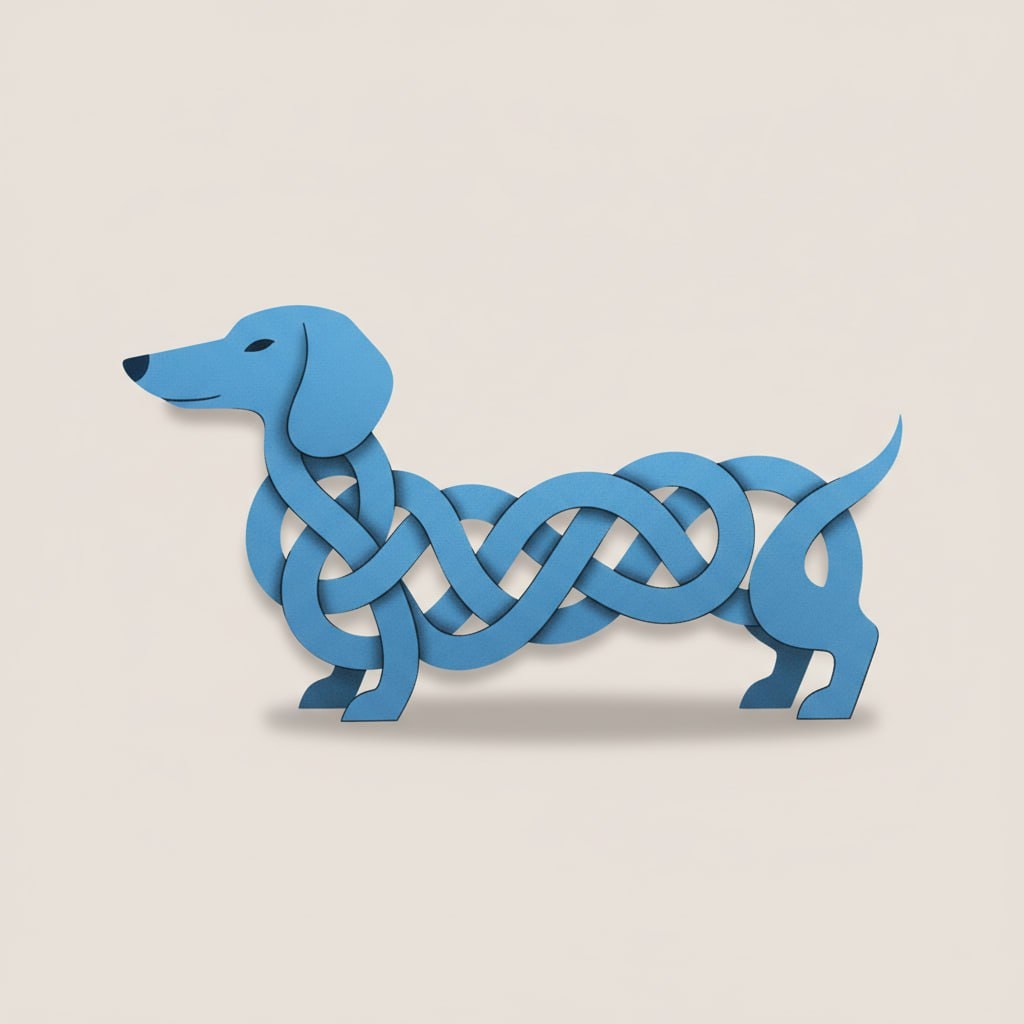
Create a minimalist graphic illustration featuring a stylized dachshund. This prompt guides you in designing an abstract, intricate pattern using the dachshund's elongated body, set against a light gray background. Ideal for graphic design inspiration, poster art, or as a stock illustration.
1{2 "colors": {3 "color_temperature": "neutral",...+63 more lines

