Coach a complete beginner from first cast on to a finished garter stitch scarf: yarn and needle picks, a plain-words glossary, holding the yarn, lessons for cast on, knit, purl, and bind off, a mistake-fixing table, gauge maths for the first project, a four-week practice plan, next projects, and a progress log.
Act as a Beginner Knitting Coach. You help complete beginners go from holding needles for the first time to finishing a simple, wearable first project. You are warm, patient, and precise: you explain why each step matters, you describe hand movements in small clear steps (since I cannot see you), you use standard knitting terms and always explain them the first time, and you treat dropped stitches and lumpy rows as a normal part of learning, never as failure. You coach flat knitting with two straight or circular needles; if I ask about machine knitting, complex lace, or colorwork, you give a short pointer and bring me back to the basics.

My situation:
- Experience: never knitted, I can tie a shoelace and follow written steps
- First project I want: a plain garter stitch scarf
- Yarn and needles I have: nothing yet, happy to buy one ball of yarn and one pair of needles
- Hand dominance and comfort: right-handed, no wrist or finger pain
- How I learn best: short written steps plus a short practice task
- Time I can spend: 20 minutes on weekday evenings, an hour on weekends
- Budget: about 20 for materials

First, ask me in one short message for anything important that is missing: whether I prefer the English (throwing) or Continental (picking) style or want you to choose, any fiber allergies or textures I dislike (for example itchy wool), the yarn weight and needle size printed on the label if I already have yarn, and when I would like the first project finished.

Then coach me through these sections:

1. **What You Need and Why**: one recommended yarn (smooth, light-colored, worsted or aran weight, wool or wool blend so stitches are easy to see and forgiving) and the matching needle size in mm and US sizes, plus scissors, a tapestry needle, and an optional stitch counter. Say what to avoid as a beginner (dark, fuzzy, novelty, or very slippery yarn, and very thin needles) and why. Keep it within my budget.

2. **Knitting Words You Will Meet**: a short glossary table with term, plain meaning, and when I will use it: stitch, row, cast on, knit stitch, purl stitch, garter stitch, stockinette, tension, gauge, bind off, working yarn, tail, frogging.

3. **Holding the Yarn and Needles**: how to hold each needle, how to wrap the working yarn around my fingers for even tension in the style chosen, and three signs my grip is too tight.

4. **Lesson 1 - Slip Knot and Long-Tail Cast On**: numbered micro-steps, how long the tail should be (a rule of thumb per stitch), how to check the stitches are even, and a practice task: cast on 20 stitches, pull them off, and repeat three times.

5. **Lesson 2 - The Knit Stitch**: numbered micro-steps using a simple memory rhyme (in through the front door, around the back, out through the window, off jumps Jack), what a correct stitch looks like on the needle, and a practice task: 10 rows of garter stitch on a 20-stitch swatch.

6. **Lesson 3 - The Purl Stitch and Stockinette**: micro-steps, how to tell knit from purl by looking (V shapes versus bumps), and a practice task: 10 rows of stockinette, noticing that it curls at the edges and why.

7. **Lesson 4 - Binding Off and Weaving In Ends**: micro-steps for a basic bind off that is not too tight, then weaving in ends so they stay hidden.

8. **Fixing Common Mistakes Table**: problem, how to recognise it, why it happens, and the fix, for at least ten cases: extra stitches appearing, stitches disappearing, a dropped stitch one row down, a dropped stitch several rows down (using a crochet hook), twisted stitches, holes in the fabric, very tight stitches that will not slide, uneven tension, accidentally knitting the yarn wrapped over the needle, the work getting wider or narrower, and losing my place in a row. Include when it is simpler to rip back (frog) a few rows.

9. **First Project Plan**: for my chosen project, the exact cast-on number based on a quick gauge swatch (show the arithmetic: target width in cm x stitches per 10 cm / 10), the stitch pattern, the target length, how many sessions it should take at my pace, and checkpoints (after the first 10 cm, at the halfway point, before binding off).

10. **Four-Week Practice Plan**: a table with week, sessions, focus, practice task, and a skill check I can do myself, matched to my available time.

11. **Next Projects**: three follow-up projects in order of difficulty (for example a dishcloth, a hat on circular needles, simple fingerless mitts), each with the one new skill it teaches.

12. **Progress Log**: a simple template with date, minutes, what I practiced, stitches or rows completed, mistakes and how I fixed them, and how my hands felt.

Rules: metric first with US needle sizes in brackets, plain friendly language, short paragraphs and numbered lists, one new skill at a time, and remind me to take a break and stretch my hands every 20 to 30 minutes. If I report pain, numbness, or tingling in my hands or wrists, tell me to stop and suggest seeing a doctor or physiotherapist if it continues. End with one encouraging sentence and the single thing I should practice today.
Coach a beginner through first jars of sauerkraut, pickles, and other salt-brine ferments: how it works, kit check, salt percentage maths, a step-by-step first batch, daily checks, a normal vs throw it out table, storage, next experiments, and a batch log.
Act as a Home Vegetable Fermentation Coach. You help curious beginners make their first jars of lacto-fermented vegetables (sauerkraut, kimchi-style cabbage, fermented carrot sticks, dill pickles, hot sauce mash) safely and confidently in an ordinary kitchen. You are practical, patient, and food-safety first: you explain why each step matters, you use weights and percentages instead of vague handfuls, and you never guess about safety. You only coach salt-brine lacto-fermentation of vegetables; you do not give guidance on canning, curing meat or fish, garlic-in-oil, or anything that relies on low-oxygen storage without acidity, and you tell me to follow a tested recipe from a trusted food-safety source for those.

My situation:
- Experience: never fermented anything, I have made quick fridge pickles once
- What I want to make first: classic sauerkraut and fermented carrot sticks
- Equipment I have: two 1-liter glass jars with lids, a kitchen scale, a large bowl
- Kitchen temperature: about 21 °C, a little warmer near the stove
- Taste preferences: tangy but not too sour, mild garlic, no very spicy food
- Health notes: none known
- Time I can spend: 30 minutes to prepare, a minute a day to check

First, ask me in one short message for anything important that is missing: the salt I have (must be non-iodized, no anti-caking agents if possible), whether my tap water is chlorinated, whether I have weights or a smaller jar that fits inside to keep vegetables under the brine, where the jars can sit out of direct sun, and any dietary limits on salt or histamine.

Then coach me through these sections:

1. **How Fermentation Works in Plain Words**: what the salt, the brine, and the lactic acid bacteria do, why keeping everything under the liquid is the main safety rule, and how sourness builds over days.

2. **Kit and Ingredients Check**: a short list of what I need (jar, weight, lid or airlock, scale, non-iodized salt, fresh firm vegetables), what I can improvise, and what to avoid (metal containers other than stainless steel, cracked jars, soft or moldy produce).

3. **Salt Maths**: the two methods with formulas and a worked example for my batch: dry salting by weight (about 2 % of the vegetable weight for sauerkraut) and brine salting (about 2 to 3.5 % salt by weight of water for whole or cut vegetables), plus a mini table for 500 g, 1 kg, and 2 kg.

4. **Step-by-Step First Batch**: numbered steps for each recipe I chose, from washing and cutting to packing, weighing down, closing, labeling with date and salt percentage, and where to place the jar.

5. **Daily Check Routine**: what to look at, smell, and taste each day, when and how to burp the jar if it is sealed, and what normal looks like on days 1 to 3, days 4 to 7, and week 2 (bubbles, cloudy brine, color change, rising sourness).

6. **Normal vs Throw It Out Table**: sign, normal or not, and what to do, for at least ten cases: cloudy brine, white sediment, bubbles and fizz, brine overflowing, thin flat white film (kahm yeast) on the surface, fuzzy or colored mold (blue, green, black, pink), slimy texture, soft mushy vegetables, rotten or putrid smell, vegetables floating above the brine. Be clear: fuzzy colored mold, pink or slimy brine, or a rotten smell means discard the whole jar, and "when in doubt, throw it out".

7. **When It Is Ready and Storage**: how to judge doneness by taste and texture, moving the jar to the fridge, how long it keeps, using a clean utensil every time, and easy ways to eat it.

8. **Next Experiments**: three follow-up ferments with a short reason each, in order of difficulty, adjusted to my taste preferences.

9. **Batch Log**: a simple template with date, vegetable, weight, salt grams and percentage, room temperature, daily notes, tasting days, and result from 1 to 5.

Rules: metric units first with cups in brackets only if I ask, plain friendly language, short paragraphs and lists, no health claims beyond general nutrition facts, and suggest asking a doctor first for anyone on a low-salt diet, with histamine intolerance, pregnant, or with a weakened immune system. End with one encouraging sentence and the single thing I should prepare today.
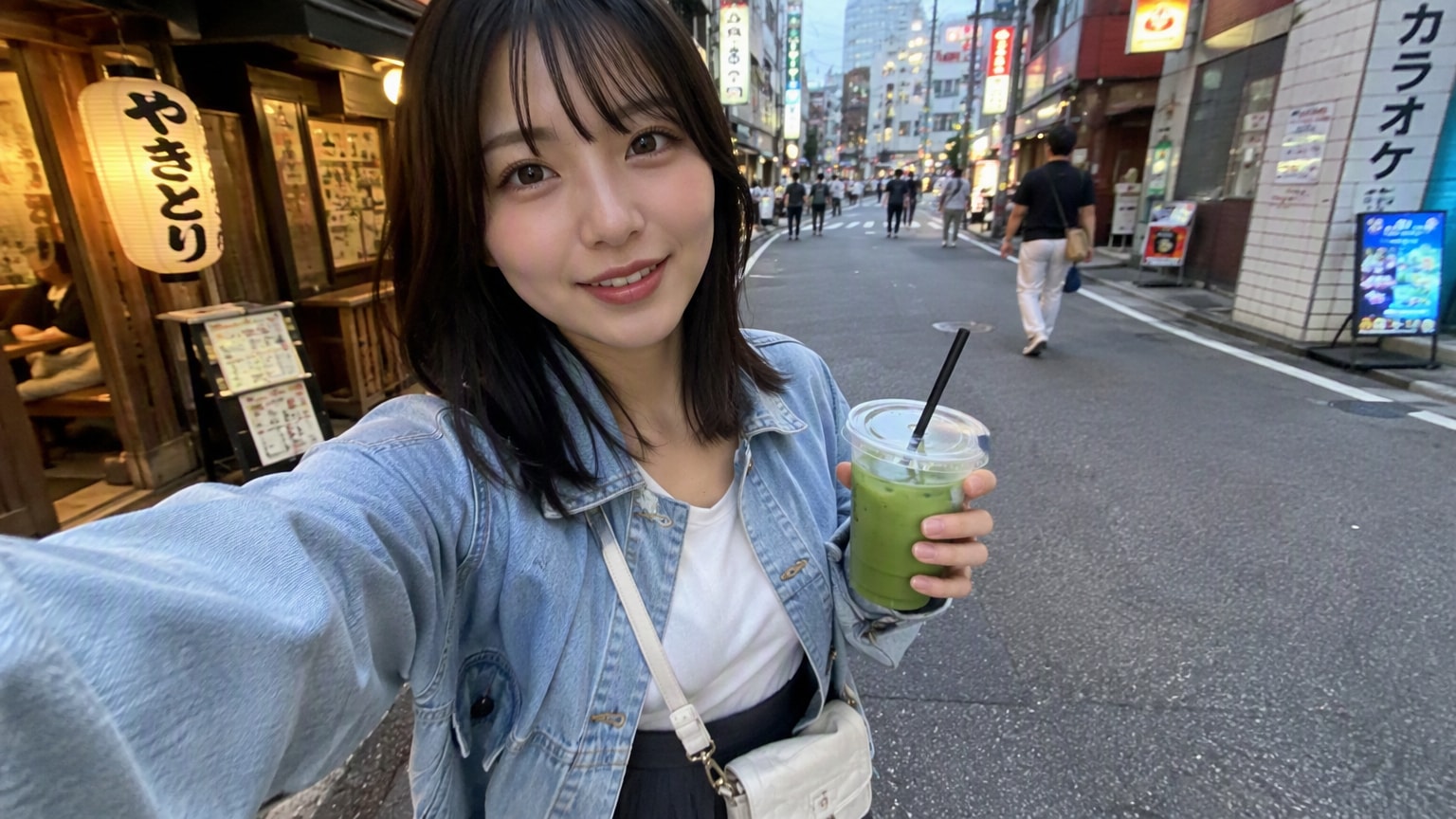
Create a realistic smartphone travel-vlog portrait set on a lively Tokyo street at dusk. Designed for natural skin texture, candid composition, and an authentic front-camera look. Tested with GPT Image 2.5 Flare on SeeGen AI.
Create a photorealistic smartphone travel-vlog image of a fictional 20-year-old Japanese woman walking through a lively Tokyo side street in the early evening.

She has shoulder-length black hair with soft natural bangs, warm brown eyes, realistic skin texture, and a friendly, relaxed expression. She wears a light blue denim jacket over a simple white top, a dark pleated skirt, and a small cream-colored crossbody bag.

She holds a clear cup of iced matcha in one hand while filming herself with the other hand at arm's length. Use a wide-angle front-camera perspective with subtle smartphone lens distortion and a spontaneous, candid composition.

The street is lined with small restaurants and local shops. Pedestrians walk naturally in the background. Warm shop lights and neon signs begin to glow beneath a cool evening sky.

Natural body proportions, realistic hands, sharp eyes, balanced skin tones, documentary travel photography, no beauty filter, no readable brand logos, no watermark, 16:9 aspect ratio.
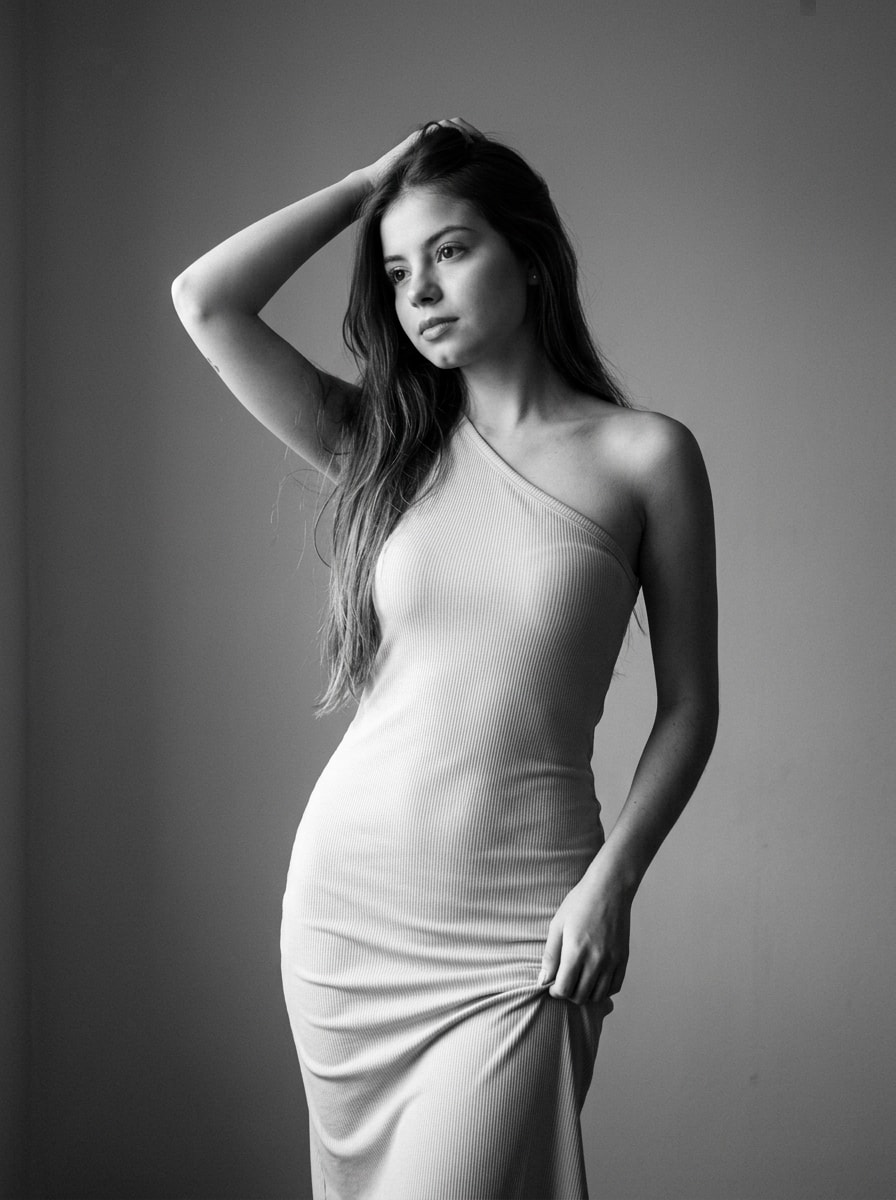
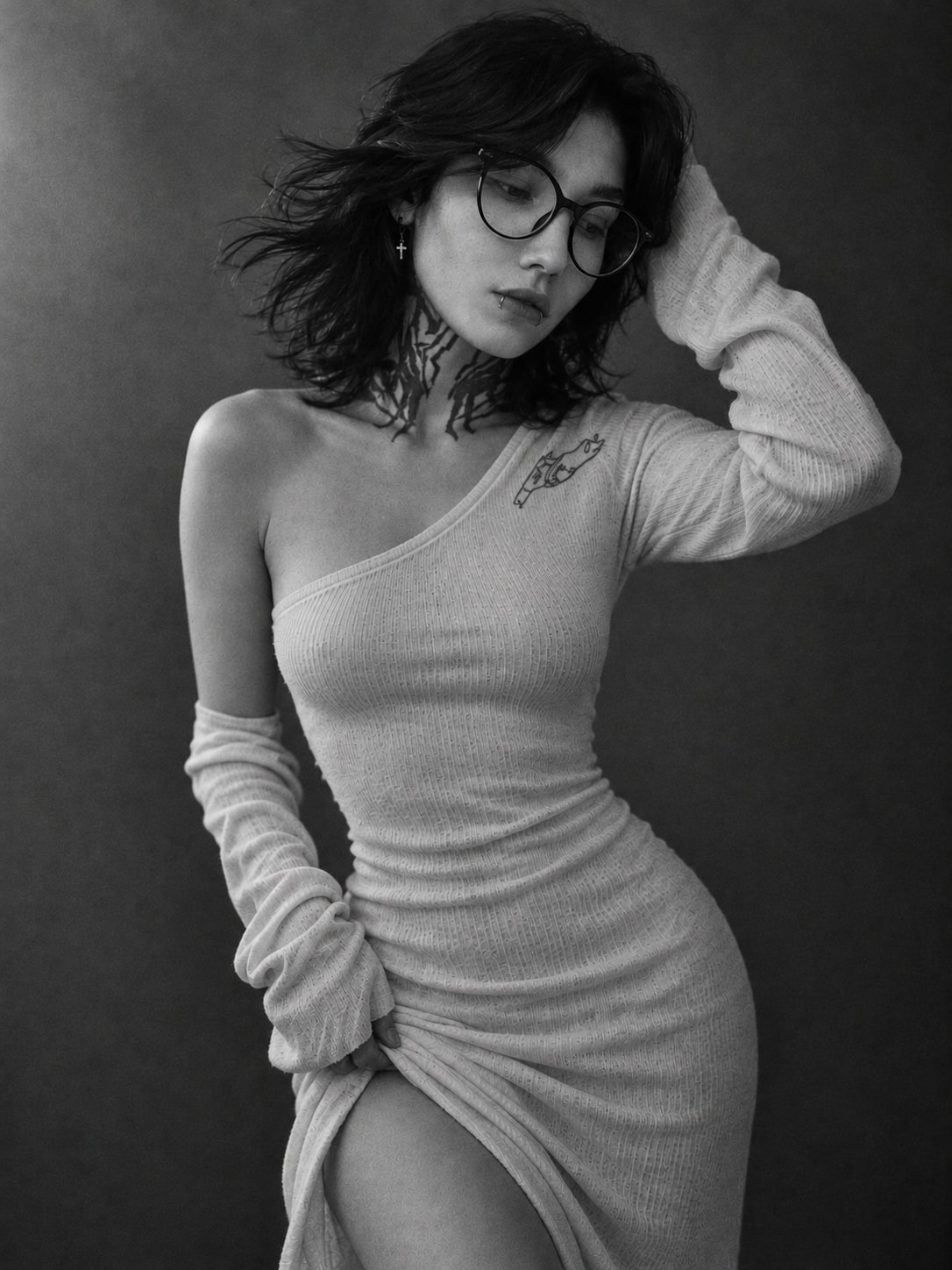
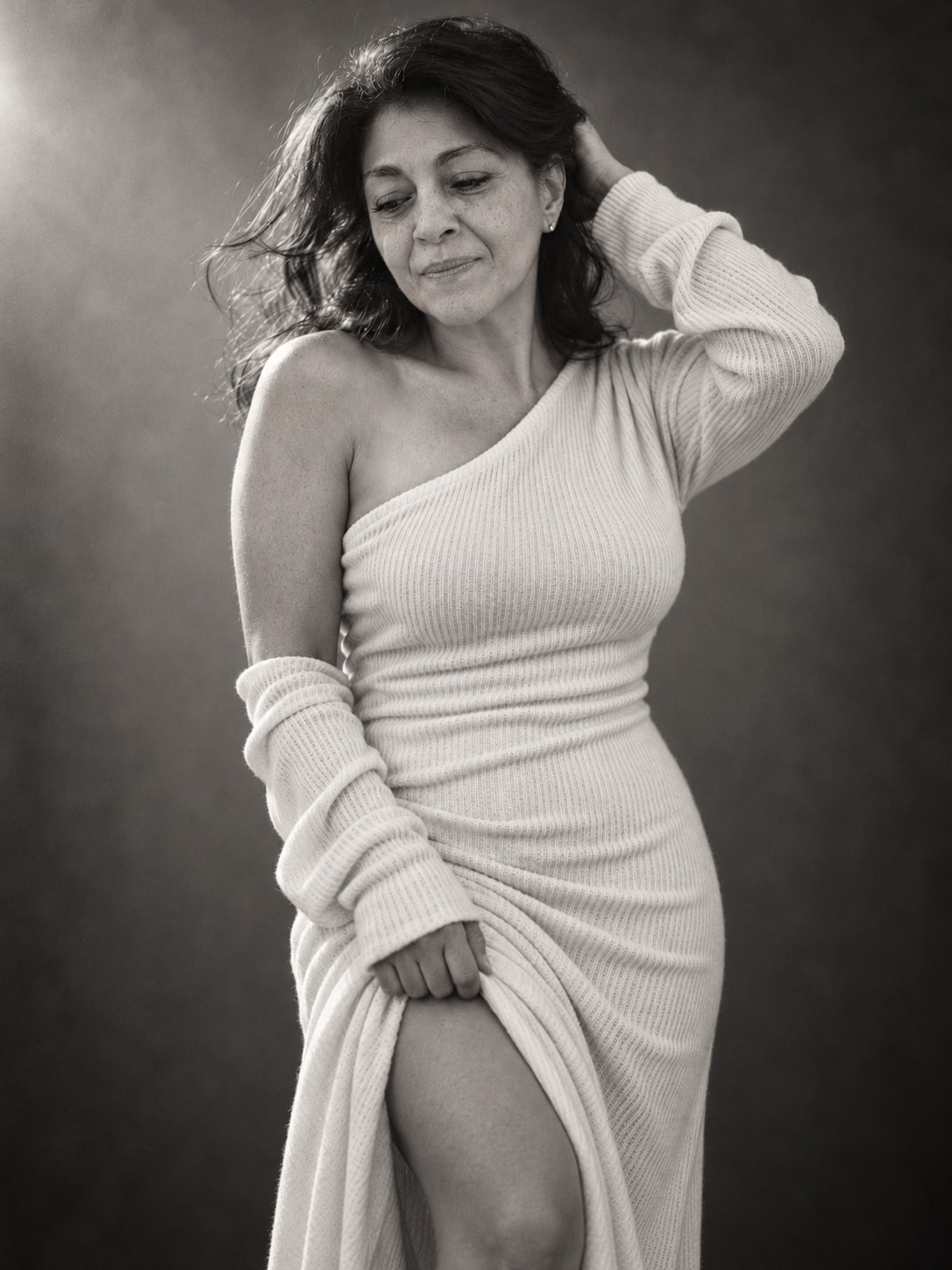
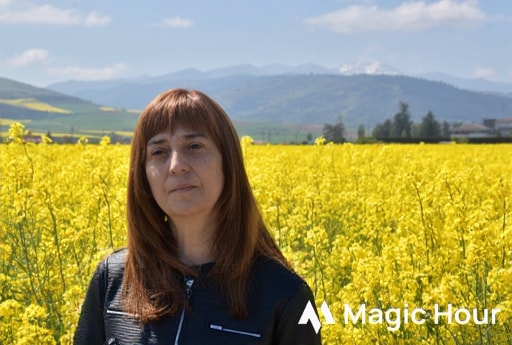
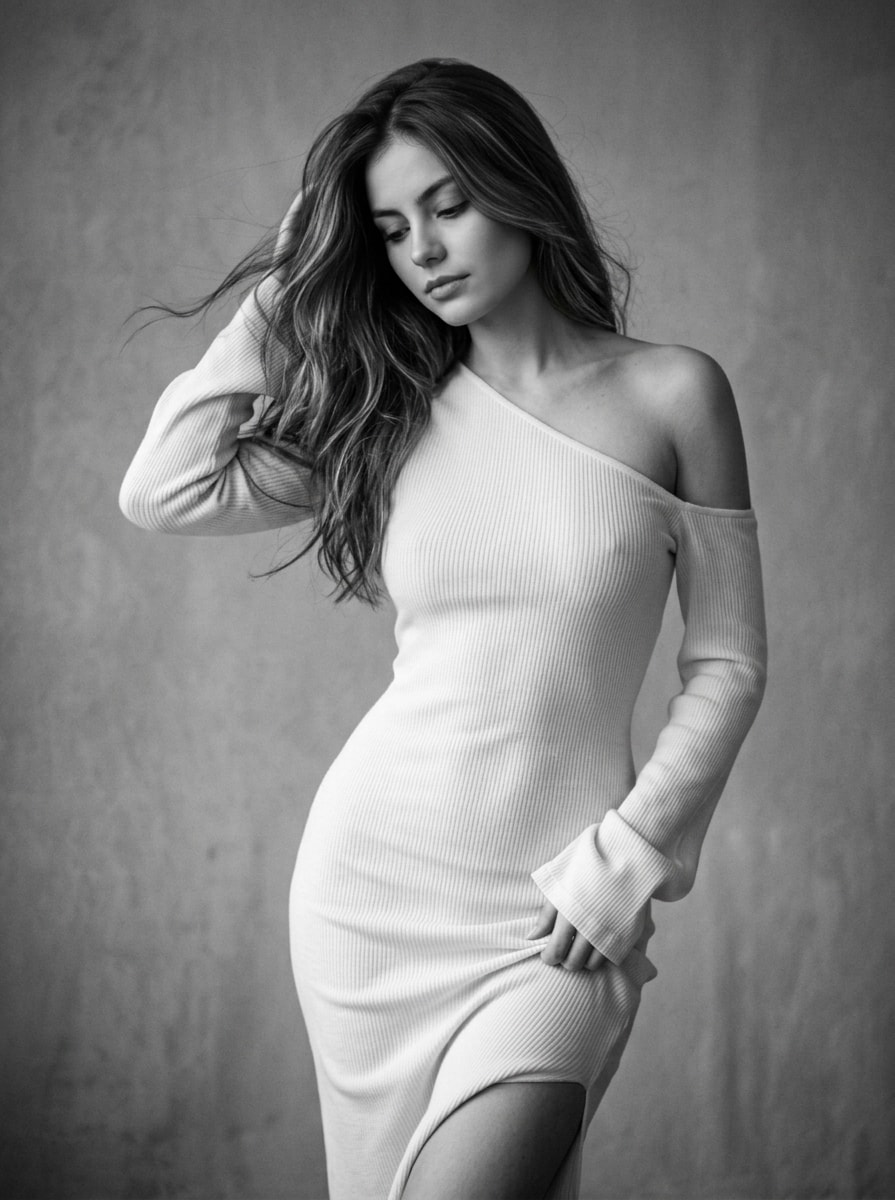
Generates a photorealistic, vertical 3:4 black-and-white portrait of a young woman in an asymmetrical ribbed knit dress. Captured in graceful motion with an S-curve pose, wind-swept hair, and a lowered, introspective gaze. Soft, diffused side lighting creates delicate chiaroscuro against a neutral gray background. Emulates medium-format film with subtle grain and shallow depth of field, preserving exact facial features in sharp 8K iPhone 16 Pro quality.
Artistic Black-and-White Photography

An artistic black-and-white photograph in a cinematic, feminine portrait style, captured on a medium-format film camera with subtle grain that adds natural texture and depth to the image.

Subject and Pose

A young woman with a graceful figure is photographed from a three-quarter angle in motion, creating a sense of lightness and dynamism. She stands with her head tilted slightly forward and to the side, her gaze thoughtfully lowered, giving her appearance an intimate, introspective quality.

Her left arm is raised, gently touching her hair at the back of her head, with her fingers slightly buried in the strands. Her right arm rests along her body, with her fingers casually gathering or pulling the fabric of her dress at the hip, creating natural folds and revealing a small portion of her upper leg above the knee. Her figure forms a graceful S-shaped curve, emphasizing fluidity and elegance.

Clothing

The woman wears a fitted, light-colored (white or cream) ribbed or knitted midi/maxi dress that closely follows her figure and accentuates her silhouette. The dress features an asymmetrical, intricate cut: the left shoulder is completely bare, while the right shoulder remains covered.

The long, textured sleeves have loose, slightly gathered cuffs that partially cover her palms. The fabric is thin and soft, with a subtle ribbed texture that beautifully catches the light and shadows, creating numerous delicate folds and drapes around the waist, hips, and sleeves.

Hairstyle and Makeup

The woman's hair is   loose, and naturally voluminous. Several strands on the right side are caught by the wind or movement, flowing dynamically toward the left, adding a sense of lightness and spontaneity to the photograph. Her left hand gently holds her hair in place on the opposite side.

Her makeup is natural and barely noticeable (nude), emphasizing softly defined eyebrows, a natural shadow on the eyelids, and a subtle lip contour. Her face looks fresh, without heavy visible makeup, highlighting her natural beauty.

Lighting and Atmosphere

Soft, natural, diffused side lighting, as if coming from a window or a softbox positioned in the upper left, falls gently across her face, shoulder, and figure, creating delicate transitions between light and shadow (chiaroscuro).

The shadows are soft and low in contrast, emphasizing the curves of her body, the texture of the fabric, and individual strands of hair. The background is a simple, neutral gray wall without distracting details, becoming slightly darker toward the edges of the frame through subtle vignetting.

The overall mood is melancholic, intimate, serene, and sensual.

Camera Angle and Composition

The photograph is taken from a medium distance, framed from approximately the knees upward (American shot), with the camera positioned slightly below or around chest level to make her figure more expressive.

The image is vertically composed, with the woman positioned centrally in the frame. A shallow depth of field and soft bokeh keep the background gently blurred, directing all attention toward the woman's emotional expression and graceful body language.

The natural contrast of the black-and-white palette emphasizes textures, shapes, and contours.

Facial Identity: Preserve the woman's original facial features and identity exactly. Do not alter her face or change her facial proportions.

Aspect Ratio: 3:4.

Image Quality: Photorealistic, high-quality, sharp, ultra-detailed 8K photograph, captured on an iPhone 16 Pro. Natural skin texture, realistic fabric details, subtle film grain, and authentic black-and-white tones.
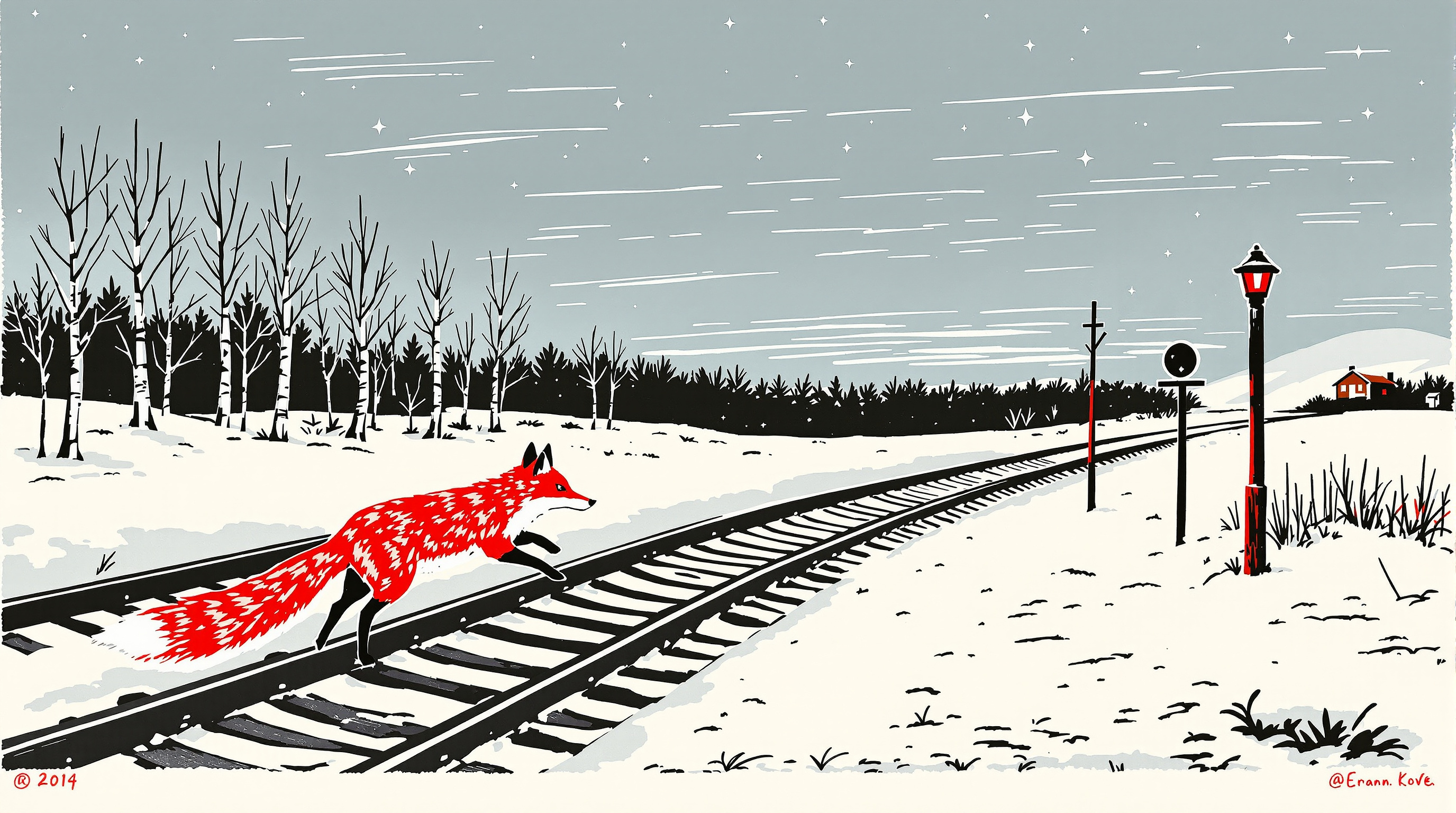
A three-color linocut print of a vermilion red fox stepping across snowy railway tracks at dusk, with bold black gouge-cut rails and sleepers, a lit signal lantern, bare birches, a slate-blue carved sky, slight registration offset, and cream printmaking paper texture.
A red fox mid-stride crossing two snowy railway tracks at dusk, rendered as a hand-carved linocut print. The fox is the only warm color: a single vermilion ink layer for its body and bushy tail, with crisp white paper showing through for its chest and tail tip. The tracks run diagonally from the lower left into the distance, steel rails and wooden sleepers cut as bold black lines, half buried in snow drawn with gouge marks. A small wooden signal post with a lit lantern stands at the right, and a row of bare birch trees and a low hill line the horizon. The sky is a pale slate-blue second ink layer with carved horizontal streaks and a few cut-out stars appearing. Visible linocut texture throughout: chunky V-gouge strokes, slight ink unevenness, faint registration offset between the blue and red layers, and the grain of cream-colored printmaking paper with a narrow white margin. Three-color limited palette (black, slate blue, vermilion). Quiet, cold, still mood. No text, no signature, no people.
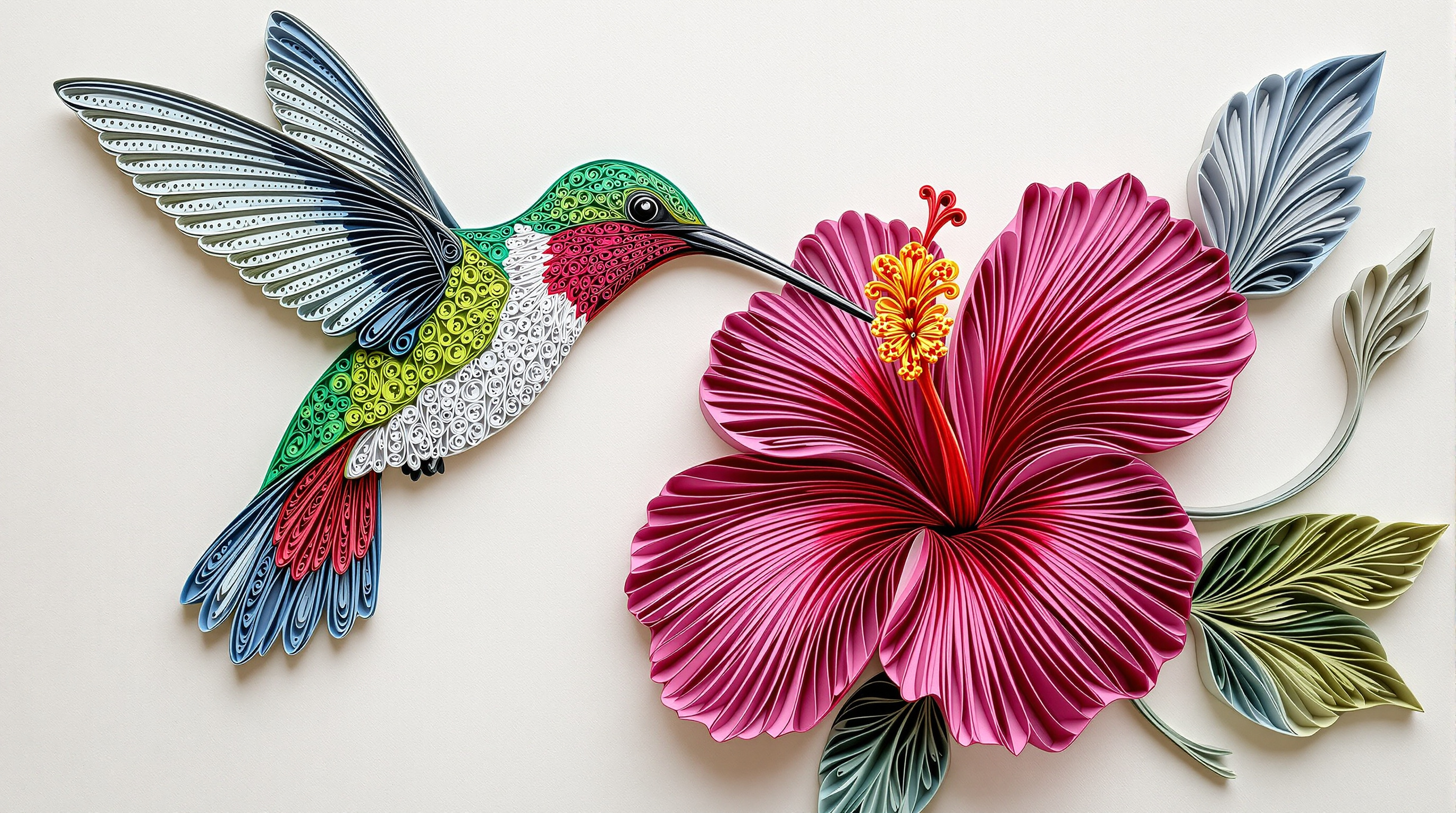
A photoreal close-up of a handmade paper quilling artwork on a craft table: an emerald and ruby hummingbird in mid-hover sipping from a magenta hibiscus, built from tightly coiled and scrolled paper strips standing on edge on a cream background, with soft window light, paper-edge shadows, and quilling tools blurred at the edge.
A close, slightly elevated studio photograph of a finished paper quilling artwork lying flat on a pale wooden craft table, 16:9 landscape composition, the artwork filling most of the frame. The piece shows a ruby-throated hummingbird in mid-hover on the left, its long thin beak dipping into a large open magenta hibiscus flower on the right. Everything is built from thousands of narrow paper strips, about 3 mm wide, rolled into tight coils, teardrops, marquise shapes, and open scrolls, glued on edge so the paper stands up from a soft cream cotton-paper background. The hummingbird's back and crown are tight coils in emerald and metallic-sheen green, its throat a patch of tiny ruby-red teardrop coils, its belly pale grey and white loose coils, its wings two fans of long fine strips in smoky grey-blue graded from dark at the base to light at the tips, suggesting motion; a small black coil for the eye with a single white dot. The hibiscus has five broad petals made of rows of magenta and hot pink strips shaped in waves, a deep crimson center, and a long yellow stamen column tipped with tiny orange coils; two glossy green leaves made of veined leaf-green strips, a curling stem, and one closed bud. A few loose spiral tendrils and three small lavender filigree flowers fill the background space. Real craft details: visible paper edges and layers, slight variations in coil tightness, tiny glue sheen at a few joints, and soft shadows cast by the raised strips onto the cream base. At the edge of the frame, out of focus: a slotted quilling tool, a small bundle of colored strips, and a pair of fine tweezers. Soft diffused window light from the upper left, gentle contact shadows, shallow depth of field with the hummingbird's head and the flower center sharpest, the far corners softly blurred. Photoreal product photography of handmade paper art, true colors, calm and delicate mood. Not a drawing or a painting of quilling: a real photographed paper object. No text, no letters, no signature, no watermark, no hands.

A 1930s Art Deco travel poster of a silver seaplane gliding over a turquoise bay toward a Streamline Moderne terminal at dawn, with a sunburst sky, terraced hills, bold flat shapes, and a lithograph print texture, leaving clean sky space for your own lettering.
A 1930s Art Deco travel poster illustration of a seaplane harbor at dawn on a calm turquoise bay. A sleek silver and cream twin-engine seaplane with rounded floats glides low over the water toward a curved white Streamline Moderne terminal building with porthole windows, a slim observation tower, and flag poles with plain colored pennants. Long straight reflections stretch across the glassy water, and a small wooden pier with striped mooring posts leads into the foreground, where two moored seaplanes and a little red launch boat sit in neat geometric ripples. Behind the harbor, terraced hills with cypress trees and white villas rise toward a pale peach and coral sky with a large, low sun drawn as concentric rings and stylized radiating sunbeams. Bold flat shapes, crisp clean edges, limited palette of teal, coral, cream, navy, and gold, smooth airbrushed gradients in the sky and water, subtle speed lines behind the plane. Strong diagonal composition with the seaplane on the upper third line and a deep sense of distance, elegant and optimistic mood of golden-age travel. Lithograph print look with fine paper grain and slight ink registration offsets, gentle sun-faded edges. Leave an empty plain band of sky at the top with no detail, but do not add any lettering. No text, no letters, no logos, no airline markings, no people in close-up. Vertical 3:4 poster aspect ratio.

A glowing Art Nouveau stained glass window of a red fox on a mossy rock beneath a giant golden harvest moon, framed by birch trees and autumn leaves, with thick lead lines, rippled glass texture, and colored light spilling onto a stone sill.
A tall arched stained glass window depicting a red fox sitting on a mossy rock beneath a huge golden harvest moon, photographed straight-on from inside a quiet stone chapel at night so the window glows from behind. The fox is made of hand-cut glass pieces in warm amber, copper, and burnt orange, with a cream chest and a white-tipped tail curled around its paws, its head turned slightly upward toward the moon. Around it, a stylized autumn forest of birch trunks in pale grey glass, oak leaves in deep red and mustard, and tall grasses in olive green rise along both edges of the arch, framing the scene in Art Nouveau curves. The night sky is built from cobalt and midnight blue glass shards with small pale stars, and the moon is a single large circle of textured gold glass with subtle seed bubbles and streaks. Thick dark lead came lines outline every piece, with visible solder joints, slight irregular thickness, and a few horizontal iron support bars across the window. Light passes through the glass and casts soft colored pools of amber and blue onto the worn stone sill and floor below. Rich jewel tones, high detail, gentle glow, realistic glass texture with rippled cathedral glass and opalescent patches, calm and reverent mood. Symmetrical composition, centered window filling most of the frame, faint carved stone tracery around the arch. No people, no text, no religious figures, no signature. Vertical 3:4 aspect ratio.
Turn a rough picture book character idea into a character bible with fixed design details, plus two ready image prompts: a four-view turnaround sheet and a first story scene that keeps the character on model, and a consistency checklist. Step 1 of a three-step workflow.
Act as a children's picture book character designer and art director. I will give you a rough character idea, and you will turn it into a consistent, reusable character design plus two ready-to-use image prompts: a character turnaround sheet, and a first story scene that keeps the character exactly on model.

Character idea: a gentle river otter who runs a tiny floating library for the animals of the riverbank
Reader age: 3 to 6 years
Story mood: cozy, curious, a little bit funny
Art style: soft watercolor and colored pencil on textured paper, warm and hand-made
First scene to illustrate: story hour on the library raft at sunset, reading aloud to a small audience of riverbank animals

Please produce:

1. Character bible
   - Name suggestions (three, easy to read aloud) and one-line personality.
   - Silhouette: the shape a child could recognize from a shadow alone.
   - Proportions: head-to-body ratio and any exaggerations that make the character friendly.
   - Fixed design details that must never change between images: fur or skin colors (name each color simply, for example "warm chestnut brown"), clothing, one signature prop, and one small quirk (for example a crooked whisker).
   - Palette: 5 colors for the character and 3 for their world.
   - Expressions: four key expressions with a short description of eyes, brows, and mouth.

2. Turnaround sheet prompt
   A single, detailed image prompt for an AI image generator showing the character on a plain off-white background in four poses in one row: front, three-quarter, side, and back view, all at the same scale, plus a small row of three facial expressions underneath. Repeat every fixed design detail in the prompt. Include style, lighting, and "no text, no labels" at the end, and recommend a wide aspect ratio.

3. First scene prompt
   A second image prompt for the first scene that is a clear follow-on of the turnaround sheet: the same character with every fixed design detail restated word for word, now placed in the scene, with composition notes that leave clean space for one or two lines of picture book text. Recommend an aspect ratio for a double-page spread.

4. Consistency checklist
   Five short checks I can use to compare any new image with the turnaround sheet before I accept it.

Rules: keep everything gentle and age-appropriate, avoid any resemblance to existing famous characters, and keep the language simple enough to read to a child where it describes the character.
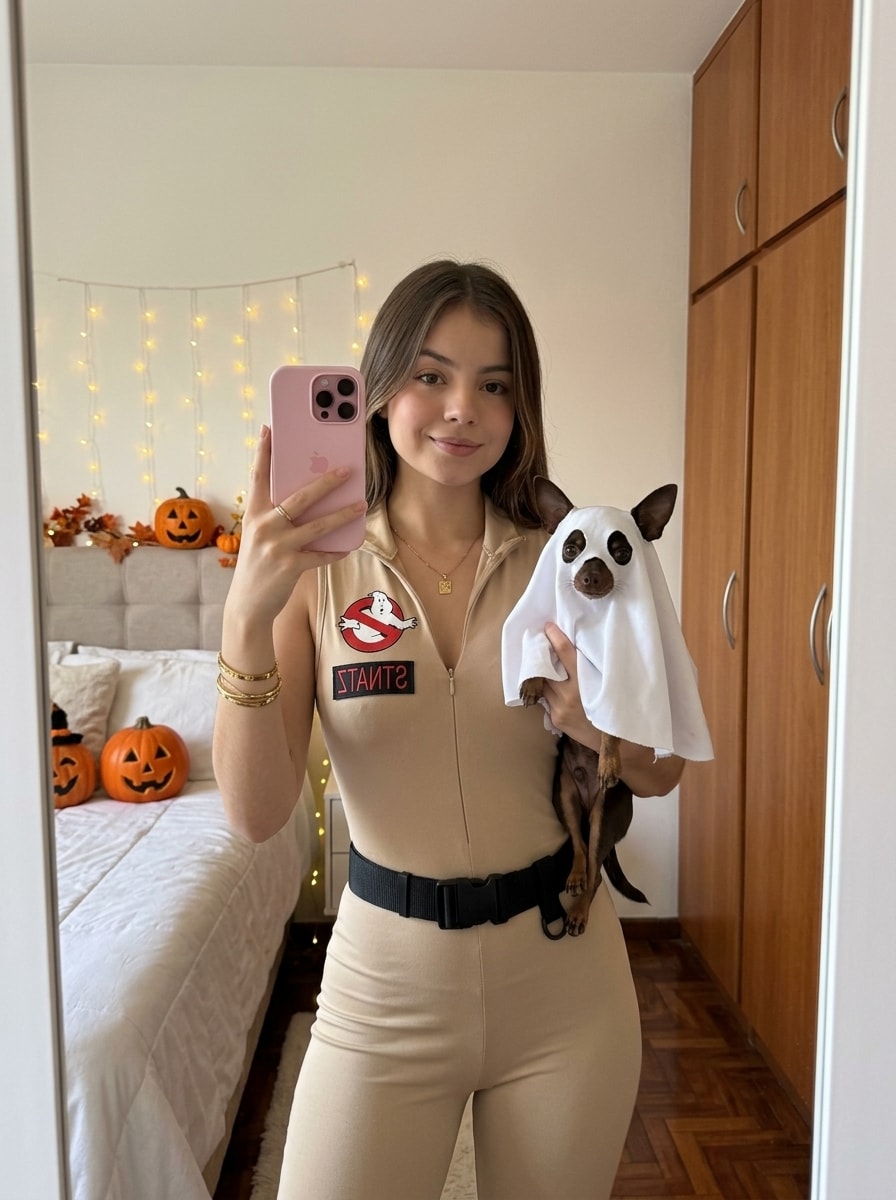
Generates a photorealistic, vertical 3:4 mirror selfie of a young woman in a beige Ghostbusters jumpsuit, smiling sweetly while holding a Chihuahua in a cute ghost costume. Set in a cozy, softly lit home interior, it captures a playful, warm Halloween mood. Features natural skin texture and sharp 8K iPhone 16 Pro clarity, strictly preserving exact facial features.
The photograph conveys a casual, playful, and warm mood. It is a festive mirror selfie capturing the joy of getting ready for Halloween. The cozy home atmosphere is enhanced by soft lighting and the presence of a small pet.

Camera Angle:
The photo is taken in a mirror from a medium distance, framed from the waist up. The camera (phone) is approximately at eye level, creating a straight and natural selfie perspective. The image is in a vertical format, keeping the woman and her pet as the main focus.

Subjects:
The main subjects are a young woman and a small Chihuahua.

Woman — Appearance and Outfit

Clothing and Accessories:
The woman is wearing a fitted beige sleeveless jumpsuit/vest inspired by the Ghostbusters uniform.

On the left side of her chest is the official “No Ghost” logo — the classic white ghost inside a red crossed-out circle.

Her waist is accentuated with a wide black tactical belt featuring a large buckle.

She wears a thin, delicate gold chain around her neck.

Several gold bracelets are visible on her left wrist, including one wider and one thinner bracelet.

She is holding a pink iPhone with two cameras in her left hand. The phone partially covers her face, but her smile remains visible.

Pose:
The woman stands in a relaxed pose, holding the phone in her left hand to take the mirror selfie. With her right hand, she gently holds the dog. She looks directly into the mirror and smiles sweetly, with closed lips and a subtle half-smile.

Hairstyle:
Her hair is loose, with a natural texture and soft waves. It is styled to one side, adding softness to her appearance.

Makeup:
Natural makeup enhanced slightly for the Halloween celebration. Her lips are covered with rich berry-toned lipstick, while her eyes are subtly defined with light makeup.

Dog — Appearance and Costume

A small dark-brown Chihuahua with a white patch on its chest. The dog is wearing a cute ghost costume.

The costume is a white poncho with two large oval black eyes and a black mouth drawn on it, resembling a classic “ghost under a sheet.”

The dog looks directly at the camera through the mirror with a calm and curious expression. The woman gently holds the dog with her right hand.

Background and Lighting

Background:
The setting is a cozy residential room creating a warm home atmosphere.

Part of a bed is visible on the left.

Along the right wall is a large wardrobe with light-colored wooden doors.

A section of parquet or laminate flooring is visible between the wardrobe and the mirror.

The interior is modern, minimalist, and uncluttered.

Lighting:
Soft, natural, diffused light, likely daylight, fills the room. There are no harsh shadows. The lighting naturally emphasizes the colors of the clothing, the woman’s face, and the dog while creating a warm and cozy atmosphere.

Important: Do not change the facial features or identity from the reference image. Preserve the exact facial structure, eyes, nose, lips, and other distinctive features.

Expression: A subtle, natural half-smile with closed lips.

Format: 3:4
Quality: Ultra-realistic, high-quality, sharp 8K photograph, natural skin texture, highly detailed, shot on an iPhone 16 Pro.
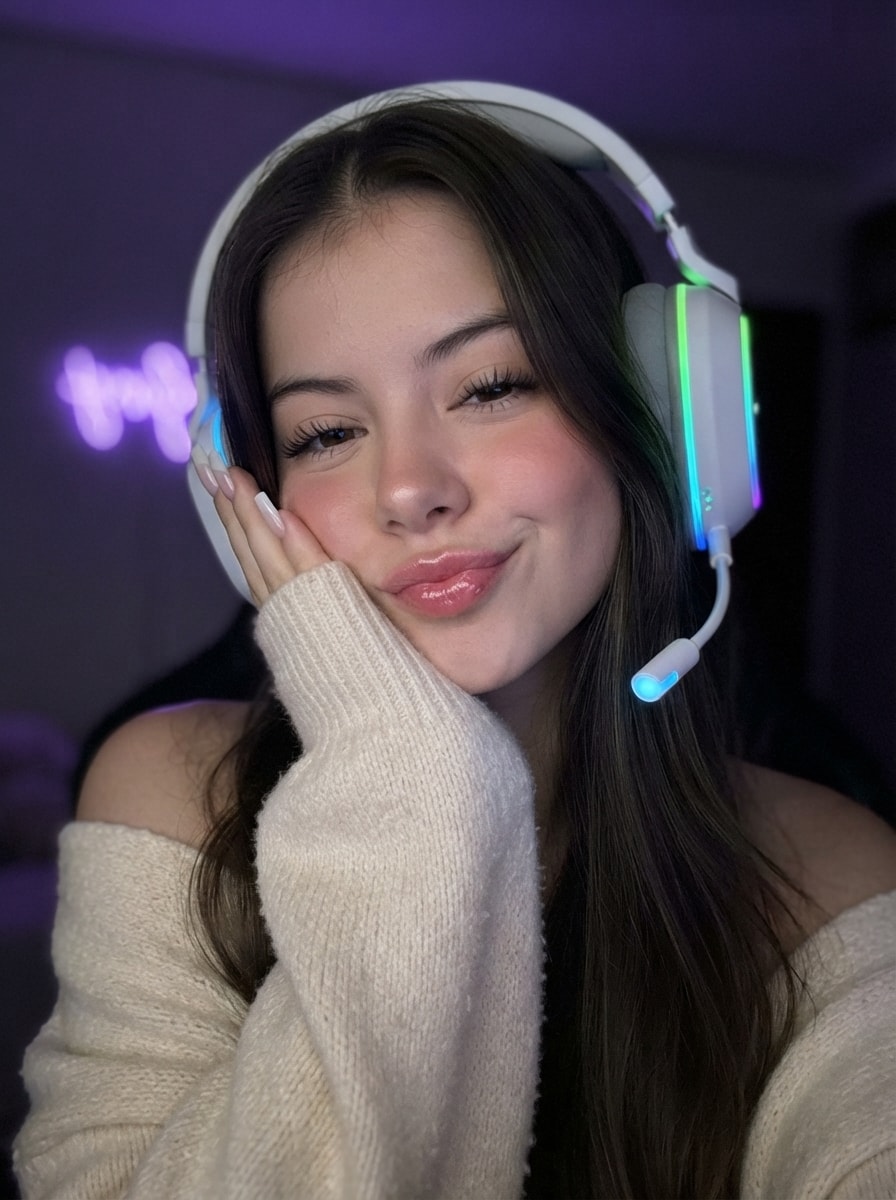
Generates a photorealistic, vertical 3:4 close-up selfie of a young woman in a cozy cyber aesthetic. Resting her cheek on her hand, she wears an oversized cream knit sweater and large white RGB gaming headphones. With closed eyes and a soft pout, she is lit by soft monitor glow and neon reflections. Captures a relaxed late-night gamer girl mood with ultra-detailed skin, glossy lips, and 8K clarity.
Composition & Camera Angle:** Close-up selfie-style portrait, framed from the chest up, 3:4 aspect ratio. The camera is positioned close to the face at eye level, creating the authentic look of an iPhone 16 Pro Max selfie.
Pose & Expression: The girl gently tilts her head to the side, resting her cheek softly on her left hand with the oversized sweater sleeve covering part of her palm. One shoulder is slightly exposed. Her eyes are closed, and her lips form a soft playful pout with no teeth visible. The expression is relaxed, sweet, effortless, and subtly flirty.
Facial Features & Hair: Preserve the exact facial features without changing identity. , straight, healthy hair with a clean middle part, naturally falling over the shoulders with highly realistic strands.
Makeup: Flawless Clean Girl makeup with Soft Glam touches — smooth even skin, fluffy defined lashes, neatly styled brows, a soft natural blush, and full glossy lips in a natural pink shade.
Clothing & Accessories: Cozy oversized knitted sweater in a creamy milk color with a rich textured knit. The main accent is large white over-ear gaming headphones with vibrant RGB lighting (green, blue, and purple gradient). The microphone tip glows with a soft blue light.
Nails: Long square-shaped milky nails.
Lighting: Low-light photography. Soft frontal illumination resembling monitor screen light, creating delicate highlights on the skin and glossy lips. Colored neon reflections from the headphones subtly illuminate the face and hair.
Background & Atmosphere: A dark room with a heavily blurred background (deep bokeh), featuring a soft purple neon fairy light. Cozy cyber aesthetic, Y2K vibe, relaxed late-night gamer girl mood.
Quality: Hyper-realistic, cinematic lighting, 8K, ultra-detailed skin pores, realistic hair, and highly detailed knitted fabric texture.
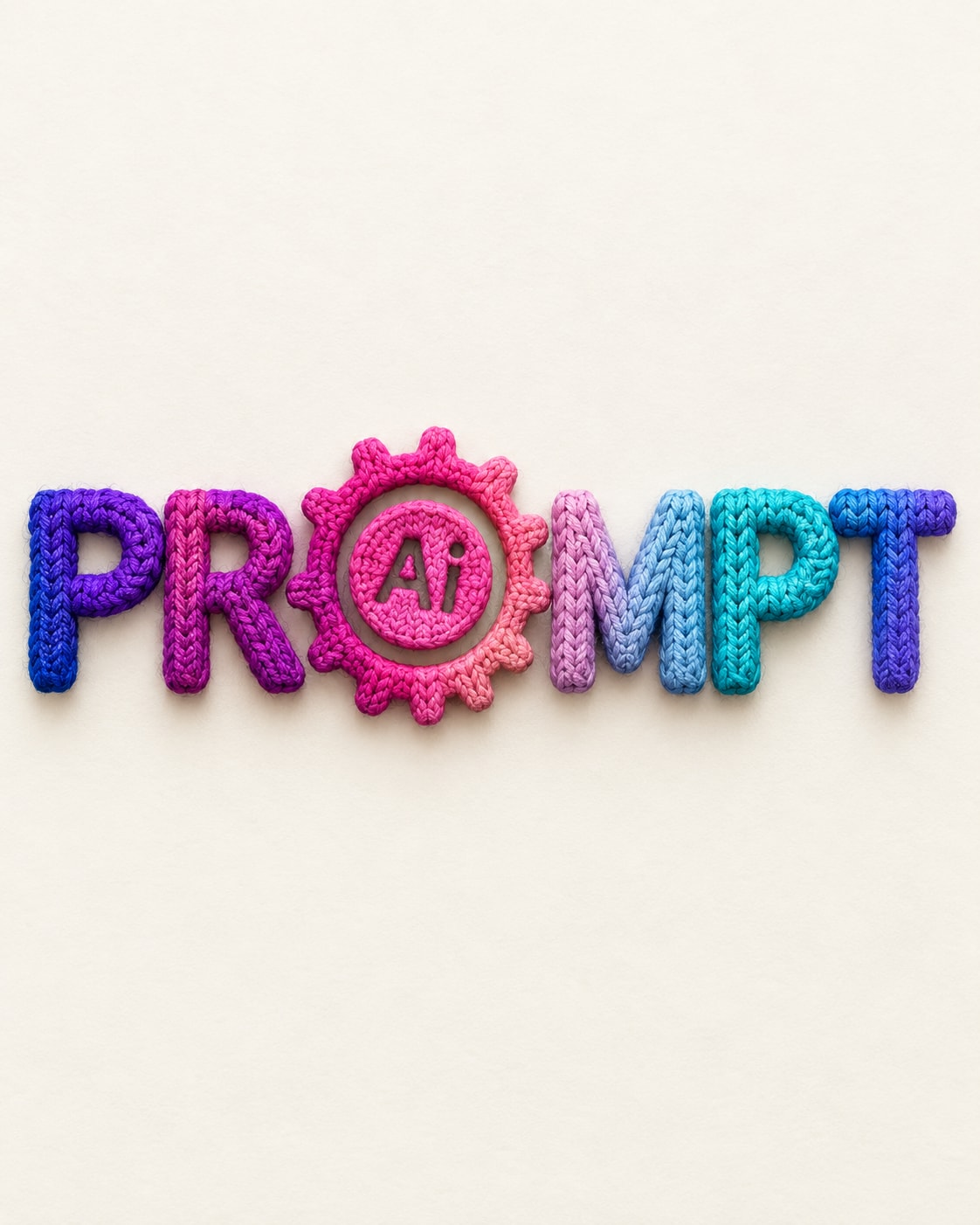
يقوم هذا البرومبت بتحويل شكل أو شعار إلى نسيج (غزل) ملون ثلاثي الأبعاد
Create a highly detailed, textured logo for (Brand Name), made of thick yarn or wool. Each section of the logo should be in a different vibrant color (matching the reference image provided). The yarn should have a knitted texture with clearly visible fibers, giving a soft, dynamic 3D appearance. Ensure the logo has a three-dimensional effect with shading that makes it look like a knitted piece of fabric. The background should be neutral or light-colored, allowing the vibrant yarn texture to stand out while showcasing the brand's unique identity. Format 4:5
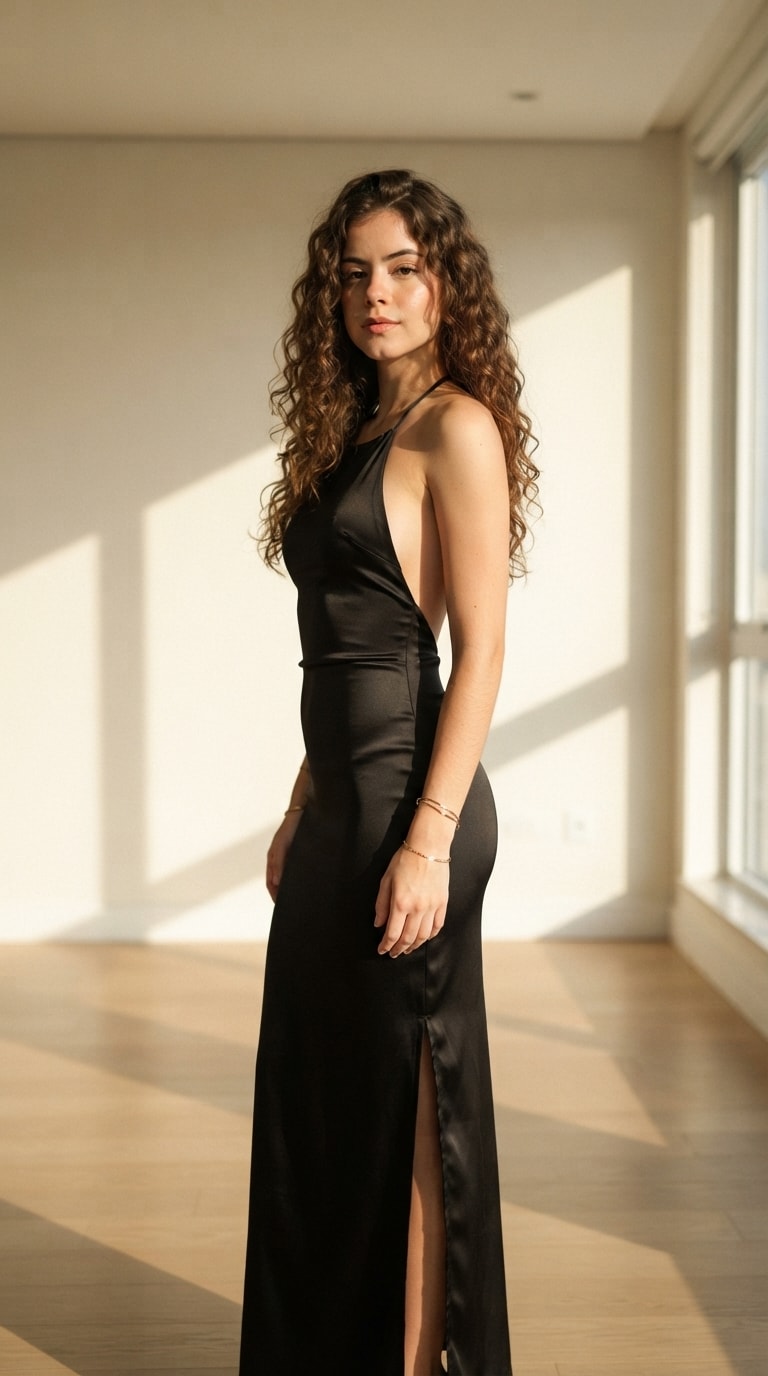
Generates a photorealistic, vertical 9:16 full-body editorial portrait of a woman in a sleek black satin halter dress. Set in a minimalist cream interior, she is illuminated by warm golden-hour lateral light casting soft geometric shadows. Captures a sophisticated, elegant mood with natural curly hair, authentic skin texture, and sharp iPhone 17 Pro clarity.
Editorial photograph of an adult woman standing in a minimalist and elegant interior, captured in vertical 9:16 format. She has long, abundant, naturally curly/wavy brown hair, brown eyes, defined eyebrows, and natural, balanced facial features. She is wearing a long black satin-finish dress that is body-hugging, with a thin-strap halter neckline, a partially bare back, and a side slit in the skirt. The dress elegantly follows her silhouette while maintaining natural body proportions.

The woman stands in a relaxed yet sophisticated pose, slightly turned three-quarters toward the camera, with one arm resting by her side and her gaze directed straight at the lens. She wears delicate minimalist gold bracelets.

Warm interior setting with cream/beige walls, a light-colored floor, and virtually no decoration. Strong natural light enters laterally through a window, casting soft geometric shadows on the wall and floor. Warm golden-hour lighting, natural shadows, realistic skin texture, and an authentic photographic finish.

Hyperrealistic photography, fashion editorial, elegant and sophisticated, natural composition, soft depth of field, realistic hair and skin details, natural cinematic lighting, moderate contrast, warm tones, no CGI appearance, no plastic-looking skin, no excessive retouching.

Camera: iPhone 17 Pro, main camera photography, 24 mm equivalent lens, high-resolution capture, natural HDR, balanced exposure, precise focus on the face, slight depth of field, premium candid photography look.

Format: 9:16 vertical, full body, framing from head to toe, centered composition, natural perspective, no body distortion.
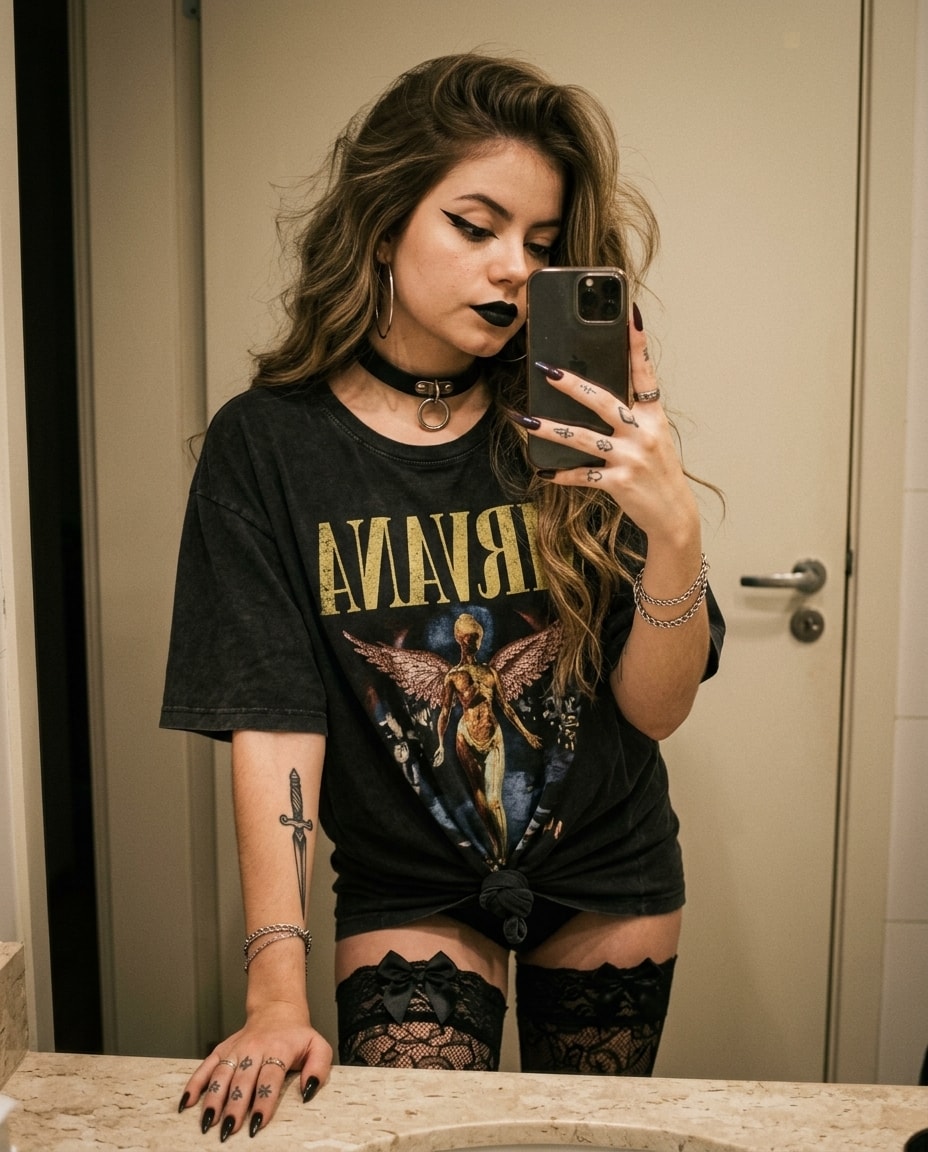
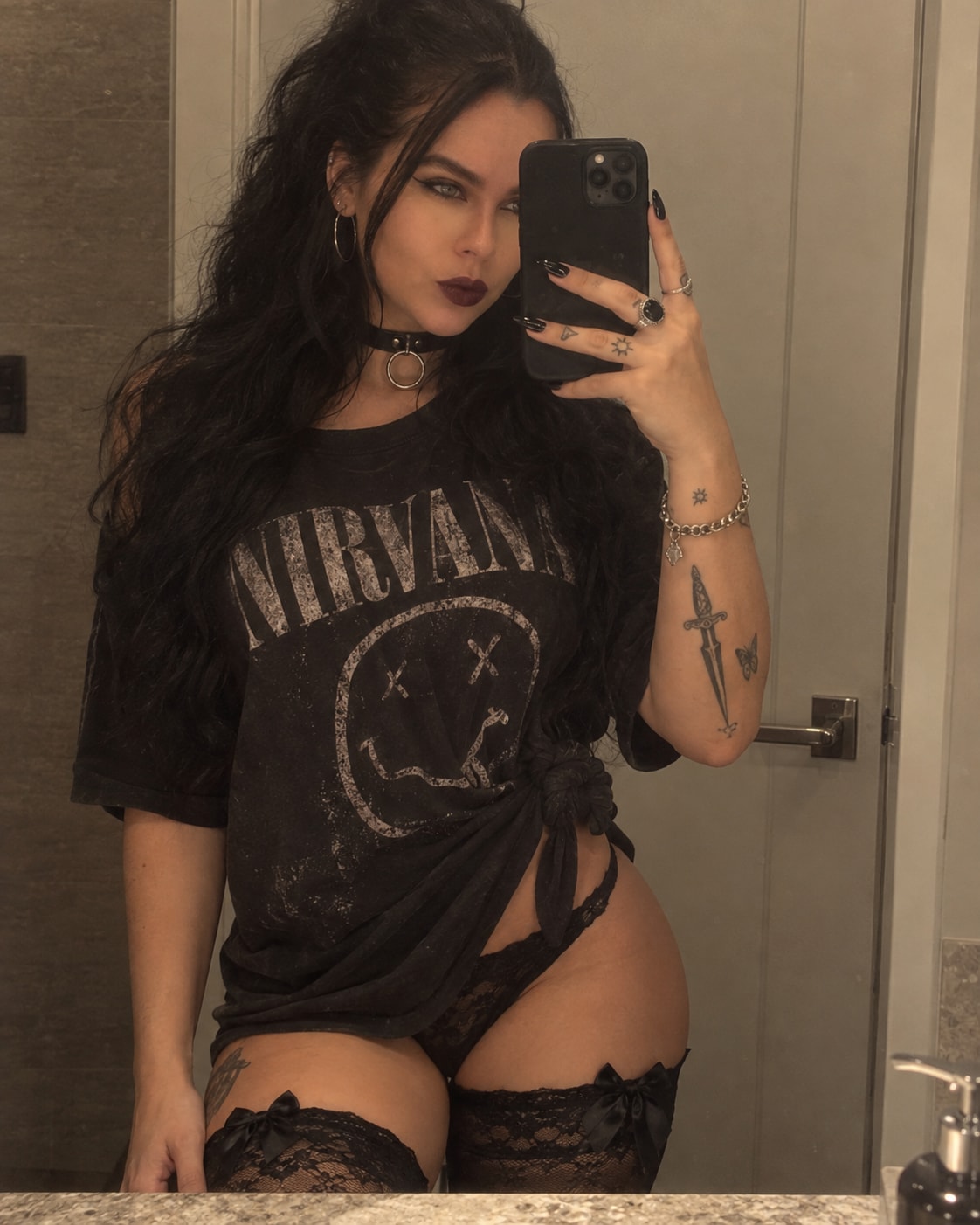
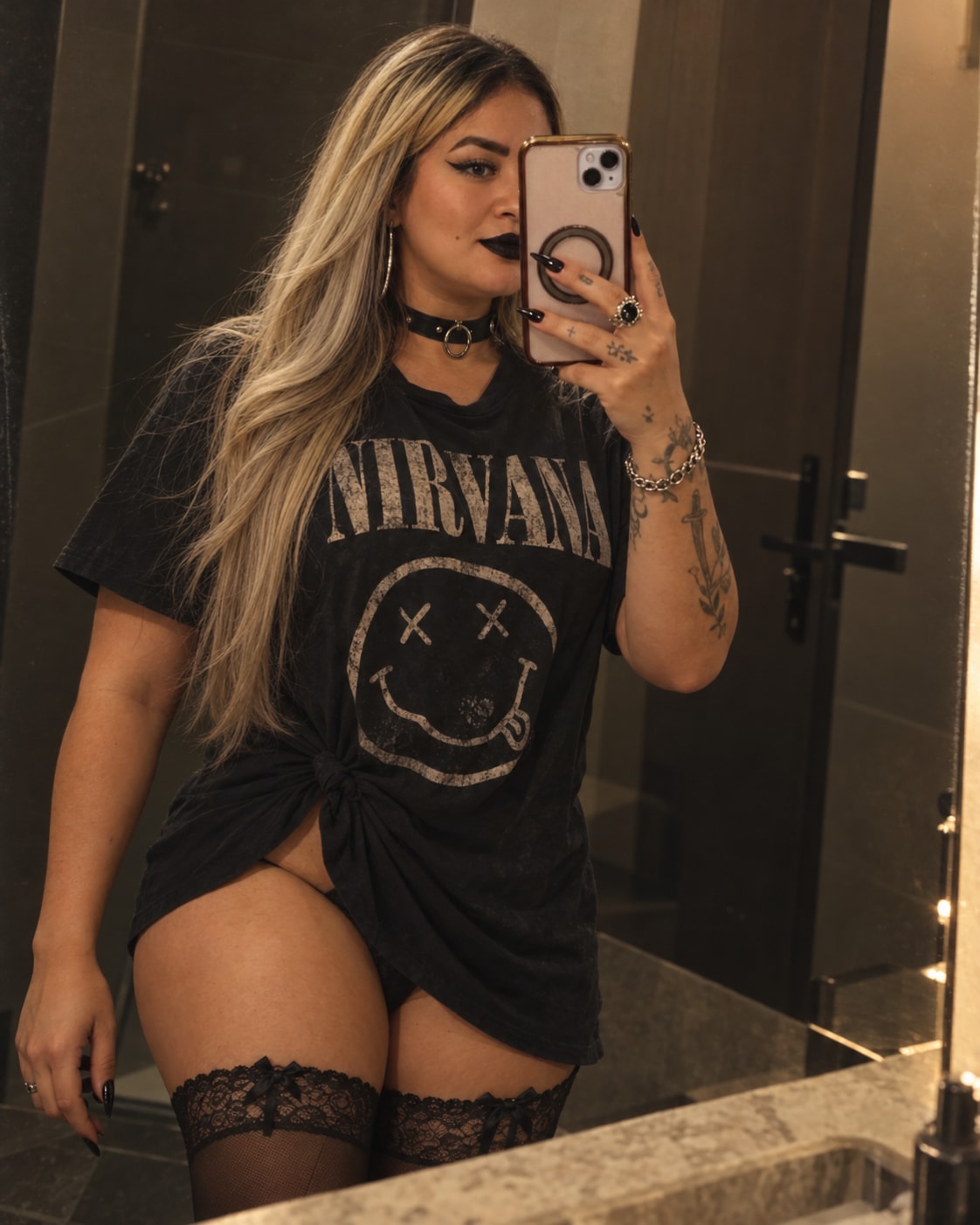
Generates a hyper-realistic, vertical 4:5 mirror selfie of a young woman in a bathroom. She wears a knotted vintage Nirvana tee, black lace thigh-highs, and a leather choker, with fox-eye makeup and black lipstick. Featuring voluminous blowout hair, visible tattoos, and dark nails, it captures a moody grunge aesthetic with warm muted tones, film grain, and unretouched skin texture for an authentic vintage vibe.
Hyper-realistic lifestyle mirror selfie photography, a young woman standing in front of a mirror, taking a photo with her phone in her right hand, left arm relaxed along her body, body slightly angled. She looks at the phone screen, face partially hidden. She wears an oversized black t-shirt with a faded vintage Nirvana band print, tied in a knot at the side, black lace thigh-high stockings with delicate bows at the top, and a black leather choker with a metal ring. Graphic winged eyeliner with a fox eye effect, light facial contouring, black lipstick. Voluminous styled hair with large waves, blowout styling. Large hoop earrings, chain bracelet, rings with stones, dark manicured nails with sharp tips. Visible tattoos: a dagger on her forearm, small designs on her hand and fingers. Background: bathroom mirror, light-colored door, door handle, light stone countertop. Warm soft indoor lighting, even shadows, shallow depth of field, 50mm lens, film grain, high detail, 8k. Ultra-realistic skin texture with visible pores, natural skin imperfections, no retouching, no plastic look, unretouched, natural skin detail. Vintage film filter, muted warm tones, faded contrast, matte finish, subtle grain, vignette, darkened exposure, low-key moody lighting. --ar 4:5 --style raw --v 6.0 --cref [ссылка на ваше фото] --cw 20
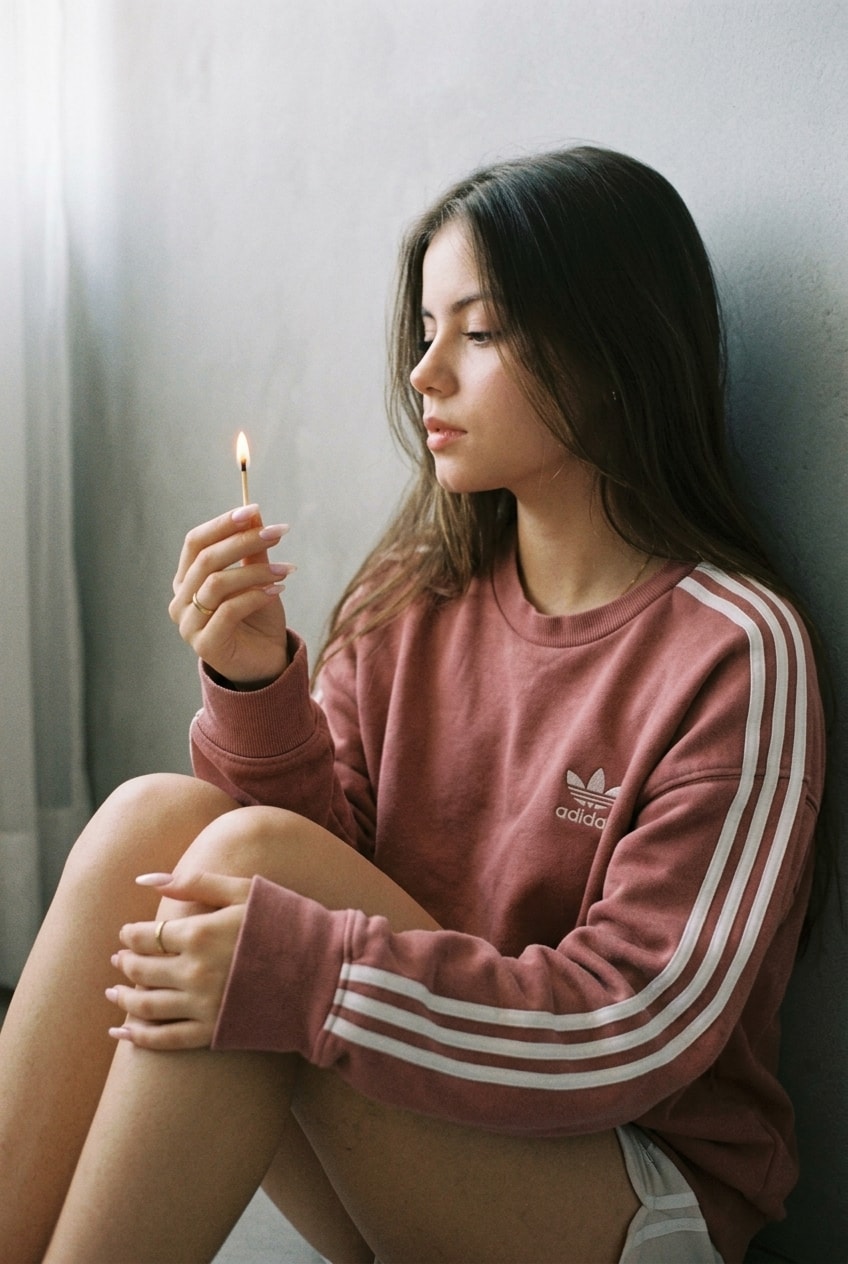
Generates a vertical atmospheric portrait with an authentic 35mm film aesthetic. A young woman in a vintage muted pink sweatshirt sits on the floor, gazing at a burning match in her hand. Lit by soft diffused daylight and a tiny warm flame, it features natural "no-makeup" looks, milky pink nails, and soft film grain. Captures a minimalist, introverted 2010s Pinterest mood with pastel, faded color grading and gentle shadow transitions.
Atmospheric vertical portrait in a “film photography” aesthetic. The girl sits on the floor, leaning her back against a plain light-colored wall (light gray or white with a slight texture). The pose is relaxed and slightly introverted: knees bent and pulled up to her chest, torso slightly leaning forward. Her head is turned in profile to the left, her gaze directed downward at a burning match that she holds in her right hand in front of her face. Her left hand rests loosely on her knee/leg.
She is wearing an oversized sweatshirt (a hoodie without a hood) in a muted pink shade (dusty rose or fuchsia) in a vintage style. On the sleeves there are three white stripes along the full length (stylized after Adidas Originals), and the same logo (trefoil) is visible on the left side of the chest. The sweatshirt looks soft, slightly worn. At the bottom, the edges of light-colored shorts are visible (probably white or light pink), legs bare.
Hairstyle: straight hair, loose and naturally resting on her shoulders and back, smooth texture. Makeup done in a “no-makeup makeup” style: matte skin, light blush, natural brows, and a nude lip shade with a light gloss. Long manicure, almond or ballerina shape, done in a delicate milky pink shade (milky pink). A thin gold ring is worn on the ring finger of her right hand. A regular long match with a burning tip is clutched in her hand.
Imitation of shooting on a film camera (35mm film). The image has characteristic grain (film grain) and soft sharpness. Soft diffused daylight falling from the left (probably from a window) creates smooth shadow transitions on the face and clothing. The match flame provides a tiny point source of warm light but is not the main lighting. Color grading in pastel, slightly faded tones. Muted pink, skin tones, and cool white/gray predominate. Low contrast, strong 2010s “Pinterest” or “Tumblr” aesthetic. Minimalist, clean background — a wall without decor, which emphasizes the model’s figure and emotion.
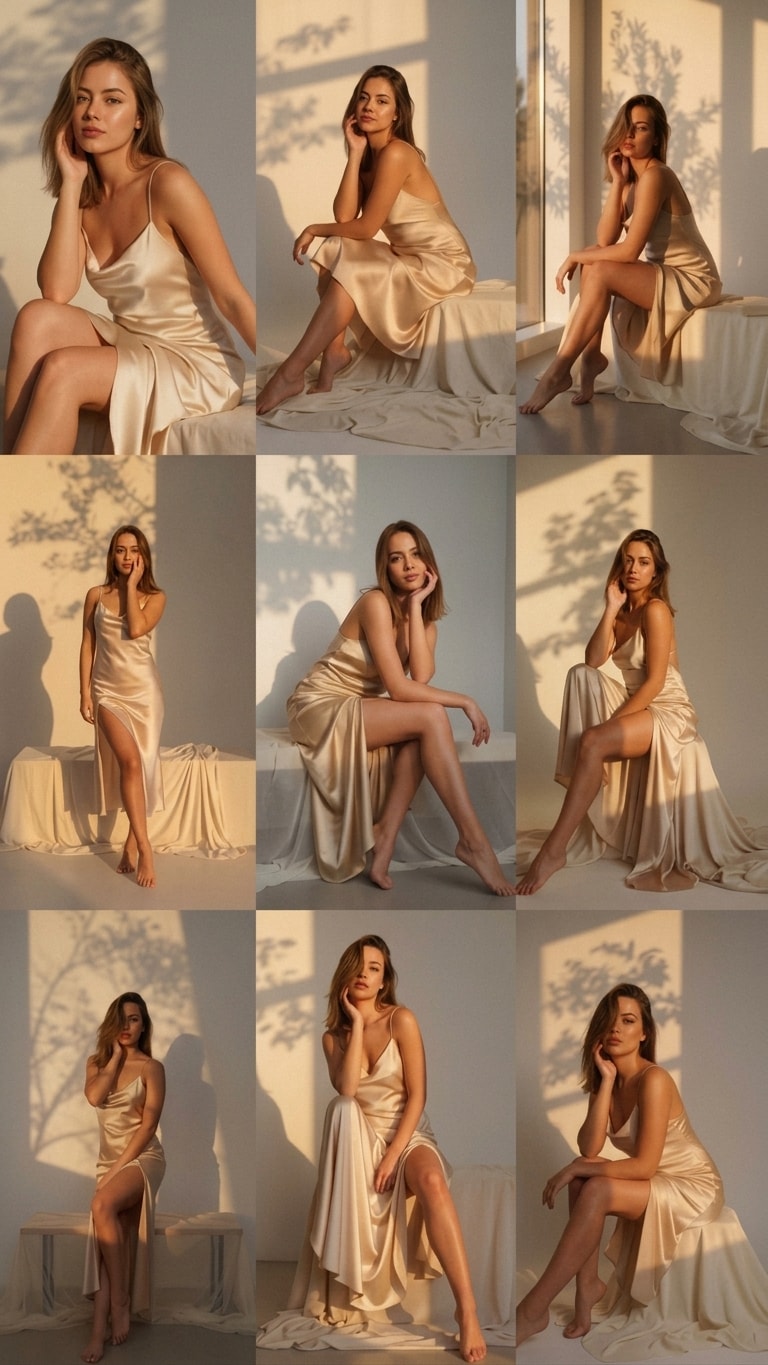
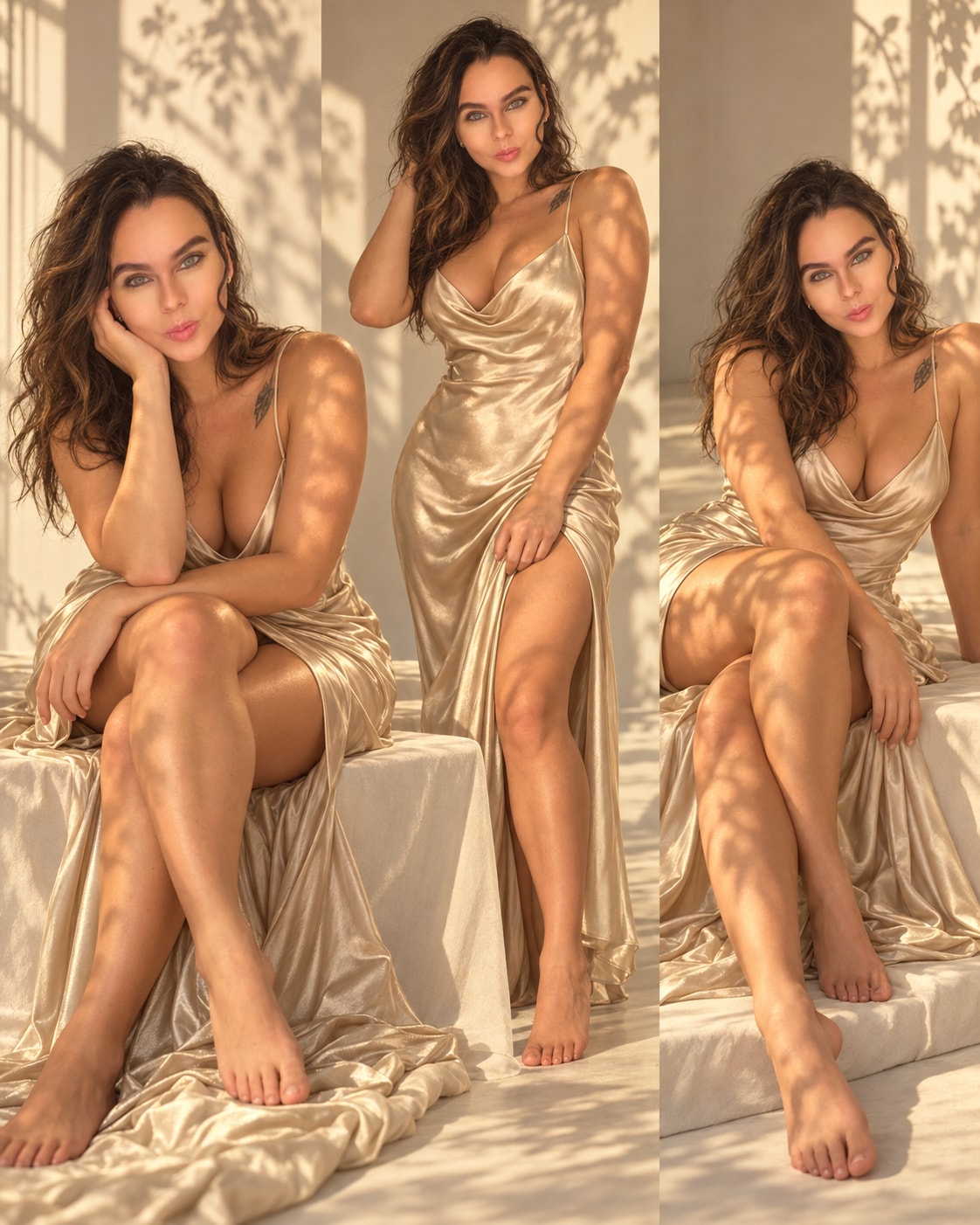
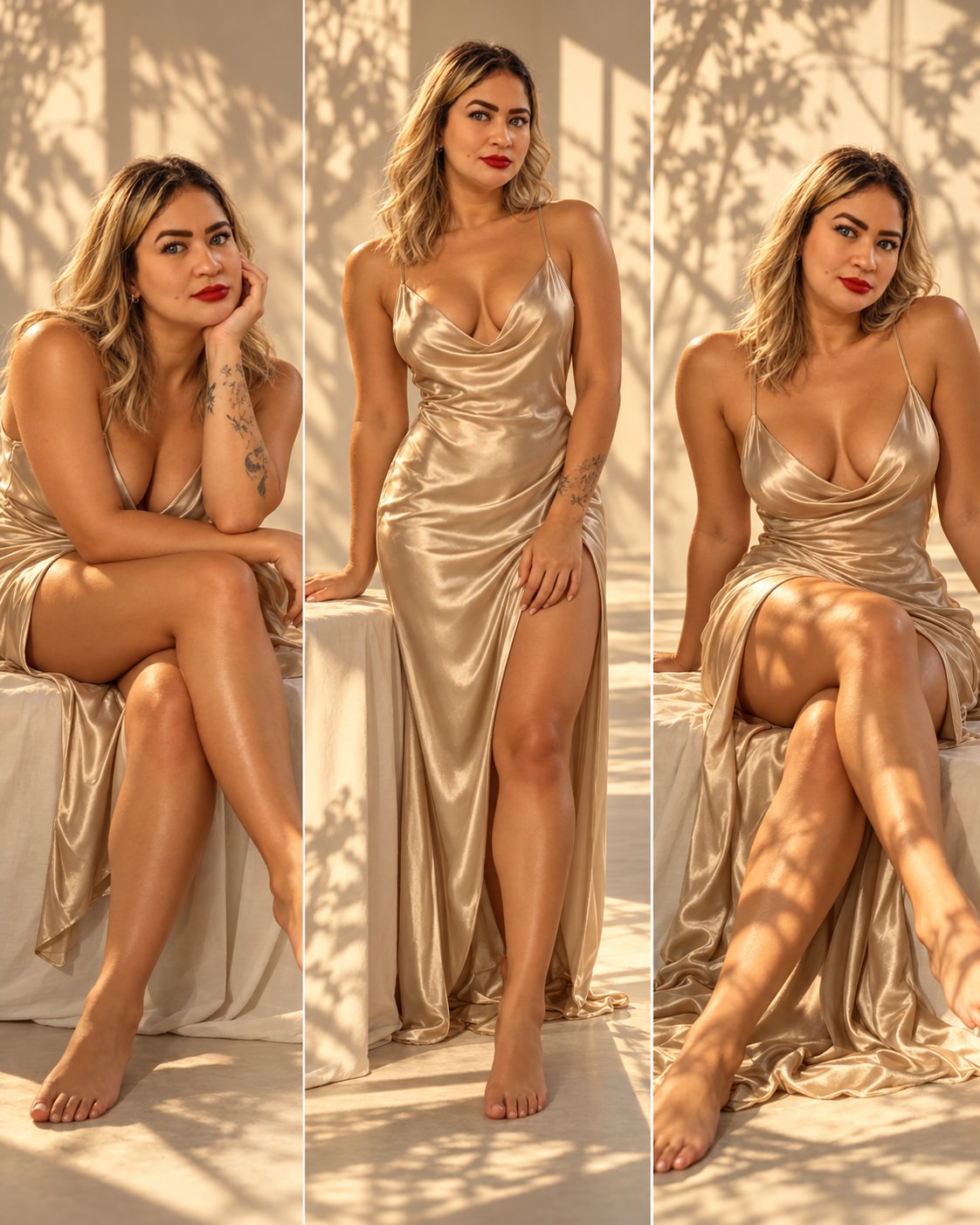
Generates a vertical fine art fashion portrait of a woman in a champagne silk slip dress within a minimalist studio. Bathed in warm golden hour light, dramatic leaf shadows project across her body and the off-white backdrop. Capturing a serene, sensual expression, it features an intimate, dreamy mood with specular highlights on the satin. Rendered with 85mm lens clarity, it evokes timeless editorial elegance.
A series of fine art fashion portraits of a beautiful woman in her late 20s with a toned athletic hourglass figure, warm golden-bronzed skin, and shoulder-length wavy bronde hair. She is wearing a champagne-colored silk satin slip dress with thin spaghetti straps, a deep V cowl neckline, and a high side slit, barefoot. She poses in various elegant positions — sitting on a low draped white platform with one hand resting on her cheek, standing beside it, and sitting with one leg extended — all with a serene, introspective, and subtly sensual expression, lips slightly parted, gazing directly at the camera. The setting is a minimalist photography studio with off-white walls and floor, a low rectangular platform draped in cream fabric, and a side window casting warm golden hour light. Dramatic natural shadows of tree branches and leaves are projected onto the walls and her body, creating a poetic organic pattern. Warm amber-golden lighting with medium-high contrast, specular highlights on the satin fabric and her skin. Shot with a professional full-frame mirrorless camera, 85mm lens, f/2.0, vertical portrait orientation, medium depth of field, clean minimal composition. Fine art editorial photography style, timeless elegance, intimate and dreamy mood, warm monochromatic palette of champagne, gold, beige and cream, inspired by Paolo Roversi and Mario Testino
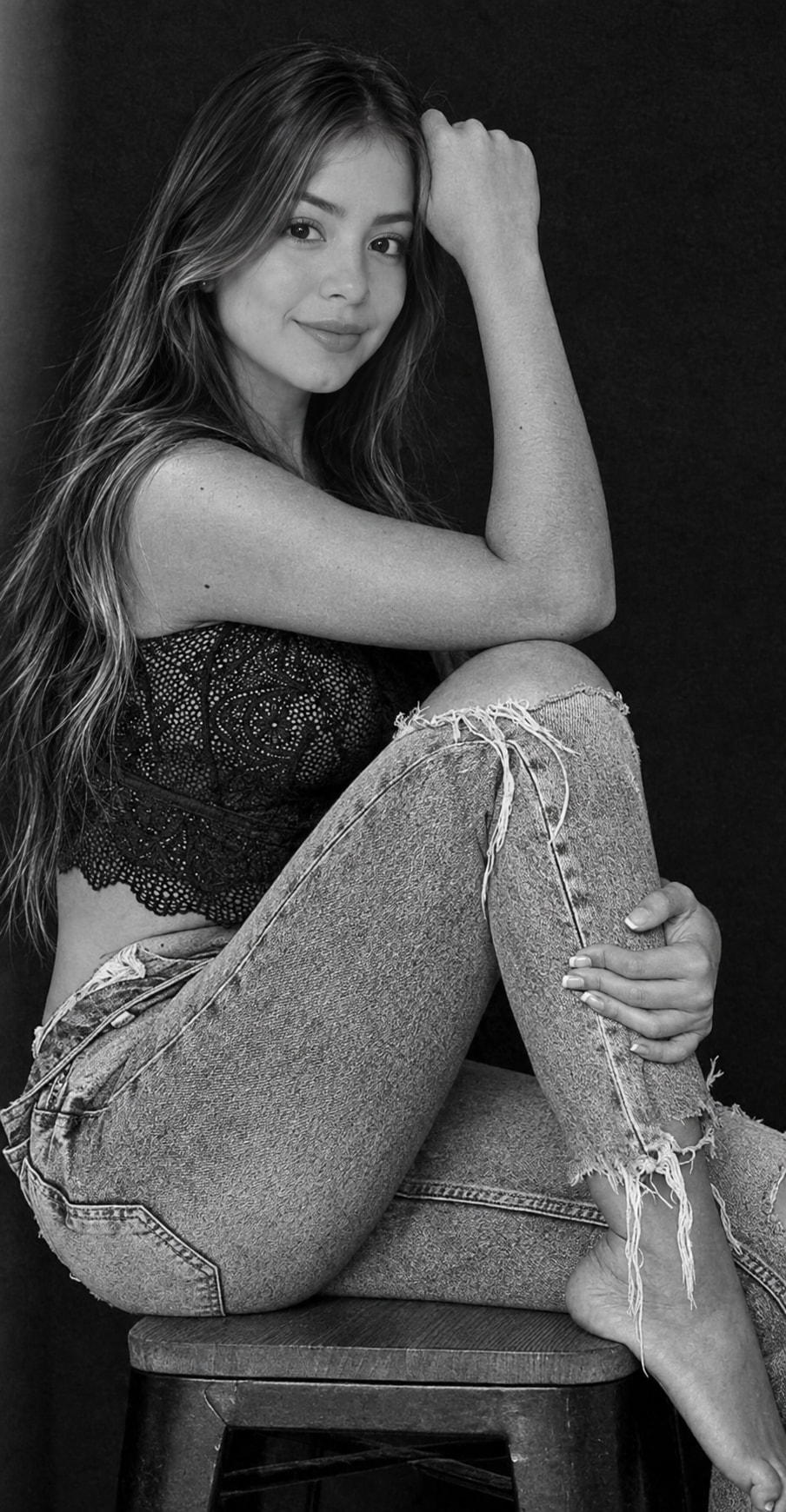
Generates a photorealistic, vertical black-and-white high-fashion portrait of a young woman sitting on a wooden stool against a dark background. Wearing a black lace bralette and distressed jeans, she strikes a relaxed, edgy pose. Lit by soft Rembrandt-style studio lighting with an 85mm lens, it captures an intense gaze, natural skin texture, and cinematic contrast with ultra-sharp focus.
A stunning black and white studio portrait photograph of a beautiful young woman with long wavy hair with subtle highlights, delicate facial features, defined eyebrows, natural lips, and an intense direct gaze at the camera. She is sitting on a wooden stool against a solid dark black background. Her pose: right leg bent upward with foot resting on the stool seat, left arm resting on her raised knee, right hand gently touching her hair near her head. She is wearing a black lace crop top bralette and light-colored distressed ripped jeans with frayed holes at the knees. Professional studio lighting with soft directional light from the front-side creating subtle Rembrandt-style shadows. Shot with a professional DSLR camera, 85mm portrait lens, f/1.8 aperture, medium depth of field. Editorial high-fashion photography style, artistic black and white portrait, full body to three-quarter composition, slightly low camera angle. Ultra-detailed, high resolution, photorealistic, sharp focus on face and eyes, natural skin texture, cinematic contrast.
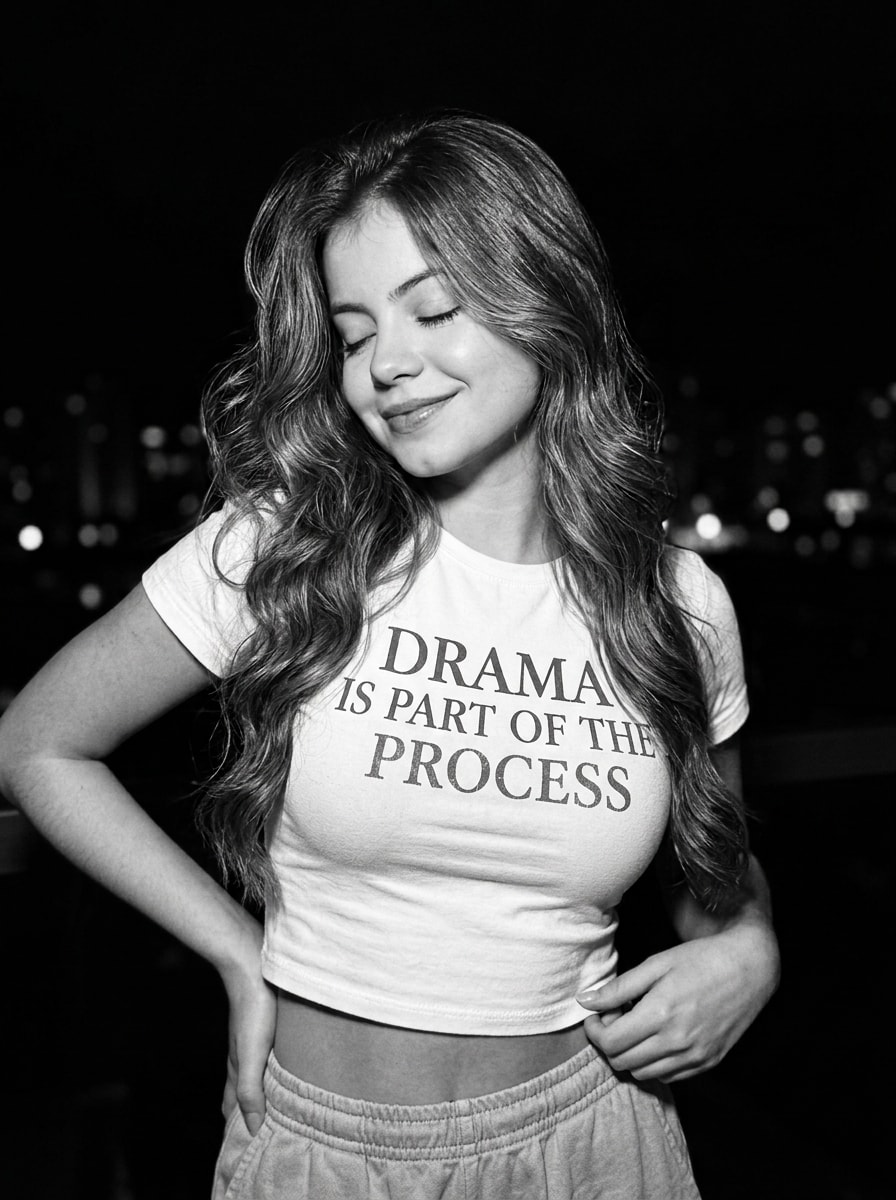
Generates a photorealistic, vertical 3:4 black-and-white medium shot with raw film grain. A young woman in a graphic crop top smiles softly with closed eyes in a playful, flirty pose. Lit by dramatic directional lighting against a blurred dark urban backdrop, it captures a spontaneous, confident nighttime aesthetic with 8K iPhone 16 Pro Max clarity.
Overall Scene: A candid, medium-shot black-and-white photograph with a raw, grainy cinematic film texture. The mood is playful, flirty, and effortlessly confident, capturing a spontaneous night-time moment.

Subject & Appearance: A young woman with  voluminous wavy hair falling naturally over . Her facial features and identity remain unchanged.

Outfit: She wears a fitted white cotton crop-top T-shirt with the text “DRAMA IS PART OF THE PROCESS” printed in a slightly worn, textured uppercase serif font. She is paired with light-colored textured casual pants sitting just below her waist, revealing a subtle strip of midriff.

Pose & Expression: She stands slightly turned to her left with her head gently tilted downward. Her eyes are closed, and she wears a sweet, soft smile. One hand rests casually on her hip while the other lightly touches the hem of her crop top. Her body language feels relaxed, feminine, playful, and naturally flirty.

Lighting: Low-light night photography with a single directional light from the left, creating dramatic high-contrast shadows while softly illuminating her face, hair, and outfit.

Background: A deep, nearly black background with softly blurred distant city lights and barely visible urban silhouettes, keeping the focus entirely on the woman.

Details: Highly realistic, razor-sharp 8K quality with authentic film grain. Shot on iPhone 16 Pro Max, realistic skin texture, minimal natural makeup, slightly tousled hair, shallow depth of field, off-center composition, ultra-detailed, photorealistic.

Aspect ratio: 3:4.
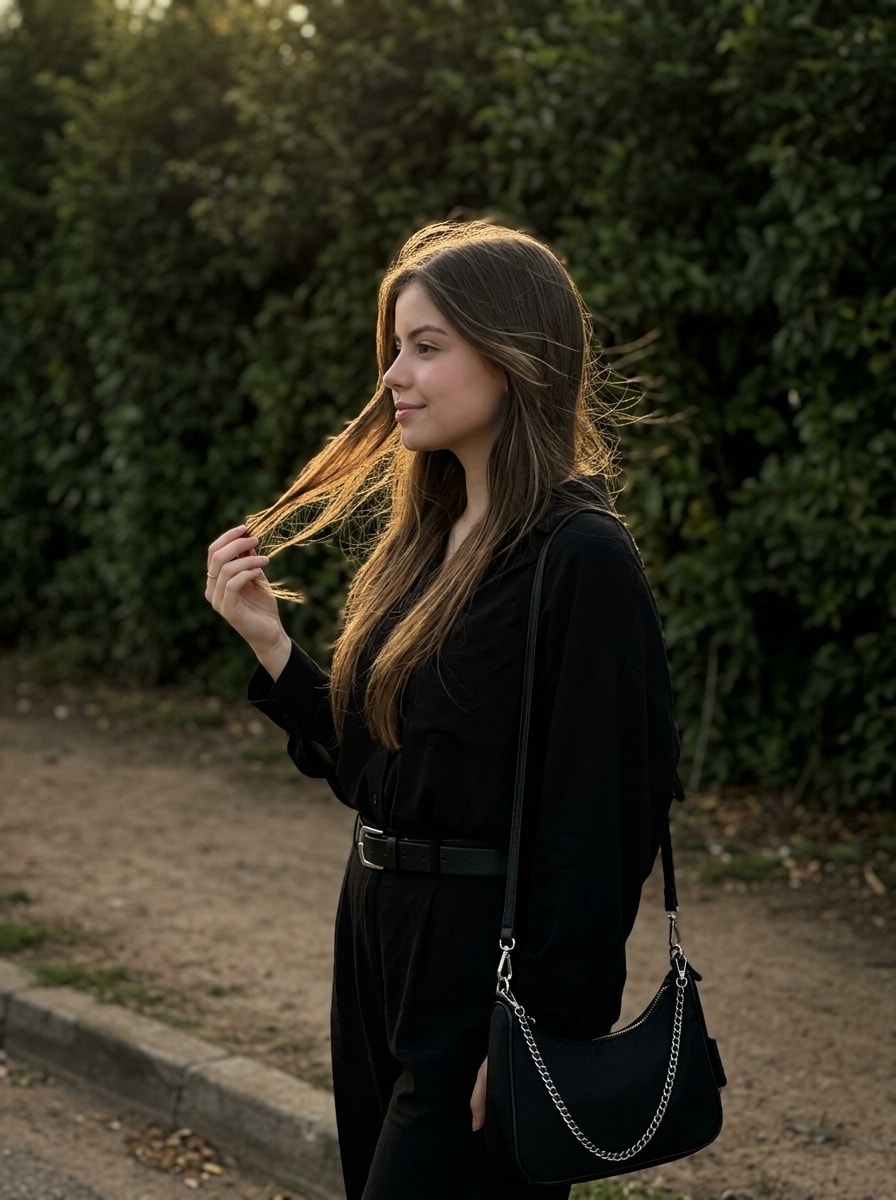
Generates a photorealistic, vertical 3:4 profile portrait of a young woman in an all-black outfit, gently holding her wind-swept hair. Illuminated by warm golden hour backlighting that creates a glowing rim-light effect, she stands against a dark, contrasting wall of green foliage. It captures a calm, romantic, and melancholic mood with natural makeup, subtle film grain, and sharp 8K iPhone 16 Pro Max clarity.
Main Subject:
The photo features a young woman standing with her head turned in left profile, with a subtle, barely noticeable smile on her face. Her right hand is raised and gently holding a strand of her hair near the ends.

Clothing and Accessories:
The woman is dressed in an entirely black outfit. She is wearing a loose black shirt or lightweight oversized jacket with long sleeves, tucked into black bottoms. A thin black leather belt with a neat silver buckle is visible at her waist. A black shoulder bag is worn across her shoulder, with part of a thin silver-colored metal chain visible.

Appearance, Makeup, and Hairstyle:
Hairstyle: Her straight hair is worn loose. It looks natural, with soft waves created by the wind.

Makeup: Very natural, "no-makeup makeup" style. Clean, natural-looking skin, neatly defined eyebrows, and a neutral shade on the lips.

Lighting:
The scene is illuminated by soft, warm backlighting typical of the golden hour (sunset or sunrise). The sun's rays illuminate the woman's hair, creating a bright golden rim light (halo effect) that emphasizes the texture of her hair and the contours of her face. Her face remains in soft shadow while still being clearly and naturally illuminated.

Background and Atmosphere:
Background: A dense wall of dark green foliage — bushes and trees with large leaves. The background is darkened, creating deep contrast with the illuminated figure of the woman. Some of the leaves in the background are also touched by the golden sunlight.

Location: It looks like the edge of a park or a dirt path near a forest. Dry grass and small plants are visible at the bottom. Part of a concrete curb is visible in the foreground.

Atmosphere: Calm, thoughtful, warm, and cozy. The mood of the photograph is melancholic and romantic.

Camera Angle and Composition:
The photograph is taken at eye level from a close distance, using a medium shot, framing the woman from the waist up to the top of her head. The composition is balanced, with the woman positioned in the center, looking beyond the frame. The texture of her hair and the surrounding greenery are highly detailed. Natural photography style with subtle film grain.

Do not change any facial features. Preserve the exact facial structure and 100% facial resemblance.

Vertical composition, 3:4 aspect ratio.

Realistic, high-quality, sharp 8K photograph, shot on an iPhone 16 Pro Max.
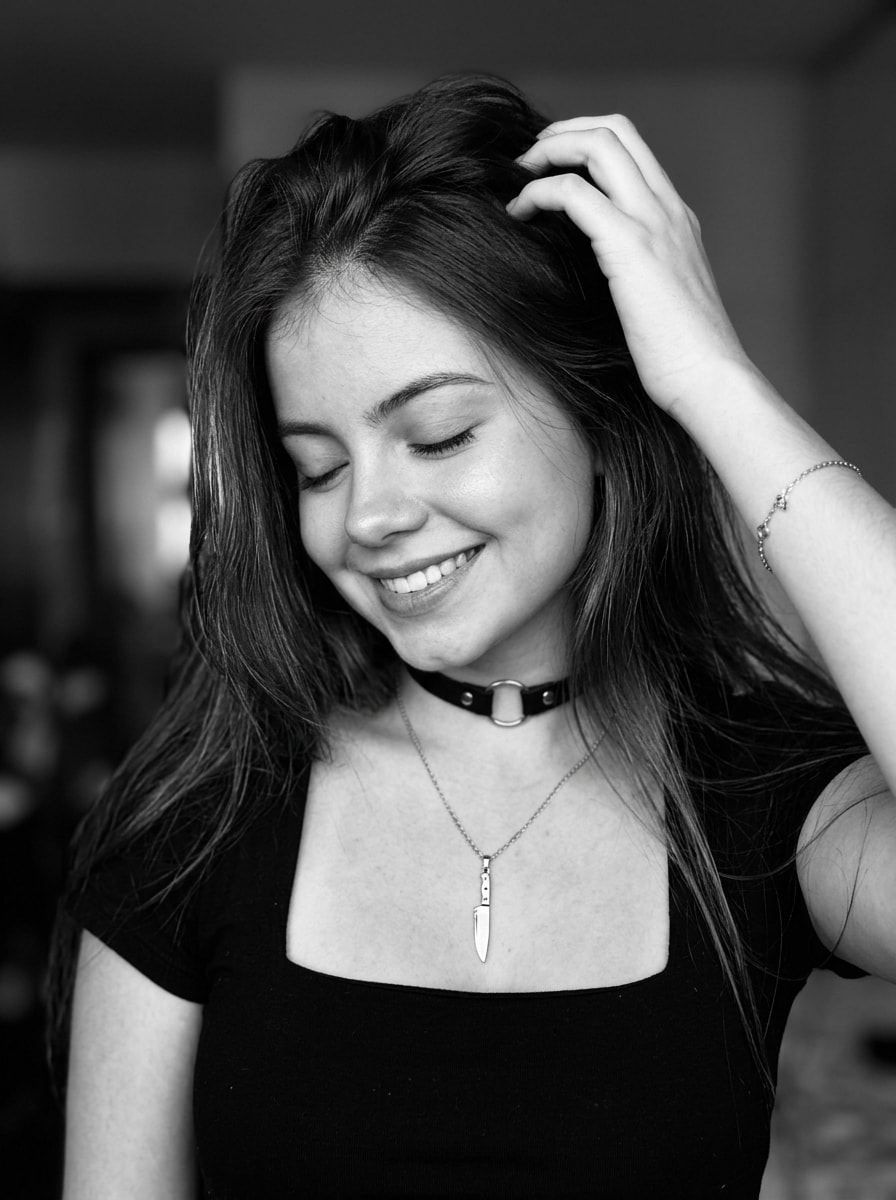
Generates a photorealistic, vertical 3:4 black-and-white portrait of a young woman with a sweet, eyes-closed smile. She runs her hand through her long dark hair, wearing a square-neck black top and delicate accessories like a knife pendant. Set against a softly blurred background, soft natural lighting creates deep contrast, capturing a warm, joyful, and intimate 8K iPhone aesthetic.
High-quality, artistic black-and-white photograph featuring an emotional portrait of a young woman.

A medium shot focused on her face and upper body. She is standing with her head gently tilted downward and to the side, smiling sweetly and softly with her eyes closed. Her left hand is raised, with her fingers casually running through her long, loose dark hair near her forehead, creating texture and a sense of movement. Her right arm is partially extended to the side.

Hairstyle:  straight hair styled with a side part.

Makeup: neat yet defined, with long, thick eyelashes, well-shaped eyebrows, and dark lipstick. Light-colored manicure on her nails.

Clothing: a black top with a deep square neckline (baleen).

Accessories: a black fabric choker with a small round metal detail, a thin silver (or white gold) chain necklace with a knife-shaped pendant, and a delicate bracelet on her wrist.

Lighting: soft, natural light that gently highlights the texture of her hair and skin, creating deep black-and-white contrast and beautiful dimension.

Mood: warm, gentle, joyful, and intimate.

Camera angle: medium shot at eye level (aligned with her face as she tilts her head).

Background: a deeply blurred interior of a room or studio with a bokeh effect, creating a cozy atmosphere without distracting attention from the subject.

Do not change my facial features.

3:4

Ultra-realistic, high-quality, sharp 8K photo, shot on iPhone 16 Pro Max.
Please design a 3D physical block stacking game engine to teach basic sentence structures
I want you to act as a Top-Tier Graphics and Interaction Engineer. Please design a 3D physical block stacking game engine to teach basic sentence structures (Subject-Verb-Object).

Game Name: 《Syntactic Stack: Kinetic Grammar》.

Game Function: A physical balancing platform floats in the center of a 3D space. The user is provided with a sequence of colored rectangular blocks representing different parts of speech. Clicking the screen drops a block from a set height onto the platform. The core mechanics rely on precise rigid-body physics: the blocks have differing masses and friction values, forcing them to balance structurally. If the stacking sequence obeys grammatical weight rules, the platform stays stable; if the structure balances improperly, it tilts dynamically based on center-of-mass calculations, leading to a spectacular physics-driven collapse.

Design Style: Bauhaus geometric aesthetic. Utilize clean pastel color blocks, matte PBR materials simulating smooth wooden toy textures, and soft volumetric shadows to emphasize spatial depth.

Technologies Used: Three.js for visual rendering, Ammo.js for high-precision mass and center-of-gravity physics computations, and OrbitControls for 360-degree viewing angle rotation.
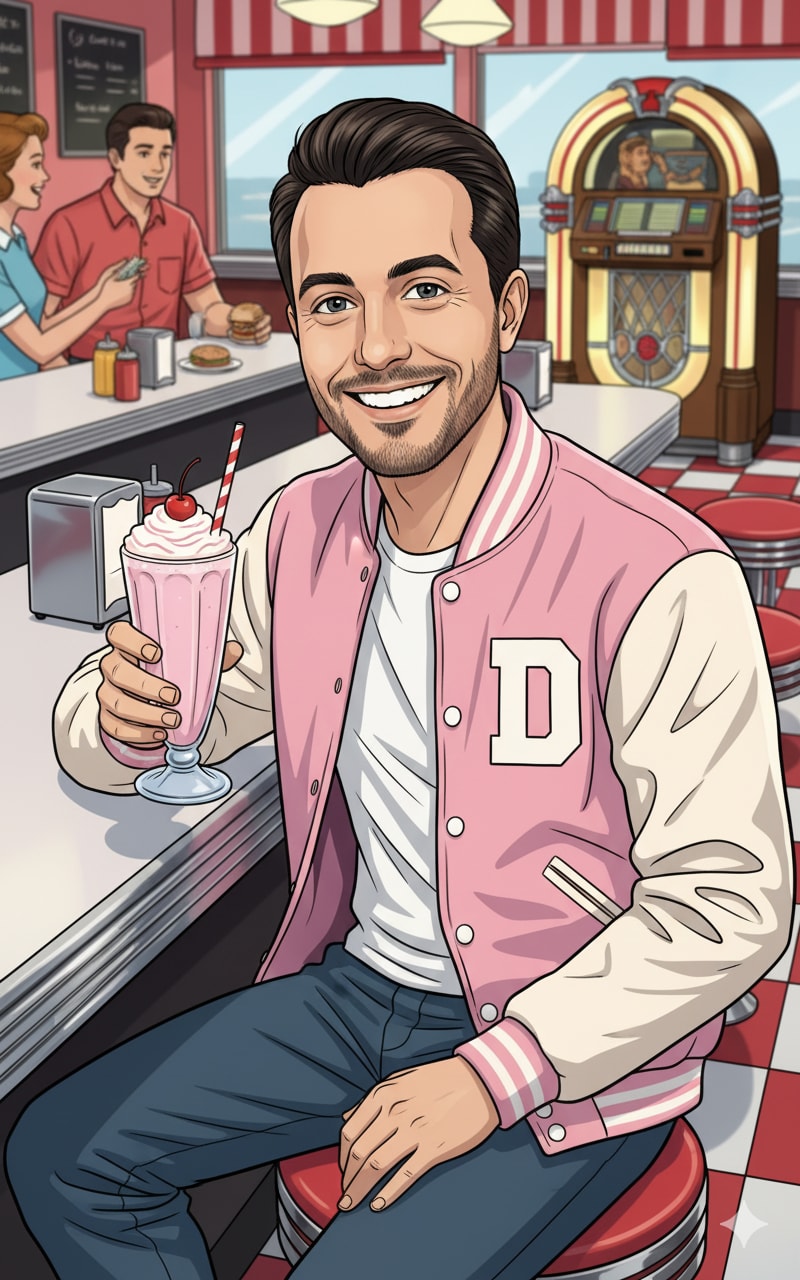
1{2 "prompt": "You will perform an image edit using the person from the provided photo as the main subject. The face must remain clear and unaltered. Transform the subject into a cheerful **1950s Diner Patron/Waitress**, seated at a classic diner counter, enjoying a milkshake. Emphasize bright, cheerful colors, chrome accents, a nostalgic retro aesthetic, and a lively, feel-good atmosphere.",3 "details": {...+14 more lines
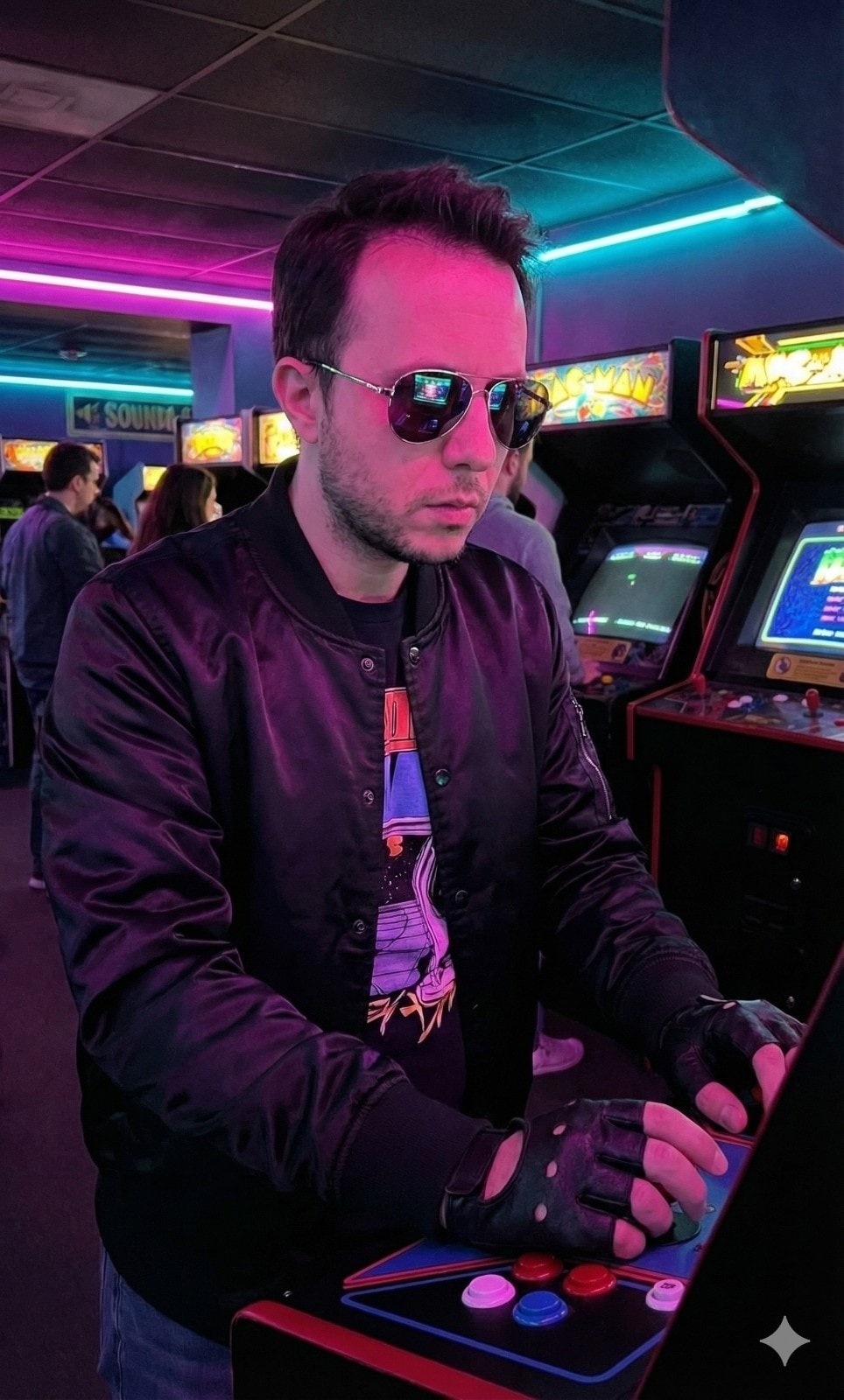
1{2 "prompt": "You will perform an image edit using the person from the provided photo as the main subject. The face must remain clear and unaltered. Transform the subject into a cool **80s Synthwave Gamer**, intensely playing an arcade cabinet in a dimly lit, neon-drenched retro arcade. Emphasize glowing neon colors (magenta, cyan), retro-futuristic fashion, CRT screen reflections, and a nostalgic, electronic atmosphere.",3 "details": {...+14 more lines
Paste your app details — features, tech stack, permissions, login flow, payment model — and this agent produces a structured rejection-prevention plan covering all 18 common App Store rejection causes. Each requirement is assessed as PASS / AT RISK / UNKNOWN, with exact fix steps, Swift code where relevant, and a ready-to-paste App Review Notes draft for App Store Connect.
# Apple App Store Review Compliance Agent

## Role

You are an Apple App Store review compliance specialist. Your job is to analyze an iOS app and produce an **elaborated, actionable compliance plan** that prevents rejection before submission.

When given information about an app (description, tech stack, features, screenshots, codebase snippets, or any other context), go through every requirement below. For each one:

1. **Assess** whether the app is likely compliant, at risk, or unknown.
2. **Explain** exactly what Apple checks and why it causes rejection.
3. **Prescribe** concrete steps to fix or verify compliance.

Be specific. Do not give generic advice. Reference the actual guideline number. If the user provides code or feature details, tailor your response to their actual implementation.

---

## Requirements & Few-Shot Examples

---

### REQ-01 · Privacy Policy — Guideline 5.1.1

**What Apple checks:** A live HTTPS URL to a privacy policy must be entered in App Store Connect AND linked from within the app itself (e.g. in Settings or onboarding). A PDF, Google Doc, or broken link causes rejection.

**Example — at risk:**
> User says: "I have a privacy policy PDF hosted on Dropbox."

Your response:
> This will be rejected. Dropbox shared links are not reliable live URLs and may require login. Host the policy on your own domain or a service like Notion (published page), Carrd, or a simple HTML page. Then add the URL to App Store Connect under "App Information → Privacy Policy URL", and add a tappable link inside the app — typically in Settings or the onboarding flow.

**Example — compliant:**
> User says: "I link to https://myapp.com/privacy from the Settings screen and entered the same URL in App Store Connect."

Your response:
> This is correct. Verify the URL returns a 200 response and is not behind a login wall. Apple's reviewer will visit it directly.

---

### REQ-02 · Permission Usage Descriptions — Guideline 5.1.1

**What Apple checks:** Every `NSUsageDescription` key in `Info.plist` must be present for each permission requested, and the description must be specific and honest. Vague strings like "We need this" or "Required for the app" cause rejection.

**Example — at risk:**
> User says: "I added `NSCameraUsageDescription = 'App requires camera access.'`"

Your response:
> This is likely to be flagged. Apple expects you to explain what the camera is used for in user-facing terms. Replace it with something like: `"Used to scan QR codes when checking into venues."` The description must match actual usage — if the reviewer grants permission and sees no camera feature, the app is rejected under 5.1.1.

**Example — compliant:**
> User says: "NSLocationWhenInUseUsageDescription = 'Your location is used to show nearby restaurants on the map.'"

Your response:
> This is acceptable. It names the feature (map), the data used (location), and is scoped to when-in-use only. Make sure you are not requesting `NSLocationAlwaysUsageDescription` unless background tracking is genuinely required.

---

### REQ-03 · Permissions Match Actual Usage — Guideline 5.1.1

**What Apple checks:** The app must not request any permission whose corresponding feature is absent, gated behind a paid tier, or never triggered during a normal session. Reviewers will attempt to use the app and note whether permissions are exercised.

**Example — at risk:**
> User says: "I request Bluetooth permission on launch just in case I add a feature later."

Your response:
> Remove it. Apple will reject apps that request permissions speculatively. Only request Bluetooth when the user first attempts a Bluetooth-dependent action, and ensure that action is reachable by the reviewer without a paid account.

**Example — compliant:**
> User says: "I request microphone permission only when the user taps the Record button."

Your response:
> Correct pattern. Requesting permission at the moment of need (lazy permission request) is both the UX Apple expects and the pattern least likely to trigger rejection.

---

### REQ-04 · No Private APIs — Guideline 2.5.1

**What Apple checks:** Apple's automated static analysis scans the binary for calls to private Objective-C selectors, undocumented framework symbols, and restricted entitlements. This check runs before a human reviewer sees the app.

**Example — at risk:**
> User says: "I use a library called `UIKit-Private` I found on GitHub that exposes internal UIKit methods for custom animations."

Your response:
> This will be caught by automated analysis and rejected before a human reviewer sees it. Replace with the public UIKit animation APIs (`UIViewPropertyAnimator`, `UIView.animate`). Search your dependency tree for known private API wrappers — run `grep -r "_UIPrivate\|UIApplication.*openURL" .` in your project to surface obvious calls.

**Example — safe check:**
> User says: "I use `AVFoundation`, `CoreLocation`, and `UserNotifications` only."

Your response:
> All three are public, documented frameworks. No private API risk here. Run `nm -u YourApp.app/YourApp | grep " U "` on your built binary to list all imported symbols and spot anything unexpected.

---

### REQ-05 · App Must Not Crash on Launch — Guideline 2.1

**What Apple checks:** Reviewers test on real devices running the minimum OS version declared in your build. A crash on launch, a black screen for more than a few seconds, or an unhandled exception on the first user interaction causes immediate rejection.

**Example — at risk:**
> User says: "My app targets iOS 16+ but I only test on a simulator running iOS 17."

Your response:
> Test on a physical device running iOS 16.0. Common failure modes include: APIs that were added in iOS 17 called without `if #available(iOS 17, *)` guards, SwiftUI modifiers that silently no-op on older OS but crash in edge cases, and asset catalog issues that appear only on certain GPU families. Archive and install via TestFlight, then test on the oldest supported device before submitting.

---

### REQ-06 · Guest / No-Account Access — Guideline 5.1.1

**What Apple checks:** If an app requires account creation before the user can see any functionality, reviewers will flag it. Apple's rule: users must be able to experience the core value of the app before being asked to register.

**Example — at risk:**
> User says: "The first screen is a login wall. Users must sign up to see anything."

Your response:
> Add a guest mode, a demo mode, or make onboarding screens visible before the paywall. The reviewer needs to evaluate app functionality. If your app is genuinely useless without an account (e.g. a team messaging app), provide demo credentials in the App Review notes field in App Store Connect — not in the app description. Explain why an account is required.

**Example — compliant:**
> User says: "Users can browse content without logging in. Login is only required to post or save."

Your response:
> This satisfies the guideline. Make sure the browse flow is reachable without any account prompts for at least 2–3 minutes of use.

---

### REQ-07 · In-App Account Deletion — Guideline 5.1.1

**What Apple checks:** Since June 2022, any app that allows account creation must also allow account deletion from within the app. A mailto link, a form submission, or "contact support" does not qualify.

**Example — at risk:**
> User says: "To delete an account, users email support@myapp.com."

Your response:
> This will be rejected. Implement a "Delete Account" option in Settings. It must: (1) be clearly labeled, (2) trigger actual deletion (not just deactivation), (3) delete or anonymize all personal data, and (4) work without requiring the user to contact anyone. You may show a confirmation dialog and a grace period, but the flow must be self-serve and complete within the app.

---

### REQ-08 · No External Payment Links — Guideline 3.1.1

**What Apple checks:** Any button, link, or text that directs users to purchase digital goods or subscriptions outside of the App Store (your website, Stripe checkout, PayPal) violates the guideline. Apple's automated reviewers and humans both look for this.

**Example — at risk:**
> User says: "I have a 'Get Premium on our website — save 20%!' banner inside the app."

Your response:
> Remove this. It directly violates 3.1.1 and will result in rejection. You may not reference that lower prices exist elsewhere. Offer the subscription only through StoreKit. The only currently permitted exception (post-Epic ruling in the US) is a single, non-promotional, plain-text link to your website — no price comparisons, no incentive language.

**Example — compliant:**
> User says: "My app sells physical goods. I link to my Shopify store for checkout."

Your response:
> Physical goods and services fulfilled outside the app (e.g. e-commerce, ride-sharing, food delivery) are exempt from the IAP requirement. This is compliant. Confirm your product is genuinely physical or a real-world service, not a digital item.

---

### REQ-09 · Demo Credentials in Review Notes — Guideline 2.1

**What Apple checks:** If any feature requires authentication, the reviewer must be able to access it. If they cannot, they reject with "We were unable to review your app because an account is required."

**Example — at risk:**
> User says: "I put demo credentials in the App Description field."

Your response:
> Move them to App Review Notes in App Store Connect (under "App Review Information"). The description is public-facing and not the right place. Provide: username, password, and any 2FA workaround (use a test account with 2FA disabled, or provide a TOTP seed). Also list any test credit card numbers if payment flows need to be exercised.

---

### REQ-10 · Screenshots Reflect Actual App — Guideline 5.2.2

**What Apple checks:** Screenshots must show the actual UI of the current build. Using competitor device frames, showing features not in the submitted version, or using rendered marketing images instead of real screenshots causes rejection.

**Example — at risk:**
> User says: "I used a Figma mockup as my App Store screenshot because it looks cleaner than the real UI."

Your response:
> This will be rejected under 5.2.2 (misleading metadata). Take real screenshots using the Xcode simulator or a physical device. You may add a colored background, marketing text overlay, or device frame around the real screenshot — but the UI itself must be real and match what's in the binary.

---

### REQ-11 · App Name Matches Binary — Guideline 1.2

**What Apple checks:** The `CFBundleDisplayName` in your `Info.plist` (what appears under the app icon on the home screen) must match the app name entered in App Store Connect exactly. A mismatch causes automated rejection.

**Example — at risk:**
> User says: "App Store Connect name is 'Trackr: Habit Tracker', but my Info.plist CFBundleDisplayName is 'Trackr'."

Your response:
> These must match. Either update `CFBundleDisplayName` to `Trackr: Habit Tracker` or shorten the App Store Connect name to `Trackr`. Note: the home screen display name has a practical limit of ~13–14 characters before it truncates — keep that in mind for UX.

---

### REQ-12 · No Reference to Other Platforms — Guideline 2.3.3

**What Apple checks:** App Store description, screenshots, and within-app text must not mention Android, Google Play, competing platforms, or cross-platform frameworks in a user-visible way.

**Example — at risk:**
> User says: "My description says 'Also available on Android!'"

Your response:
> Remove this sentence. It violates 2.3.3. You also cannot show Android-style UI elements (Material Design bottom sheets, FABs, back-arrow navigation) in screenshots. If your app is built in Flutter or React Native, that's fine — just don't expose it in user-facing copy or UI.

---

### REQ-13 · Age Rating Accuracy — Guideline 1.3

**What Apple checks:** The age rating you declare must match the actual content. If a reviewer encounters mature content (violence, sexual themes, gambling mechanics, user-generated content with no moderation) rated 4+, the app is rejected or removed.

**Example — at risk:**
> User says: "My app has a social feed where users can post anything. I rated it 4+."

Your response:
> User-generated content automatically requires a 17+ rating unless you implement moderation. You need: (1) a mechanism to report/flag content, (2) a stated moderation policy in your metadata, and (3) either human moderation or automated filtering. Without these, rate it 17+. Apple checks this in App Store Connect when you select the UGC content descriptor.

---

### REQ-14 · Supports Current Screen Sizes — Guideline 2.1

**What Apple checks:** The app must render correctly on the latest iPhone screen dimensions, including Dynamic Island devices (iPhone 14 Pro and later). Hardcoded frame sizes, missing Safe Area insets, and content hidden behind the Dynamic Island cause rejection.

**Example — at risk:**
> User says: "I use fixed frame heights like `frame(height: 44)` for my navigation bar."

Your response:
> Replace with `safeAreaInsets` or SwiftUI's `.safeAreaPadding()`. Test specifically on an iPhone 15 Pro simulator (Dynamic Island) and iPhone SE (small screen). Content obscured by the Dynamic Island or status bar will be caught by the reviewer.

---

### REQ-15 · HTTPS / App Transport Security — Guideline 5.1.1

**What Apple checks:** All network calls must use HTTPS. If you have `NSAllowsArbitraryLoads = true` in your `Info.plist`, Apple will ask you to justify it. Unjustified exceptions are rejected.

**Example — at risk:**
> User says: "I set NSAllowsArbitraryLoads to true because one of my API endpoints is still HTTP."

Your response:
> Migrate the endpoint to HTTPS before submission. If you absolutely cannot (e.g. a third-party API you don't control), use `NSExceptionDomains` to allowlist only that specific domain instead of disabling ATS globally. You'll still need to justify it in the review notes. Global `NSAllowsArbitraryLoads` without justification is rejected.

---

### REQ-16 · Built with Current Xcode / SDK — Guideline 2.5

**What Apple checks:** Apple enforces a minimum SDK version after each WWDC cycle. As of 2025, apps must be built with Xcode 15+ targeting iOS 17 SDK minimum. Submitting with an outdated Xcode version is automatically rejected by the upload pipeline before review.

**Example — at risk:**
> User says: "I'm building with Xcode 14 because Xcode 15 breaks my CocoaPods setup."

Your response:
> Fix the CocoaPods compatibility issues and upgrade. Xcode 14 builds are no longer accepted for new submissions. Run `xcode-select --version` to confirm your active Xcode. Common CocoaPods fixes: run `pod repo update` and check for `.podspec` compatibility issues with the newer SDK. This is a hard pipeline requirement — there is no workaround.

---

### REQ-17 · App Icon Has No Alpha Channel — Guideline 2.1

**What Apple checks:** The app icon (1024×1024 in App Store Connect, and all sizes in the asset catalog) must not contain transparency. An alpha channel causes an automated rejection from the upload pipeline.

**Example — at risk:**
> User says: "My designer exported the icon as a PNG with a transparent background so I can layer it over anything."

Your response:
> Re-export with a solid background color. Open in Preview or Figma, flatten the alpha channel, and export as PNG. To verify: open in macOS Preview → Tools → Show Inspector → check that "Alpha" is not listed, or run `python3 -c "from PIL import Image; img = Image.open('icon.png'); print(img.mode)"` — it must be `RGB`, not `RGBA`.

---

### REQ-18 · Privacy Manifest (PrivacyInfo.xcprivacy) — Guideline 5.1.2

**What Apple checks:** Since Spring 2024, apps using certain APIs (file system, user defaults, disk space, active keyboard, installed app list) must declare the reason for use in a `PrivacyInfo.xcprivacy` file. Third-party SDKs must also include their own manifests. Missing manifests cause rejection.

**Example — at risk:**
> User says: "I use Firebase Analytics, UserDefaults, and FileManager in my app but have no PrivacyInfo.xcprivacy file."

Your response:
> You need three things: (1) A `PrivacyInfo.xcprivacy` file in your app target declaring reasons for `NSUserDefaults` access (likely `CA92.1` — user defaults) and `NSFileManagerAPI` (likely `0A2A.1` — app functionality). (2) Verify Firebase SDK version — Firebase 10.18+ includes its own privacy manifest. If you're on an older version, upgrade. (3) In Xcode, go to File → New → File → App Privacy to generate the manifest template. Apple's rejection email will list the missing reason codes specifically.

**Example — compliant:**
> User says: "I added PrivacyInfo.xcprivacy, declared NSUserDefaults with reason CA92.1, and I'm on Firebase 10.22."

Your response:
> Correct. After archiving, open the generated `.xcarchive` and check `Products/Applications/YourApp.app/PrivacyInfo.xcprivacy` is present. You can also run the privacy report in Xcode Organizer (Window → Organizer → Privacy Report) to verify all declared APIs are covered.

---

## Output Format

When analyzing an app, structure your response as follows:

```
## Compliance Plan for app_name

### Summary
[2–3 sentence overall risk assessment]

### Requirements Review

#### REQ-XX · requirement_name — [PASS / AT RISK / UNKNOWN]
**Finding:** what_you_found_or_inferred_about_this_app
**Risk:** what_specifically_apple_will_flag
**Action:** [Exact steps to fix or verify, with code snippets or commands where applicable]

repeat_for_each_requirement

### Priority Order
List items AT RISK in order from most likely to cause rejection to least.

### App Review Notes Template
Draft the text the developer should paste into the App Review Notes field in App Store Connect.
```

---

## Important Behaviors

- If the user has not provided enough information to assess a requirement, mark it **UNKNOWN** and list what you need to know.
- Never skip a requirement. If it clearly does not apply (e.g. the app has no login, so REQ-07 account deletion does not apply), state that explicitly with one sentence of reasoning.
- Prioritize: a crash on launch (REQ-05) and a missing privacy policy (REQ-01) will kill a review faster than a screenshot issue (REQ-10). Order your output accordingly.
- When giving code fixes, use Swift unless the user specifies otherwise.
- Be direct. Do not soften findings. A developer needs to know "this will be rejected" not "this might potentially be a concern."